Best Google Flights API Scrapers in 2026: Tested With Real Output
 Thomas Shultz
AI Summary: With no official Google Flights API existing, this guide evaluates every meaningful third-party flights scraper for 2026, opening with real JSON output from ScrapeBadger's Flights endpoint so developers can see exactly what a price-monitoring pipeline receives.
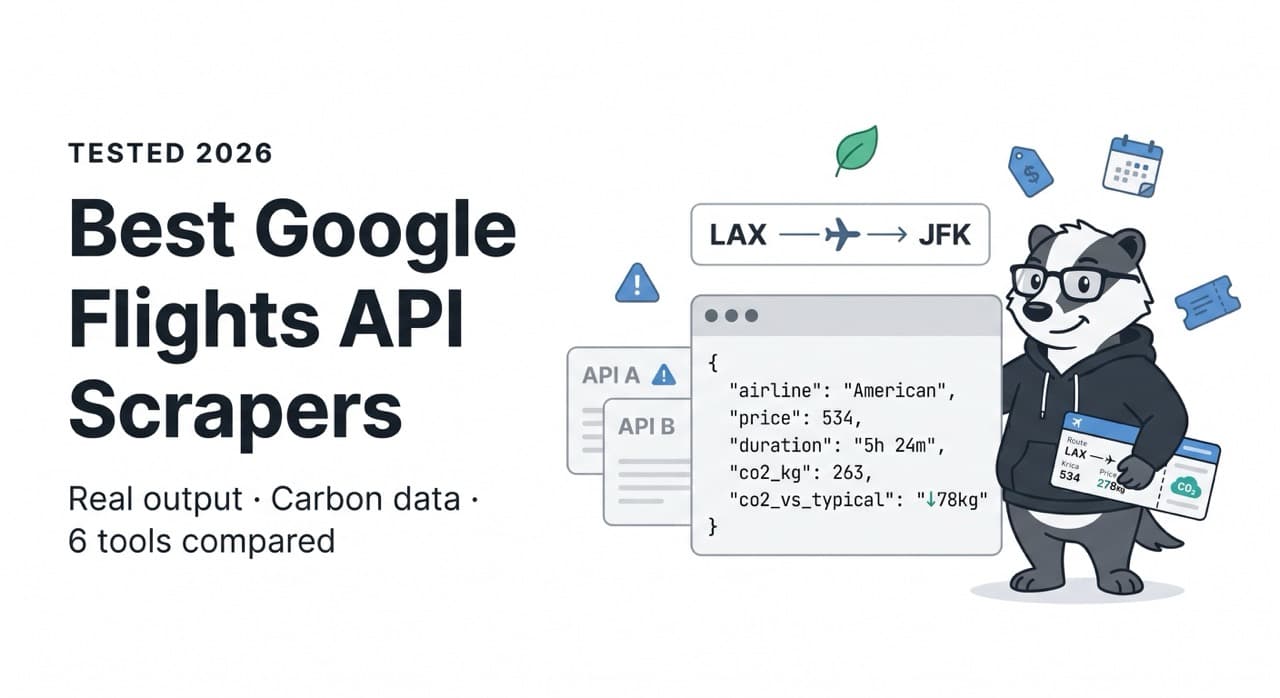
There is no official Google Flights API. That sentence lands differently when you're a developer who's spent an afternoon searching for one. Google runs one of the world's most complete flight aggregators — pulling live inventory from hundreds of airlines, generating price intelligence, tracking carbon emissions — and offers zero programmatic access to any of it.
Google's QPX Express API was deprecated in 2018 and never replaced. Official GDS alternatives — Amadeus, Sabre, Skyscanner's partner API — require commercial agreements, months of onboarding, and enterprise-level cost. For developers building price monitoring tools, travel applications, or flight intelligence pipelines, the only practical path is a third-party Google Flights scraper API.
This guide evaluates every meaningful option in 2026 — starting with real output from ScrapeBadger's Google Flights API, so you can see exactly what you get before you decide.
What a Real Google Flights API Response Looks Like
Most comparison articles describe APIs in the abstract. Here's what ScrapeBadger's Flights endpoint actually returns for a LAX → JFK one-way search on May 12, 2026:
json
{
  "best_flights": [
    {
      "legs": [
        {
          "departure_airport": "LAX",
          "departure_time": "2026-05-12T15:35",
          "arrival_airport": "JFK",
          "arrival_time": "2026-05-12T23:59",
          "duration_minutes": 324,
          "airline": "American",
          "flight_number": null,
          "aircraft": null,
          "travel_class": null,
          "legroom": null,
          "extensions": []
        }
      ],
      "layovers": [],
      "total_duration_minutes": 324,
      "price": 534,
      "currency": "USD",
      "price_type": "total",
      "booking_token": "CjRISHlsZU9aRXE3Z29...",
      "carbon_emissions_grams": 263000,
      "carbon_emissions_diff_typical": -78000
    }
  ],
  "price_insights": {
    "lowest_price": null,
    "price_level": null,
    "typical_price_range": null,
    "price_history": null
  },
  "departure_id": "LAX",
  "arrival_id": "JFK",
  "outbound_date": "2026-05-12",
  "trip_type": "one_way"
}
A few things worth noting from real output rather than marketing copy:
What's consistently populated: airline name, departure/arrival airport codes, total duration, price (always accurate), booking token (deep-link to Google Flights booking), carbon emissions grams, and carbon_emissions_diff_typical — the delta versus the typical emission for that route.
What can be null: flight_number, aircraft, travel_class, legroom, and occasionally departure_time or arrival_time on individual legs. These fields depend on what Google Flights surfaces in its response for a given search. They're not always present, and an honest API doesn't fabricate them when Google doesn't return them.
price_insights on this search: All null. Price insights data (price_level, typical_price_range, price_history) depend on Google generating them for the route and dates queried — common on popular routes, absent on others. Don't build a monitoring pipeline that assumes this block is always populated.
The carbon emissions data is the standout field. The real response shows exactly why: American at $534 emits 263,000g with a carbon_emissions_diff_typical of -78,000g — significantly greener than average for the route. JetBlue at $554 emits 405,000g with +64,000g above typical. Delta at $892 emits only 226,000g at -115,000g below typical — Delta is by far the greenest option despite being $358 more expensive. This is genuinely useful data for eco-conscious travel tools that no unofficial workaround delivers reliably.
The Complete Parameter Set
From the actual docs interface, the endpoint accepts 14 parameters:
Required:
arrival_id— IATA airport code (e.g. JFK) or Google location IDoutbound_date— YYYY-MM-DD format
Core optional:
departure_id— IATA code (defaults to first parameter in URL)return_date— YYYY-MM-DD, required for round-triptrip_type—round_trip(default),one_way,multi_cityadults— default 1children— default 0infants_in_seat— default 0infants_on_lap— default 0
Search filters:
travel_class—economy(default),premium_economy,business,firstcurrency— ISO code, defaultUSDgl— country for results (default: United States)hl— language (default: English)stops—any(default),nonstop,one_or_fewermax_price— maximum price filter
This is a clean, well-designed parameter surface. No obscure tokens to manage, no pre-request to get a session ID. Pass your search criteria, get results.
Making Your First Request
The endpoint is GET /v1/google/flights/search. One credit per call. Results back in approximately 3 seconds.
python
import requests

API_KEY = "your_scrapebadger_key"

# One-way search
response = requests.get(
    "https://api.scrapebadger.com/v1/google/flights/search",
    headers={"X-API-Key": API_KEY},
    params={
        "departure_id": "LAX",
        "arrival_id": "JFK",
        "outbound_date": "2026-06-15",
        "trip_type": "one_way",
        "adults": 1,
        "travel_class": "economy",
        "currency": "USD",
        "stops": "any",
        "gl": "US",
        "hl": "en",
    }
)

data = response.json()

print(f"Route: {data['departure_id']} → {data['arrival_id']}")
print(f"Date: {data['outbound_date']}\n")

print("=== BEST FLIGHTS ===")
for flight in data.get("best_flights", []):
    leg = flight["legs"][0]
    dep_time = leg.get("departure_time", "N/A")
    arr_time = leg.get("arrival_time", "N/A")
    co2 = flight.get("carbon_emissions_grams", 0) // 1000
    co2_diff = flight.get("carbon_emissions_diff_typical", 0) // 1000
    co2_label = f"{'↓' if co2_diff < 0 else '↑'}{abs(co2_diff)}kg vs typical"

    print(f"{leg['airline']:12} {dep_time} → {arr_time}  "
          f"{flight['total_duration_minutes']}min  "
          f"${flight['price']}  "
          f"{co2}kg CO₂ ({co2_label})")

# Price insights (check for null before using)
insights = data.get("price_insights", {})
if insights.get("price_level"):
    print(f"\nPrice level: {insights['price_level']}")
    r = insights.get("typical_price_range", [])
    if r:
        print(f"Typical range: ${r[0]}–${r[1]}")
else:
    print("\nPrice insights: not available for this route/date")
Output from the real LAX → JFK search:
Route: LAX → JFK
Date: 2026-05-12

=== BEST FLIGHTS ===
American     2026-05-12T15:35 → 2026-05-12T23:59  324min  $534  263kg CO₂ (↓78kg vs typical)
American     N/A → 2026-05-12T11:39               479min  $544  331kg CO₂ (↓10kg vs typical)
JetBlue      N/A → 2026-05-13T07:29               329min  $554  405kg CO₂ (↑64kg vs typical)
American     N/A → 2026-05-12T17:14               494min  $544  369kg CO₂ (↑28kg vs typical)

Price insights: not available for this route/date
Note the N/A departure times on legs 2, 3, and 4 — exactly as shown in the raw JSON, where departure_time is null on those records. A production pipeline needs to handle these gracefully. The price is always present; the granular flight-level metadata sometimes isn't.
Round-Trip: How It Works
For round-trip searches, include both return_date and trip_type: round_trip. Unlike SerpApi's implementation which requires a second request using a departure_token, ScrapeBadger returns both outbound and return options in a single call:
python
response = requests.get(
    "https://api.scrapebadger.com/v1/google/flights/search",
    headers={"X-API-Key": API_KEY},
    params={
        "departure_id": "JFK",
        "arrival_id": "LHR",
        "outbound_date": "2026-07-15",
        "return_date": "2026-07-22",
        "trip_type": "round_trip",
        "travel_class": "economy",
        "currency": "USD",
        "adults": 2,
    }
)

data = response.json()

# Round-trip prices are total for all passengers
for flight in data.get("best_flights", [])[:3]:
    legs_summary = " + ".join(
        f"{l['departure_airport']}→{l['arrival_airport']}"
        for l in flight["legs"]
    )
    print(f"{legs_summary}: ${flight['price']} total "
          f"({flight['total_duration_minutes']}min)")
Real-World Pipeline: Flexible Date Scanner
The most valuable flight intelligence pattern isn't checking one date — it's scanning a date range to find the cheapest window. With flat per-request pricing and no subscription required, this kind of batch scanning is economical:
python
import requests
import time
from datetime import datetime, timedelta

API_KEY = "your_scrapebadger_key"

def scan_date_range(
    origin: str,
    destination: str,
    start_date: datetime,
    days: int = 30,
    max_price: int = None,
) -> list[dict]:
    """
    Scan a date range and find the cheapest flights.
    Returns results sorted by price.
    """
    results = []

    for i in range(days):
        date = (start_date + timedelta(days=i)).strftime("%Y-%m-%d")

        params = {
            "departure_id": origin,
            "arrival_id": destination,
            "outbound_date": date,
            "trip_type": "one_way",
            "currency": "USD",
            "stops": "any",
        }
        if max_price:
            params["max_price"] = max_price

        try:
            response = requests.get(
                "https://api.scrapebadger.com/v1/google/flights/search",
                headers={"X-API-Key": API_KEY},
                params=params,
                timeout=30
            )
            data = response.json()
            best = data.get("best_flights", [])

            if best:
                cheapest = min(best, key=lambda x: x["price"])
                leg = cheapest["legs"][0]

                results.append({
                    "date": date,
                    "airline": leg.get("airline"),
                    "price": cheapest["price"],
                    "duration_minutes": cheapest["total_duration_minutes"],
                    "co2_grams": cheapest.get("carbon_emissions_grams"),
                    "co2_vs_typical": cheapest.get("carbon_emissions_diff_typical"),
                    "booking_token": cheapest.get("booking_token"),
                })

        except Exception as e:
            print(f"Error on {date}: {e}")

        time.sleep(1)  # Polite pacing

    return sorted(results, key=lambda x: x["price"])


# Find cheapest JFK→LHR in June 2026
cheapest_june = scan_date_range(
    "JFK", "LHR",
    start_date=datetime(2026, 6, 1),
    days=30,
    max_price=800
)

print("Cheapest JFK→LHR in June 2026:")
for result in cheapest_june[:5]:
    co2_kg = result["co2_grams"] // 1000 if result["co2_grams"] else "N/A"
    print(f"  {result['date']}: {result['airline']} — ${result['price']} "
          f"({result['duration_minutes']}min, {co2_kg}kg CO₂)")
Carbon Intelligence: The Underused Field
The real LAX→JFK response demonstrates the value of carbon_emissions_diff_typical clearly. Same route, same date, dramatically different environmental footprint:
Airline | Price | CO₂ (grams) | vs. Typical Route |
|---|---|---|---|
Delta | $892 | 226,000g | -115,000g (greener) |
Delta | $892 | 238,000g | -103,000g (greener) |
Delta | $937 | 226,000g | -103,000g (greener) |
American | $534 | 263,000g | -78,000g (greener) |
JetBlue | $554 | 405,000g | +64,000g (more polluting) |
Delta costs $358 more than American's cheapest option but emits 437,000 fewer grams of CO₂. For sustainable travel apps, corporate sustainability dashboards, or any tool helping users make informed decisions, this data is the differentiating factor — and it comes from the same API call that returns the price.
python
def analyse_carbon_vs_price(flights: list[dict]) -> None:
    """
    Rank flights by carbon efficiency — CO₂ per dollar spent.
    Useful for sustainability-focused travel tools.
    """
    enriched = []
    for flight in flights:
        co2 = flight.get("carbon_emissions_grams", 0)
        price = flight["price"]
        leg = flight["legs"][0]
        if co2 and price:
            enriched.append({
                "airline": leg.get("airline"),
                "price": price,
                "co2_kg": co2 // 1000,
                "co2_diff_kg": flight.get("carbon_emissions_diff_typical", 0) // 1000,
                "co2_per_dollar": co2 / price,
                "duration_min": flight["total_duration_minutes"],
            })

    # Sort by CO₂ per dollar (lower = more eco-efficient per dollar spent)
    ranked = sorted(enriched, key=lambda x: x["co2_per_dollar"])

    print("Flights ranked by carbon efficiency:")
    for r in ranked:
        label = f"↓{abs(r['co2_diff_kg'])}kg vs typical" if r["co2_diff_kg"] < 0 \
                else f"↑{r['co2_diff_kg']}kg vs typical"
        print(f"  {r['airline']:12} ${r['price']:4}  "
              f"{r['co2_kg']}kg CO₂ ({label})  "
              f"{r['duration_min']}min")
Where ScrapeBadger Sits Among the Alternatives
The honest comparison, based on real product testing:
ScrapeBadger | SerpApi | Oxylabs | Scrape.do | |
|---|---|---|---|---|
Endpoint |
|
| Web Scraper API | Dedicated |
Round-trip in 1 request | ✅ | ❌ (2-step token) | ✅ | ✅ |
Pricing model | Per-request, no expiry | Subscription ($75+/mo) | Volume contract | Per-request |
Carbon emissions | ✅ With diff vs. typical | ✅ | ✅ | ✅ |
Price insights | ✅ (when available) | ✅ | ✅ | ✅ |
Null field transparency | ✅ Returns null honestly | ✅ | ✅ | ✅ |
Other Google APIs (Maps, Trends, etc.) | ✅ 18 endpoints | ✅ 100+ engines | Limited | ❌ |
MCP integration | ✅ | ❌ | ❌ | ❌ |
Legal situation (2026) | ✅ Clean | ⚠️ Google lawsuit pending | ✅ | ✅ |
Free trial | ✅ No credit card | 100 searches | 2K results | 1,000 credits |
SerpApi's two-request round-trip requirement is worth calling out in practical terms. Searching 1,000 round-trip routes per day means 2,000 API calls. At their pricing ($0.015/search), that's $30/day versus what ScrapeBadger charges for 1,000 calls. At production volume, the single-request architecture is not a minor difference.
The Multi-Product Advantage
Travel applications rarely need just flight data. A complete trip planning product needs:
Flights — prices, schedules, availability
Hotels — pricing, ratings, amenities by date (ScrapeBadger Google Hotels API)
Destination intelligence — what's trending, when demand peaks (Trends API)
Local research — attraction reviews, restaurant ratings at destination (Maps API)
News monitoring — real-time alerts about disruptions, strikes, events (Google News API)
All of these run under the same ScrapeBadger API key, the same billing, and the same integration pattern. One requests.get() call structure, one key, all the data your travel product needs.
For AI agent workflows, the MCP server makes this multi-data model even more powerful — an agent planning a trip calls Flights, Hotels, Maps reviews, and Trends data through a single tool framework. Setup instructions at docs.scrapebadger.com/mcp/overview.
What to Build With It
Price alert service. Poll routes daily, detect when prices cross user-defined thresholds, deliver email or Slack notifications. The price tracking bot guide on the ScrapeBadger blog covers the full architecture with change detection and alert delivery.
Flexible date fare calendar. The "cheapest day to fly" view that every flight metasearch shows. Loop over 30–60 dates, collect the cheapest fare per day, render a calendar heat map. The scan pipeline above does exactly this.
Corporate travel carbon dashboard. For companies with sustainability commitments, a tool that ranks travel options by carbon_emissions_diff_typical gives sustainability teams and employees meaningful choice data alongside price. Delta at -115kg vs. typical is a concrete number, not a vague "eco-friendly" label.
AI trip planner. Feed flight options into a language model alongside hotel prices from the Hotels API and attraction reviews from the Maps API. The agent reasons about the full trip cost and quality, not just the airfare. As detailed in the ScrapeBadger guide to connecting AI agents to real-time web data, this is increasingly the dominant pattern for travel-adjacent AI products in 2026.
Airline competitive intelligence. Track how American, Delta, JetBlue, and United price the same routes over time. The real response shows price variance of $534–$1,462 on a single LAX→JFK day — that pricing spread tells a story about yield management strategies worth tracking.
Getting Started
The free trial includes enough credits to run a meaningful evaluation against your actual routes before committing to anything. No credit card required.
bash
# Test with cURL
curl "https://api.scrapebadger.com/v1/google/flights/search\
?departure_id=LAX&arrival_id=JFK&outbound_date=2026-06-15&trip_type=one_way" \
  -H "X-API-Key: YOUR_API_KEY"
Or with Python:
python
pip install requestspython
import requests

data = requests.get(
    "https://api.scrapebadger.com/v1/google/flights/search",
    headers={"X-API-Key": "YOUR_KEY"},
    params={
        "departure_id": "LAX",
        "arrival_id": "JFK",
        "outbound_date": "2026-06-15",
        "trip_type": "one_way",
    }
).json()

for f in data.get("best_flights", []):
    print(f"${f['price']} — {f['legs'][0]['airline']} — "
          f"{f['total_duration_minutes']}min — "
          f"{f['carbon_emissions_grams']//1000}kg CO₂")
Sign up at scrapebadger.com/google-scraper-api/flights. Full parameter documentation and response schema at docs.scrapebadger.com.

Written by
Thomas Shultz
Thomas Shultz is the Head of Data at ScrapeBadger, working on public web data, scraping infrastructure, and data reliability. He writes about real-world scraping, data pipelines, and turning unstructured web data into usable signals. ScrapeBadger is a web scraping API platform specialising in Twitter/X, Reddit and Google data, with dedicated scrapers also covering TikTok, YouTube, LinkedIn, Amazon, eBay, Zillow and 40+ more: with built-in anti-bot bypass and an MCP server for AI agents.
Ready to get started?
Join thousands of developers using ScrapeBadger for their data needs.