Google SERP Data: 7 Ways SEO Teams and Developers Are Using It Right Now
 Thomas Shultz
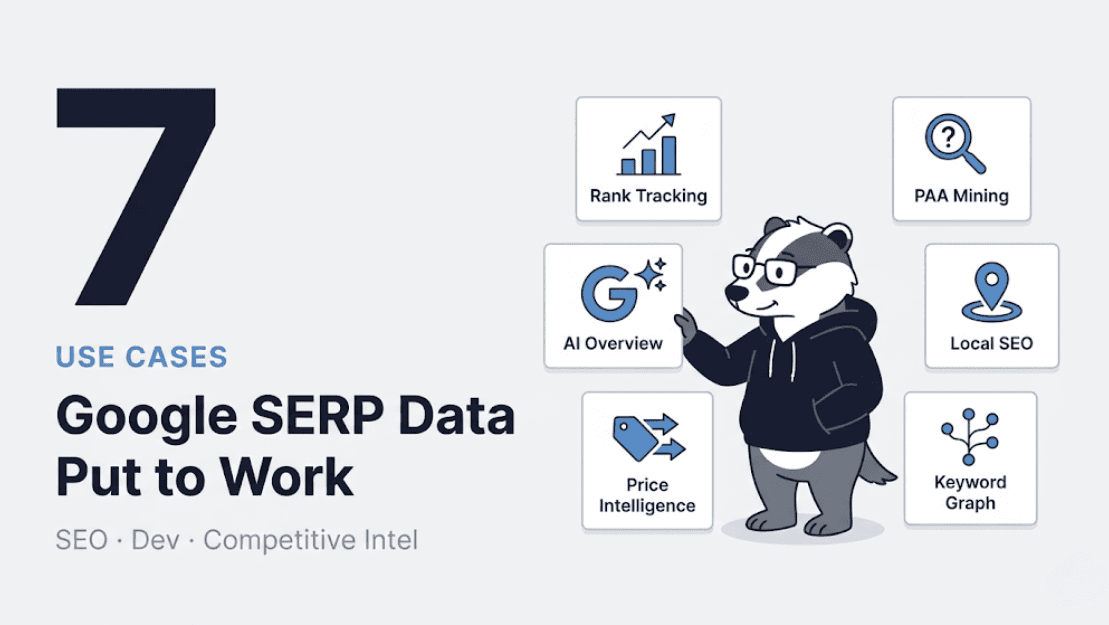
AI Summary: Using ScrapeBadger's 19-endpoint Google Scraper API, this post details seven of the most valuable ways SEO teams and developers put SERP data to work right now, from affordable rank tracking to competitive intelligence, with real implementation details for each.
There are 8.5 billion Google searches every day. Every single one of those queries is a data point — a window into what people care about, what they're buying, what they're confused about, and what content they think is worth their click. Most of that data sits completely unused by the businesses it could help.
Not because it's hard to understand. Because it was hard to access programmatically — until recently.
With ScrapeBadger's Google Scraper API now live across 19 endpoints covering 8 Google products, we've been watching how teams are actually putting this data to work. Some use cases are obvious. Some are genuinely surprising. This post covers seven of the most valuable, with real implementation details so you can lift and run with any of them.
1. Building a Rank Tracker That Doesn't Cost a Fortune
The dirty secret of the SEO tools market is that Ahrefs and Semrush rank tracking is genuinely expensive at scale. A mid-market agency tracking 10,000 keywords across 50 client domains easily spends thousands per month just on rank tracking — for data that updates weekly, not daily, and doesn't expose the raw JSON you'd need to build custom dashboards or automate reporting.
The maths on building your own is compelling. ScrapeBadger's Google Search endpoint costs 2 credits per SERP request. Track 500 keywords daily across desktop and mobile, and you're looking at a fraction of what Ahrefs charges for the same coverage — with full JSON access, hourly scheduling if you want it, and no per-seat licensing fees.
Here's the core of what a custom rank tracker looks like:
python
import requests
from datetime import datetime
import json

API_KEY = "your_scrapebadger_key"
BASE_URL = "https://api.scrapebadger.com/v1/google/search"

def check_rank(keyword: str, target_domain: str, location: str = "us") -> dict:
    """Check the ranking position of a domain for a keyword."""
    response = requests.get(
        BASE_URL,
        headers={"X-API-Key": API_KEY},
        params={
            "q": keyword,
            "gl": location,
            "hl": "en",
            "num": "20"  # Get top 20 results
        }
    )
    data = response.json()

    for result in data.get("organic_results", []):
        if target_domain in result.get("link", ""):
            return {
                "keyword": keyword,
                "position": result["position"],
                "title": result["title"],
                "url": result["link"],
                "has_ai_overview": "ai_overview" in data,
                "checked_at": datetime.utcnow().isoformat(),
            }

    return {
        "keyword": keyword,
        "position": None,  # Not in top 20
        "checked_at": datetime.utcnow().isoformat(),
    }

# Track a keyword list
keywords = [
    "web scraping api",
    "python web scraping",
    "google serp api",
    "scrape google search results"
]

results = [check_rank(kw, "scrapebadger.com") for kw in keywords]
print(json.dumps(results, indent=2))
The has_ai_overview flag is worth calling out specifically. The introduction of Google's AI Overviews caused the average CTR for first-position results to drop from 7.3% to 2.6% between March 2024 and March 2025, according to Ahrefs data. If an AI Overview is appearing for your target keyword, the ranking data alone tells you much less than you think about your actual traffic. Tracking both position and AI Overview presence is now essential context, and ScrapeBadger captures it automatically.
2. Mining "People Also Ask" at Scale for Content Strategy
People Also Ask boxes appear in approximately 75% of all Google searches, according to Briskon. Each question represents a real user need that Google has determined is related enough to surface alongside your target query. Collectively, they're one of the most accurate maps of what your audience actually wants to know.
Most content teams mine PAA manually — open a few searches, jot down interesting questions, occasionally use a keyword tool that synthesises some PAA data. This works at the scale of a few focus topics per month. It doesn't work when you need to map the question landscape across an entire industry.
The Google Search API returns PAA data in the related_questions array of every response. At scale, this becomes a systematic content intelligence system:
python
import requests
from collections import defaultdict

API_KEY = "your_scrapebadger_key"

def harvest_paa_questions(seed_keywords: list[str]) -> dict:
    """
    Extract all People Also Ask questions for a set of keywords.
    Returns questions grouped by topic area.
    """
    all_questions = defaultdict(list)

    for keyword in seed_keywords:
        response = requests.get(
            "https://api.scrapebadger.com/v1/google/search",
            headers={"X-API-Key": API_KEY},
            params={"q": keyword, "hl": "en", "gl": "us"}
        )
        data = response.json()

        questions = data.get("related_questions", [])
        for item in questions:
            all_questions[keyword].append({
                "question": item["question"],
                "answer_snippet": item.get("answer", ""),
                "answer_source": item.get("link", ""),
            })

    return dict(all_questions)

# Example: Map questions across a product category
seed_keywords = [
    "web scraping tools",
    "web scraping python",
    "web scraping api",
    "how to scrape a website",
    "web scraping legal"
]

paa_map = harvest_paa_questions(seed_keywords)

# Count most common question patterns
all_q = [q["question"] for questions in paa_map.values() for q in questions]
print(f"Total unique PAA questions harvested: {len(set(all_q))}")
A content team that runs this across 50 seed keywords gets back hundreds of real user questions, pre-sorted by topic, with the current answer snippets Google is surfacing. That's a complete content brief factory — every question is a potential FAQ item, blog post, or documentation page that answers something your audience is genuinely asking.
3. Competitor SERP Monitoring — Beyond Just Rankings
Knowing where your competitor ranks is table stakes. Knowing why they rank, what content format Google is rewarding in your category, and when their ranking changes — that's competitive advantage.
SERP data exposes several signals that most teams ignore:
Sitelinks appearing in results indicate Google has high trust in a domain for a query. When a competitor starts showing sitelinks under their result, it's a signal of increased authority worth noticing.
Featured snippets and answer boxes tell you which content format Google currently believes best answers a query. If a competitor owns the Featured Snippet for your target keyword, you know exactly what to reverse-engineer — and you can track whether you displace them.
Result type shifts matter enormously. When Google switches from showing 10 blue links to showing a Local Pack, a video carousel, or an AI Overview for a keyword, the entire competitive landscape changes. A page that ranked #1 for a transactional query gets pushed down the page when a Shopping carousel appears above it.
python
def analyse_serp_features(keyword: str) -> dict:
    """
    Identify which SERP features are present for a keyword.
    Useful for competitive positioning decisions.
    """
    response = requests.get(
        "https://api.scrapebadger.com/v1/google/search",
        headers={"X-API-Key": API_KEY},
        params={"q": keyword, "hl": "en", "gl": "us"}
    )
    data = response.json()

    features = {
        "keyword": keyword,
        "has_ai_overview": "ai_overview" in data,
        "has_featured_snippet": any(
            r.get("type") == "featured_snippet"
            for r in data.get("organic_results", [])
        ),
        "has_people_also_ask": len(data.get("related_questions", [])) > 0,
        "has_ads": len(data.get("ads", [])) > 0,
        "has_knowledge_panel": "knowledge_graph" in data,
        "organic_count": len(data.get("organic_results", [])),
        "top_domains": [
            r.get("displayed_link", "").split("/")[0]
            for r in data.get("organic_results", [])[:5]
        ]
    }
    return features
Running this analysis weekly across your target keyword set gives you a living picture of how Google's SERP layout is evolving for your topics — not a static snapshot, but a time series you can correlate with traffic changes.
4. Local SEO Intelligence With Geo-Targeted SERP Data
A pizza restaurant ranking #1 in central London means nothing to a customer searching from Manchester. A SaaS company ranking first for "project management software" in the US might be invisible to users searching from Germany. Most rank tracking tools treat location as an afterthought — a parameter you can set once per keyword.
For any business with geo-specific audiences, rankings vary enough by location that aggregate rank tracking is actively misleading. You need geo-targeted SERP data, and you need it across the specific markets you care about.
The Google Search endpoint accepts both gl (country) and location parameters, enabling city-level precision:
python
def geo_rank_check(keyword: str, domain: str, locations: list[dict]) -> list:
    """
    Check rankings for a keyword across multiple geographic locations.
    locations: list of dicts with 'gl' (country code) and optionally 'location' (city string)
    """
    geo_results = []

    for loc in locations:
        params = {
            "q": keyword,
            "hl": "en",
            "gl": loc["gl"],
        }
        if "location" in loc:
            params["location"] = loc["location"]

        response = requests.get(
            "https://api.scrapebadger.com/v1/google/search",
            headers={"X-API-Key": API_KEY},
            params=params
        )
        data = response.json()

        position = None
        for result in data.get("organic_results", []):
            if domain in result.get("link", ""):
                position = result["position"]
                break

        geo_results.append({
            "location": loc.get("location", loc["gl"]),
            "position": position,
            "top_3": [
                r.get("displayed_link", "")
                for r in data.get("organic_results", [])[:3]
            ]
        })

    return geo_results

# Example: Multi-market rank check
locations = [
    {"gl": "us", "location": "New York, New York"},
    {"gl": "us", "location": "Los Angeles, California"},
    {"gl": "gb"},
    {"gl": "de"},
    {"gl": "au"},
]

rankings = geo_rank_check("web scraping api", "scrapebadger.com", locations)
for r in rankings:
    print(f"{r['location']}: position {r['position']}")
For e-commerce teams, multi-market rank tracking reveals where paid search is cannibalising organic rankings (a market showing strong paid results alongside weak organics suggests an opportunity to invest in content). For agencies managing international clients, it's the difference between reporting that means something and reporting that obscures market-specific performance.
5. AI Overview Tracking — The New SEO Frontier
The most significant shift in Google's SERP in the past two years is AI Overviews. When they appear — currently in approximately 48% of queries — they push organic results down the page and intercept a meaningful share of clicks before users ever see a blue link.
Tracking which of your target keywords now trigger AI Overviews, and monitoring whether your content is cited within those overviews, has become one of the most important SEO activities of 2025. Most commercial tools don't surface this data reliably because AI Overviews are JavaScript-rendered and invisible to basic HTTP scrapers.
ScrapeBadger captures AI Overview content and source citations automatically. This enables something genuinely new: tracking your brand's presence in AI-generated answers, not just in organic rankings.
python
def monitor_ai_overview_citations(keywords: list[str], brand_domain: str) -> list:
    """
    Track which keywords trigger AI Overviews and whether
    your domain is cited in the AI-generated content.
    """
    results = []

    for keyword in keywords:
        response = requests.get(
            "https://api.scrapebadger.com/v1/google/search",
            headers={"X-API-Key": API_KEY},
            params={"q": keyword, "hl": "en", "gl": "us"}
        )
        data = response.json()
        ai_overview = data.get("ai_overview")

        result = {
            "keyword": keyword,
            "has_ai_overview": ai_overview is not None,
            "brand_cited_in_ai": False,
            "ai_overview_text": None
        }

        if ai_overview:
            # Check if brand is cited in AI Overview references
            references = ai_overview.get("references", [])
            result["brand_cited_in_ai"] = any(
                brand_domain in ref.get("link", "")
                for ref in references
            )
            # Capture the AI-generated summary text
            text_blocks = ai_overview.get("text_blocks", [])
            result["ai_overview_text"] = " ".join(
                block.get("snippet", "")
                for block in text_blocks
                if block.get("type") == "paragraph"
            )

        results.append(result)

    return results

# Monitor brand citations in AI Overviews
keywords_to_monitor = [
    "best web scraping api",
    "how to scrape google search results",
    "python web scraping tools",
    "google serp api",
]

citations = monitor_ai_overview_citations(keywords_to_monitor, "scrapebadger.com")
cited = [r for r in citations if r["brand_cited_in_ai"]]
print(f"Brand cited in {len(cited)} of {len(citations)} AI Overviews")
For SEO teams, this opens up a new reporting dimension: AI Overview visibility, distinct from organic ranking, with specific citation tracking. It also surfaces a strategic question worth investigating — does being cited in AI Overviews correlate with ranking changes in organic results? With historical data from this kind of monitoring, you can start to answer that.
6. Programmatic Keyword Research Using Related Searches and Autocomplete
Traditional keyword research starts with a seed keyword, expands using a keyword tool, and produces a static list. The process is manual, the output is a spreadsheet, and it needs to be repeated every few months to stay current.
A different approach: use Google's own signals — related searches, People Also Ask, and the structure of SERP results — to build a continuously updated keyword map programmatically.
Every Google search response from the Search API includes related_searches — the list Google shows at the bottom of results. These are high-value: Google's system is literally telling you what else people search for when they're searching for your keyword. Treating these as a keyword expansion tool gives you search volume-validated extensions to your seed keywords without any third-party keyword tool.
python
def build_keyword_graph(seed: str, depth: int = 2) -> dict:
    """
    Build a keyword graph by recursively following related_searches.
    depth=1 gives immediate related searches
    depth=2 gives related searches of related searches
    """
    visited = set()
    graph = {}

    def expand(keyword, current_depth):
        if current_depth > depth or keyword in visited:
            return
        visited.add(keyword)

        response = requests.get(
            "https://api.scrapebadger.com/v1/google/search",
            headers={"X-API-Key": API_KEY},
            params={"q": keyword, "hl": "en", "gl": "us"}
        )
        data = response.json()

        related = [
            r.get("query", "")
            for r in data.get("related_searches", [])
        ]
        graph[keyword] = related

        if current_depth < depth:
            for related_kw in related[:5]:  # Limit branching
                expand(related_kw, current_depth + 1)

    expand(seed, 1)
    return graph

keyword_graph = build_keyword_graph("web scraping", depth=2)
total_keywords = set()
for k, related in keyword_graph.items():
    total_keywords.add(k)
    total_keywords.update(related)

print(f"Discovered {len(total_keywords)} keywords from seed 'web scraping'")
The output isn't just a list of keywords — it's a graph showing how topics relate to each other in Google's model. That structure tells you how to organise content into topic clusters that map to how Google actually groups related queries.
7. Price Intelligence via Google Shopping Data
Competitive price intelligence used to mean either manual spot-checking (slow, unreliable at scale) or expensive data feed subscriptions to price aggregators (accurate, but priced for enterprise budgets).
ScrapeBadger's Google Shopping endpoint changes this equation for mid-market e-commerce teams. Google Shopping results represent the live landscape of what sellers are showing up for your product categories, at what prices, with what ratings. It's real-time competitive pricing intelligence at API call cost.
python
def track_category_pricing(product_query: str, your_price: float) -> dict:
    """
    Analyse the competitive pricing landscape for a product category
    and determine your relative position.
    """
    response = requests.get(
        "https://api.scrapebadger.com/v1/google/shopping/search",
        headers={"X-API-Key": API_KEY},
        params={
            "q": product_query,
            "gl": "us",
            "hl": "en"
        }
    )
    data = response.json()
    products = data.get("shopping_results", [])

    prices = []
    for product in products:
        price_str = product.get("price", "").replace("$", "").replace(",", "")
        try:
            prices.append(float(price_str))
        except ValueError:
            continue

    if not prices:
        return {"error": "No pricing data found"}

    analysis = {
        "query": product_query,
        "competitor_count": len(prices),
        "min_price": min(prices),
        "max_price": max(prices),
        "avg_price": sum(prices) / len(prices),
        "your_price": your_price,
        "your_percentile": sum(p < your_price for p in prices) / len(prices) * 100,
        "top_merchants": [
            {"merchant": p.get("source", ""), "price": p.get("price", "")}
            for p in products[:5]
        ]
    }
    return analysis

# Monitor pricing position for a product
result = track_category_pricing("noise cancelling headphones", your_price=199.99)
print(f"Your price is at the {result['your_percentile']:.0f}th percentile")
print(f"Market range: ${result['min_price']} - ${result['max_price']}")
Run this on a scheduled basis — daily for fast-moving categories, weekly for stable ones — and you have a pricing intelligence feed that tells you exactly where you sit in the market and when competitors adjust their prices. For e-commerce teams making reprice decisions, this is the kind of data that directly impacts margin.
The Bigger Picture: Google as a Data Platform
Most people think of Google as a search engine. Developers who've worked extensively with SERP data think of it as something different: a continuously updated signal about what people want, what content they trust, what products they're comparing, what questions they're asking, and what trends are emerging — all expressed through billions of daily interactions.
The seven use cases above barely scratch the surface of what's possible across all 19 endpoints. Google Trends data can tell you whether a product category is growing or declining months before it shows up in sales figures. Google News gives you real-time brand monitoring that no media database can match in freshness. Google Jobs tells you which companies are hiring data engineers — one of the most reliable signals that a competitor is investing in a data-driven product.
All of it is accessible through the same API key, at flat per-request pricing, with no subscriptions or monthly minimums. Every credit you purchase never expires.
The question isn't really "should I be using Google data?" For any team making data-informed decisions about SEO, product, pricing, or competitive strategy, the question is how much of this signal you're currently leaving on the table.
Explore the full Google Scraper documentation to see the complete endpoint reference, response schemas, and code examples. Or go straight to the Google Scraper product page to start with a free trial — the cost estimator on that page will tell you exactly what your use case costs before you commit to anything.
If you're connecting this to an AI agent or building a pipeline with the ScrapeBadger MCP server, your agent can query SERP data, Maps reviews, Shopping prices, and Trends signals — all in natural language, all from the same integration. The MCP documentation covers setup in under ten minutes.
And if you're still deciding whether a scraping API or a DIY approach makes more sense for your specific situation, the ScrapeBadger blog has the honest breakdown of what each path actually costs in time, maintenance, and reliability — starting with the first Google SERP scraping guide in this series.

Written by
Thomas Shultz
Thomas Shultz is the Head of Data at ScrapeBadger, working on public web data, scraping infrastructure, and data reliability. He writes about real-world scraping, data pipelines, and turning unstructured web data into usable signals. ScrapeBadger is a web scraping API platform specialising in Twitter/X, Reddit and Google data, with dedicated scrapers also covering TikTok, YouTube, LinkedIn, Amazon, eBay, Zillow and 40+ more: with built-in anti-bot bypass and an MCP server for AI agents.
Ready to get started?
Join thousands of developers using ScrapeBadger for their data needs.