HOW TO BUILD A REAL-TIME TWITTER MONITORING PIPELINE
 Thomas Shultz
AI Summary: Using ScrapeBadger's Filter Rules and WebSocket streaming, this guide shows how to build a genuinely real-time Twitter monitoring pipeline that pushes matching tweets to your backend within milliseconds, rather than a polling loop that reacts only when the next cron job wakes.
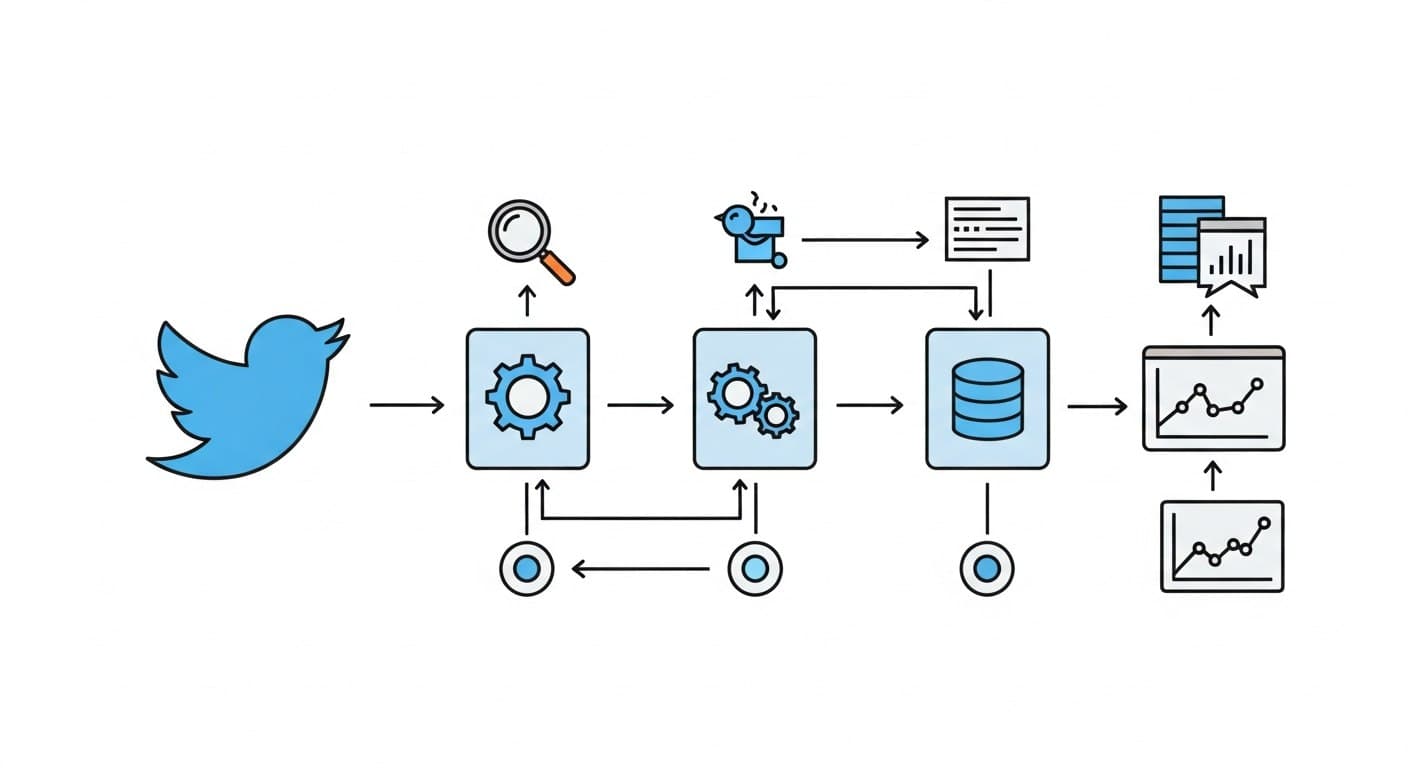
Most Twitter monitoring setups are polling loops dressed up as pipelines. They run on a schedule, pull the last N tweets, deduplicate, and hope nothing slipped through the gaps. That works for brand monitoring at low frequency. It breaks the moment you need to react to something within seconds — a product mention going viral, a competitor announcement, a PR issue gaining traction.
This guide covers how to build an actual real-time Twitter monitoring pipeline using ScrapeBadger's Filter Rules and WebSocket streaming. You'll end up with a system that detects matching tweets and pushes them to your backend within milliseconds — not the next time your cron job wakes up.
THE ARCHITECTURE IN PLAIN TERMS
A real-time pipeline has three distinct layers:
Layer | Responsibility | Tool |
|---|---|---|
Rule definition | Define what queries to monitor | ScrapeBadger Filter Rules API |
Delivery | Push matching tweets as they arrive | WebSocket or Webhook |
Processing | Normalize, deduplicate, route | Python consumer |
The key difference from a polling pipeline: you're not asking "what happened?" on a schedule. You're receiving events the moment they occur.
STEP 1: CREATE A FILTER RULE
Filter Rules are the core primitive. Each rule is a Twitter Advanced Search query that runs continuously. When a tweet matches, it gets pushed to your consumer.
Create a rule via the Filter Rules API:
curl -X POST "https://scrapebadger.com/v1/twitter/filter-rules" \
  -H "x-api-key: YOUR_API_KEY" \
  -H "Content-Type: application/json" \
  -d '{
    "query": "\"your-product-name\" -is:retweet lang:en",
    "tag": "brand-monitor",
    "interval": "standard"
  }'
The interval field maps to a pricing tier. Pick based on how fast you need to react:
Tier | Polling Interval | Credits/Rule/Day | Best For |
|---|---|---|---|
Turbo | 0.5 seconds | 30,000 | Crisis monitoring, live events |
Fast | 5 seconds | 10,000 | Active product launches |
Standard | 1 minute | 1,500 | Brand monitoring, B2B SaaS tracking |
Relaxed | 10 minutes | 500 | Market research, background tracking |
Daily | 24 hours | 100 | Weekly digest inputs |
For most B2B SaaS monitoring use cases, standard is the right default. You get sub-minute detection without burning through credits.
Before creating a rule in production, validate the query syntax first:
curl -X POST "https://scrapebadger.com/v1/twitter/filter-rules/validate" \
  -H "x-api-key: YOUR_API_KEY" \
  -d '{"query": "\"your-product\" -is:retweet min_faves:5"}'
This catches malformed queries without creating a billable rule. Use it.
STEP 2: CHOOSE YOUR DELIVERY METHOD
You have two options for receiving tweet events. They're not interchangeable — each fits different downstream architectures.
Feature | WebSocket | Webhook |
|---|---|---|
Protocol |
| HTTP |
Best for | Live dashboards, real-time apps | Backend pipelines, reliable processing |
Retries on failure | No (client reconnects) | Yes — 3 attempts with backoff |
Auth | API key in query param or header | HMAC-SHA256 signature |
Max connections | 5 per API key | Unlimited endpoints |
In practice: use WebSocket if you're building a live UI or need sub-second delivery to a running process. Use Webhooks if you need guaranteed delivery to a backend service that might restart or have transient downtime.
STEP 3: CONNECT VIA WEBSOCKET
Here's a minimal Python consumer using the WebSocket streaming endpoint:
import asyncio
import json
import websockets
import logging

logging.basicConfig(level=logging.INFO, format="%(asctime)s %(message)s")

STREAM_URI = "wss://scrapebadger.com/v1/twitter/stream?api_key=YOUR_API_KEY"

async def connect_with_backoff():
    """Reconnect with exponential backoff on failure."""
    delay = 1
    while True:
        try:
            async with websockets.connect(STREAM_URI) as ws:
                logging.info("Connected to stream")
                delay = 1  # reset on successful connection
                async for message in ws:
                    handle_event(json.loads(message))
        except Exception as e:
            logging.error(f"Connection error: {e}. Retrying in {delay}s...")
            await asyncio.sleep(delay)
            delay = min(delay * 2, 30)  # cap at 30s

def handle_event(data: dict):
    if data.get("type") != "new_tweet":
        return

    source = data.get("source")  # "filter_rule" or "monitor"
    username = data.get("author_username")
    text = data.get("tweet_text")
    latency = data.get("latency_ms")
    rule_tag = data.get("rule_tag")

    logging.info(f"[{rule_tag}] @{username} ({latency}ms latency): {text[:100]}")
    # Route to Slack, database, alerting system, etc.

if __name__ == "__main__":
    asyncio.run(connect_with_backoff())
The backoff logic is not optional. Without it, a temporary connection drop turns into a tight retry loop that hammers the server and makes debugging harder. Start at 1 second, double up to 30 seconds max.
STEP 4: HANDLE WEBHOOKS FOR RELIABLE BACKEND DELIVERY
If your consumer is a backend service (Flask, FastAPI, a queue worker), use Webhooks instead. ScrapeBadger posts a signed payload to your endpoint on every matching tweet, with 3 automatic retries on failure.
from flask import Flask, request, abort
import hmac, hashlib

app = Flask(__name__)
WEBHOOK_SECRET = "your_webhook_secret"

def verify_signature(body: bytes, signature: str) -> bool:
    expected = hmac.new(
        WEBHOOK_SECRET.encode(), body, hashlib.sha256
    ).hexdigest()
    received = signature.replace("sha256=", "")
    return hmac.compare_digest(expected, received)

@app.route("/webhook/twitter", methods=["POST"])
def receive_tweet():
    sig = request.headers.get("X-ScrapeBadger-Signature", "")
    if not verify_signature(request.data, sig):
        abort(401)

    delivery_id = request.headers.get("X-ScrapeBadger-Delivery-Id")
    payload = request.get_json()

    if payload.get("type") == "tweet":
        process_tweet(payload, delivery_id)

    return "", 200  # must return 2xx within 10 seconds

def process_tweet(payload: dict, delivery_id: str):
    # Use delivery_id for idempotency — retried deliveries send the same ID
    tweet = payload.get("tweet", {})
    print(f"@{payload['author_username']}: {tweet.get('text', '')[:100]}")
Two things matter here. Always verify the X-ScrapeBadger-Signature header before processing anything. And use X-ScrapeBadger-Delivery-Id for idempotency — when ScrapeBadger retries a failed delivery, it sends the same ID, so you can skip duplicates.
MANAGING RULES AT SCALE
Once you're running multiple monitors, you'll need to manage rules programmatically. A few patterns worth knowing:
List all active rules:
curl "https://scrapebadger.com/v1/twitter/filter-rules" \
  -H "x-api-key: YOUR_API_KEY"
Pause a rule without deleting it:
curl -X PATCH "https://scrapebadger.com/v1/twitter/filter-rules/{rule_id}" \
  -H "x-api-key: YOUR_API_KEY" \
  -d '{"status": "paused"}'
Check delivery logs for a rule:
curl "https://scrapebadger.com/v1/twitter/filter-rules/{rule_id}/logs" \
  -H "x-api-key: YOUR_API_KEY"
The logs endpoint is useful for debugging gaps — if you suspect missed tweets, check whether the rule was active and delivering during that window.
You can run up to 50 rules per API key. For most teams running B2B SaaS monitoring across product names, competitors, and market keywords, that's enough headroom.
CONCLUSION
The pipeline is: create a filter rule → connect a WebSocket or configure a webhook → process events as they arrive. Each layer has a single job, and the ScrapeBadger Filter Rules and WebSocket docs cover the edge cases once you're in production.
If you want to extend from here, the natural next steps are adding sentiment scoring to the event handler, routing high-engagement tweets to a priority alert channel, and building a simple dashboard on top of the delivery logs.
FAQ
What's the difference between Filter Rules and polling search? Polling search runs on a schedule and fetches recent tweets. Filter Rules run continuously and push matching tweets as they're detected. For anything requiring fast reaction times, Filter Rules are the right primitive.
How do I prevent duplicate tweets in my consumer? For WebSocket: deduplicate on tweet_id in memory or a fast cache. For Webhooks: use X-ScrapeBadger-Delivery-Id as an idempotency key. Store processed IDs in Redis or SQLite.
Which polling interval should I start with? standard (1 minute) for most cases. Upgrade to fast or turbo only if your use case genuinely needs sub-minute detection — the credit cost scales accordingly.
Can I send matched tweets to multiple destinations? Yes. Create multiple rules with different webhook URLs, or fan out from a single WebSocket consumer to multiple downstream systems.

Written by
Thomas Shultz
Thomas Shultz is the Head of Data at ScrapeBadger, working on public web data, scraping infrastructure, and data reliability. He writes about real-world scraping, data pipelines, and turning unstructured web data into usable signals. ScrapeBadger is a web scraping API platform specialising in Twitter/X, Reddit and Google data, with dedicated scrapers also covering TikTok, YouTube, LinkedIn, Amazon, eBay, Zillow and 40+ more: with built-in anti-bot bypass and an MCP server for AI agents.
Ready to get started?
Join thousands of developers using ScrapeBadger for their data needs.