How to Build an eBay Price Tracker With ScrapeBadger
 Thomas Shultz
AI Summary: Using ScrapeBadger's eBay Scraper API and its completed-listings endpoint, this guide builds a price tracker that captures what buyers actually paid, not just what sellers ask, covering active monitoring, sold-price history, change detection, and all 18 eBay markets.
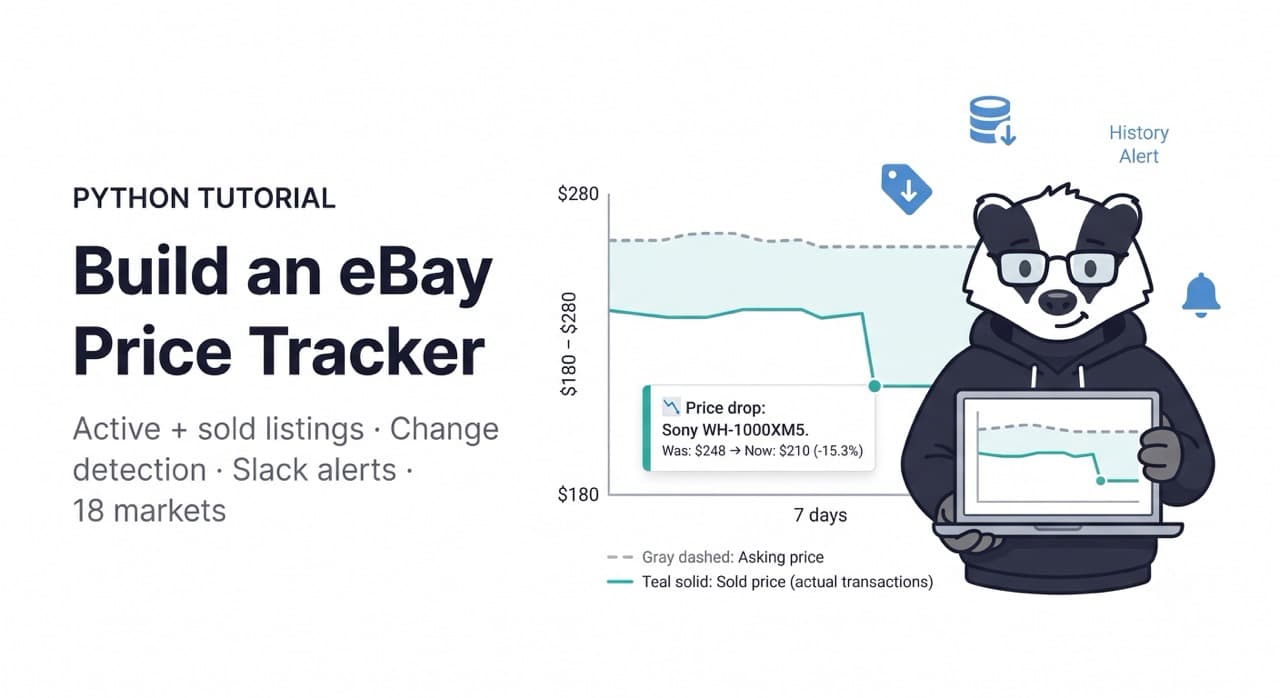
eBay price tracking is a different problem from Amazon price tracking — and the difference is not just about the platform.
Amazon shows you what sellers are asking. eBay shows you what buyers actually paid.
The completed listings endpoint is what makes eBay data uniquely valuable for pricing intelligence: every sold item records the final transaction price, the condition it was sold in, the listing format (auction or Buy It Now), and the date the sale closed. A database of those completed sales is ground truth for what the market will bear — not what sellers hope to get, but what buyers agreed to pay.
This guide builds a complete eBay price tracker using ScrapeBadger's eBay Scraper API — covering active listing monitoring, sold price history collection, change detection, and alert delivery. The same architecture works across all 18 eBay markets ScrapeBadger supports, so if you need to monitor eBay.de alongside eBay.com, the multi-market extension at the end handles that without architectural changes.
What eBay's Data Model Contains
Before writing a line of code, understand the data fields that drive pricing decisions:
Active listings: item ID, title, current price, currency, listing type (BuyItNow, Auction, BestOffer), condition (New, Like New, Very Good, Good, Acceptable, For Parts), seller name, seller feedback score and percentage, shipping cost, item location, watchers count (where eBay exposes it), bid count and time remaining for auction items, returns accepted flag, and item URL.
Completed and sold listings: the same core fields plus the sold date and the final sold price — distinct from the listing price when a Best Offer was accepted or when an auction closed below the Buy It Now price.
Item detail: the full listing page including all item specifics, high-resolution images, seller's full description, and compatibility information for parts listings.
Seller profile: feedback score, positive feedback percentage, total transactions, member since date, and location.
The sold price field is the one that distinguishes eBay intelligence from every other marketplace monitoring tool. You are not inferring demand from BSR or estimating transaction prices from listing data — you are reading the actual price the market cleared at.
Architecture
Watchlist (keywords + item IDs)
         ↓
[ScrapeBadger eBay API]
  search()              — active listings by keyword
  search_completed()    — sold listings by keyword
  get_item()            — full detail for flagged items
  get_seller_items()    — seller storefront monitoring
         ↓
SQLite database (price history time series)
         ↓
Change detection layer
         ↓
Slack / email alerts
Setup
bash
pip install scrapebadger sqlalchemy aiohttp python-dotenvbash
# .env
SCRAPEBADGER_API_KEY=your_key_here
SLACK_WEBHOOK_URL=https://hooks.slack.com/services/xxx/yyy/zzz  # optional
Step 1: Data Models
Start with the data model. eBay listings have more conditional fields than most structured data sources — auction fields only exist on auction items, sold price only exists on completed listings. The dataclasses handle this cleanly.
python
# models.py
from dataclasses import dataclass, field
from typing import Optional
from datetime import datetime
from enum import Enum


class ListingType(str, Enum):
    BUY_IT_NOW = "BuyItNow"
    AUCTION = "Auction"
    BEST_OFFER = "BestOffer"
    AUCTION_BIN = "AuctionWithBIN"  # Auction + Buy It Now


class Condition(str, Enum):
    NEW = "New"
    LIKE_NEW = "Like New"
    VERY_GOOD = "Very Good"
    GOOD = "Good"
    ACCEPTABLE = "Acceptable"
    FOR_PARTS = "For Parts or Not Working"
    SELLER_REFURBISHED = "Seller Refurbished"
    CERTIFIED_REFURBISHED = "Certified Refurbished"
    OPEN_BOX = "Open Box"


@dataclass
class EbayListing:
    """A single eBay listing snapshot."""
    item_id: str
    title: str
    current_price: float
    currency: str
    listing_type: str
    condition: str
    seller_name: str
    seller_feedback_score: int
    seller_feedback_pct: float
    shipping_cost: Optional[float]        # None = free shipping
    item_url: str
    market: str                            # "com", "co.uk", "de", etc.
    scraped_at: str

    # Auction-specific (None for BuyItNow)
    bid_count: Optional[int] = None
    time_left_seconds: Optional[int] = None

    # Available where eBay exposes it
    watchers_count: Optional[int] = None

    # Sold listing fields (None for active listings)
    sold_price: Optional[float] = None
    sold_date: Optional[str] = None

    # Keyword that found this listing
    search_keyword: Optional[str] = None

    @property
    def effective_price(self) -> float:
        """
        The price that matters for comparison.
        For sold listings: the final sold price.
        For active Buy It Now: current price.
        For auctions: current bid (not necessarily final).
        """
        if self.sold_price is not None:
            return self.sold_price
        return self.current_price

    @property
    def total_cost(self) -> float:
        """Price including shipping (where available)."""
        shipping = self.shipping_cost or 0.0
        return self.effective_price + shipping

    @property
    def is_auction(self) -> bool:
        return self.listing_type in (
            ListingType.AUCTION,
            ListingType.AUCTION_BIN,
        )


@dataclass
class PricePoint:
    """A single price observation for the time series database."""
    item_id: str
    market: str
    price: float
    shipping_cost: Optional[float]
    listing_type: str
    condition: str
    seller_name: str
    observed_at: str
    is_sold: bool = False
    sold_date: Optional[str] = None
    bid_count: Optional[int] = None
Step 2: The ScrapeBadger eBay Collection Layer
python
# ebay_collector.py
import asyncio
import os
from typing import Optional
from datetime import datetime
from scrapebadger import ScrapeBadger
from models import EbayListing


def parse_listing(raw: dict, market: str, keyword: str = None) -> Optional[EbayListing]:
    """
    Parse a raw eBay API response item into a typed EbayListing.
    Handles the variation between active and sold listing fields.
    """
    try:
        item_id = str(raw.get("itemId") or raw.get("item_id") or "")
        if not item_id:
            return None

        price_data = raw.get("price") or {}
        if isinstance(price_data, dict):
            current_price = float(price_data.get("value") or price_data.get("amount") or 0)
            currency = price_data.get("currency", "USD")
        else:
            current_price = float(price_data or 0)
            currency = raw.get("currency", "USD")

        shipping = raw.get("shippingCost") or raw.get("shipping_cost")
        if isinstance(shipping, dict):
            shipping_cost = float(shipping.get("value") or 0) if shipping.get("type") != "FREE" else 0.0
        elif shipping == "Free" or shipping == 0:
            shipping_cost = 0.0
        else:
            shipping_cost = float(shipping) if shipping else None

        seller = raw.get("seller") or {}
        if isinstance(seller, dict):
            seller_name = seller.get("username") or seller.get("name") or ""
            feedback_score = int(seller.get("feedbackScore") or seller.get("feedback_score") or 0)
            feedback_pct = float(seller.get("feedbackPercentage") or seller.get("feedback_percentage") or 0)
        else:
            seller_name = str(seller) if seller else ""
            feedback_score = 0
            feedback_pct = 0.0

        # Sold listing specific fields
        sold_price = None
        sold_date = None
        if raw.get("soldPrice") or raw.get("sold_price"):
            sp = raw.get("soldPrice") or raw.get("sold_price")
            sold_price = float(sp.get("value") if isinstance(sp, dict) else sp)
            sold_date = raw.get("soldDate") or raw.get("sold_date")

        return EbayListing(
            item_id=item_id,
            title=raw.get("title", "")[:200],
            current_price=current_price,
            currency=currency,
            listing_type=raw.get("listingType") or raw.get("listing_type") or "BuyItNow",
            condition=raw.get("condition") or raw.get("conditionDisplayName") or "Unknown",
            seller_name=seller_name,
            seller_feedback_score=feedback_score,
            seller_feedback_pct=feedback_pct,
            shipping_cost=shipping_cost,
            item_url=raw.get("itemUrl") or raw.get("item_url") or raw.get("url") or "",
            market=market,
            scraped_at=datetime.utcnow().isoformat(),
            bid_count=raw.get("bidCount") or raw.get("bid_count"),
            time_left_seconds=raw.get("timeLeftSeconds") or raw.get("time_left_seconds"),
            watchers_count=raw.get("watchCount") or raw.get("watch_count"),
            sold_price=sold_price,
            sold_date=sold_date,
            search_keyword=keyword,
        )
    except Exception as e:
        print(f"Parse error for item {raw.get('itemId', 'unknown')}: {e}")
        return None


async def search_active_listings(
    client: ScrapeBadger,
    keyword: str,
    market: str = "com",
    max_results: int = 100,
    sort_by: str = "BestMatch",   # BestMatch, PricePlusShippingLowest, EndTimeSoonest
    condition: str = None,         # "New", "Used", etc.
    listing_type: str = None,      # "FixedPrice", "Auction"
    min_price: float = None,
    max_price: float = None,
) -> list[EbayListing]:
    """
    Search active eBay listings by keyword.
    Returns structured EbayListing objects.
    """
    listings = []

    try:
        params = {
            "q": keyword,
            "market": market,
            "limit": min(max_results, 200),
            "sort": sort_by,
        }
        if condition:
            params["condition"] = condition
        if listing_type:
            params["listing_type"] = listing_type
        if min_price:
            params["price_min"] = min_price
        if max_price:
            params["price_max"] = max_price

        response = await client.ebay.search(**params)

        raw_items = (
            response.items
            if hasattr(response, "items")
            else (response if isinstance(response, list) else [])
        )

        for raw in raw_items:
            item_dict = raw.model_dump() if hasattr(raw, "model_dump") else dict(raw)
            listing = parse_listing(item_dict, market, keyword)
            if listing:
                listings.append(listing)

        print(f"  [{market}] '{keyword}': {len(listings)} active listings")

    except Exception as e:
        print(f"Error searching '{keyword}' on eBay.{market}: {e}")

    return listings


async def search_completed_listings(
    client: ScrapeBadger,
    keyword: str,
    market: str = "com",
    max_results: int = 100,
    sold_only: bool = True,
    condition: str = None,
) -> list[EbayListing]:
    """
    Search completed (sold) eBay listings.

    This is the unique eBay capability: actual transaction prices,
    not asking prices. Critical for market validation and pricing research.

    sold_only=True: Only items that successfully sold (not just ended).
    sold_only=False: All completed listings including unsold.
    """
    listings = []

    try:
        params = {
            "q": keyword,
            "market": market,
            "limit": min(max_results, 200),
            "sold": sold_only,
        }
        if condition:
            params["condition"] = condition

        response = await client.ebay.search_completed(**params)

        raw_items = (
            response.items
            if hasattr(response, "items")
            else (response if isinstance(response, list) else [])
        )

        for raw in raw_items:
            item_dict = raw.model_dump() if hasattr(raw, "model_dump") else dict(raw)
            listing = parse_listing(item_dict, market, keyword)
            if listing:
                listings.append(listing)

        sold_count = len([l for l in listings if l.sold_price is not None])
        print(f"  [{market}] '{keyword}': {len(listings)} completed, {sold_count} with sold price")

    except Exception as e:
        print(f"Error fetching completed listings for '{keyword}' on eBay.{market}: {e}")

    return listings


async def get_item_detail(
    client: ScrapeBadger,
    item_id: str,
    market: str = "com",
) -> Optional[EbayListing]:
    """
    Fetch full detail for a specific eBay item ID.
    Use this when an active listing price changes significantly
    to get the full field set before storing.
    """
    try:
        response = await client.ebay.get_item(item_id=item_id, market=market)
        item_dict = response.model_dump() if hasattr(response, "model_dump") else dict(response)
        return parse_listing(item_dict, market)
    except Exception as e:
        print(f"Error fetching item {item_id}: {e}")
        return None
Step 3: The Price History Database
python
# database.py
from sqlalchemy import (
    create_engine, Column, String, Float, Integer,
    Boolean, DateTime, Text, Index, UniqueConstraint,
)
from sqlalchemy.orm import DeclarativeBase, sessionmaker
from datetime import datetime, timedelta
from typing import Optional


class Base(DeclarativeBase):
    pass


class ListingSnapshot(Base):
    """One price observation per listing per collection run."""
    __tablename__ = "listing_snapshots"

    id = Column(Integer, primary_key=True)
    item_id = Column(String, nullable=False, index=True)
    market = Column(String, nullable=False, default="com")
    title = Column(Text)
    current_price = Column(Float)
    sold_price = Column(Float, nullable=True)
    shipping_cost = Column(Float, nullable=True)
    listing_type = Column(String)
    condition = Column(String)
    seller_name = Column(String)
    seller_feedback_score = Column(Integer)
    seller_feedback_pct = Column(Float)
    bid_count = Column(Integer, nullable=True)
    watchers_count = Column(Integer, nullable=True)
    is_sold = Column(Boolean, default=False)
    sold_date = Column(String, nullable=True)
    search_keyword = Column(String, nullable=True)
    item_url = Column(Text)
    observed_at = Column(DateTime, default=datetime.utcnow, index=True)

    __table_args__ = (
        Index("ix_item_market_time", "item_id", "market", "observed_at"),
    )


class PriceAlert(Base):
    """Log of all alerts that have been sent."""
    __tablename__ = "price_alerts"

    id = Column(Integer, primary_key=True)
    item_id = Column(String, nullable=False)
    market = Column(String, nullable=False)
    alert_type = Column(String)          # "price_drop", "price_rise", "new_listing", "sold"
    old_price = Column(Float, nullable=True)
    new_price = Column(Float)
    change_pct = Column(Float, nullable=True)
    title = Column(Text)
    item_url = Column(Text)
    alerted_at = Column(DateTime, default=datetime.utcnow)


engine = create_engine("sqlite:///ebay_tracker.db", echo=False)
Base.metadata.create_all(engine)
Session = sessionmaker(bind=engine)


class PriceHistoryDB:

    def save_snapshot(self, listing) -> None:
        with Session() as session:
            snap = ListingSnapshot(
                item_id=listing.item_id,
                market=listing.market,
                title=listing.title,
                current_price=listing.current_price,
                sold_price=listing.sold_price,
                shipping_cost=listing.shipping_cost,
                listing_type=listing.listing_type,
                condition=listing.condition,
                seller_name=listing.seller_name,
                seller_feedback_score=listing.seller_feedback_score,
                seller_feedback_pct=listing.seller_feedback_pct,
                bid_count=listing.bid_count,
                watchers_count=listing.watchers_count,
                is_sold=listing.sold_price is not None,
                sold_date=listing.sold_date,
                search_keyword=listing.search_keyword,
                item_url=listing.item_url,
                observed_at=datetime.utcnow(),
            )
            session.add(snap)
            session.commit()

    def save_alert(
        self,
        item_id: str,
        market: str,
        alert_type: str,
        new_price: float,
        old_price: float = None,
        title: str = "",
        item_url: str = "",
    ) -> None:
        change_pct = None
        if old_price and old_price > 0:
            change_pct = round((new_price - old_price) / old_price * 100, 2)
        with Session() as session:
            session.add(PriceAlert(
                item_id=item_id,
                market=market,
                alert_type=alert_type,
                old_price=old_price,
                new_price=new_price,
                change_pct=change_pct,
                title=title[:200],
                item_url=item_url,
            ))
            session.commit()

    def get_last_price(
        self, item_id: str, market: str = "com"
    ) -> Optional[float]:
        """Get the most recent price observation for an item."""
        with Session() as session:
            result = (
                session.query(ListingSnapshot.current_price)
                .filter(
                    ListingSnapshot.item_id == item_id,
                    ListingSnapshot.market == market,
                )
                .order_by(ListingSnapshot.observed_at.desc())
                .first()
            )
            return result[0] if result else None

    def get_price_history(
        self, item_id: str, market: str = "com", days: int = 30
    ) -> list[dict]:
        """Full price history for an item over a time window."""
        cutoff = datetime.utcnow() - timedelta(days=days)
        with Session() as session:
            rows = (
                session.query(
                    ListingSnapshot.observed_at,
                    ListingSnapshot.current_price,
                    ListingSnapshot.sold_price,
                    ListingSnapshot.bid_count,
                )
                .filter(
                    ListingSnapshot.item_id == item_id,
                    ListingSnapshot.market == market,
                    ListingSnapshot.observed_at >= cutoff,
                )
                .order_by(ListingSnapshot.observed_at.asc())
                .all()
            )
            return [
                {
                    "observed_at": r.observed_at.isoformat(),
                    "price": r.current_price,
                    "sold_price": r.sold_price,
                    "bid_count": r.bid_count,
                }
                for r in rows
            ]

    def get_market_summary(
        self, keyword: str, market: str = "com", days: int = 30
    ) -> dict:
        """
        Aggregate price statistics for a keyword across the observation window.
        Returns the data needed for sold vs asking price comparison.
        """
        cutoff = datetime.utcnow() - timedelta(days=days)
        with Session() as session:
            active = (
                session.query(ListingSnapshot)
                .filter(
                    ListingSnapshot.search_keyword == keyword,
                    ListingSnapshot.market == market,
                    ListingSnapshot.is_sold == False,
                    ListingSnapshot.observed_at >= cutoff,
                )
                .all()
            )
            sold = (
                session.query(ListingSnapshot)
                .filter(
                    ListingSnapshot.search_keyword == keyword,
                    ListingSnapshot.market == market,
                    ListingSnapshot.is_sold == True,
                    ListingSnapshot.observed_at >= cutoff,
                )
                .all()
            )

        active_prices = [s.current_price for s in active if s.current_price]
        sold_prices = [s.sold_price for s in sold if s.sold_price]

        def stats(prices):
            if not prices:
                return {}
            prices = sorted(prices)
            return {
                "count": len(prices),
                "min": round(min(prices), 2),
                "max": round(max(prices), 2),
                "median": round(prices[len(prices) // 2], 2),
                "avg": round(sum(prices) / len(prices), 2),
            }

        return {
            "keyword": keyword,
            "market": market,
            "days": days,
            "active_listings": stats(active_prices),
            "sold_listings": stats(sold_prices),
            "asking_vs_sold_gap": (
                round(
                    (sum(active_prices) / len(active_prices))
                    - (sum(sold_prices) / len(sold_prices)),
                    2,
                )
                if active_prices and sold_prices
                else None
            ),
        }
Step 4: Change Detection and Alerts
python
# alerts.py
import os
import aiohttp
import json
from database import PriceHistoryDB

db = PriceHistoryDB()


async def send_slack_alert(message: str) -> None:
    """Post a message to Slack via webhook."""
    webhook_url = os.environ.get("SLACK_WEBHOOK_URL")
    if not webhook_url:
        print(f"[ALERT] {message}")
        return

    async with aiohttp.ClientSession() as session:
        try:
            await session.post(
                webhook_url,
                json={"text": message},
                timeout=aiohttp.ClientTimeout(total=10),
            )
        except Exception as e:
            print(f"Slack webhook error: {e}")
            print(f"[ALERT] {message}")


async def check_and_alert(listing, alert_config: dict) -> bool:
    """
    Check whether a listing's current price warrants an alert.
    Returns True if an alert was sent.

    alert_config keys:
      drop_threshold_pct: alert if price dropped >= this % (e.g. 5.0)
      rise_threshold_pct: alert if price rose >= this % (e.g. 10.0)
      target_price:       alert if price falls below this absolute value
      alert_new_listings: alert on newly seen item IDs
    """
    last_price = db.get_last_price(listing.item_id, listing.market)
    current = listing.effective_price
    alerted = False

    # New listing (never seen before)
    if last_price is None:
        if alert_config.get("alert_new_listings"):
            msg = (
                f"🆕 *New listing*: {listing.title[:60]}\n"
                f"Price: {listing.currency} {current:.2f}"
                + (f" + {listing.shipping_cost:.2f} shipping" if listing.shipping_cost else " (free shipping)")
                + f"\nCondition: {listing.condition} | Seller: {listing.seller_name} ({listing.seller_feedback_pct:.1f}%)"
                + f"\n{listing.item_url}"
            )
            await send_slack_alert(msg)
            db.save_alert(
                listing.item_id, listing.market,
                "new_listing", current,
                title=listing.title, item_url=listing.item_url,
            )
            alerted = True

    else:
        change_pct = (current - last_price) / last_price * 100 if last_price > 0 else 0

        # Price drop
        drop_threshold = alert_config.get("drop_threshold_pct", 5.0)
        if change_pct <= -drop_threshold:
            msg = (
                f"📉 *Price drop*: {listing.title[:60]}\n"
                f"Was: {listing.currency} {last_price:.2f} → Now: {listing.currency} {current:.2f} "
                f"({change_pct:.1f}%)\n"
                f"Condition: {listing.condition}\n"
                f"{listing.item_url}"
            )
            await send_slack_alert(msg)
            db.save_alert(
                listing.item_id, listing.market,
                "price_drop", current, last_price,
                title=listing.title, item_url=listing.item_url,
            )
            alerted = True

        # Target price reached
        target = alert_config.get("target_price")
        if target and current <= target and (last_price is None or last_price > target):
            msg = (
                f"🎯 *Target price reached*: {listing.title[:60]}\n"
                f"Price: {listing.currency} {current:.2f} (target was {listing.currency} {target:.2f})\n"
                f"{listing.item_url}"
            )
            await send_slack_alert(msg)
            db.save_alert(
                listing.item_id, listing.market,
                "target_reached", current, last_price,
                title=listing.title, item_url=listing.item_url,
            )
            alerted = True

    # Sold item alert (new completed listing)
    if listing.sold_price and last_price is None:
        if alert_config.get("alert_sold"):
            msg = (
                f"✅ *Sold*: {listing.title[:60]}\n"
                f"Sold for: {listing.currency} {listing.sold_price:.2f} | "
                f"Condition: {listing.condition}\n"
                f"Sold: {listing.sold_date or 'recently'}"
            )
            await send_slack_alert(msg)
            alerted = True

    return alerted
Step 5: The Sold vs. Asking Price Analysis
The comparison between what sellers ask and what buyers actually pay is the most commercially valuable output of an eBay price tracker. This function calculates it after any collection run.
python
# analysis.py
from database import PriceHistoryDB

db = PriceHistoryDB()


def print_market_report(keyword: str, market: str = "com", days: int = 30) -> None:
    """
    Print a formatted market analysis report for a keyword.
    Shows the gap between asking prices and sold prices —
    the core intelligence that makes eBay data uniquely valuable.
    """
    summary = db.get_market_summary(keyword, market, days)

    print(f"\n{'='*55}")
    print(f"eBay Market Report: '{keyword}' | {market} | Last {days} days")
    print(f"{'='*55}")

    active = summary.get("active_listings", {})
    sold = summary.get("sold_listings", {})
    gap = summary.get("asking_vs_sold_gap")

    if active:
        print(f"\nActive listings ({active['count']} observed):")
        print(f"  Asking range:  ${active['min']:.2f} – ${active['max']:.2f}")
        print(f"  Median ask:    ${active['median']:.2f}")
        print(f"  Average ask:   ${active['avg']:.2f}")
    else:
        print("\nActive listings: insufficient data")

    if sold:
        print(f"\nSold listings ({sold['count']} observed):")
        print(f"  Sold range:    ${sold['min']:.2f} – ${sold['max']:.2f}")
        print(f"  Median sold:   ${sold['median']:.2f}")
        print(f"  Average sold:  ${sold['avg']:.2f}")
    else:
        print("\nSold listings: insufficient data")

    if gap is not None:
        direction = "above" if gap > 0 else "below"
        print(f"\n  Asking price is ${abs(gap):.2f} {direction} avg sold price")
        if gap > 0:
            print("  → Sellers are pricing above market-clearing level")
        else:
            print("  → Sellers are pricing at or below recent transaction prices")

    print()
Step 6: The Complete Pipeline
python
# main.py
import asyncio
import os
from scrapebadger import ScrapeBadger
from ebay_collector import search_active_listings, search_completed_listings
from database import PriceHistoryDB
from alerts import check_and_alert
from analysis import print_market_report


db = PriceHistoryDB()

# ── Watchlist configuration ──────────────────────────────────────────────────
# Each entry: keyword, markets to monitor, and alert settings
WATCHLIST = [
    {
        "keyword": "Sony WH-1000XM5",
        "markets": ["com", "co.uk", "de"],
        "alert_config": {
            "drop_threshold_pct": 8.0,     # Alert on 8%+ price drop
            "target_price": 220.0,          # Alert if it hits $220 or below
            "alert_new_listings": False,
            "alert_sold": False,
        },
    },
    {
        "keyword": "vintage Rolex Datejust",
        "markets": ["com"],
        "alert_config": {
            "drop_threshold_pct": 5.0,
            "alert_new_listings": True,     # Alert on every new listing
            "alert_sold": True,             # Alert when one sells (price signal)
        },
    },
    {
        "keyword": "Nintendo Switch OLED",
        "markets": ["com"],
        "alert_config": {
            "drop_threshold_pct": 5.0,
            "target_price": 230.0,
            "alert_new_listings": False,
            "alert_sold": False,
        },
    },
]


async def run_collection_cycle(client: ScrapeBadger) -> None:
    """
    One complete collection cycle across all watchlist items and markets.
    Collects both active and completed listings, saves to DB, checks alerts.
    """
    total_active = 0
    total_sold = 0
    total_alerts = 0

    for watch in WATCHLIST:
        keyword = watch["keyword"]
        markets = watch["markets"]
        alert_config = watch["alert_config"]

        for market in markets:
            # Active listings
            active = await search_active_listings(
                client,
                keyword=keyword,
                market=market,
                max_results=50,
                sort_by="PricePlusShippingLowest",
            )
            for listing in active:
                alerted = await check_and_alert(listing, alert_config)
                if alerted:
                    total_alerts += 1
                db.save_snapshot(listing)
            total_active += len(active)

            await asyncio.sleep(0.5)  # Rate limit courtesy delay

            # Completed / sold listings
            completed = await search_completed_listings(
                client,
                keyword=keyword,
                market=market,
                max_results=50,
                sold_only=True,
            )
            for listing in completed:
                # Only alert on sold if configured
                if alert_config.get("alert_sold") and listing.sold_price:
                    await check_and_alert(listing, {"alert_sold": True})
                db.save_snapshot(listing)
            total_sold += len(completed)

            await asyncio.sleep(0.5)

    print(
        f"\nCycle complete: {total_active} active, "
        f"{total_sold} sold listings collected. "
        f"{total_alerts} alerts sent."
    )


async def main():
    api_key = os.environ["SCRAPEBADGER_API_KEY"]

    async with ScrapeBadger(api_key=api_key) as client:
        print("Starting eBay price tracker...")
        print(f"Watching {len(WATCHLIST)} keywords across all configured markets\n")

        # Run a collection cycle immediately
        await run_collection_cycle(client)

        # Print market reports after first collection
        for watch in WATCHLIST:
            print_market_report(watch["keyword"])

        # Schedule ongoing collection every 4 hours
        interval_seconds = 4 * 60 * 60

        while True:
            print(f"\nNext collection in {interval_seconds // 3600} hours...")
            await asyncio.sleep(interval_seconds)
            await run_collection_cycle(client)

            # Refresh market reports after each cycle
            for watch in WATCHLIST:
                print_market_report(watch["keyword"])


if __name__ == "__main__":
    asyncio.run(main())
Running it:
bash
python main.pyStarting eBay price tracker...
Watching 3 keywords across all configured markets
[com] 'Sony WH-1000XM5': 48 active listings
[co.uk] 'Sony WH-1000XM5': 41 active listings
[de] 'Sony WH-1000XM5': 37 active listings
[com] 'Sony WH-1000XM5': 44 completed, 38 with sold price
[co.uk] 'Sony WH-1000XM5': 31 completed, 26 with sold price
...
=======================================================
eBay Market Report: 'Sony WH-1000XM5' | com | Last 30 days
=======================================================
Active listings (48 observed):
Asking range: $198.00 – $420.00
Median ask: $259.00
Average ask: $271.50
Sold listings (38 observed):
Sold range: $185.00 – $310.00
Median sold: $235.00
Average sold: $241.80
Asking price is $29.70 above avg sold price
→ Sellers are pricing above market-clearing levelMulti-Market Monitoring: The eBay.de vs eBay.com Arbitrage Signal
ScrapeBadger's eBay Scraper supports 18 markets — the same market parameter switches the proxy routing, result localisation, and currency returned. Running the same keyword across com, co.uk, and de simultaneously produces cross-market price intelligence that is the foundation of geographic arbitrage detection.
When the average sold price for an item on eBay.de is materially lower than on eBay.com — after accounting for currency conversion and shipping — an arbitrage window exists. The same pipeline that tracks price drops within a single market detects these cross-market gaps simply by comparing the get_market_summary() output across markets for the same keyword.
As covered in the eBay competitive intelligence guide on the ScrapeBadger blog, combining eBay price tracking with Amazon Scraper data from the same API key produces the full cross-marketplace picture — what the same product sells for on eBay (sold), Amazon (current Buy Box), and across eBay's international markets.
Full eBay endpoint documentation at docs.scrapebadger.com. Free trial at scrapebadger.com/ebay-scraper — 1,000 credits, no credit card.
FAQ
What eBay markets does ScrapeBadger support?
ScrapeBadger's eBay Scraper covers 18 markets including eBay.com (US), eBay.co.uk (UK), eBay.de (Germany), eBay.fr (France), eBay.it (Italy), eBay.es (Spain), eBay.com.au (Australia), eBay.ca (Canada), and others. Pass the market suffix as the market parameter — "com", "co.uk", "de", etc.
What is the difference between search and search_completed?
search returns currently active listings — items available to buy right now. search_completed returns listings that have ended, optionally filtered to only items that actually sold (sold_only=True). The completed + sold combination is the unique eBay intelligence capability: it shows the prices buyers actually paid, not what sellers are currently asking. Both endpoints support the same keyword, condition, and price-range filters.
Why does the tracker use both endpoints on every cycle?
Active listings tell you the current competitive landscape — what's available and at what price. Completed sold listings tell you what the market has actually cleared at recently. The gap between these two numbers — the asking_vs_sold_gap in the market summary — is commercially useful on its own: if the average asking price is consistently $30 above the average sold price, sellers are systematically overpricing and most listings will sit until they reduce.
How do I handle auction items differently from Buy It Now?
The listing_type field distinguishes auction from BuyItNow. For auction items, current_price is the current bid — not the price the item will necessarily sell for. The bid_count and time_left_seconds fields give you the auction state. For price comparison purposes, use sold auction results from search_completed rather than active auction bids, since the final price depends on remaining bid competition you cannot predict.
Will this work for monitoring a specific seller's inventory?
Yes. Replace search_active_listings with client.ebay.get_seller_items(seller_name=..., market=...) for any seller's current listing inventory. The seller profile endpoint (client.ebay.get_seller(seller_name=...)) returns their feedback score and percentage, which is useful as a quality signal when monitoring reseller storefronts.

Written by
Thomas Shultz
Thomas Shultz is the Head of Data at ScrapeBadger, working on public web data, scraping infrastructure, and data reliability. He writes about real-world scraping, data pipelines, and turning unstructured web data into usable signals. ScrapeBadger is a web scraping API platform specialising in Twitter/X, Reddit and Google data, with dedicated scrapers also covering TikTok, YouTube, LinkedIn, Amazon, eBay, Zillow and 40+ more: with built-in anti-bot bypass and an MCP server for AI agents.
Ready to get started?
Join thousands of developers using ScrapeBadger for their data needs.