How to Bypass PerimeterX (HUMAN Security): Complete 2026 Guide
 Thomas Shultz
AI Summary: This guide explains why the visible PerimeterX (HUMAN Security) press-and-hold button is theater and the real challenge is the signed behavioral telemetry surrounding it, covering the behavioral biometrics and Code Defender layers that make it uniquely hard to bypass.
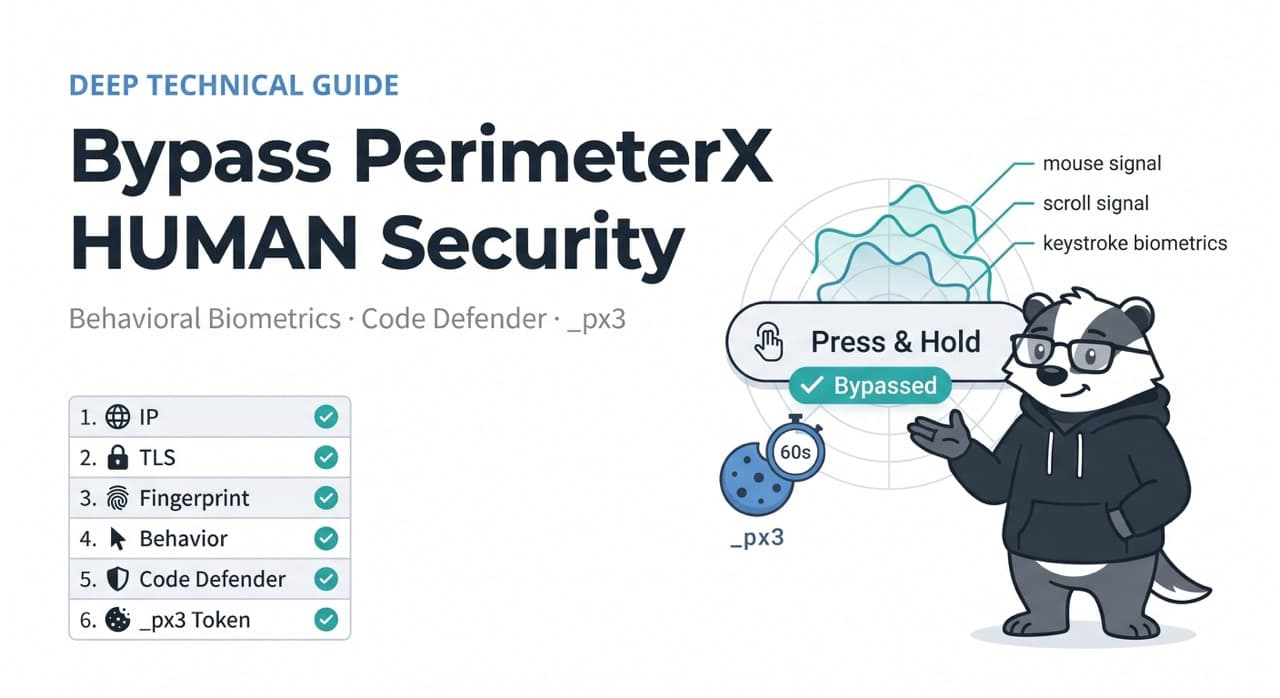
Everyone who encounters PerimeterX for the first time focuses on the wrong thing. The "Press & Hold to confirm you are human" button is PerimeterX's most visible signature — the challenge that appears when a session's trust score drops below the threshold. Most developers who see it for the first time try to automate the button press. Some succeed. Their scrapers still fail.
The press-and-hold interaction isn't the real challenge. The collector script emits a signed telemetry payload before and during the interaction. The button press is theater. The challenge is the behavioral telemetry that surrounds it.
PerimeterX was acquired by HUMAN Security in 2022 — which is why you'll see both names used interchangeably. The detection technology, cookie names, and challenge mechanisms are the same regardless of branding. PerimeterX is one of the most important anti-bot solutions, alongside Cloudflare, DataDome, and Kasada, as recognized by Forrester in their industry report.
What makes PerimeterX specifically challenging is the combination of two things no other anti-bot system does quite as aggressively: behavioral biometrics as a primary detection layer (not a secondary one) and Code Defender — an active anti-tampering system that watches for JavaScript patch attempts in real time. This article covers both in depth, along with every other detection layer, what actually works in 2026, and how ScrapeBadger's PerimeterX bypass infrastructure handles all of it automatically.
How to Identify PerimeterX on a Target Site
Before examining the bypass techniques, confirm whether your target actually uses PerimeterX. The identification is straightforward.
Open DevTools → Application → Cookies. PerimeterX's presence is confirmed by any combination of: _pxvid, _px3, _pxhd, or _pxcts cookies. These names are consistent across every PerimeterX deployment regardless of which site you're targeting.
Additional identification signals: Network requests going to collector-*.perimeterx.net or collector-*.px-cloud.net domains. Response headers containing x-px-authorization. References to px.js or _pxAppId in the page source. The "Press & Hold" challenge page itself.
One implementation worth knowing specifically: LinkedIn loads a hidden 0×0 pixel iframe from li.protechts.net, positioned at left: -9999px and marked aria-hidden="true", which reads and sets PerimeterX cookies _px3, _pxhd, _pxvid, _pxcts via cross-origin postMessage. LinkedIn's PerimeterX integration is invisible in the main page — you'd only find it by inspecting iframe network traffic, which is why LinkedIn scraping is notoriously difficult even for teams who've successfully bypassed PerimeterX elsewhere.
The Complete Detection Pipeline
PerimeterX runs this pipeline on every page load:
Page Load → Security Module loads (obfuscated PerimeterX JS) → collects 100+ signals → Behavioral biometrics (mouse, scroll, keystroke patterns) → Code Defender watches for tampering → POST to /api/v1/collector/<site_id> → encrypted signal payload → _px3 Security Token set on success → _pxhd, _pxvid session cookies → Collective Intelligence cross-checks IP and fingerprint.
A 403 or 429 block is returned if the token is invalid or the IP is flagged. A 200 OK is returned if the Security Token validates.
Every layer in this chain feeds a composite trust score. PerimeterX layers are dominated by behavioral biometrics — the most distinctive feature in the HUMAN stack. A scraper can pass everything else and still get blocked by mouse-movement ML alone. This is the core reason PerimeterX is harder than Imperva or Cloudflare for most teams — IP and TLS are necessary conditions but not sufficient ones.
Layer 1: IP Reputation and Collective Intelligence
IP reputation is one of the first signals PerimeterX evaluates. Data center IPs score poorly by default. Residential proxies score better because they're associated with real ISPs and home connections. Even well-known residential proxy pools are increasingly flagged, as PerimeterX tracks and scores proxy provider ranges over time.
The "Collective Intelligence" component is what distinguishes PerimeterX's IP reputation system from a simple blocklist. PerimeterX aggregates behavioural and fingerprint data across its entire customer network — every site it protects. An IP that behaved suspiciously on Booking.com is flagged when it subsequently hits Fiverr, even if it's never been seen on Fiverr before.
Collective Intelligence cross-checks IP and fingerprint. This means the same IP that appears clean by ASN classification — a residential IP with no scraping history on a public blocklist — can still score poorly if PerimeterX's network-wide telemetry has accumulated behavioral signals against it.
The practical implication: proxy IP freshness matters more with PerimeterX than with other anti-bot systems. An IP pool shared with other scraping operations, even if those operations targeted completely different sites, accumulates cross-site reputation damage. Mobile proxies with high IP turnover perform best specifically because fresh mobile IPs haven't had time to accumulate behavioral signals in the Collective Intelligence database.
Layer 2: TLS Fingerprinting (JA3/JA4)
Like every enterprise bot management platform, PerimeterX inspects the JA3/JA4 hash from the TLS ClientHello. Cipher suite order, extension list, and supported curves must match a real browser profile.
Python's requests library produces a fingerprint that screams "automated script." Every enterprise anti-bot system has this signature in its blocklist.
The fix at this layer is curl_cffi with browser impersonation — the same approach covered in the Cloudflare bypass guide. What makes PerimeterX different is that correct TLS fingerprinting is necessary but far from sufficient. Unlike Cloudflare standard deployments where good TLS and residential proxies get you through, PerimeterX's behavioral biometrics layer will catch you even with perfect TLS.
Layer 3: Browser Fingerprinting and the Signal Collection Payload
The obfuscated PerimeterX JavaScript collects a specific set of browser environment signals before generating the encrypted payload POSTed to the collector endpoint:
PerimeterX reads Canvas, WebGL, AudioContext, Navigator, WebRTC, and DRM device IDs.
Each of these deserves specific attention:
Canvas fingerprinting renders specific geometric shapes and gradients to a hidden canvas element. The pixel hash varies by GPU, driver version, and operating system. Headless Chrome with software rendering produces Google SwiftShader output — a known hash that every enterprise anti-bot system flags. Hardware-matched rendering from a real GPU profile is necessary.
WebGL renderer and vendor — gl.getParameter(gl.RENDERER) returns Google SwiftShader in headless Chrome. Real Chrome returns strings like ANGLE (NVIDIA, NVIDIA GeForce RTX 3080 Direct3D11 vs_5_0 ps_5_0, D3D11). The mismatch between declared User-Agent and WebGL renderer is caught immediately.
AudioContext — processes an oscillator through the Web Audio API and hashes the output. The result varies by hardware audio processing. Headless Chrome without real audio hardware produces recognisable software output.
WebRTC local IP leak — WebRTC can expose a client's real local IP address through STUN requests. PerimeterX's script probes WebRTC to verify that the local IP is consistent with the declared residential connection. A datacenter local IP behind a residential proxy proxy creates an inconsistency. Properly configured residential proxies that route WebRTC traffic are necessary.
DRM device IDs — DRM device IDs are checked via the EME (Encrypted Media Extensions) API. DRM ID fingerprinting is a newer addition to PerimeterX's signal set and specifically designed to be difficult to spoof because it reaches into hardware-level content protection identifiers. Bright Data
The PerimeterX JS reads the WebGL APIs to create and render an image. The hash of the image is then stored in canvasfp in the encrypted payload. ScraperAPI
All of these signals combine into the encrypted payload that's POSTed to <_pxAppId>.px-cdn.net/api/v2/collector. The second POST yields a _px3 cookie, which is the main clearance cookie that grants unblocked access to the site. Higher-security sites may require additional POST requests before issuing the _px3 clearance cookie.
Layer 4: The _px3 Cookie Chain and 60-Second Expiry
The cookie architecture in PerimeterX is distinct from every other anti-bot system — and the expiry timeline is uniquely aggressive.
PerimeterX chains _px3, _pxvid, _pxhd, and the X-PX-Authorization header. A mismatch in any one invalidates the whole chain.
The roles of each cookie:
_pxvid — the visitor ID cookie. Assigned on first visit and maintained for up to one year. It's the persistent device identifier that builds session history over time. A fresh _pxvid on every request is a strong automation signal — real users don't arrive as new visitors on every page.
_px3 — the primary security token. This is what grants access to protected content. PerimeterX tokens stored in _px3 cookies expire after approximately 60 seconds. This 60-second window is the most aggressive expiry in any enterprise anti-bot system. Imperva's incap_ses lasts 15–120 minutes. Akamai's _abck lasts 30–120 minutes. PerimeterX's _px3 expires in one minute. Firecrawl
The consequence for pipeline design is significant. Any scraper that generates a _px3 token once and reuses it for a batch of requests will start receiving blocks after the first minute. The re-challenge cycle must be built into the pipeline from the start.
_pxhd — the device hash cookie, persistent across sessions. Contributes to the device fingerprint consistency check.
X-PX-Authorization — the request authorization header that must be present and consistent with the _px3 cookie. Not a cookie itself but part of the validation chain — a request with a valid _px3 but missing or mismatched X-PX-Authorization fails validation.
Layer 5: Behavioral Biometrics (The Defining Layer)
PerimeterX layers are dominated by behavioral biometrics — the most distinctive feature in the HUMAN stack. A scraper can pass everything else and still get blocked by mouse-movement ML alone.
This is the layer that differentiates HUMAN Security's approach most clearly from its competitors. Cloudflare checks behaviour as a secondary signal. Imperva has a behavioural component. PerimeterX treats biometric behavioural analysis as the primary layer — and the signal collection runs continuously throughout the session, not just at challenge time.
The signals monitored:
Mouse movement trajectories — real users produce organic paths with variable speed, acceleration, micro-corrections, and natural pauses. PerimeterX's ML models distinguish real Bézier-curve human paths from programmatically generated approximations at a level of granularity that simple randomisation doesn't fool.
Scroll behaviour — variable velocity, pauses consistent with reading, backwards scrolling, natural deceleration at content boundaries. A scraper that sends a single scroll event to trigger lazy-loaded content loads it at an inhuman rate.
Keystroke dynamics — inter-key timing, dwell time (how long each key is held), flight time (time between releasing one key and pressing the next). These are biometric signatures as distinctive as fingerprints. Uniform timing across all keystrokes is immediately detectable.
Click coordinates and precision — real users occasionally miss their target slightly, approach buttons from variable directions, and have natural variance in cursor position at the moment of click. Perfect targeting precision at consistent timing is an automation signature.
Touch event simulation detection — on mobile user agents, PerimeterX looks for touch events rather than mouse events. A session claiming to be a mobile device that generates mouse events instead of touch events is immediately flagged.
Session navigation coherence — real users on a retail site browse categories, look at multiple products, read descriptions. A session that navigates directly from homepage to high-value data page in one step has a navigation graph that doesn't match any human browsing pattern on that site.
The per-site training makes this layer particularly difficult. HUMAN Security trains custom ML models per site, so what works on one site may not work on another. Bypass techniques are not universal. The behavioural baseline for "normal user" on Booking.com differs from the baseline on Fiverr, which differs from the baseline on a luxury fashion retailer. The model that generates plausible behaviour for one site may produce detectable anomalies on another.
Layer 6: Code Defender — The Anti-Tampering Layer
This is the PerimeterX component most tutorials skip, and it's the reason many sophisticated bypass attempts fail in production despite passing every other check.
Code Defender watches for tampering.
Code Defender is an active monitoring system within PerimeterX's JavaScript that looks for evidence that the browser environment has been modified. Specifically, it detects:
JavaScript hook overrides — when Object.defineProperty() is used to override navigator.webdriver or other properties, the patched function has a different internal representation than a native implementation. PerimeterX's Code Defender calls toString() on these properties and compares the result against expected native code strings. A patched navigator.webdriver returns a custom function string instead of function get webdriver() { [native code] }.
Prototype chain anomalies — when Canvas, WebGL, or AudioContext methods are overridden via prototype patching, the prototype chain shows modification artifacts that Code Defender detects.
CDP exposure — Chrome DevTools Protocol commands leave traces in the browser's internal state. Code Defender checks for CDP activation markers that indicate the browser is being driven by an external automation framework.
Extension interference — browser extensions that attempt to modify the page's execution environment (including some stealth extensions) leave detectable signatures in the JavaScript runtime.
This is why JavaScript-level stealth patches — the kind applied by playwright-stealth, puppeteer-extra-plugin-stealth, and similar tools — fail against Code Defender. PerimeterX patches every signal at Chromium source level, not via JS hooks. The only patches that bypass Code Defender are those applied before JavaScript execution — at the browser engine (C++) level, where Code Defender's JavaScript has no visibility. Bright Data
What Works and What Doesn't in 2026
curl_cffi — Works on 80–90% of Implementations
curl_cffi works on 80–90% of PerimeterX implementations. Start with curl_cffi for simplicity.
For sites running standard PerimeterX deployments without the most aggressive behavioral challenge settings, curl_cffi with correct browser impersonation passes the TLS fingerprinting layer. Combined with residential proxies, this handles the majority of PerimeterX-protected sites at HTTP level.
python
from curl_cffi import requests as cf_requests
import os

session = cf_requests.Session(impersonate="chrome120")
session.headers.update({
    "Accept": "text/html,application/xhtml+xml,application/xml;q=0.9,*/*;q=0.8",
    "Accept-Language": "en-US,en;q=0.9",
    "Accept-Encoding": "gzip, deflate, br",
    "Sec-Ch-Ua": '"Google Chrome";v="120", "Chromium";v="120", "Not_A Brand";v="24"',
    "Sec-Ch-Ua-Platform": '"Windows"',
    "Sec-Ch-Ua-Mobile": "?0",
})

response = session.get(
    "https://perimeterx-protected-site.com/data",
    proxies={"https": os.environ.get("RESIDENTIAL_PROXY_URL")}
)

# Check for PerimeterX block
if "_pxAppId" in response.text or "Press & Hold" in response.text:
    print("PerimeterX challenge triggered — browser automation needed")
else:
    print(f"Success: {len(response.text)} bytes")
The 10–20% of cases where this fails are sites with the JavaScript challenge active — where _px3 token generation is required. At those sites, curl_cffi returns the PerimeterX challenge page because it can't execute the collector JavaScript.
Playwright — The Right Approach, Wrong Stealth Tools
Avoid deprecated stealth tools like puppeteer-stealth and playwright-stealth. They are obsolete for bypassing PerimeterX in 2026. Use Patchright instead. GitHub
Standard playwright-stealth fails against PerimeterX's Code Defender precisely because its patches are JavaScript-level overrides. Patchright is a Playwright fork that applies patches at the Chromium build level — the same approach that bypasses Code Defender's toString() inspection:
python
from patchright.sync_api import sync_playwright
import time
import random

def get_perimeterx_clearance(url: str, proxy_url: str = None) -> tuple[str, dict]:
    """
    Use Patchright (Chromium-level patches) to bypass PerimeterX.
    Returns (html_content, cookies) including _px3, _pxhd, _pxvid.
    """
    with sync_playwright() as p:
        launch_opts = {
            "headless": True,
            "args": ["--no-sandbox", "--disable-dev-shm-usage"],
        }
        if proxy_url:
            launch_opts["proxy"] = {"server": proxy_url}

        browser = p.chromium.launch(**launch_opts)
        context = browser.new_context(
            viewport={"width": 1920, "height": 1080},
            user_agent="Mozilla/5.0 (Windows NT 10.0; Win64; x64) AppleWebKit/537.36 (KHTML, like Gecko) Chrome/120.0.0.0 Safari/537.36",
            locale="en-US",
            timezone_id="America/New_York",
        )

        page = context.new_page()

        # Session warm-up — visit homepage first before target URL
        # PerimeterX expects a navigation history, not cold-start on high-value pages
        page.goto(url.split("/")[0] + "//" + url.split("/")[2], wait_until="networkidle")
        time.sleep(random.uniform(2, 4))

        # Navigate to actual target
        page.goto(url, wait_until="networkidle")
        time.sleep(random.uniform(3, 6))

        # Check if Press & Hold challenge appeared
        if "Press & Hold" in page.content():
            print("Press & Hold challenge triggered — handling...")
            # The challenge auto-resolves in a properly-patched browser
            # environment because the telemetry payload validates correctly
            time.sleep(random.uniform(5, 8))

        html = page.content()

        # Extract the full _px* cookie chain
        cookies = {c["name"]: c["value"] for c in context.cookies()}
        px_cookies = {k: v for k, v in cookies.items() if k.startswith("_px")}
        print(f"Obtained PX cookies: {list(px_cookies.keys())}")

        browser.close()
        return html, cookies
Critical: The Session Warm-Up Pattern
Always warm up a new session by visiting other pages within the site before hitting your target URL.
This is the single most commonly missed technique in PerimeterX bypass. Cold sessions — those that arrive directly at a high-value target page without any browsing history — have a navigation graph that real users never produce. A real user arriving at a product page has search history, a referring URL, and prior page visits. PerimeterX's session-level ML sees cold-start sessions as a strong automation signal regardless of how good the fingerprinting is.
The warm-up pattern: visit the homepage, wait 2–4 seconds, visit a category page, wait 2–4 seconds, then navigate to the target. This produces a session history consistent with organic browsing.
The _px3 Re-Challenge Cycle
PerimeterX tokens stored in _px3 cookies expire after approximately 60 seconds. Firecrawl
Any production pipeline must handle _px3 expiry actively. A token obtained at the start of a scrape run is invalid before the first dozen requests complete at any reasonable pace. The correct architecture:
python
import time
from curl_cffi import requests as cf_requests

class PerimeterXSession:
    """
    Manages _px3 token lifecycle with automatic refresh.
    Refreshes before the 60-second expiry window.
    """

    def __init__(self, target_domain: str, proxy_url: str = None):
        self.target_domain = target_domain
        self.proxy_url = proxy_url
        self._px3 = None
        self._pxvid = None
        self._pxhd = None
        self._token_obtained_at = None
        self._TOKEN_TTL = 50  # Refresh at 50s, before 60s expiry

    def _token_is_expired(self) -> bool:
        if not self._token_obtained_at:
            return True
        return (time.time() - self._token_obtained_at) > self._TOKEN_TTL

    def _refresh_token(self):
        """Obtain fresh _px3 token via Patchright."""
        html, cookies = get_perimeterx_clearance(
            f"https://{self.target_domain}",
            proxy_url=self.proxy_url
        )
        self._px3 = cookies.get("_px3")
        self._pxvid = cookies.get("_pxvid")
        self._pxhd = cookies.get("_pxhd")
        self._token_obtained_at = time.time()
        print(f"Token refreshed: _px3 obtained at {time.strftime('%H:%M:%S')}")

    def get(self, url: str) -> dict:
        """Make a request with automatic token refresh."""
        if self._token_is_expired():
            self._refresh_token()

        session = cf_requests.Session(impersonate="chrome120")
        session.cookies.set("_px3", self._px3, domain=self.target_domain)
        if self._pxvid:
            session.cookies.set("_pxvid", self._pxvid, domain=self.target_domain)
        if self._pxhd:
            session.cookies.set("_pxhd", self._pxhd, domain=self.target_domain)

        response = session.get(
            url,
            proxies={"https": self.proxy_url} if self.proxy_url else None,
            timeout=20
        )

        # Detect token invalidation — block returned instead of data
        if "_pxAppId" in response.text or "Press & Hold" in response.text:
            print("Token invalidated mid-session — forcing refresh")
            self._token_obtained_at = None  # Force refresh on next request
            return {"url": url, "status": None, "error": "token_invalidated"}

        return {"url": url, "status": response.status_code, "content": response.text}
Sites Commonly Protected by PerimeterX
PerimeterX deployment is heaviest in three industry categories: ticketing, luxury retail, and financial accounts.
Ticketing platforms — Ticketmaster, StubHub, and major live event platforms. PerimeterX's primary commercial case study is protecting ticket inventory from scalper bots. These deployments run the most aggressive PerimeterX configurations — Code Defender active, behavioral biometrics at maximum sensitivity, extremely short _px3 expiry.
Luxury and high-value retail — designer fashion brands, limited-release sneaker platforms, luxury goods retailers. The same scalper-bot dynamic that drives ticketing protection applies to limited-inventory retail. Nike's SNKRS platform, various Supreme-tier retail — these are high-friction targets where PerimeterX is configured as aggressively as it's possible to configure it.
Financial services and fintech — banks, trading platforms, investment portals. PerimeterX protects against credential stuffing and account takeover attacks in addition to scraping.
B2B platforms — Crunchbase, Fiverr, and similar professional platforms. Crunchbase uses PerimeterX on its public information section. LinkedIn, as described above, deploys PerimeterX through a hidden cross-origin iframe.
Travel — Booking.com is a prominent PerimeterX customer. Major OTAs and hotel chains.
How ScrapeBadger Bypasses PerimeterX
ScrapeBadger's PerimeterX bypass handles the full detection pipeline automatically — TLS fingerprinting, behavioral biometrics simulation, Code Defender evasion, _px3 token lifecycle management, and session warm-up — without any configuration.
The C++-level patching approach is the critical technical difference. Scrapium patches every signal at Chromium source level, not via JS hooks. This means Code Defender's toString() inspection and prototype chain analysis see genuine native code rather than JavaScript overrides. Canvas, WebGL, AudioContext, Navigator, WebRTC, and DRM device IDs are all hardware-matched at the engine level.
Behavioral simulation is calibrated per-site type. The mouse movement and scroll patterns generated for a ticketing platform match the baseline for ticket-purchasing behaviour. The patterns for a luxury retail target match luxury browsing behaviour. The per-site training that makes PerimeterX's ML models strong also defines what "plausible" looks like for each target — and ScrapeBadger's simulation is calibrated against those baselines.
The 60-second _px3 expiry is handled transparently. Token refresh happens automatically before expiry without interrupting your scraping pipeline.
python
import requests

API_KEY = "your_scrapebadger_key"

# All six PerimeterX layers handled automatically
response = requests.get(
    "https://api.scrapebadger.com/v1/scrape",
    headers={"X-API-Key": API_KEY},
    params={
        "url": "https://perimeterx-protected-site.com/products",
        "render_js": True,
        "wait_for": "networkidle",
    },
    timeout=30
)

data = response.json()
print(data["html"][:500])
The same endpoint handles Cloudflare, Akamai, DataDome, and Imperva targets through automatic detection and routing. One API key, all major anti-bot systems covered.
PerimeterX vs Other Anti-Bot Systems
Having covered all four major enterprise anti-bot systems in this series, the comparative picture is clear:
Cloudflare — widest deployment, most bypassable at standard tier. TLS fingerprinting + residential proxies handles most Cloudflare deployments. Enterprise Bot Management requires full browser execution.
Akamai — the 512KB obfuscated sensor_data JavaScript is complex but static within a rotation cycle. The bypass is engineering-heavy but predictable once built.
DataDome — per-site ML models, no universal bypass. Behavioural analysis as a strong secondary layer. Harder than Cloudflare, comparable to PerimeterX in sophistication.
PerimeterX/HUMAN — behavioral biometrics as the primary layer, Code Defender anti-tampering, 60-second token expiry, Collective Intelligence cross-site reputation. The most aggressive behavioural analysis of any system and the shortest token lifetime.
For teams dealing with multiple systems — common when scraping across diverse targets — ScrapeBadger's automatic system detection means you don't need to know which system your target uses. Full documentation at docs.scrapebadger.com.

Written by
Thomas Shultz
Thomas Shultz is the Head of Data at ScrapeBadger, working on public web data, scraping infrastructure, and data reliability. He writes about real-world scraping, data pipelines, and turning unstructured web data into usable signals. ScrapeBadger is a web scraping API platform specialising in Twitter/X, Reddit and Google data, with dedicated scrapers also covering TikTok, YouTube, LinkedIn, Amazon, eBay, Zillow and 40+ more: with built-in anti-bot bypass and an MCP server for AI agents.
Ready to get started?
Join thousands of developers using ScrapeBadger for their data needs.