How to Scrape Data with an API: A Practical Guide for Developers
 Thomas Shultz
AI Summary: This developer guide contrasts brittle HTML parsing with hitting clean JSON APIs directly, showing both how to use a scraping API like ScrapeBadger to skip infrastructure and how to reverse-engineer hidden internal APIs with DevTools, handling auth, pagination, and rate limits.
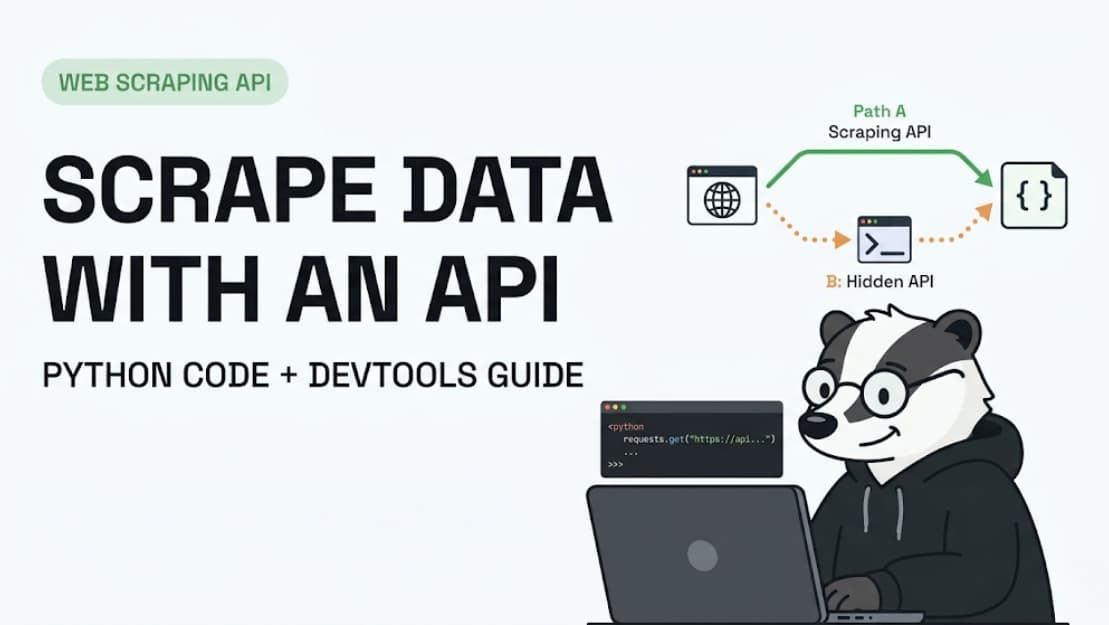
There are two ways to get data off the web. You can parse HTML — brittle, maintenance-heavy, breaks every time a designer changes a CSS class. Or you can hit the API directly — clean JSON, stable endpoints, 10–50x faster. Most websites have one, whether they advertise it or not.
This guide covers both scenarios: using a public scraping API (like ScrapeBadger) when you want to skip infrastructure entirely, and reverse-engineering hidden internal APIs when you want to go direct to the data source. Real code. Real patterns. No theory for theory's sake.
What you'll learn in this guide:
How to make your first scraping API call in Python
How to find hidden APIs on any website using DevTools
How to handle authentication, pagination, and rate limits
How to go from raw API response to clean, structured data
When to use a scraping API vs building your own
Two Ways to "Scrape with an API" (Know Which One You Need)
The phrase "scrape data with an API" means two different things depending on who says it:
Path A — Use a scraping API service: You send a URL to a third-party service like ScrapeBadger. They handle proxies, anti-bot bypass, JavaScript rendering, and HTML parsing. You get back clean JSON. No infrastructure. No maintenance. This is the right choice for most production use cases.
Path B — Scrape a website's hidden internal API directly: Many websites have internal REST or GraphQL APIs their frontend uses to load data dynamically. These aren't documented, but they're publicly accessible if you know where to look. Calling them directly skips HTML parsing entirely and gives you cleaner, faster data.
Your situation | Use |
Want clean data fast, no infra to manage | Path A — Scraping API (ScrapeBadger) |
Site has a discoverable internal API | Path B — Direct internal API calls |
Site is heavily JS-rendered, no visible API | Path A — Scraping API handles rendering |
Building a one-off research script | Path B — Direct, if findable |
Production pipeline at scale | Path A — Reliability + maintenance savings |
This guide covers both. Start with Path A if you're new to this — it removes the hardest problems immediately.
Path A — How to Scrape Data Using a Scraping API
Step 1 — Get Your API Key
Sign up for ScrapeBadger and grab your API key from the dashboard. Every request authenticates via this key in the request header. Keep it out of version control — use an environment variable.
import os
API_KEY = os.environ.get("SCRAPEBADGER_API_KEY")
Step 2 — Make Your First Request
The simplest possible call — send a URL, get structured data back:
import requests

response = requests.get(
    "https://api.scrapebadger.com/scrape",
    headers={"X-API-Key": API_KEY},
    params={"url": "https://www.example.com/products/widget-pro"}
 )

data = response.json()
print(data)
Two things to note: you're passing the target URL as a parameter, not calling it directly. ScrapeBadger's infrastructure handles the actual request to the target site — proxies, browser fingerprinting, anti-bot bypass, all invisible to you.
Step 3 — Understand the Response
ScrapeBadger returns structured JSON — no HTML to parse. A typical product response looks like:
{
  "url": "https://www.example.com/products/widget-pro",
  "title": "Widget Pro",
  "price": 29.99,
  "currency": "USD",
  "availability": "in_stock",
  "scraped_at": "2025-04-09T10:23:41Z"
}
If you're hitting a raw HTML site (one without structured data extraction ), you'll get back the rendered HTML — at which point you parse it with BeautifulSoup or similar. For structured endpoints, you get the JSON directly.
Step 4 — Handle Errors Properly
Don't assume every request succeeds. Build error handling from the start:
def scrape_url(url: str) -> dict | None:
    try:
        response = requests.get(
            "https://api.scrapebadger.com/scrape",
            headers={"X-API-Key": API_KEY},
            params={"url": url},
            timeout=30
         )
        response.raise_for_status()
        return response.json()
    except requests.exceptions.HTTPError as e:
        print(f"HTTP error {e.response.status_code} for {url}")
    except requests.exceptions.Timeout:
        print(f"Timeout for {url}")
    except Exception as e:
        print(f"Unexpected error: {e}")
    return None
Step 5 — Scrape Multiple URLs
Real projects scrape lists, not single pages. Here's a simple batch pattern:
import time

urls = [
    "https://www.example.com/products/widget-pro",
    "https://www.example.com/products/gadget-plus",
    "https://www.example.com/products/super-tool",
]

results = []
for url in urls:
    result = scrape_url(url )
    if result:
        results.append(result)
    time.sleep(1)  # Respectful pacing

print(f"Scraped {len(results)} products")
For large batches (hundreds or thousands of URLs), use async requests or ScrapeBadger's batch endpoint (see the docs) — sequential requests with time.sleep will be too slow.
Step 6 — Save the Data
Two common outputs — CSV for analysis, JSON for pipeline ingestion:
import csv, json

# Save as CSV
with open("results.csv", "w", newline="") as f:
    writer = csv.DictWriter(f, fieldnames=results[0].keys())
    writer.writeheader()
    writer.writerows(results)

# Save as JSON
with open("results.json", "w") as f:
    json.dump(results, f, indent=2)
Path B — How to Find and Scrape a Website's Hidden Internal API
Why This Is Worth Learning
Most modern websites — especially React, Vue, and Next.js apps — don't render data in HTML. They load content dynamically by calling their own internal REST or GraphQL APIs in the background. If you can find and call those endpoints directly, you get cleaner JSON, faster responses, and a scraper that won't break when the page layout changes. Professional scrapers always look for this first.
Step 1 — Open DevTools and Filter for API Calls
Open Chrome/Firefox on your target site. Hit F12 to open DevTools. Go to the Network tab. Click Fetch/XHR to filter out images, CSS, and scripts — you're looking only at data requests.
Now interact with the page: reload it, scroll down, click a "Load More" button, search for something. Watch requests appear. You're looking for calls that return JSON and have URLs containing patterns like:
/api/
/v1/ or /v2/
/graphql
/_next/data/
/ajax/
/json
(Image: DevTools Network tab with Fetch/XHR filter active, showing a list of XHR requests. One is highlighted showing a URL like api.example.com/v2/products?page=1 with a 200 response.)
Step 2 — Inspect the Request
Click on a promising request. Check four things:
1.Headers tab — note the full URL, HTTP method (GET/POST), and any custom headers like Authorization, X-API-Key, or X-Secret-Token
2.Payload tab — if POST, note the request body format (JSON, form data)
3.Response tab — confirm the data structure matches what you need
4.Copy as cURL — right-click the request → "Copy as cURL" to get a ready-to-run terminal command that replicates the entire request
# Pasted directly from DevTools "Copy as cURL"
curl 'https://api.example.com/v2/products?page=1&limit=20' \
  -H 'Accept: application/json' \
  -H 'User-Agent: Mozilla/5.0...' \
  -H 'X-Secret-Token: abc123xyz'
Test it in your terminal. If it returns data — you've found your API.
Step 3 — Convert to Python
Take the cURL command and convert it to Python. Use curlconverter.com to automate this, or do it manually:
import requests

headers = {
    "Accept": "application/json",
    "User-Agent": "Mozilla/5.0 (Windows NT 10.0; Win64; x64 ) AppleWebKit/537.36",
    "X-Secret-Token": "abc123xyz",  # From DevTools headers
}

params = {
    "page": 1,
    "limit": 20,
}

response = requests.get(
    "https://api.example.com/v2/products",
    headers=headers,
    params=params
 )

data = response.json()
products = data["products"]  # Navigate based on response structure
Step 4 — Handle Pagination
APIs paginate data. The pattern varies — check the response for total count, next-page tokens, or offset parameters:
def scrape_all_pages(base_url: str, headers: dict) -> list:
    all_items = []
    page = 1

    while True:
        response = requests.get(
            base_url,
            headers=headers,
            params={"page": page, "limit": 50}
        )
        data = response.json()
        items = data.get("products", [])

        if not items:
            break  # No more pages

        all_items.extend(items)
        page += 1
        time.sleep(0.5)  # Respect rate limits

        # Some APIs give you total pages explicitly
        if page > data.get("total_pages", float("inf")):
            break

    return all_items
Step 5 — Handle Dynamic Authentication Tokens
Some internal APIs require tokens that refresh — session cookies, CSRF tokens, bearer tokens. These are usually embedded in the HTML of the page that loads before the API is called.
The pattern: first fetch the webpage, extract the token, then call the API:
from bs4 import BeautifulSoup
import re

# Step 1: Get the page that contains the auth token
page_response = requests.get(
    "https://example.com/products",
    headers={"User-Agent": "Mozilla/5.0..."}
 )

# Step 2: Extract the token (often in a <script> tag or meta tag)
soup = BeautifulSoup(page_response.text, "html.parser")
script = soup.find("script", string=re.compile("apiToken"))
token = re.search(r'"apiToken":"([^"]+)"', script.string).group(1)

# Step 3: Use it in your API calls
api_headers = {
    "Authorization": f"Bearer {token}",
    "User-Agent": "Mozilla/5.0..."
}
Handling the Hard Parts
Rate Limiting
Most APIs return 429 Too Many Requests when you hit them too fast. The fix: exponential backoff.
import time

def fetch_with_retry(url, headers, max_retries=3):
    for attempt in range(max_retries):
        response = requests.get(url, headers=headers)
        if response.status_code == 429:
            wait = 2 ** attempt  # 1s, 2s, 4s
            time.sleep(wait)
            continue
        return response
    raise Exception(f"Failed after {max_retries} retries")
When the API Requires a Browser Session
Some internal APIs only work when the request originates from a real browser session. If your requests.get() call returns a 401 or 403 despite having the right headers, you need to manage cookies.
session = requests.Session()

# 1. Visit the homepage to get the initial cookies
session.get("https://example.com", headers={"User-Agent": "Mozilla/5.0..."} )

# 2. The session object automatically includes those cookies in the API call
response = session.get(
    "https://api.example.com/v2/data",
    headers={"User-Agent": "Mozilla/5.0..."}
 )
Internal APIs on major sites (Zillow, LinkedIn, Amazon) detect non-browser fingerprints even when you replicate headers exactly. Imperva, PerimeterX, and Cloudflare check TLS fingerprints, not just request headers. At this point, use ScrapeBadger — it handles fingerprinting at the TLS layer, which a plain requests call cannot replicate. See our guide to scraping Zillow, Redfin & Rightmove without getting blocked for a real-world example.
Parsing and Cleaning the Response
JSON from internal APIs is often nested and inconsistent. Flatten it before storing:
def flatten_product(raw: dict) -> dict:
    return {
        "id": raw.get("id"),
        "name": raw.get("name") or raw.get("title"),
        "price": raw.get("price", {}).get("amount"),
        "currency": raw.get("price", {}).get("currency", "USD"),
        "in_stock": raw.get("availability") == "available",
    }

clean_products = [flatten_product(p) for p in raw_products]
Quick Reference — Common API Patterns You'll Encounter
REST (GET with Query Parameters)
Most common. URL + params. Paginate by incrementing page or offset.
# GET https://api.site.com/items?page=2&limit=50&category=shoes
params = {"page": 2, "limit": 50, "category": "shoes"}
REST (POST with JSON Body )
Less common for data retrieval, but many search/filter endpoints use POST.
payload = {"query": "nike air force", "filters": {"price_max": 150}}
response = requests.post(url, json=payload, headers=headers)
GraphQL
A single endpoint that accepts queries. More complex but expressive.
query = """
{
  products(category: "shoes", limit: 50) {
    id
    name
    price
  }
}
"""
response = requests.post(url, json={"query": query}, headers=headers)
Cursor-Based Pagination
Modern APIs return a next_cursor instead of page numbers. Keep fetching until next_cursor is null.
cursor = None
while True:
    params = {"cursor": cursor, "limit": 100} if cursor else {"limit": 100}
    data = requests.get(url, params=params, headers=headers).json()
    items.extend(data["results"])
    cursor = data.get("next_cursor")
    if not cursor:
        break
When to Stop Building and Start Using a Scraping API
There's a point in every scraping project where maintaining your own infrastructure stops making sense. Here's how to recognise it:
You've hit it when:
The target site updated its anti-bot and your scraper broke for the third time this month
You're spending more time debugging proxy rotation than analysing data
You need to scale from hundreds to tens of thousands of requests and your server can't keep up
The site uses Imperva or PerimeterX and your requests are fingerprinted despite correct headers
You need residential IPs for geo-specific data and proxy costs are unpredictable
What a scraping API gives you instead:
A single API call that handles proxies, TLS fingerprinting, JavaScript rendering, CAPTCHA bypass, and structured data output. You focus on the data pipeline. ScrapeBadger handles everything between the URL and the clean JSON. Check the full documentation or pricing page to see what fits your usage.
The engineering time to properly implement residential proxy rotation, browser fingerprint management, and anti-bot bypass from scratch runs to weeks of work. At any reasonable hourly rate, a scraping API pays for itself on the first project.
Frequently Asked Questions
Q: How do I scrape data from an API in Python?
A: Use the requests library to send HTTP GET or POST requests to the API endpoint. Pass any required authentication tokens in the headers dictionary, and query parameters in the params dictionary. Parse the response using .json().
Q: How do I find a website's hidden API endpoints?
A: Open your browser's Developer Tools (F12), navigate to the Network tab, and filter by "Fetch/XHR". Interact with the page (scroll, search, click) and look for requests returning JSON data. Right-click the request to copy it as a cURL command.
Q: What's the difference between scraping HTML and scraping an API?
A: Scraping HTML requires downloading the entire webpage and using parsers like BeautifulSoup to extract data from tags. Scraping an API bypasses the HTML entirely, requesting structured data (usually JSON) directly from the backend server.
Q: Do I need an API key to scrape a website's internal API?
A: Not always. Many internal APIs are public but undocumented. However, some require session cookies, CSRF tokens, or bearer tokens that you must first extract from the website's HTML before making the API call.
Q: How do I handle rate limits when scraping an API?
A: Implement exponential backoff. When the API returns a 429 Too Many Requests status code, pause your script using time.sleep(), doubling the wait time after each consecutive failure before retrying the request.
Q: Is it legal to scrape a website's internal API?
A: Generally, scraping publicly accessible data is lawful (e.g., hiQ v. LinkedIn). However, bypassing authentication, extracting private user data, or violating specific Terms of Service carries legal risk. Always review the site's policies.
Q: What do I do when a scraping API returns an error?
A: Check the HTTP status code. 401/403 means authentication failed or you were blocked by anti-bot systems. 429 means you hit a rate limit. 500+ means the server crashed. Use a service like ScrapeBadger to bypass 403 blocks automatically.
Conclusion
The key decision: if the site has a discoverable internal API, call it directly — it's faster, cleaner, and more stable than HTML parsing. If the site's anti-bot blocks your requests or you need residential IPs, use ScrapeBadger and skip the infrastructure work.
The code patterns in this guide cover 80% of what you'll encounter in real projects. The remaining 20% is site-specific — authentication quirks, GraphQL schema discovery, session management — and that's where the ScrapeBadger documentation and the ScrapeBadger support team fill the gap.
Ready to make your first API call? Get your free API key — no credit card required.

Written by
Thomas Shultz
Thomas Shultz is the Head of Data at ScrapeBadger, working on public web data, scraping infrastructure, and data reliability. He writes about real-world scraping, data pipelines, and turning unstructured web data into usable signals. ScrapeBadger is a web scraping API platform specialising in Twitter/X, Reddit and Google data, with dedicated scrapers also covering TikTok, YouTube, LinkedIn, Amazon, eBay, Zillow and 40+ more: with built-in anti-bot bypass and an MCP server for AI agents.
Ready to get started?
Join thousands of developers using ScrapeBadger for their data needs.