Top 5 Best Twitter/X API Alternatives (2026): Deep Comparison & Recommendations
 Thomas Shultz
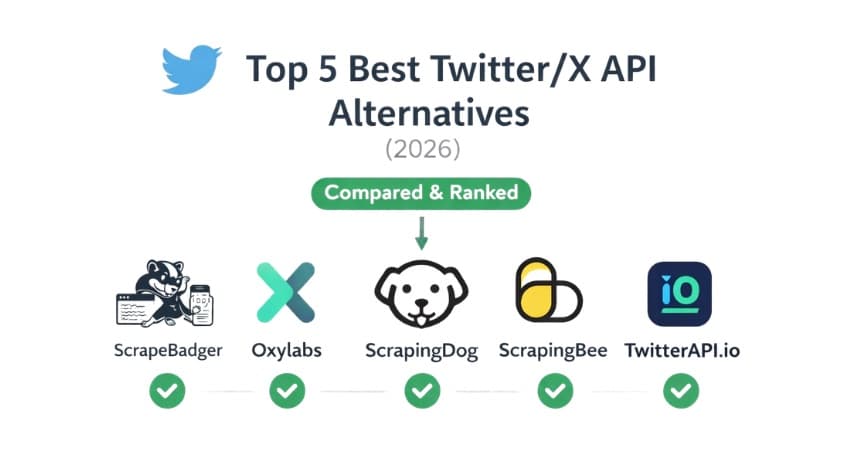
AI Summary: This 2026 comparison evaluates the top five Twitter/X API alternatives across scale, budget, and integration effort, recommending ScrapeBadger as the strongest overall pick for predictable pricing and low engineering effort while mapping Oxylabs, ScrapingBee, ScrapingDog, and TwitterAPI.io to their best-fit use cases.
TL;DR
The “best” Twitter/X API alternative depends on your scale, budget, and integration needs.
ScrapeBadger is the strongest overall choice for most teams thanks to predictable pricing and low engineering effort.
Oxylabs is best suited for enterprise-scale data collection and high-volume workloads.
ScrapingBee and ScrapingDog are good options for quick integrations and smaller projects.
TwitterAPI.io can work well for prototypes and early-stage products.
If you’re evaluating providers, the fastest way to decide is to run a small pilot using your real queries and expected workload.
Who this comparison is for
This comparison is intended for anyone trying to access Twitter/X data in a reliable way. Whether for analytics, research, monitoring, automation, or product development. Over the past few years, access to Twitter data has become more fragmented and expensive, which has pushed many teams to look for alternatives that are easier to integrate and more predictable to operate. That includes not only engineers, but also data analysts, founders, growth teams, researchers, and automation specialists who need structured tweet data without building complex infrastructure from scratch.
If your goal is to collect tweets by keyword, monitor conversations around a brand or topic, analyze trends, or build features that depend on social data, the choice of provider can significantly affect both the quality of your data and the long-term cost of running your workflows. Some tools are optimized for experimentation and quick access, while others are designed for high-volume pipelines or enterprise-level reliability. Understanding those differences is critical before committing to one solution.
What changed since “the old Twitter API”
For a long time, the official Twitter API was the obvious choice. It was relatively accessible, pricing was predictable, and teams could build integrations without much friction. That situation has changed. Access has become more limited, costs have increased, and stability is no longer something teams feel comfortable relying on long term. Because of that, many companies and builders started looking for alternatives that are easier to adopt and operate. Read more about Twitter scraping history.
What most teams actually need hasn’t changed much. In practice, the core requirements are fairly simple: the ability to search tweets, paginate through results reliably, and export structured data without surprises. Predictable costs, clear rate limits, and solid documentation matter more than flashy features. The real value of a Twitter API alternative is not just data access, but how easily it fits into a repeatable workflow.
How we looked at each provider
There isn’t a single “best” Twitter/X API alternative — the right choice depends on your use case. To keep this comparison practical, we evaluated each provider based on the factors that matter once you start using it in real workflows.
We focused on data coverage, reliability, and data quality first — whether you can get the information you need consistently and without gaps. We also looked at scalability and performance, since some tools work well for small projects but struggle at higher volumes. Pricing predictability was another key factor, especially how costs scale over time. Finally, we considered documentation, ease of integration, and overall usability, because developer experience often determines how quickly teams can move from testing to production.
Quick decision guide
If you don’t want to read the full comparison, here’s a simplified way to narrow down your options based on typical priorities. Different providers are optimized for different types of workloads, so the “best” choice depends mostly on how you plan to use the data.
Use case | Recommended option | Why |
Best for keyword monitoring | ScrapeBadger | Strong search capabilities and predictable data collection workflows make it suitable for ongoing monitoring and analytics. |
Best for high-volume pipelines | Oxylabs | Designed for large-scale data collection with enterprise-grade infrastructure and throughput. |
Best for easiest integration | ScrapingBee | Simple API design and good documentation reduce setup time for smaller projects. |
Best for lowest engineering effort | ScrapeBadger | Straightforward endpoints with minimal configuration required to get started. |
Best for enterprise compliance / support | Oxylabs | Enterprise-focused tooling, support structure, and compliance positioning. |
1. ScrapeBadger (Twitter/X data API)

What it’s best for
ScrapeBadger is best suited for teams that want reliable Twitter/X data access without managing scraping infrastructure themselves. It’s particularly strong for keyword monitoring, analytics pipelines, and automation workflows where predictable results and low integration effort matter more than building custom scraping logic.
Key capabilities
Keyword-based tweet search
Tweet and user data retrieval
Structured JSON responses
Pagination support for large datasets
Consistent output schemas
Async-friendly workflows
Integration with automation tools and scripts
Strengths (production lens)
One of the main advantages of ScrapeBadger is operational simplicity. Teams can focus on building pipelines instead of maintaining scraping infrastructure. The API is designed to behave predictably across runs, which reduces issues like pagination gaps or inconsistent schemas. This makes it easier to move from experimentation to production without significant engineering overhead.
The credit-based model also provides cost visibility, which is useful for monitoring and recurring data collection jobs.
Tradeoffs / limitations
Like most third-party data providers, ScrapeBadger abstracts away the underlying collection layer, which means customization at very low levels may be limited compared to fully DIY approaches. Teams with extremely specialized requirements or edge-case data needs may need to validate coverage during evaluation.
Pricing model
ScrapeBadger uses a credit-based pricing system.
From $0.05 per 1,000 credits
Free trial: 1,000 credits available
This model is generally predictable because usage scales linearly with the number of requests, making it easier to estimate operating costs for ongoing workflows.
Integration notes
A typical integration follows a straightforward pattern:
keyword query → API request → paginated results → normalization → storage (CSV / database)
Because responses are already structured, most teams can implement pipelines with minimal transformation logic.
SDK / no-code options
ScrapeBadger can be integrated through standard HTTP requests or SDKs. It also fits well into automation tools such as workflow builders or ETL platforms, which reduces the need for custom infrastructure.
Best-fit teams
ScrapeBadger is a strong fit for:
Startups and product teams building features on top of social data
Data teams running monitoring or analytics workflows
Automation-focused users who want minimal engineering overhead
Organizations that need predictable costs without enterprise contracts
Scorecard
Category | Rating | Notes |
Data coverage | High | Supports common Twitter/X data workflows |
Reliability | High | Designed for consistent pagination and structured responses |
Data quality | High | Clean schemas reduce downstream processing |
Scalability | Medium–High | Suitable for most workloads; validate for extreme volumes |
Cost predictability | High | Transparent credit-based pricing |
Ease of integration | High | Minimal setup required |
Compliance positioning | Medium | Depends on organizational requirements |
2) ScrapingBee “Twitter API”

What it’s best for
ScrapingBee is best suited for teams that want a simple way to collect Twitter/X data without building scraping infrastructure themselves. It’s particularly appealing for developers already familiar with ScrapingBee’s broader scraping platform and for projects where ease of use and quick setup are priorities.
Key capabilities
Twitter/X search and data retrieval endpoints
Structured JSON responses
Pagination support
Proxy and scraping infrastructure managed by the provider
Integration through standard HTTP requests
Broad scraping platform beyond Twitter/X (web scraping, rendering, etc.)
Strengths (production lens)
A major strength of ScrapingBee is its simplicity. The API design is straightforward, documentation is generally clear, and integration can be done quickly without much setup. Because ScrapingBee operates a large scraping infrastructure across multiple products, teams benefit from managed proxies and request handling without having to maintain those systems themselves.
For teams already using ScrapingBee for web scraping, adding Twitter/X data collection can be convenient within the same ecosystem.
Tradeoffs / limitations
ScrapingBee is not exclusively focused on Twitter/X data, which means some advanced or specialized use cases may require additional validation. Compared to providers built specifically around social data pipelines, there may be fewer workflow-specific optimizations depending on the use case.
Pricing can also become harder to predict at higher volumes if usage patterns vary significantly.
Pricing model
ScrapingBee typically uses usage-based pricing tied to request volume and features. Costs depend on factors such as request complexity and plan tier. Teams should evaluate expected usage carefully to estimate long-term operating costs.
Integration notes
A typical workflow follows the standard API pipeline pattern:
keyword query → API request → paginated results → processing → storage
Because ScrapingBee handles scraping infrastructure internally, teams mainly focus on request configuration and data handling.
SDK / no-code options
ScrapingBee provides SDKs for multiple programming languages and integrates easily into existing backend services or scripts. It can also be used within automation tools that support HTTP requests.
Best-fit teams
ScrapingBee is a good fit for:
Developers looking for quick integration with minimal setup
Teams already using ScrapingBee for other scraping workloads
Smaller projects or prototypes that prioritize ease of use
Organizations that want a general-purpose scraping platform alongside Twitter data
Scorecard
Category | Rating | Notes |
Data coverage | Medium–High | Supports common Twitter/X data use cases |
Reliability | Medium–High | Managed infrastructure reduces operational effort |
Data quality | Medium | Depends on specific endpoints and usage |
Scalability | Medium–High | Suitable for most workloads with plan sizing |
Cost predictability | Medium | Usage-based pricing varies with request patterns |
Ease of integration | High | Simple API and SDK support |
Compliance positioning | Medium | Evaluate based on organizational needs |
3) ScrapingDog Twitter API

What it’s best for
ScrapingDog is generally best suited for teams looking for a straightforward and relatively low-friction way to access Twitter/X data. It can be a good option for smaller projects, prototypes, or workflows where ease of use is more important than advanced customization or large-scale optimization.
Key capabilities
Twitter/X search and data retrieval endpoints
Tweet and user data access
Structured JSON responses
Pagination support for multi-page data collection
Managed scraping and proxy infrastructure
Integration via simple HTTP requests
Strengths (production lens)
ScrapingDog focuses on simplicity. The API is designed to be easy to call, with minimal configuration required to start retrieving data. For teams that want to move quickly without investing significant engineering time, this can reduce the barrier to entry.
Because infrastructure is managed by the provider, users don’t need to deal with proxy management, request routing, or scraping maintenance, which helps accelerate initial integration.
Tradeoffs / limitations
Compared to more specialized or enterprise-oriented providers, ScrapingDog may require additional validation for large-scale or mission-critical workloads. Teams planning high-volume pipelines should evaluate throughput limits and operational characteristics carefully.
Documentation depth and advanced workflow features may also vary depending on the use case.
Pricing model
ScrapingDog uses a usage-based pricing model tied to request volume and plan tier. Costs generally scale with the number of requests, so predictability depends on how consistent your workload is over time.
Integration notes
The integration pattern is straightforward and similar to most API-based workflows:
keyword query → API request → paginated results → processing → storage
Because responses are structured, most teams can integrate with relatively little transformation logic.
SDK / no-code options
ScrapingDog can be used through standard HTTP requests and is compatible with most programming environments. It also works with automation tools that support API calls, which reduces the need for custom infrastructure.
Best-fit teams
ScrapingDog is a good fit for:
Small teams or individual developers
Prototypes and early-stage projects
Automation workflows with moderate data needs
Users prioritizing quick setup over advanced features
Scorecard
Category | Rating | Notes |
Data coverage | Medium | Supports core Twitter/X data use cases |
Reliability | Medium | Suitable for moderate workloads; validate for scale |
Data quality | Medium | Structured responses with typical variability |
Scalability | Medium | May require evaluation for high-volume usage |
Cost predictability | Medium | Usage-based pricing tied to plan |
Ease of integration | High | Simple API and minimal setup |
Compliance positioning | Medium–Low | Depends on organizational requirements |
4) Oxylabs Twitter/X data collection

What it’s best for
Oxylabs is best suited for organizations that need large-scale Twitter/X data collection with enterprise-level infrastructure and support. It’s typically positioned toward high-volume use cases, research projects, and companies that require strong reliability guarantees and dedicated account management.
Key capabilities
Twitter/X search and data collection services
Large-scale data extraction infrastructure
Managed proxies and scraping systems
Structured data delivery options
Enterprise support and service agreements
Custom data collection solutions (depending on plan)
Strengths (production lens)
Oxylabs’ main advantage is scale. The company has extensive experience operating large scraping infrastructure, which can support high-throughput workloads and complex data collection requirements. For organizations running significant volumes or needing reliability assurances, this can reduce operational risk.
Enterprise support, account management, and potential customization options also make it appealing for companies with strict requirements or dedicated budgets.
Tradeoffs / limitations
The enterprise positioning often comes with higher costs and longer onboarding compared to simpler API-focused providers. Smaller teams or startups may find the pricing structure less accessible, especially for experimentation or moderate workloads.
Integration may also require more coordination depending on the service configuration and support model.
Pricing model
Oxylabs typically uses enterprise-oriented pricing, often tailored to usage volume and specific requirements. Costs vary significantly based on scale, support level, and customization, so teams usually need to engage with sales to obtain accurate estimates.
Integration notes
The general workflow follows the same high-level pattern:
keyword query → data collection → delivery → processing → storage
Because Oxylabs may provide customized delivery formats or managed data feeds, integration approaches can vary depending on the agreement.
SDK / no-code options
Oxylabs provides APIs and tooling for integration, along with support resources. Implementation details may depend on the specific product configuration and enterprise setup.
Best-fit teams
Oxylabs is a strong fit for:
Enterprises with high-volume data requirements
Organizations needing dedicated support or SLAs
Research institutions running large-scale data collection
Companies with strict compliance or procurement processes
Scorecard
Category | Rating | Notes |
Data coverage | High | Broad capabilities depending on configuration |
Reliability | High | Enterprise-grade infrastructure |
Data quality | High | Suitable for large-scale workflows |
Scalability | Very High | Designed for large volumes |
Cost predictability | Medium | Depends on contract structure |
Ease of integration | Medium | May require coordination and setup |
Compliance positioning | High | Enterprise-focused positioning |
5) TwitterAPI.io
What it’s best for
TwitterAPI.io is generally positioned for developers who want direct access to Twitter/X data through a relatively simple API without going through enterprise procurement or complex setup. It can be a practical option for individual developers, startups, or smaller teams experimenting with social data workflows.
Key capabilities
Keyword-based tweet search
Tweet and user data retrieval
Structured JSON responses
Pagination support
REST-style API integration
Developer-focused access model
Strengths (production lens)
One of the main advantages of TwitterAPI.io is accessibility. Developers can typically start quickly without long onboarding cycles or contracts. The API design is straightforward, which makes it appealing for prototypes, smaller projects, and early-stage products.
For teams that want direct API-style access without enterprise overhead, this simplicity can reduce initial friction.
Tradeoffs / limitations
Compared to larger providers, teams may want to validate reliability, throughput limits, and long-term scalability before committing to production workloads. Documentation depth, support responsiveness, and operational guarantees can vary depending on usage tier.
Organizations with strict compliance or enterprise requirements may also need additional evaluation.
Pricing model
TwitterAPI.io uses usage-based pricing tied to request volume and plan tiers. Costs scale with usage, so predictability depends on workload consistency and the selected plan.
Integration notes
Integration follows a standard API workflow pattern:
keyword query → API request → paginated results → processing → storage
Because responses are structured, teams can integrate with common programming environments or automation tools without complex transformation layers.
SDK / no-code options
Integration is typically done through HTTP requests or client libraries where available. The API can also be used within automation platforms that support REST calls.
Best-fit teams
TwitterAPI.io is a good fit for:
Individual developers and startups
Prototyping and early-stage products
Teams testing social data use cases
Projects that prioritize quick access over enterprise guarantees
Scorecard
Category | Rating | Notes |
Data coverage | Medium–High | Supports core Twitter/X data workflows |
Reliability | Medium | Validate for sustained workloads |
Data quality | Medium | Structured responses with typical variability |
Scalability | Medium | Suitable for moderate usage levels |
Cost predictability | Medium | Usage-based pricing |
Ease of integration | High | Simple API approach |
Compliance positioning | Medium–Low | Depends on requirements |
Head-to-head comparison table
The table below summarizes the key differences across providers using the same evaluation criteria. Some fields may require validation against current documentation or pricing pages, so they are marked for verification where needed.
Provider | Coverage (Search / Timelines / Tweet detail / Engagement) | Pagination | Throughput | Reliability signals | Data quality | Pricing predictability | Best for |
ScrapeBadger | Search, timelines, tweet detail, engagement data | Cursor-based · Verify | Verify | Structured API, SDK support · Verify | Consistent schemas · Verify | High (credit-based) | Low engineering effort, monitoring pipelines |
ScrapingBee | Search and tweet data · Verify | Verify | Verify | Mature scraping infra, docs · Verify | Verify | Medium (usage-based) | Easy integration, multi-purpose scraping |
ScrapingDog | Core tweet and user data · Verify | Verify | Verify | Managed infra · Verify | Verify | Medium (usage-based) | Quick setup, smaller projects |
Oxylabs | Broad coverage, enterprise options · Verify | Verify | High · Verify | Enterprise support, SLAs · Verify | High · Verify | Medium (contract-based) | High-volume enterprise workloads |
TwitterAPI.io | Search and tweet/user data · Verify | Verify | Verify | Developer-focused API · Verify | Verify | Medium (usage-based) | Prototyping, startups |
Note: Always confirm limits, endpoints, and pricing directly with provider documentation, as offerings can change over time.
This comparison is meant to highlight relative positioning rather than exact specifications, helping you quickly identify which providers are worth deeper evaluation based on your priorities.
FAQ
What is the best Twitter API alternative?
The best option ultimately depends on your use case, but for most teams looking for a balance of reliability, cost predictability, and ease of integration, ScrapeBadger stands out as the strongest overall choice. Some providers focus on enterprise-scale data collection, while others prioritize quick access or general-purpose scraping. In practice, teams tend to benefit most from solutions that combine stable data delivery with predictable operating costs.
What are the best Twitter API alternatives for keyword search?
Several third-party providers support keyword-based tweet collection, but the right choice depends on how frequently you need to run searches and how easily the results fit into your workflow. For ongoing monitoring, analytics pipelines, and automation use cases, ScrapeBadger is often the most practical option because of its structured responses and straightforward integration model.
Is scraping Twitter/X legal?
Legality depends on jurisdiction, platform policies, and how the data is used. Teams should always review applicable laws and platform terms before collecting data and ensure their workflows comply with relevant requirements.
How do you calculate the cost of Twitter data collection?
Costs typically depend on the number of requests or credits used, which are influenced by how many tweets you collect, how often you run jobs, and how pagination works. Estimating usage scenarios — such as daily monitoring or one-time backfills — is the best way to predict expenses.
How do you avoid duplicates when collecting tweets?
The most reliable approach is deduplicating using the tweet ID as a unique key. Many pipelines also store previously seen IDs across runs to prevent duplicates when collecting data repeatedly.
What’s the difference between scraping and API access?
Scraping usually refers to extracting data directly from web interfaces, while API access provides structured data through defined endpoints. In practice, many third-party providers combine both approaches internally but expose the data through an API for easier integration.
Conclusion
Choosing a Twitter/X API alternative isn’t just about features — it’s about how well the provider fits into your workflow over time. In this comparison, we looked at reliability, data quality, scalability, pricing predictability, and ease of integration, since those factors tend to matter most once you move beyond testing.
Each provider has strengths depending on the situation. Oxylabs stands out for enterprise-scale workloads and organizations that need dedicated support. ScrapingBee and ScrapingDog can be appealing for quick integrations or smaller projects where simplicity is the priority. TwitterAPI.io offers accessible entry points for developers experimenting with social data.
Overall, ScrapeBadger emerges as the most balanced option for the majority of use cases. It combines predictable pricing, structured data, and low integration effort, which makes it particularly suitable for keyword monitoring, analytics pipelines, and automation workflows without requiring significant engineering overhead.
If you do one thing after reading this guide, run a short pilot with your top two choices. A one-hour test using your real keywords and expected data volume will tell you more than any feature list — and it’s the fastest way to identify which provider fits your needs best.

Written by
Thomas Shultz
Thomas Shultz is the Head of Data at ScrapeBadger, working on public web data, scraping infrastructure, and data reliability. He writes about real-world scraping, data pipelines, and turning unstructured web data into usable signals. ScrapeBadger is a web scraping API platform specialising in Twitter/X, Reddit and Google data, with dedicated scrapers also covering TikTok, YouTube, LinkedIn, Amazon, eBay, Zillow and 40+ more: with built-in anti-bot bypass and an MCP server for AI agents.
Ready to get started?
Join thousands of developers using ScrapeBadger for their data needs.