Web Scraping with Python asyncio: Scrape 10x Faster
 Thomas Shultz
AI Summary: This guide explains why sequential scraping wastes wall-clock time idling on I/O and teaches Python asyncio to overlap requests for 50-100x speedups, walking through a production-grade async scraper that turns 30-second sequential jobs into roughly one second.
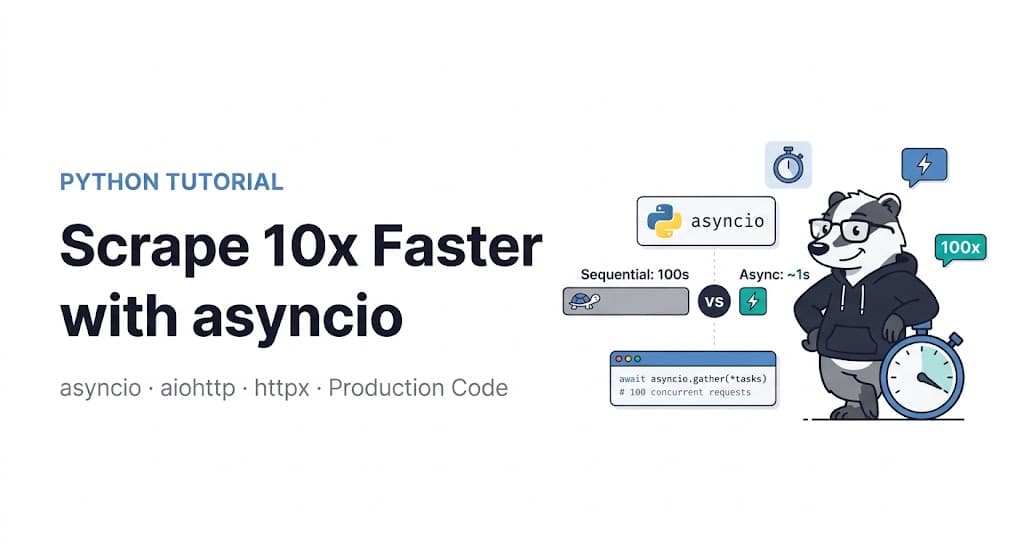
Sequential scraping has a fundamental problem that no amount of hardware can fix. When your scraper sends a request and waits for the response, it's idle. The server is doing the work — reading from disk, querying databases, generating HTML — and your scraper is sitting there waiting, burning wall-clock time without doing anything useful. Then the response arrives, your scraper reads it, and the cycle starts again for the next URL.
Scale that up to 10,000 URLs and you have 10,000 sequential wait cycles. If each request takes 300ms, that's 50 minutes of total runtime — almost all of it idle waiting.
Asyncio uses wait time to start other requests. For I/O-bound work like web scraping, expect 50–100x speedup over sequential. 100 requests take approximately 1 second asynchronously versus around 30 seconds sequentially.
That's not an exaggeration. This guide builds a production-grade async scraper from first principles — starting with the concurrency model, through library selection, to real production patterns including error handling, rate limiting, proxy rotation, and async ScrapeBadger integration. Every code block is complete and runnable.
Why Asyncio Works for Scraping
Asyncio is not threading. This distinction matters because the two solve different problems with different trade-offs.
Threads achieve concurrency by running multiple execution contexts simultaneously, with the OS switching between them. Python's GIL limits thread-based concurrency for CPU-bound work — but scraping isn't CPU-bound. Your scraper spends 95% of its time waiting for network I/O. Threads work for this, but they're heavy: each thread consumes memory, the OS scheduler has overhead, and at high concurrency (hundreds of threads) the overhead becomes significant.
Asyncio achieves concurrency through cooperative multitasking within a single thread. When a coroutine hits an await — waiting for a network response — it yields control back to the event loop. The event loop runs another coroutine. When the network response arrives, the original coroutine is resumed. No OS-level context switching. No thread memory overhead. Hundreds of concurrent network requests in a single thread.
The rule is simple: asyncio is for I/O-bound work. For CPU-bound work (image processing, heavy parsing, ML inference), use multiprocessing. For scraping — which is almost entirely network I/O — asyncio is the right model.
Choosing Your Async HTTP Library: aiohttp vs httpx
Two libraries dominate async HTTP in Python. They're both good. The choice matters at scale.
aiohttp is built directly on asyncio's internals. At high concurrency it outperforms httpx in raw throughput. At extreme concurrency (300–5,000+ simultaneous requests), aiohttp frequently wins by 1.5–5× throughput and lower tail latency in community benchmarks.
httpx is newer with a cleaner API and a drop-in replacement for requests with async support. At moderate concurrency — the majority of scraping use cases — the differences between httpx and aiohttp are negligible. Start with httpx and only switch to aiohttp when benchmarks justify it.
The practical recommendation: httpx for most scrapers, aiohttp when you need maximum throughput at 300+ concurrent requests. Both are covered below.
Install both:
bash
pip install httpx aiohttp aiofiles beautifulsoup4 lxmlYour First Async Scraper
Here's the fundamental pattern. Run this on any list of URLs and you'll immediately see why asyncio is worth understanding:
python
import asyncio
import httpx
import time
from bs4 import BeautifulSoup


async def fetch_url(client: httpx.AsyncClient, url: str) -> dict:
    """Fetch a single URL asynchronously."""
    try:
        response = await client.get(url, timeout=15.0)
        response.raise_for_status()
        return {
            "url": url,
            "status": response.status_code,
            "content": response.text,
            "error": None,
        }
    except httpx.TimeoutException:
        return {"url": url, "status": None, "content": None, "error": "timeout"}
    except httpx.HTTPStatusError as e:
        return {"url": url, "status": e.response.status_code, "content": None, "error": str(e)}
    except Exception as e:
        return {"url": url, "status": None, "content": None, "error": str(e)}


async def scrape_all(urls: list[str]) -> list[dict]:
    """Scrape all URLs concurrently."""
    headers = {
        "User-Agent": "Mozilla/5.0 (Windows NT 10.0; Win64; x64) AppleWebKit/537.36 (KHTML, like Gecko) Chrome/120.0.0.0 Safari/537.36",
        "Accept": "text/html,application/xhtml+xml,application/xml;q=0.9,*/*;q=0.8",
        "Accept-Language": "en-US,en;q=0.9",
    }

    async with httpx.AsyncClient(headers=headers, follow_redirects=True) as client:
        tasks = [fetch_url(client, url) for url in urls]
        results = await asyncio.gather(*tasks)

    return list(results)


# Benchmark: sync vs async
urls = [f"https://httpbin.org/delay/1" for _ in range(20)]

start = time.time()
results = asyncio.run(scrape_all(urls))
async_time = time.time() - start

successful = sum(1 for r in results if r["status"] == 200)
print(f"Async: {async_time:.1f}s — {successful}/{len(urls)} successful")
# ~1-2 seconds vs ~20 seconds sequential
The key insight: asyncio.gather(*tasks) fires all requests simultaneously. The total time is approximately the slowest single request, not the sum of all requests.
The Critical Mistake: Blocking the Event Loop
Never use requests.get, time.sleep, or any blocking I/O inside an async function. These block the event loop and destroy your concurrency gains.
python
# ❌ WRONG — blocks the event loop entirely
async def bad_scraper(url: str):
    import time
    import requests
    time.sleep(1)                    # blocks everything
    response = requests.get(url)     # blocks everything
    return response.text

# ✅ CORRECT — yields control during wait
async def good_scraper(client: httpx.AsyncClient, url: str):
    await asyncio.sleep(1)           # yields control, other coroutines run
    response = await client.get(url) # yields control during network wait
    return response.text
Any synchronous operation inside an async function — file I/O, database calls, CPU-heavy parsing — blocks every other coroutine until it completes. If you need to run blocking code inside an async context, use asyncio.run_in_executor() to offload it to a thread pool.
Controlling Concurrency with Semaphores
Firing 10,000 requests simultaneously sounds good in theory. In practice it will exhaust your connection pool, get your IP rate-limited or blocked, and crash your scraper with connection errors. You need to limit concurrent requests.
asyncio.Semaphore is the clean solution. It limits how many coroutines can run concurrently without queuing all the work sequentially:
python
import asyncio
import httpx
from typing import Optional


async def fetch_with_semaphore(
    semaphore: asyncio.Semaphore,
    client: httpx.AsyncClient,
    url: str,
    delay: float = 0.0,
) -> dict:
    """Fetch a URL, waiting for semaphore slot availability."""
    async with semaphore:  # Acquire slot — blocks if limit reached
        if delay:
            await asyncio.sleep(delay)
        try:
            response = await client.get(url, timeout=20.0)
            return {
                "url": url,
                "status": response.status_code,
                "content": response.text if response.status_code == 200 else None,
                "error": None,
            }
        except Exception as e:
            return {"url": url, "status": None, "content": None, "error": str(e)}


async def scrape_with_concurrency_limit(
    urls: list[str],
    max_concurrent: int = 10,
    delay_between: float = 0.5,
) -> list[dict]:
    """
    Scrape URLs with controlled concurrency.

    max_concurrent: how many requests run simultaneously
    delay_between: minimum delay per request within a semaphore slot
    """
    semaphore = asyncio.Semaphore(max_concurrent)
    headers = {
        "User-Agent": "Mozilla/5.0 (Windows NT 10.0; Win64; x64) AppleWebKit/537.36",
        "Accept-Language": "en-US,en;q=0.9",
    }

    async with httpx.AsyncClient(headers=headers, follow_redirects=True) as client:
        tasks = [
            fetch_with_semaphore(semaphore, client, url, delay_between)
            for url in urls
        ]
        results = await asyncio.gather(*tasks)

    return list(results)


# 1,000 URLs, max 20 concurrent, 0.3s delay per slot
urls = [f"https://example.com/products/{i}" for i in range(1000)]
results = asyncio.run(scrape_with_concurrency_limit(urls, max_concurrent=20, delay_between=0.3))
The right max_concurrent value depends on the target site's tolerance for concurrent connections. For sites with rate limiting, start at 5–10. For sites without active rate limiting, 20–50 is reasonable. For ScrapeBadger or any API with explicit rate limit documentation, match your concurrency to their stated limits.
Production Pattern: Retry with Exponential Backoff
Network requests fail. Servers return 503 temporarily. Rate limits trigger 429s. A production async scraper needs to handle these gracefully without crashing the entire batch:
python
import asyncio
import httpx
import random
from typing import Optional


class AsyncScraper:
    """
    Production-grade async scraper with retry logic,
    connection pooling, and configurable concurrency.
    """

    def __init__(
        self,
        max_concurrent: int = 15,
        max_retries: int = 3,
        base_delay: float = 1.0,
        timeout: float = 20.0,
    ):
        self.semaphore = asyncio.Semaphore(max_concurrent)
        self.max_retries = max_retries
        self.base_delay = base_delay
        self.timeout = timeout
        self.headers = {
            "User-Agent": "Mozilla/5.0 (Windows NT 10.0; Win64; x64) AppleWebKit/537.36 (KHTML, like Gecko) Chrome/120.0.0.0 Safari/537.36",
            "Accept": "text/html,application/xhtml+xml,application/xml;q=0.9,*/*;q=0.8",
            "Accept-Language": "en-US,en;q=0.9",
            "Accept-Encoding": "gzip, deflate, br",
        }

    async def _fetch_one(
        self,
        client: httpx.AsyncClient,
        url: str,
    ) -> dict:
        """Fetch a single URL with exponential backoff retry."""
        last_error = None

        for attempt in range(self.max_retries):
            try:
                response = await client.get(url, timeout=self.timeout)

                # Rate limited — back off and retry
                if response.status_code == 429:
                    retry_after = float(response.headers.get("Retry-After", 5))
                    print(f"Rate limited on {url}, waiting {retry_after}s")
                    await asyncio.sleep(retry_after)
                    continue

                # Server error — retry with backoff
                if response.status_code >= 500:
                    wait = self.base_delay * (2 ** attempt) + random.uniform(0, 1)
                    print(f"Server error {response.status_code} on {url}, retry {attempt+1} in {wait:.1f}s")
                    await asyncio.sleep(wait)
                    continue

                return {
                    "url": url,
                    "status": response.status_code,
                    "content": response.text if response.status_code == 200 else None,
                    "error": None,
                    "attempts": attempt + 1,
                }

            except httpx.TimeoutException:
                last_error = "timeout"
                wait = self.base_delay * (2 ** attempt)
                await asyncio.sleep(wait)

            except httpx.ConnectError:
                last_error = "connection_error"
                wait = self.base_delay * (2 ** attempt)
                await asyncio.sleep(wait)

            except Exception as e:
                last_error = str(e)
                break

        return {
            "url": url,
            "status": None,
            "content": None,
            "error": last_error,
            "attempts": self.max_retries,
        }

    async def fetch_all(self, urls: list[str]) -> list[dict]:
        """Fetch all URLs with semaphore-controlled concurrency."""
        async with httpx.AsyncClient(
            headers=self.headers,
            follow_redirects=True,
            limits=httpx.Limits(
                max_connections=100,
                max_keepalive_connections=20,
            ),
        ) as client:

            async def bounded_fetch(url: str) -> dict:
                async with self.semaphore:
                    return await self._fetch_one(client, url)

            tasks = [bounded_fetch(url) for url in urls]
            return list(await asyncio.gather(*tasks))

    def run(self, urls: list[str]) -> list[dict]:
        """Synchronous entry point for async scraper."""
        return asyncio.run(self.fetch_all(urls))


# Usage
scraper = AsyncScraper(max_concurrent=15, max_retries=3)
results = scraper.run(urls)

successful = [r for r in results if r["status"] == 200]
failed = [r for r in results if r["error"]]
print(f"Success: {len(successful)} | Failed: {len(failed)}")
Async HTML Parsing
Parsing HTML with BeautifulSoup is CPU-bound work — it can't be made async directly. But the right approach is to separate concerns: fetch asynchronously, parse sequentially. Since parsing is fast relative to network I/O, this doesn't create a bottleneck:
python
from bs4 import BeautifulSoup
from dataclasses import dataclass
from typing import Optional


@dataclass
class Product:
    url: str
    name: Optional[str]
    price: Optional[str]
    availability: Optional[str]


def parse_product(html: str, url: str) -> Product:
    """
    Parse product data from HTML.
    CPU-bound — runs after async fetch completes.
    """
    soup = BeautifulSoup(html, "lxml")

    # Schema.org structured data — most reliable across e-commerce platforms
    import json
    for script in soup.find_all("script", {"type": "application/ld+json"}):
        try:
            data = json.loads(script.string or "")
            if isinstance(data, list):
                data = next((d for d in data if d.get("@type") == "Product"), {})
            if data.get("@type") == "Product":
                offers = data.get("offers", {})
                if isinstance(offers, list):
                    offers = offers[0] if offers else {}
                return Product(
                    url=url,
                    name=data.get("name"),
                    price=str(offers.get("price", "")),
                    availability=offers.get("availability", "").split("/")[-1],
                )
        except (json.JSONDecodeError, StopIteration):
            continue

    # CSS selector fallbacks
    return Product(
        url=url,
        name=soup.select_one("h1.product-title, h1.productTitle, [itemprop='name']")
             and soup.select_one("h1.product-title, h1.productTitle, [itemprop='name']").get_text(strip=True),
        price=soup.select_one(".price, .product-price, [itemprop='price']")
              and soup.select_one(".price, .product-price, [itemprop='price']").get_text(strip=True),
        availability=None,
    )


async def scrape_and_parse(urls: list[str]) -> list[Product]:
    """Fetch asynchronously, parse synchronously."""
    scraper = AsyncScraper(max_concurrent=20)
    raw_results = await scraper.fetch_all(urls)

    products = []
    for result in raw_results:
        if result["content"]:
            product = parse_product(result["content"], result["url"])
            products.append(product)

    return products
For parsing at extreme scale — millions of pages — consider offloading parsing to a process pool using asyncio.run_in_executor(). This runs the CPU-bound parsing in parallel threads without blocking the event loop.
Async aiohttp: The High-Throughput Alternative
For scrapers running 300+ concurrent requests, switch to aiohttp. At high concurrency, aiohttp outperforms httpx by 1.5–5× throughput and lower tail latency because it talks directly to asyncio's internals rather than through httpx's abstraction layer.
python
import asyncio
import aiohttp
from typing import Optional


async def fetch_aiohttp(
    session: aiohttp.ClientSession,
    semaphore: asyncio.Semaphore,
    url: str,
) -> dict:
    async with semaphore:
        try:
            async with session.get(url) as response:
                content = await response.text() if response.status == 200 else None
                return {
                    "url": url,
                    "status": response.status,
                    "content": content,
                    "error": None,
                }
        except asyncio.TimeoutError:
            # Note: aiohttp raises asyncio.TimeoutError, not aiohttp.ServerTimeoutError
            return {"url": url, "status": None, "content": None, "error": "timeout"}
        except aiohttp.ClientError as e:
            return {"url": url, "status": None, "content": None, "error": str(e)}


async def scrape_high_volume(urls: list[str], max_concurrent: int = 100) -> list[dict]:
    """
    High-volume scraping with aiohttp.
    Better than httpx when concurrency exceeds ~300 simultaneous requests.
    """
    semaphore = asyncio.Semaphore(max_concurrent)
    timeout = aiohttp.ClientTimeout(total=20, connect=5)
    connector = aiohttp.TCPConnector(
        limit=max_concurrent + 20,  # Connection pool slightly larger than semaphore
        limit_per_host=10,          # Don't hammer a single domain with all connections
        ssl=True,
    )
    headers = {
        "User-Agent": "Mozilla/5.0 (Windows NT 10.0; Win64; x64) AppleWebKit/537.36",
        "Accept-Language": "en-US,en;q=0.9",
    }

    async with aiohttp.ClientSession(
        connector=connector,
        timeout=timeout,
        headers=headers,
    ) as session:
        tasks = [fetch_aiohttp(session, semaphore, url) for url in urls]
        results = await asyncio.gather(*tasks)

    return list(results)
The limit_per_host=10 parameter in TCPConnector is important. Without it, all 100 concurrent connections might target the same domain, which is guaranteed to trigger rate limiting. This setting distributes connections across hosts while still respecting the total concurrency limit.
Async ScrapeBadger Integration
ScrapeBadger's API is a standard REST endpoint — it's trivially async-compatible. The key advantage of calling ScrapeBadger asynchronously is that while one request's anti-bot bypass and JavaScript rendering are running, your scraper is already sending the next request. You get the full throughput benefit of async without managing any of the bypass infrastructure yourself.
As covered in the ScrapeBadger documentation, the API handles Cloudflare, Imperva, Akamai, and DataDome automatically — the async pattern below works identically on any protected target:
python
import asyncio
import httpx
import os
from typing import Optional


API_KEY = os.environ.get("SCRAPEBADGER_API_KEY")
SCRAPEBADGER_URL = "https://api.scrapebadger.com/v1/scrape"


async def scrape_via_api(
    client: httpx.AsyncClient,
    semaphore: asyncio.Semaphore,
    url: str,
    render_js: bool = True,
) -> dict:
    """
    Scrape a URL via ScrapeBadger API asynchronously.
    Anti-bot bypass, proxy rotation, JS rendering handled automatically.
    """
    async with semaphore:
        try:
            response = await client.get(
                SCRAPEBADGER_URL,
                params={
                    "url": url,
                    "render_js": render_js,
                    "wait_for": "networkidle",
                },
                timeout=60.0,  # Longer timeout — JS rendering takes a few seconds
            )
            response.raise_for_status()
            return {"url": url, "data": response.json(), "error": None}

        except httpx.TimeoutException:
            return {"url": url, "data": None, "error": "timeout"}
        except Exception as e:
            return {"url": url, "data": None, "error": str(e)}


async def bulk_scrape_api(urls: list[str], max_concurrent: int = 20) -> list[dict]:
    """
    Bulk async scraping via ScrapeBadger API.
    20 concurrent is a good default — adjust based on your plan's rate limits.
    """
    semaphore = asyncio.Semaphore(max_concurrent)
    headers = {"X-API-Key": API_KEY}

    async with httpx.AsyncClient(headers=headers) as client:
        tasks = [scrape_via_api(client, semaphore, url) for url in urls]
        results = await asyncio.gather(*tasks)

    successful = [r for r in results if r["data"]]
    print(f"Scraped {len(successful)}/{len(urls)} successfully")
    return list(results)


# Example: scrape 200 product pages from Cloudflare-protected site
product_urls = [f"https://protected-site.com/products/{i}" for i in range(200)]
results = asyncio.run(bulk_scrape_api(product_urls, max_concurrent=20))
For Google SERP scraping, Google Maps, and other Google endpoints — the same pattern applies. All ScrapeBadger endpoints are REST GET calls and work identically in the async pattern above.
Saving Results Asynchronously
Writing results to disk shouldn't block your scraper. Use aiofiles for async file I/O:
bash
pip install aiofilespython
import asyncio
import aiofiles
import json
from pathlib import Path


async def save_results_async(
    results: list[dict],
    output_path: str = "results.jsonl",
) -> int:
    """
    Save results to JSONL (JSON Lines) format asynchronously.
    JSONL is better than JSON for large result sets — each line is
    a complete record, no need to load the full file to append.
    """
    saved = 0
    async with aiofiles.open(output_path, "w", encoding="utf-8") as f:
        for result in results:
            if result.get("content") or result.get("data"):
                await f.write(json.dumps(result, ensure_ascii=False) + "\n")
                saved += 1
    print(f"Saved {saved} records to {output_path}")
    return saved


# Integrated pipeline: scrape + save
async def full_pipeline(urls: list[str], output_path: str) -> None:
    scraper = AsyncScraper(max_concurrent=15)
    results = await scraper.fetch_all(urls)
    await save_results_async(results, output_path)


asyncio.run(full_pipeline(urls, "output.jsonl"))
Async Progress Tracking for Long Jobs
For scraping jobs processing thousands of URLs, progress visibility matters. tqdm supports async:
bash
pip install tqdmpython
import asyncio
import httpx
from tqdm.asyncio import tqdm_asyncio


async def scrape_with_progress(urls: list[str]) -> list[dict]:
    """Scrape with live progress bar."""
    semaphore = asyncio.Semaphore(15)
    results = []

    async with httpx.AsyncClient(
        headers={"User-Agent": "Mozilla/5.0 ..."},
        follow_redirects=True,
    ) as client:

        async def bounded_fetch(url: str) -> dict:
            async with semaphore:
                try:
                    r = await client.get(url, timeout=15.0)
                    return {"url": url, "status": r.status_code, "content": r.text}
                except Exception as e:
                    return {"url": url, "status": None, "error": str(e)}

        tasks = [bounded_fetch(url) for url in urls]
        results = await tqdm_asyncio.gather(*tasks, desc="Scraping")

    return results
The Complete Production Pipeline
Putting it all together — concurrency control, retry logic, progress tracking, and output — in one class:
python
import asyncio
import httpx
import aiofiles
import json
import time
import random
from tqdm.asyncio import tqdm_asyncio
from dataclasses import dataclass, asdict
from typing import Optional, Callable


@dataclass
class ScrapeResult:
    url: str
    status: Optional[int]
    content: Optional[str]
    error: Optional[str]
    attempts: int
    elapsed_ms: Optional[float]


class ProductionAsyncScraper:
    """
    Complete async scraper for production use.
    Handles concurrency, retries, progress, and output.
    """

    def __init__(
        self,
        max_concurrent: int = 15,
        max_retries: int = 3,
        timeout: float = 20.0,
        delay_range: tuple[float, float] = (0.5, 2.0),
        headers: Optional[dict] = None,
    ):
        self.max_concurrent = max_concurrent
        self.max_retries = max_retries
        self.timeout = timeout
        self.delay_range = delay_range
        self.headers = headers or {
            "User-Agent": "Mozilla/5.0 (Windows NT 10.0; Win64; x64) AppleWebKit/537.36 (KHTML, like Gecko) Chrome/120.0.0.0 Safari/537.36",
            "Accept": "text/html,application/xhtml+xml,application/xml;q=0.9,*/*;q=0.8",
            "Accept-Language": "en-US,en;q=0.9",
            "Accept-Encoding": "gzip, deflate, br",
        }
        self._success_count = 0
        self._fail_count = 0

    async def _fetch(
        self,
        client: httpx.AsyncClient,
        semaphore: asyncio.Semaphore,
        url: str,
    ) -> ScrapeResult:
        async with semaphore:
            # Random delay — never machine-regular timing
            await asyncio.sleep(random.uniform(*self.delay_range))

            start = time.time()
            last_error = None

            for attempt in range(1, self.max_retries + 1):
                try:
                    r = await client.get(url, timeout=self.timeout)
                    elapsed = (time.time() - start) * 1000

                    if r.status_code == 429:
                        wait = float(r.headers.get("Retry-After", 10))
                        await asyncio.sleep(wait)
                        continue

                    if r.status_code >= 500:
                        await asyncio.sleep(2 ** attempt + random.random())
                        continue

                    self._success_count += 1
                    return ScrapeResult(
                        url=url,
                        status=r.status_code,
                        content=r.text if r.status_code == 200 else None,
                        error=None,
                        attempts=attempt,
                        elapsed_ms=round(elapsed, 1),
                    )

                except Exception as e:
                    last_error = str(e)
                    await asyncio.sleep(2 ** attempt)

            self._fail_count += 1
            return ScrapeResult(
                url=url, status=None, content=None,
                error=last_error, attempts=self.max_retries,
                elapsed_ms=None,
            )

    async def run_async(
        self,
        urls: list[str],
        output_path: Optional[str] = None,
    ) -> list[ScrapeResult]:
        semaphore = asyncio.Semaphore(self.max_concurrent)

        async with httpx.AsyncClient(
            headers=self.headers,
            follow_redirects=True,
            limits=httpx.Limits(max_connections=self.max_concurrent + 10),
        ) as client:
            tasks = [self._fetch(client, semaphore, url) for url in urls]
            results = await tqdm_asyncio.gather(*tasks, desc="Scraping")

        if output_path:
            async with aiofiles.open(output_path, "w") as f:
                for r in results:
                    if r.content:
                        await f.write(json.dumps(asdict(r)) + "\n")

        success_rate = self._success_count / len(urls) * 100 if urls else 0
        print(f"\nComplete: {self._success_count} success, {self._fail_count} failed ({success_rate:.1f}% success rate)")
        return results

    def run(self, urls: list[str], output_path: Optional[str] = None) -> list[ScrapeResult]:
        return asyncio.run(self.run_async(urls, output_path))


# Production usage
scraper = ProductionAsyncScraper(
    max_concurrent=20,
    max_retries=3,
    delay_range=(0.3, 1.5),
)

urls = [f"https://example.com/products/{i}" for i in range(500)]
results = scraper.run(urls, output_path="products.jsonl")
When NOT to Use asyncio
Asyncio is not always the answer. Three cases where it's the wrong tool:
You have fewer than 20 URLs. The async setup overhead isn't worth it for small batches. requests in a simple loop is faster to write and fast enough to run.
Your bottleneck is parsing, not fetching. If you're doing heavy HTML parsing, ML inference, or image processing on each page, adding async to the fetch layer doesn't help — you're CPU-bound. Use multiprocessing instead.
You're using Playwright. Playwright has its own async model. Use playwright.async_api with asyncio for concurrent browser sessions, but the patterns are different from HTTP-level async — each Playwright context is a resource-heavy browser instance, so concurrency limits are much lower (5–20 contexts maximum, versus hundreds of HTTP requests).
For browser automation at scale on Cloudflare-protected or JavaScript-heavy targets — the ScrapeBadger infrastructure handles JavaScript rendering transparently, which means you can use the simple async HTTP pattern above and get rendered page content without managing Playwright sessions yourself. The async ScrapeBadger integration code above works on any site regardless of JavaScript complexity.
Performance Summary
Approach | 100 URLs at 1s each | 1,000 URLs | Best use case |
|---|---|---|---|
Sequential | ~100s | ~1,000s | < 20 URLs, simple targets |
| ~5–8s | ~50–80s | Most scraping workloads |
| ~1–2s | ~10–20s | High-volume, unprotected targets |
| ~10–15s | ~100–150s | Protected targets, all anti-bot handled |
The ScrapeBadger API row is slower per-request because rendering JavaScript and bypassing anti-bot takes 3–5 seconds per page. But the success rate on protected targets is fundamentally different — 90%+ versus 20–40% with raw requests on the same targets.
Start with the ProductionAsyncScraper above for unprotected targets. Add ScrapeBadger when success rates matter more than raw speed. Full documentation at docs.scrapebadger.com.

Written by
Thomas Shultz
Thomas Shultz is the Head of Data at ScrapeBadger, working on public web data, scraping infrastructure, and data reliability. He writes about real-world scraping, data pipelines, and turning unstructured web data into usable signals. ScrapeBadger is a web scraping API platform specialising in Twitter/X, Reddit and Google data, with dedicated scrapers also covering TikTok, YouTube, LinkedIn, Amazon, eBay, Zillow and 40+ more: with built-in anti-bot bypass and an MCP server for AI agents.
Ready to get started?
Join thousands of developers using ScrapeBadger for their data needs.