How Startups Use Twitter Monitoring for Lead Generation
 Thomas Shultz
AI Summary: Since buyers openly announce their needs on public Twitter conversations, this guide shows startups how to build a durable monitoring system that listens for buying-intent signals and turns them into warm B2B leads rather than broadcasting into the void.
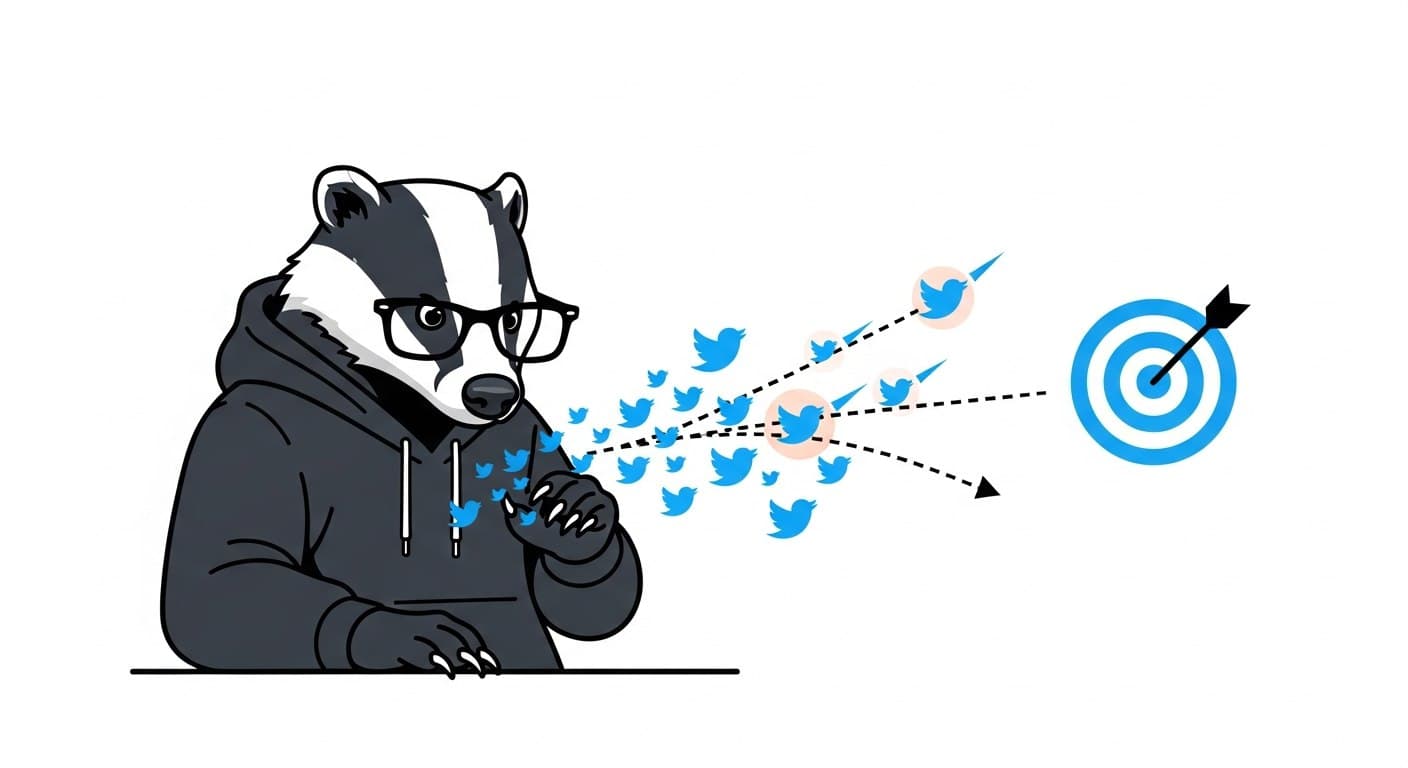
Most startups treat Twitter like a broadcast channel. They post updates, share links, and wonder why it doesn't convert. The founders quietly building pipeline from Twitter are doing something different: they're listening before they post.
Twitter's real-time nature makes it one of the few places where buyers openly announce what they need. Someone tweets "anyone recommend a good CRM for a 10-person team?" and that's a warmer lead than anything you'll pull from a cold email list. The signal is there. The question is whether you have a system to catch it.
This guide covers how to build that system — practically, programmatically, and in a way that actually holds up over time.
Why Twitter Is Underrated for B2B Lead Discovery
LinkedIn gets most of the B2B attention, but Twitter has a structural advantage that most teams miss: conversations are public by default. You can see and join them without being connected to anyone.
A few numbers worth knowing: - 82% of B2B companies actively use X for content marketing - 93% of people who follow SMBs on Twitter plan to purchase from them - Users spend 26% more time viewing X ads than on other platforms - 67% of B2B businesses use Twitter as a marketing channel
The practical implication: decision-makers are active here, they're vocal about their problems, and the barrier to joining a conversation is just a reply button. No connection request, no InMail credit, no cold email that might never get opened.
The problem isn't that leads don't exist on Twitter. It's that finding them manually — scrolling search results, checking hashtags, reading through noise — doesn't scale.
The Three Types of Intent Signals Worth Tracking
Not all tweets are created equal for lead generation. Before you build anything, you need to know what you're looking for.
High-intent signals — the prospect is actively looking for a solution right now: - "Looking for alternatives to [competitor]" - "Anyone recommend a tool for [problem]?" - "We need to fix [exact pain point] this week" - "What's everyone using for [category]?"
Medium-intent signals — the prospect is frustrated but not yet actively searching: - "So tired of [workflow that your product replaces]" - "[Competitor] just broke our workflow again" - "There has to be a better way to do [task]"
Research signals — early-stage awareness, worth monitoring but lower priority: - Hashtag engagement in your niche - Retweets of competitor content - Questions about how a category of tools works
The most actionable signal is high-intent. Start there. Expand to medium-intent once you have the first tier covered.
Building the Monitoring Stack
Option 1: Advanced Search (Manual Starting Point)
Twitter's Advanced Search supports Boolean operators that let you filter precisely. This is worth understanding before you automate anything, because the same query syntax carries over to the API.
Useful patterns:
"looking for" OR "recommend" CRM -is:retweet lang:en
"frustrated with" OR "switching from" HubSpot -is:retweet
"anyone know" OR "any suggestions" project management
"need a tool" #B2BSaaS -is:retweet
The -is:retweet filter is essential. Without it, most results are retweets with no conversational value. The lang:en filter cuts volume significantly if you operate in English-speaking markets.
Manual search is fine for validation. It breaks down as soon as you try to do it reliably at scale.
Option 2: Scheduled Python Scripts
A Python script hitting the Twitter search API on a schedule is a significant upgrade from manual search. You get persistent storage, deduplication, and the ability to run multiple queries without sitting at a browser.
The core pattern using the ScrapeBadger SDK:
import asyncio
import os
from scrapebadger import ScrapeBadger

async def find_leads(query: str, max_items: int = 100):
    async with ScrapeBadger(api_key=os.getenv("SCRAPEBADGER_API_KEY")) as client:
        stream = client.twitter.tweets.search_all(query, max_items=max_items)
        async for tweet in stream:
            user = tweet.get("user") or {}
            metrics = tweet.get("public_metrics") or {}
            print({
                "tweet_id": tweet.get("id"),
                "username": user.get("username"),
                "text": tweet.get("text"),
                "likes": metrics.get("like_count", 0),
                "created_at": tweet.get("created_at"),
            })

if __name__ == "__main__":
    asyncio.run(find_leads(
        '"looking for" OR "recommend" CRM -is:retweet lang:en',
        max_items=100
    ))
Run this on a cron schedule — hourly is a reasonable starting frequency for most B2B niches. Store results in SQLite, deduplicate by tweet_id, and you've got a basic lead feed without manual effort.
Option 3: Real-Time Filter Rules with Webhooks
This is where the stack gets genuinely useful. Instead of polling on a schedule, you create persistent monitoring rules that push matching tweets to your app the moment they appear.
ScrapeBadger's Filter Rules API lets you do exactly this. You create a rule with a query, set a polling interval, and point it at a webhook endpoint.
Create a rule:
curl -X POST "https://scrapebadger.com/v1/twitter/filter-rules" \
  -H "x-api-key: YOUR_API_KEY" \
  -H "Content-Type: application/json" \
  -d '{
    "query": "\"looking for\" OR \"recommend\" CRM -is:retweet lang:en",
    "webhook_url": "https://your-app.com/webhooks/leads",
    "polling_interval": "standard"
  }'
When a matching tweet is found, ScrapeBadger sends a POST to your webhook immediately:
{
  "type": "tweet",
  "tweet_id": "1234567890123456789",
  "author_username": "janedoe",
  "detected_at": "2026-03-04T12:00:00.850Z",
  "latency_ms": 850,
  "tweet": {
    "text": "Anyone recommend a good CRM for a 10-person startup?",
    "username": "janedoe",
    "favorite_count": 0,
    "retweet_count": 0
  }
}
Your webhook handler receives this, logs it to your database, and — if the signal looks strong — fires a Slack alert. The detected_at timestamp tells you how recently the tweet was posted, which matters for response timing.
Verify the webhook signature in Python:
import hmac, hashlib

def verify_signature(body: bytes, signature: str, secret: str) -> bool:
    expected = hmac.new(secret.encode(), body, hashlib.sha256).hexdigest()
    received = signature.replace("sha256=", "")
    return hmac.compare_digest(expected, received)
Always verify signatures before processing. Don't skip this.
Polling Interval: What to Choose
The polling interval determines how quickly you see a matching tweet after it's posted. Faster intervals mean earlier response windows but cost more.
Tier | Poll Interval | Est. Monthly Cost / Rule | Best For |
|---|---|---|---|
Turbo | 0.5 seconds | ~$90 | Time-sensitive monitoring at scale |
Fast | 5 seconds | ~$30 | Active sales teams |
Standard | 1 minute | ~$4.50 | Most B2B startups |
Relaxed | 10 minutes | ~$1.50 | Market research, low urgency |
Daily | 24 hours | ~$0.30 | Trend tracking, reporting |
For most early-stage startups monitoring 3–5 queries, Standard tier at ~$4.50/rule/month is the right balance. You'll see most high-intent tweets within a minute of them being posted — fast enough to respond before the conversation moves on.
Mining Engagement Data for Warm Prospects
Beyond direct search, the engagement endpoints let you identify prospects who are already interacting with content relevant to your product.
If a tweet in your niche gets significant traction — say, a complaint about a competitor's pricing — you can pull the users who liked or replied to it:
# Who retweeted a high-signal tweet?
GET /v1/twitter/tweets/tweet/{id}/retweeters

# Who replied to it?
GET /v1/twitter/tweets/tweet/{id}/replies

# Who liked it?
GET /v1/twitter/tweets/tweet/{id}/favoriters
These users have already self-selected as interested in the problem space. That's more signal than a cold list based on job title.
What to Do With a Lead Once You Find It
Collecting signals is table stakes. What happens next determines whether this drives revenue or just creates a data pile.
A few patterns that work in practice:
Immediate reply — If the tweet is high-intent ("anyone recommend..."), a thoughtful reply in the thread is often more effective than a DM. It's visible, authentic, and positions you as a helpful participant rather than a vendor. Respond within 30 minutes if possible; intent decays fast on Twitter.
Qualified DM — For medium-intent signals where a public reply would feel out of place, a short DM works. Reference the specific tweet to show you're not spraying. Keep it one sentence and a question, not a pitch.
CRM enrichment — Log the author_username, tweet text, and timestamp in your CRM. Even if you don't act immediately, this builds a pool of warm contacts for future campaigns.
Engagement first, outreach second — For accounts that look promising but aren't actively signaling right now, like or reply to their existing content before reaching out. Warm the relationship before asking for anything.
Practical Comparison: Monitoring Approaches
Approach | Setup Time | Ongoing Effort | Cost | Response Speed | Best For |
|---|---|---|---|---|---|
Manual Advanced Search | Zero | High | Free | Hours | Validation only |
Scheduled Python script | Hours | Low | Low | Minutes to hours | Developers, persistent storage |
Filter Rules + Webhooks | Hours | Very low | ~$4.50/rule/month | Seconds to minutes | Real-time lead alerts |
Social listening platforms | Hours | Low | $200–500/month | Minutes | Non-technical teams, multi-channel |
If you're a developer and you want a solid foundation for real-time monitoring, filter rules with webhooks are the most cost-effective route. One rule running Standard polling costs less than a coffee per month.
Noise Filtering: The Real Ongoing Problem
High-volume keywords generate a lot of irrelevant results. A query like "project management tool" will pull in content marketing, students doing homework, and job postings before it surfaces a genuine buying signal.
Practical filters to add from day one:
-is:retweet— eliminates most noise immediatelylang:en— restricts to English if relevant to your marketMinimum engagement thresholds in your normalization step (skip tweets with zero likes and zero replies from accounts with < 50 followers)
Negative keyword lists:
-giveaway -contest -hiring -internshipdepending on your niche
After two weeks, audit your results. If more than half of what you're storing is irrelevant, tighten your queries. Signal-to-noise ratio is the only metric that matters here.
FAQ
How do I find leads on Twitter for a B2B SaaS product?
Use Advanced Search or the /v1/twitter/tweets/advanced_search endpoint to search for high-intent phrases — "looking for," "anyone recommend," "frustrated with [competitor]" — filtered by -is:retweet and lang:en. Store results in a database, deduplicate by tweet ID, and prioritize tweets where the author has a relevant job title or is asking a specific product question.
What's the difference between polling and real-time monitoring?
Polling runs a search query on a fixed schedule (e.g., every 15 minutes). Real-time monitoring via filter rules uses persistent rules that check Twitter continuously and push results to your webhook the moment a match appears. For lead generation where timing matters, real-time is better. For market research and reporting, polling is fine.
How quickly do I need to respond to a lead signal on Twitter?
Fast. High-intent tweets — "anyone recommend..." — tend to attract multiple replies within the first 30–60 minutes. If you respond within 15 minutes, you're often the first or second reply, which means visibility. After a few hours, the conversation has usually moved on and your reply gets buried.
How do I avoid spamming people I find through monitoring?
Don't DM everyone you find. Reserve direct outreach for signals where the user is explicitly asking for a recommendation or has a clear, specific problem. For medium-intent signals, engage publicly in the thread rather than sliding into DMs. Relevance and timing are what separate helpful from annoying.
Can I monitor multiple keywords or competitors at once?
Yes. ScrapeBadger supports up to 50 active filter rules per API key. In practice, running 3–10 rules covering your core intent phrases, competitor names, and pain-point keywords covers most use cases. Use separate rules per signal type so you can tune polling frequency and noise filters independently.
Is it worth doing this manually first before automating?
Yes. Spend a week doing manual Advanced Search before you write a line of code. It tells you which queries actually surface useful signals in your specific niche, what language your prospects use, and what noise patterns to filter out. That context makes the automated version significantly better from day one.

Written by
Thomas Shultz
Thomas Shultz is the Head of Data at ScrapeBadger, working on public web data, scraping infrastructure, and data reliability. He writes about real-world scraping, data pipelines, and turning unstructured web data into usable signals. ScrapeBadger is a web scraping API platform specialising in Twitter/X, Reddit and Google data, with dedicated scrapers also covering TikTok, YouTube, LinkedIn, Amazon, eBay, Zillow and 40+ more: with built-in anti-bot bypass and an MCP server for AI agents.
Ready to get started?
Join thousands of developers using ScrapeBadger for their data needs.