How to Scrape Twitter User Profiles and Follower Data With ScrapeBadger
 Thomas Shultz
AI Summary: Using ScrapeBadger's Twitter Scraper, this guide builds a production-grade pipeline for collecting the fourteen fields of a Twitter user profile plus follower data, showing how overlooked fields turn a contact list into a qualified prospect database, influencer scoring system, or network map.
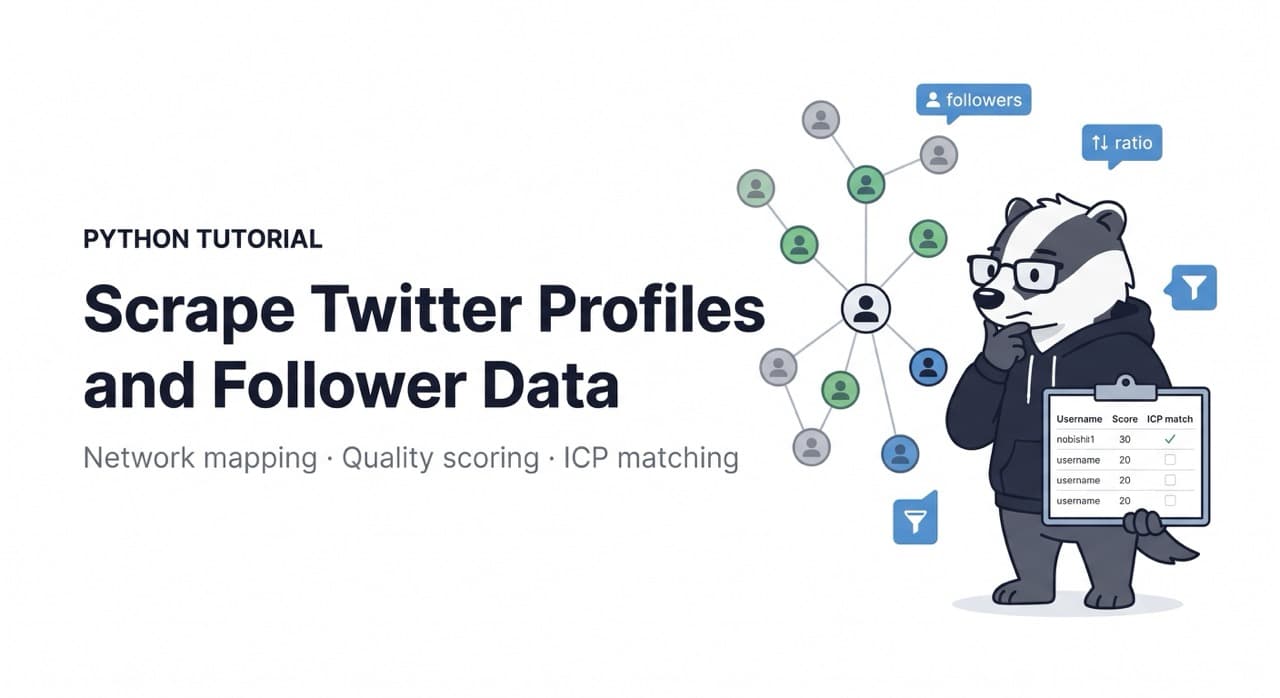
Before you write a single line of scraping code, understand what a Twitter user profile actually contains — because the data model is richer than most developers expect, and the fields you might overlook are often the ones that drive the most value in downstream applications.
A complete Twitter user record contains username, display name, bio text, follower count, following count, tweet count, account creation date, verified status, profile location, website URL, profile and banner image URLs, pinned tweet ID, and whether the account is protected. That is fourteen distinct fields per user, and several of them contain signals that transform a simple contact list into a qualified prospect database, an influencer scoring system, or a network intelligence map.
This guide builds a production-grade Twitter user profile collection pipeline using ScrapeBadger's Twitter Scraper — starting with individual profile collection, then follower and following network traversal, and finishing with the quality filtering and export patterns that make the data usable in downstream systems.
Setup
bash
pip install httpx asyncio sqlalchemy pydantic python-dotenvenv
SCRAPEBADGER_API_KEY=your_key_hereUnderstanding the Profile Data Model
Before building the pipeline, map each field to its analytical value:
python
# models.py
from dataclasses import dataclass, field
from typing import Optional
from datetime import datetime


@dataclass
class TwitterProfile:
    # Core identity
    user_id: str           # Stable identifier — never changes even if handle does
    username: str          # @handle — can change
    display_name: str

    # Audience signals
    followers_count: int
    following_count: int
    tweet_count: int
    listed_count: int      # How many public lists include this account

    # Account signals
    created_at: str        # Account age — proxy for legitimacy
    verified: bool         # Blue check or legacy verified
    is_protected: bool     # Protected accounts cannot be scraped further

    # Profile content
    bio: str               # Self-description — keyword mine for ICP matching
    location: Optional[str] # Self-reported location — unstructured but useful
    website_url: Optional[str]  # Company or personal site — enrichment entry point

    # Engagement ratio
    @property
    def follower_following_ratio(self) -> float:
        """
        High ratio = influence without reciprocal following = genuine audience.
        Low ratio = follow-for-follow strategy = inflated follower count.
        """
        if self.following_count == 0:
            return float(self.followers_count)
        return self.followers_count / self.following_count

    @property
    def tweets_per_day(self) -> float:
        """Activity rate — proxy for account engagement level."""
        try:
            created = datetime.strptime(
                self.created_at[:10], "%Y-%m-%d"
            )
            days_active = (datetime.utcnow() - created).days
            return self.tweet_count / max(days_active, 1)
        except Exception:
            return 0.0
The follower_following_ratio is the most underused quality signal in profile data. An account with 50,000 followers and 48,000 following is almost certainly running an automated follow-back strategy — their audience is not genuine. An account with 50,000 followers and 800 following has built an audience on content quality alone.
tweets_per_day distinguishes active accounts from dormant ones. An account with 100,000 followers that tweets 0.1 times per day is effectively inactive and worth excluding from influencer or outreach lists.
Step 1: Single Profile Collection
python
# collector.py
import httpx
import asyncio
import os
from typing import Optional
from models import TwitterProfile
from datetime import datetime

API_KEY = os.environ["SCRAPEBADGER_API_KEY"]
BASE_URL = "https://api.scrapebadger.com/v1"
HEADERS = {"X-API-Key": API_KEY}


async def fetch_user_profile(
    client: httpx.AsyncClient,
    username: str,
) -> Optional[TwitterProfile]:
    """
    Fetch a single Twitter user profile by @username.
    Returns None if account not found, suspended, or private.
    """
    try:
        response = await client.get(
            f"{BASE_URL}/twitter/user/{username}",
            timeout=20.0,
        )
        response.raise_for_status()
        data = response.json()
        user = data.get("user", data)

        return TwitterProfile(
            user_id=str(user.get("id", "")),
            username=user.get("username", ""),
            display_name=user.get("name", ""),
            followers_count=user.get("followers_count", 0),
            following_count=user.get("following_count", 0),
            tweet_count=user.get("tweet_count", 0) or user.get("statuses_count", 0),
            listed_count=user.get("listed_count", 0),
            created_at=user.get("created_at", ""),
            verified=user.get("verified", False) or user.get("is_blue_verified", False),
            is_protected=user.get("protected", False),
            bio=user.get("description", "") or "",
            location=user.get("location"),
            website_url=user.get("url") or user.get("entities", {}).get("url", {}).get("urls", [{}])[0].get("expanded_url") if user.get("entities") else None,
        )

    except httpx.HTTPStatusError as e:
        if e.response.status_code == 404:
            print(f"@{username} not found")
        return None
    except Exception as e:
        print(f"Error fetching @{username}: {e}")
        return None


async def fetch_profiles_bulk(
    usernames: list[str],
    max_concurrent: int = 10,
) -> list[TwitterProfile]:
    """Fetch multiple profiles concurrently with semaphore control."""
    semaphore = asyncio.Semaphore(max_concurrent)

    async with httpx.AsyncClient(headers=HEADERS) as client:
        async def bounded_fetch(username: str) -> Optional[TwitterProfile]:
            async with semaphore:
                import random, asyncio as aio
                await aio.sleep(random.uniform(0.3, 0.8))
                return await fetch_user_profile(client, username)

        results = await asyncio.gather(
            *[bounded_fetch(u.lstrip("@")) for u in usernames]
        )

    profiles = [r for r in results if r is not None]
    print(f"Fetched {len(profiles)}/{len(usernames)} profiles successfully")
    return profiles
Step 2: Follower and Following Network Collection
Network traversal is where profile scraping gets powerful. Collecting the followers of a competitor account reveals their customer base. Collecting who a journalist follows reveals their source network. Collecting an influencer's following list reveals which brands they have relationships with.
python
async def fetch_followers(
    client: httpx.AsyncClient,
    username: str,
    max_pages: int = 5,
    min_followers: int = 100,
) -> list[TwitterProfile]:
    """
    Collect followers of an account.
    min_followers: filter out bot-like accounts with tiny audiences.
    max_pages * ~100 users per page = up to 500 followers per call.
    """
    followers = []
    cursor = None

    for page in range(max_pages):
        try:
            params = {"limit": 100}
            if cursor:
                params["cursor"] = cursor

            response = await client.get(
                f"{BASE_URL}/twitter/user/{username}/followers",
                params=params,
                timeout=20.0,
            )
            response.raise_for_status()
            data = response.json()

            for user in data.get("users", []):
                fc = user.get("followers_count", 0)
                if fc < min_followers:
                    continue
                if user.get("protected", False):
                    continue

                followers.append(TwitterProfile(
                    user_id=str(user.get("id", "")),
                    username=user.get("username", ""),
                    display_name=user.get("name", ""),
                    followers_count=fc,
                    following_count=user.get("following_count", 0),
                    tweet_count=user.get("tweet_count", 0),
                    listed_count=user.get("listed_count", 0),
                    created_at=user.get("created_at", ""),
                    verified=user.get("verified", False),
                    is_protected=False,
                    bio=user.get("description", "") or "",
                    location=user.get("location"),
                    website_url=None,
                ))

            cursor = data.get("next_cursor")
            if not cursor:
                break

        except Exception as e:
            print(f"Error fetching followers page {page} for @{username}: {e}")
            break

    return followers


async def fetch_following(
    client: httpx.AsyncClient,
    username: str,
    max_pages: int = 5,
) -> list[TwitterProfile]:
    """
    Collect accounts that a user follows.
    Useful for: mapping brand relationships, journalist source networks,
    competitor partnership intelligence.
    """
    following = []
    cursor = None

    for page in range(max_pages):
        try:
            params = {"limit": 100}
            if cursor:
                params["cursor"] = cursor

            response = await client.get(
                f"{BASE_URL}/twitter/user/{username}/following",
                params=params,
                timeout=20.0,
            )
            response.raise_for_status()
            data = response.json()

            for user in data.get("users", []):
                following.append(TwitterProfile(
                    user_id=str(user.get("id", "")),
                    username=user.get("username", ""),
                    display_name=user.get("name", ""),
                    followers_count=user.get("followers_count", 0),
                    following_count=user.get("following_count", 0),
                    tweet_count=user.get("tweet_count", 0),
                    listed_count=user.get("listed_count", 0),
                    created_at=user.get("created_at", ""),
                    verified=user.get("verified", False),
                    is_protected=user.get("protected", False),
                    bio=user.get("description", "") or "",
                    location=user.get("location"),
                    website_url=None,
                ))

            cursor = data.get("next_cursor")
            if not cursor:
                break

        except Exception as e:
            print(f"Error fetching following page {page}: {e}")
            break

    return following
Step 3: Quality Filtering and Scoring
Raw follower data includes a large proportion of low-quality accounts — bots, dormant accounts, follow-back farmed followers. Quality filtering before storage prevents this noise from polluting downstream analysis.
python
# quality.py
from models import TwitterProfile
from datetime import datetime
from typing import Optional


class ProfileQualityFilter:
    """
    Multi-signal quality filter for Twitter profiles.
    Designed for B2B and influencer research use cases.
    """

    def __init__(
        self,
        min_followers: int = 100,
        min_tweets: int = 10,
        min_account_age_days: int = 90,
        min_follower_ratio: float = 0.1,
        max_tweets_per_day: float = 50.0,
    ):
        self.min_followers = min_followers
        self.min_tweets = min_tweets
        self.min_account_age_days = min_account_age_days
        self.min_follower_ratio = min_follower_ratio
        self.max_tweets_per_day = max_tweets_per_day

    def filter(self, profile: TwitterProfile) -> tuple[bool, str]:
        """Returns (passes, reason_if_failed)."""

        if profile.is_protected:
            return False, "protected_account"

        if profile.followers_count < self.min_followers:
            return False, f"low_followers ({profile.followers_count})"

        if profile.tweet_count < self.min_tweets:
            return False, "insufficient_tweets"

        # Account age check
        try:
            created = datetime.strptime(profile.created_at[:10], "%Y-%m-%d")
            age_days = (datetime.utcnow() - created).days
            if age_days < self.min_account_age_days:
                return False, f"account_too_new ({age_days} days)"
        except Exception:
            pass

        # Follower ratio check — filters follow-for-follow bots
        ratio = profile.follower_following_ratio
        if ratio < self.min_follower_ratio:
            return False, f"low_ratio ({ratio:.2f})"

        # Activity check — filters spam bots
        tpd = profile.tweets_per_day
        if tpd > self.max_tweets_per_day:
            return False, f"excessive_tweets ({tpd:.0f}/day)"

        return True, "passed"

    def score(self, profile: TwitterProfile) -> float:
        """
        Score a profile 0-100 for prioritisation.
        Higher = more valuable for outreach or research.
        """
        score = 0.0

        # Follower count (log scale — prevents huge accounts dominating)
        import math
        score += min(40, math.log10(max(profile.followers_count, 1)) * 10)

        # Engagement ratio (max 20 points)
        ratio = min(profile.follower_following_ratio, 100)
        score += min(20, ratio / 5)

        # Verified status (10 points)
        if profile.verified:
            score += 10

        # Bio completeness (10 points)
        if len(profile.bio) > 50:
            score += 10
        elif len(profile.bio) > 20:
            score += 5

        # Website URL present (10 points)
        if profile.website_url:
            score += 10

        # Activity health (10 points) — not too quiet, not spammy
        tpd = profile.tweets_per_day
        if 0.5 <= tpd <= 20:
            score += 10
        elif 0.1 <= tpd <= 30:
            score += 5

        return round(score, 1)
Step 4: ICP Matching via Bio Keyword Analysis
The bio field is a keyword mine for identifying whether a profile matches your ideal customer profile. A SaaS selling to startup founders should filter for bios containing "founder", "CEO", "building", "startup". A developer tool should target "engineer", "developer", "CTO", "Python", "backend".
python
# icp_matcher.py
import re
from models import TwitterProfile
from typing import Optional


class ICPMatcher:
    """Match Twitter profiles against Ideal Customer Profile definitions."""

    def __init__(self, icp_config: dict):
        """
        icp_config: {
            "job_titles": ["founder", "cto", "vp engineering"],
            "industry_signals": ["saas", "fintech", "devtools"],
            "company_signals": ["series", "raised", "hiring"],
            "exclude_signals": ["student", "intern", "job seeker"]
        }
        """
        self.config = icp_config

    def match(self, profile: TwitterProfile) -> tuple[bool, list[str]]:
        """
        Returns (is_match, matched_signals).
        matched_signals shows which ICP criteria were met.
        """
        bio_lower = profile.bio.lower()
        name_lower = profile.display_name.lower()
        combined = f"{bio_lower} {name_lower}"

        matched = []

        # Check exclusions first
        for signal in self.config.get("exclude_signals", []):
            if signal in combined:
                return False, [f"excluded: {signal}"]

        # Check job titles
        for title in self.config.get("job_titles", []):
            if title.lower() in combined:
                matched.append(f"title:{title}")

        # Check industry signals
        for signal in self.config.get("industry_signals", []):
            if signal.lower() in combined:
                matched.append(f"industry:{signal}")

        # Company signals
        for signal in self.config.get("company_signals", []):
            if signal.lower() in combined:
                matched.append(f"company:{signal}")

        is_match = len(matched) >= 1
        return is_match, matched


# Example: SaaS founder ICP
saas_founder_icp = ICPMatcher({
    "job_titles": ["founder", "co-founder", "ceo", "cto", "vp", "head of"],
    "industry_signals": ["saas", "startup", "b2b", "software", "tech"],
    "company_signals": ["building", "launched", "raised", "series a", "yc"],
    "exclude_signals": ["student", "intern", "looking for", "open to work"]
})
Step 5: Export and Storage
python
# exporter.py
import json
import csv
from models import TwitterProfile
from quality import ProfileQualityFilter
from icp_matcher import ICPMatcher


def export_profiles(
    profiles: list[TwitterProfile],
    output_path: str,
    quality_filter: Optional[ProfileQualityFilter] = None,
    icp_matcher: Optional[ICPMatcher] = None,
    format: str = "csv",  # "csv" or "jsonl"
) -> int:
    """
    Filter, score, and export profiles.
    Returns number of records exported.
    """
    filter_obj = quality_filter or ProfileQualityFilter()

    scored = []
    for profile in profiles:
        passed, reason = filter_obj.filter(profile)
        if not passed:
            continue

        score = filter_obj.score(profile)

        icp_match = False
        icp_signals = []
        if icp_matcher:
            icp_match, icp_signals = icp_matcher.match(profile)

        scored.append({
            "user_id": profile.user_id,
            "username": profile.username,
            "display_name": profile.display_name,
            "bio": profile.bio,
            "location": profile.location or "",
            "website": profile.website_url or "",
            "followers": profile.followers_count,
            "following": profile.following_count,
            "tweets": profile.tweet_count,
            "ratio": round(profile.follower_following_ratio, 2),
            "tweets_per_day": round(profile.tweets_per_day, 2),
            "verified": profile.verified,
            "account_created": profile.created_at[:10] if profile.created_at else "",
            "quality_score": score,
            "icp_match": icp_match,
            "icp_signals": ", ".join(icp_signals),
        })

    # Sort by quality score descending
    scored.sort(key=lambda x: x["quality_score"], reverse=True)

    if format == "csv":
        with open(output_path, "w", newline="", encoding="utf-8") as f:
            if scored:
                writer = csv.DictWriter(f, fieldnames=scored[0].keys())
                writer.writeheader()
                writer.writerows(scored)
    else:
        with open(output_path, "w", encoding="utf-8") as f:
            for row in scored:
                f.write(json.dumps(row, ensure_ascii=False) + "\n")

    print(f"Exported {len(scored)} profiles to {output_path}")
    return len(scored)
Step 6: The Complete Pipeline
python
# main.py
import asyncio
import httpx
import os
from collector import fetch_profiles_bulk, fetch_followers, fetch_following
from quality import ProfileQualityFilter
from icp_matcher import ICPMatcher, saas_founder_icp
from exporter import export_profiles

API_KEY = os.environ["SCRAPEBADGER_API_KEY"]
HEADERS = {"X-API-Key": API_KEY}


async def run_influencer_research(
    seed_accounts: list[str],
    output_path: str = "influencer_research.csv",
):
    """
    Collect seed account profiles + their followers,
    filter for quality, score, and export.
    """
    async with httpx.AsyncClient(headers=HEADERS) as client:
        # Collect seed account profiles
        print(f"Collecting {len(seed_accounts)} seed profiles...")
        seed_profiles = await fetch_profiles_bulk(seed_accounts)

        # Collect followers of seed accounts
        all_followers = []
        for account in seed_accounts[:5]:  # Limit to 5 seeds
            print(f"Collecting followers of @{account}...")
            followers = await fetch_followers(
                client, account,
                max_pages=3,
                min_followers=500,
            )
            all_followers.extend(followers)
            await asyncio.sleep(1)

    all_profiles = seed_profiles + all_followers

    # Deduplicate by user_id
    seen = set()
    unique_profiles = []
    for p in all_profiles:
        if p.user_id not in seen:
            seen.add(p.user_id)
            unique_profiles.append(p)

    print(f"Total unique profiles: {len(unique_profiles)}")

    # Export with quality filtering and ICP matching
    count = export_profiles(
        unique_profiles,
        output_path,
        quality_filter=ProfileQualityFilter(
            min_followers=500,
            min_tweets=50,
            min_account_age_days=180,
        ),
        icp_matcher=saas_founder_icp,
        format="csv",
    )

    return count


if __name__ == "__main__":
    # Research followers of key accounts in your industry
    seed_accounts = [
        "paulg",
        "naval",
        "dharmesh",
    ]
    asyncio.run(run_influencer_research(seed_accounts))
Use Cases the Pipeline Supports
The collection and scoring infrastructure above supports four distinct downstream applications:
Influencer identification. Collect followers of accounts in your industry, filter by quality score and ICP match, and export a ranked list of genuine influencers worth reaching out to for partnerships or content collaboration.
Lead qualification. Enrich an existing prospect list with Twitter profile data. A company name in your CRM plus a Twitter handle gives you follower count, bio keywords, and account activity — signals that add context to cold outreach.
Competitor audience analysis. Collect the followers of a competitor account and run ICP matching. The subset of their followers who match your ICP are prospects who are already aware of the problem your product solves.
Network mapping for research. Collect the following lists of key accounts in a domain to map who the influential practitioners actually pay attention to — the real source network behind a space, not the obvious brand accounts.
As covered in the ScrapeBadger Twitter scraping overview, the infrastructure handles X.com's Cloudflare protection and session management. You call the endpoint, you get structured profile data. Full API documentation at docs.scrapebadger.com. Free trial at scrapebadger.com.

Written by
Thomas Shultz
Thomas Shultz is the Head of Data at ScrapeBadger, working on public web data, scraping infrastructure, and data reliability. He writes about real-world scraping, data pipelines, and turning unstructured web data into usable signals. ScrapeBadger is a web scraping API platform specialising in Twitter/X, Reddit and Google data, with dedicated scrapers also covering TikTok, YouTube, LinkedIn, Amazon, eBay, Zillow and 40+ more: with built-in anti-bot bypass and an MCP server for AI agents.
Ready to get started?
Join thousands of developers using ScrapeBadger for their data needs.