Real-Time Monitoring vs Batch Scraping: When Each One Actually Wins
 Thomas Shultz
AI Summary: This guide contrasts pull-based batch scraping with continuous real-time monitoring for Twitter data, arguing the choice hinges on how much late data costs your workflow, so teams pick the approach their use case needs instead of overpaying for real-time infrastructure by default.
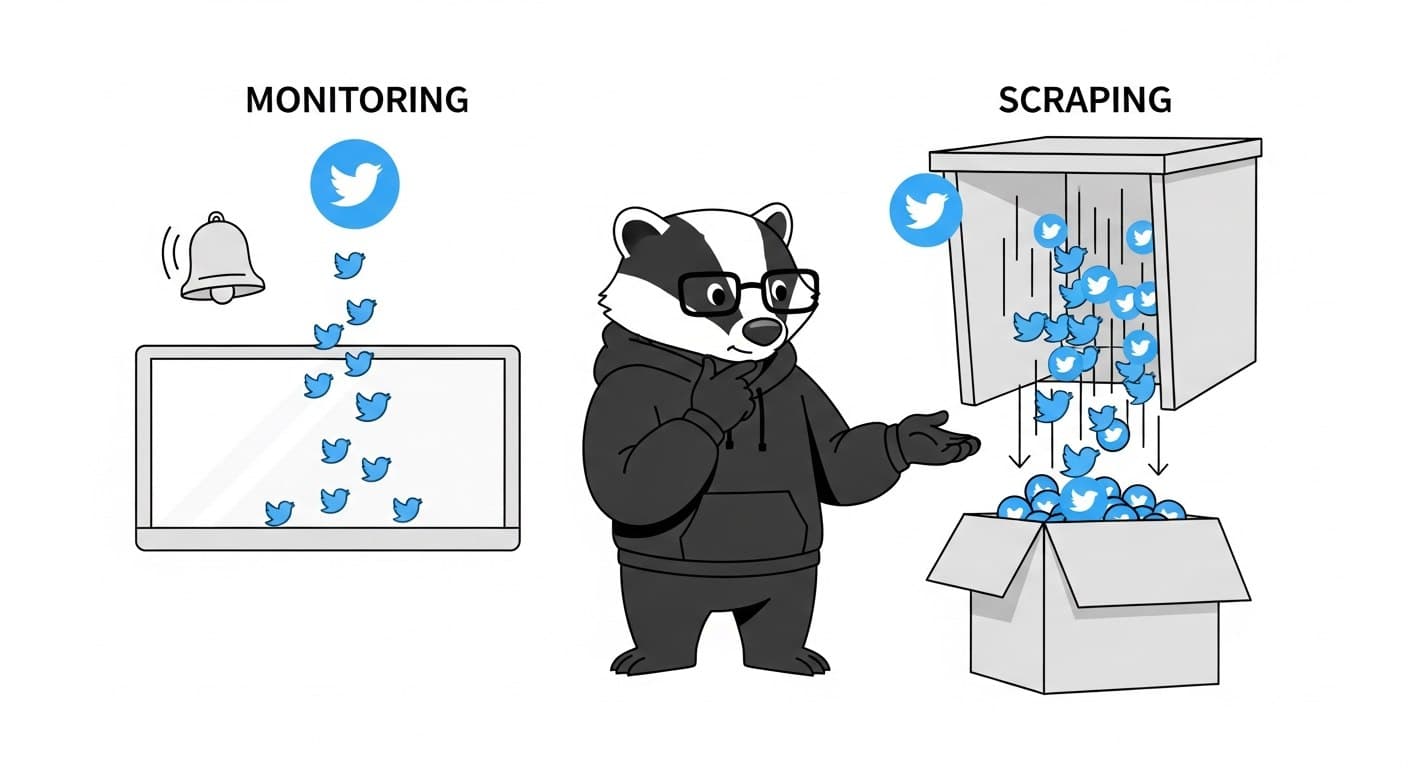
Most teams pick their data collection strategy based on what sounds right, not what their use case actually needs. Real-time monitoring sounds impressive. Batch scraping sounds boring. So people default to real-time, pay for infrastructure they don't need, and wonder why their pipeline feels overbuilt for what it's doing.
The decision isn't about which approach is better. It's about what your workflow actually requires — specifically, how much it costs you when data arrives late.
The Core Difference
Before getting into when each approach wins, it helps to be precise about what these terms mean in the context of Twitter data.
Batch scraping is pull-based and scheduled. You run a job, collect tweets matching a query or timeline, process them, and store the results. The job might run hourly, daily, or on demand. Between runs, nothing happens.
Real-time monitoring is continuous. A rule or monitor runs in the background, polls on a short interval, and delivers matching tweets to a webhook or WebSocket connection as they appear. You don't initiate the fetch — the system does it for you, automatically.
The confusion happens because both approaches use similar technical foundations. You're still querying Twitter data either way. What differs is the trigger model, the data freshness, and the cost structure.
Factor | Batch Scraping | Real-Time Monitoring |
|---|---|---|
Trigger | You initiate the request | Continuous, automatic |
Data freshness | Point-in-time snapshot | Near-real-time delivery |
Latency | Minutes to hours | Milliseconds to seconds |
Engineering effort | Low (simple API call) | Low-to-medium (webhook setup) |
Cost | Per request | Per rule or account, per day |
Best for | Historical analysis, dataset builds | Alerts, live event tracking, brand mentions |
When Batch Scraping Wins
Batch scraping is the right default for most Twitter data workflows. It's simpler, cheaper, and easier to debug. The job runs on a schedule, processes a bounded dataset, and writes output to wherever you need it. If something breaks, you rerun the job.
The use cases where batch clearly wins:
Historical analysis and dataset builds. If you're pulling 10,000 tweets for a research project, training a classifier, or analyzing a campaign after the fact, real-time delivery adds zero value. You want a large, clean dataset collected efficiently — not a stream of individual tweet events delivered as they occurred. See the guide on how to build a Twitter dataset for machine learning for a practical example of this pattern.
Periodic reporting. Weekly summaries of keyword volume, monthly engagement reports, trend analysis over a rolling window — all of this works fine with scheduled batch pulls. The business question doesn't require minute-by-minute data.
Exploratory work and prototyping. When you're figuring out whether a keyword has enough signal to be worth monitoring, batch first. Pull a sample, look at what you get, decide if it's worth building something more persistent.
Cost-constrained pipelines. Batch requests are priced per request. Real-time monitoring is priced per rule per day, with costs scaling significantly with polling frequency. For many workloads, batch is an order of magnitude cheaper.
The practical decision rule: if the value of the data doesn't meaningfully degrade over a few hours, you don't need real-time.
When Real-Time Monitoring Wins
Real-time monitoring wins when the time between an event happening and you knowing about it has actual consequences. Not "it would be nice to know sooner" — actual consequences, like a missed response window, a PR situation that escalated unchecked, or a lead who got picked up by a competitor.
The use cases where real-time clearly wins:
Brand mention alerts. Someone tweets about a bug in your product. A founder posts about switching away from your tool. A journalist is asking for comments on a story. These have a response window — and that window closes fast. Getting the alert 15 minutes later matters. Getting it the next morning doesn't.
Live event tracking. A product launch, a conference, a breaking news cycle. Twitter moves fast during live events, and the signal-to-noise ratio peaks quickly before decaying. You need to catch the relevant mentions as they happen, not in a batch export that runs after the event is over.
Keyword-triggered workflows. If a specific phrase appears on Twitter and that should trigger something downstream — a Slack alert, a CRM update, a support ticket — you need the delivery to be near-immediate. Batch pipelines that run hourly don't support this.
Watching specific accounts. Tracking a competitor's announcement feed, a regulator's public statements, or a key partner's communications. These aren't keyword queries — they're account-level watchers where you want notification the moment something posts.
How ScrapeBadger Implements Both
This is where it gets concrete. ScrapeBadger's streaming layer provides two distinct tools that map directly to the real-time vs. batch spectrum.
Stream Monitors (Account-Level Watching)
Stream Monitors are designed for watching specific Twitter accounts and receiving their tweets in real-time. You create a monitor with up to 100 accounts, specify which tweet types to filter for (original, reply, retweet, quote), and configure a webhook URL or WebSocket connection for delivery.
curl -X POST "https://scrapebadger.com/v1/twitter/stream/monitors" \
  -H "x-api-key: YOUR_API_KEY" \
  -H "Content-Type: application/json" \
  -d '{
    "name": "Competitor Watch",
    "usernames": ["competitorA", "competitorB"],
    "webhook_url": "https://example.com/webhooks/tweets",
    "filter_types": ["original"]
  }'
Pricing scales by account volume, from 1,667 credits/account/day for 1–10 accounts down to 833 credits/account/day at enterprise scale. Monitors auto-pause if credits run low — something worth building a check around if this is running in production.
Filter Rules (Keyword and Query Monitoring)
Filter Rules are for tracking search queries: keywords, hashtags, advanced query syntax. Each rule polls independently at a configurable interval and delivers matching tweets via webhook or WebSocket. Automatic deduplication means you never receive the same tweet twice across polls — no extra logic needed on your end.
curl -X POST "https://scrapebadger.com/v1/twitter/stream/filter-rules" \
  -H "x-api-key: YOUR_API_KEY" \
  -H "Content-Type: application/json" \
  -d '{
    "tag": "Brand Mentions",
    "query": "\"your-product\" -is:retweet lang:en",
    "interval_seconds": 60,
    "webhook_url": "https://example.com/webhooks/tweets"
  }'
The interval pricing tiers make the real-time vs. batch tradeoff explicit:
Tier | Polling Interval | Credits/Rule/Day |
|---|---|---|
Turbo | 0.5s | 30,000 |
Fast | 5s | 10,000 |
Standard | 60s | 1,500 |
Relaxed | 600s (10 min) | 500 |
Daily | 86,400s (24h) | 100 |
Turbo costs 300× more per day than Daily. That gap is the cost of urgency. If a 10-minute delay is acceptable for a given keyword, using Relaxed instead of Fast saves 95% of the per-rule daily cost. Most teams don't need every keyword running at the same interval — match the polling frequency to the actual response requirement.
Before going live, you can validate query syntax against the /v1/twitter/stream/filter-rules/validate endpoint to catch errors before they affect a live rule.
The Hybrid Pattern (What Most Teams Actually Run)
The false choice is "real-time or batch." Most production setups use both, assigned by urgency tier.
A typical split:
Turbo or Fast interval for brand name mentions and product alerts — anything with a real response window
Standard or Relaxed interval for competitor keyword tracking, industry hashtags, broader topic queries
Daily interval or batch API calls for analytics, historical pulls, dataset construction, periodic reporting
Running all your rules at Turbo because "fresher is better" is how you turn a $30/month Twitter monitoring setup into a $300/month one, for no operational benefit on the queries that don't need it.
If you're evaluating the right approach for your use case, Twitter Monitoring vs. Twitter Scraping: What's the Difference goes deeper on the push vs. pull model distinction.
A Few Gotchas Worth Knowing
Shadow-banned accounts won't return results in Stream Monitors. Before setting up a monitor on a specific account, verify it's visible in live search: https://x.com/search?q=from:USERNAME&src=typed_query&f=live.
Both monitors and filter rules auto-pause when credits run low (status_reason: "insufficient_credits"). If this is part of a critical alerting pipeline, add a health check that pings on successful runs and alerts when output drops to zero unexpectedly.
Filter Rules deduplicate across polls automatically, but Batch API calls don't. If you're running scheduled batch jobs and re-querying overlapping time windows, deduplication by tweet ID is your responsibility.
FAQ
What's the simplest way to decide between real-time monitoring and batch scraping?
Ask one question: what's the cost of receiving this data one hour late? If the answer is "nothing important changes," use batch. If the answer involves a missed alert, a delayed response, or a window that closes, use real-time monitoring.
Can I use both real-time and batch in the same pipeline?
Yes, and most teams should. The practical pattern is to run real-time monitoring on your most time-sensitive keywords and accounts, and use batch API calls for everything else — historical pulls, analytics, periodic exports. These aren't competing approaches; they serve different parts of the same workflow.
How do I pick the right polling interval for a Filter Rule?
Match the interval to your actual response requirement. If you'd respond to a brand mention within 5 minutes, Standard (60s) is more than sufficient and costs a fraction of Fast or Turbo. Reserve shorter intervals for workflows where a 10-second vs. 60-second delay genuinely matters to an outcome.
Does ScrapeBadger deduplicate tweets in real-time monitoring?
Yes, Filter Rules automatically deduplicate across polls — the same tweet won't be delivered twice. For batch API calls, deduplication is handled client-side, typically by treating tweet ID as a primary key.
What happens if my monitor or filter rule runs out of credits?
Both monitors and filter rules auto-pause with status_reason: "insufficient_credits". For production alerting pipelines, treat this as a failure mode worth monitoring explicitly — a silent pause looks identical to a quiet period until you're missing data.
Can I test a Filter Rule query before going live?
Yes. The /v1/twitter/stream/filter-rules/validate endpoint lets you test query syntax before creating a live rule. Useful for catching Advanced Search syntax errors that would otherwise silently return zero results.
Is real-time monitoring more expensive than batch for Twitter data?
It depends on the interval. The Daily pricing tier for Filter Rules costs 100 credits/rule/day — comparable to a modest batch workflow. The Turbo tier at 30,000 credits/rule/day is a different cost category entirely. Batch requests are typically cheaper for infrequent, high-volume pulls. Real-time monitoring at aggressive intervals is more expensive but delivers continuous delivery without you having to manage scheduling.

Written by
Thomas Shultz
Thomas Shultz is the Head of Data at ScrapeBadger, working on public web data, scraping infrastructure, and data reliability. He writes about real-world scraping, data pipelines, and turning unstructured web data into usable signals. ScrapeBadger is a web scraping API platform specialising in Twitter/X, Reddit and Google data, with dedicated scrapers also covering TikTok, YouTube, LinkedIn, Amazon, eBay, Zillow and 40+ more: with built-in anti-bot bypass and an MCP server for AI agents.
Ready to get started?
Join thousands of developers using ScrapeBadger for their data needs.