Web Scraping for Beginners: The Only Tool Guide You Need in 2026
 Thomas Shultz
AI Summary: This beginner guide splits the 2026 web scraping landscape into three clear tiers, no-code visual tools, low-code APIs, and developer frameworks, recommending a genuinely good option at each level so newcomers get their first row of data without over-engineering or giving up.
It is a universal beginner moment: you want some data off a website, perhaps product prices, job listings, or competitor content, and someone casually says, "just scrape it." You Google "web scraping," land on a Python tutorial, see words like BeautifulSoup, XPath, and headless browser, and immediately close the tab.
The frustration is understandable. Most guides written for beginners are actually written for developers, and most guides written for non-developers are so simplified they leave out the parts that actually matter. The result is a beginner audience that either over-engineers a solution or gives up entirely before they get their first row of data.
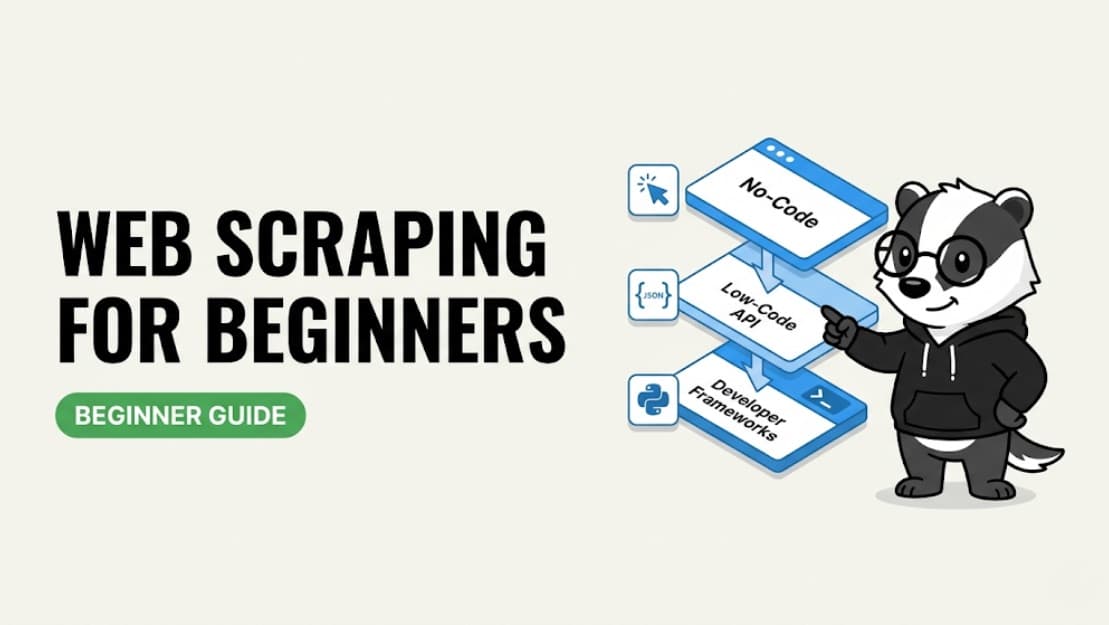
The truth is, you do not need to start there. The web scraping landscape in 2026 has split into three clear tiers: no-code visual tools, low-code APIs, and full developer frameworks. There is a genuinely good option at each level, meaning you can extract the data you need regardless of your technical background. The key is choosing the right tier for where you are today — not where you hope to be in six months.
At ScrapeBadger, we have helped thousands of teams go from zero to production data pipelines. We have seen what works and what causes endless frustration. Here is what we have learned about the tools that actually work for people just getting started.
⚡ Already know you want an API? ScrapeBadger is the fastest path from zero to clean, structured data — no proxy management, no anti-bot headaches. Start free
The 3 Types of Web Scraping Tools (Pick Your Level)
Before diving into specific software, it is crucial to understand the three tiers of web scraping tools. Choosing the right tier for your current skill level and project needs will save you hours of frustration.
Tier 1 — No-Code Visual Scrapers
These are point-and-click solutions. You open the website within the tool, click on the data elements you want to extract, and press run. Absolutely no programming knowledge is required. The tool handles everything else: navigating pages, clicking through pagination, and exporting your data to a spreadsheet. This tier is best for one-off projects, small data sets, and non-technical users who need data quickly. Popular tools in this tier include Octoparse, ParseHub, WebScraper.io, Browse AI, and Instant Data Scraper.
Tier 2 — Low-Code / API-First Tools
With low-code tools, you make a simple API call or fill in a form with a target URL, and the service returns clean, structured JSON data. It requires minimal coding — often just copying and pasting a provided snippet. The service handles all the difficult infrastructure: rotating proxies, bypassing anti-bot systems, and rendering JavaScript. This tier is best for recurring tasks, scaling up operations, and anyone comfortable with the concept of an API, even if they are not a full-time developer. Tools in this tier include ScrapeBadger, ScrapingBee, and ScraperAPI.
Tier 3 — Developer Frameworks
These are open-source libraries and frameworks that offer maximum control and flexibility, but require you to write the scraper entirely from scratch. You are responsible for managing proxies, handling errors, parsing HTML, and dealing with any anti-bot measures the target site throws at you. This tier is best for software engineers building production systems, complex multi-site pipelines, and custom data extraction workflows. Tools in this tier include BeautifulSoup combined with Requests, Scrapy, Playwright, and Puppeteer.
Your Situation | Best Tier | Starting Tool |
Non-technical, need data fast | No-Code | Octoparse |
Comfortable copy-pasting code | Low-Code API | ScrapeBadger |
Developer building at scale | Framework | Scrapy / Playwright |
Want browser extension, quick test | No-Code | WebScraper.io |
Need to handle anti-bot at scale | API | ScrapeBadger |
Best No-Code Web Scraping Tools for Beginners
No-code tools are the right starting point if you want data without touching a single line of code. They have matured significantly in the past few years, and the best ones can now handle surprisingly complex sites. Here are the best ones available today — what they do well, where they fall short, and who they are actually built for.
Octoparse — Best No-Code Tool Overall
Octoparse offers a highly visual point-and-click interface equipped with AI-powered auto-detection that identifies data fields automatically. It comes with over 100 pre-built templates for popular sites like Amazon, LinkedIn, Google Maps, Zillow, and TikTok, allowing you to start scraping in minutes without any configuration.
It features robust cloud automation, meaning you can set schedules and run extractions 24/7 without leaving your computer on. It also has built-in IP rotation and handles complex site structures like pagination, infinite scroll, and login forms. You can export your data directly to Excel, CSV, or connect it to a database. While a free tier is available, paid plans start at around $119 per month. The main limitation is that the desktop application can be resource-heavy, and there is a steep learning curve if you need to build complex custom workflows beyond the provided templates. It is best for non-technical users who need recurring, scheduled scraping at a moderate scale.
✅ Pros | ❌ Cons |
Excellent visual interface with AI detection | Desktop app can be resource-heavy |
100+ ready-to-use templates | Steep learning curve for custom workflows |
Built-in cloud scheduling and IP rotation | Paid plans are relatively expensive |
ParseHub — Best for Complex Dynamic Sites (No Code)
ParseHub is a powerful desktop application that loads the actual website; you simply click what you want, and it learns your pattern. It is exceptionally good at handling JavaScript, AJAX, infinite scroll, and login walls, making it significantly more powerful than standard browser extensions.
The free tier allows for 200 pages per run, but the paid plans start at $189 per month, making it the priciest option in the no-code category. The significant jump in cost from free to paid is a major limitation, alongside a noticeable learning curve for setting up multi-step workflows. It is best for users who need to scrape complex, dynamic sites but cannot write code.
✅ Pros | ❌ Cons |
Handles complex JavaScript and AJAX easily | Most expensive starting price ($189/mo) |
Learns patterns from your clicks | Steep price jump from free tier |
Navigates login walls effectively | Multi-step workflows require practice |
WebScraper.io — Best Free Browser Extension
WebScraper.io lives directly in your Chrome or Edge browser — there is no software to download and no account needed to start. It features a point-and-click sitemap builder that handles pagination and basic dynamic content effectively.
The free version runs locally on your machine, while the cloud version (which offers scheduling and faster execution) starts at $50 per month. Its main limitation is that it struggles with heavily anti-bot protected sites, and understanding the sitemap logic requires a bit of a learning curve. It is best for absolute beginners who want to test web scraping for free with zero setup.
✅ Pros | ❌ Cons |
Zero setup required, runs in browser | Struggles with anti-bot protection |
Completely free for local use | Sitemap logic has a learning curve |
Handles basic pagination well | Must keep browser open for free version |
Browse AI — Best for Monitoring & AI-Powered Extraction
Browse AI claims a two-minute setup, and it largely holds up to that promise. You point and click on any page, and its AI automatically adapts when websites change their layout, resulting in minimal ongoing maintenance. This is a genuine differentiator — most no-code tools break silently when a website redesigns its page, requiring you to rebuild your scraper from scratch.
It features built-in monitoring, allowing you to get alerts when data changes, such as price drops or new job listings appearing on a competitor's site. It starts with a free tier, and paid plans begin at roughly $19 per month for more runs. It is best for marketers, analysts, and researchers who want set-and-forget monitoring without any technical knowledge.
✅ Pros | ❌ Cons |
AI adapts to website layout changes | Limited control over extraction logic |
Excellent built-in monitoring and alerts | Credit system can get expensive at scale |
Very fast, intuitive setup | Not ideal for massive bulk data extraction |
Instant Data Scraper — Best Free Chrome Extension for One-Off Tasks
Instant Data Scraper is a completely free Chrome extension where AI auto-detects tables and lists on any page. It offers a one-click export to CSV with no account, no setup, and no subscription required. It works immediately on most simple, structured pages. However, it has no scheduling, no cloud capabilities, and no support for complex site structures. It is best for one-off data grabs where you need data from a simple page right now.
Best Low-Code / API Tools for Beginners Who Want to Scale
If you are comfortable copy-pasting a URL into code or running a simple script, this tier gives you dramatically more power. It removes the hardest problems — proxy management, anti-bot bypass, and JavaScript rendering — entirely. You do not need to understand how these systems work; you just need to know that the API handles them so you do not have to.
ScrapeBadger — Best API for Beginners Who Want Production-Ready Data
ScrapeBadger offers a simple REST API: you send a URL, and you get back clean, structured JSON. There is no HTML parsing required, no proxy management, and no anti-bot configuration to worry about. It handles the hard stuff automatically, including JavaScript rendering, proxy rotation, Cloudflare and Imperva bypass, and CAPTCHA solving.
The documentation is incredibly beginner-friendly, featuring copy-paste code examples in Python, JavaScript, and cURL [INTERNAL LINK: docs]. Pricing is transparent and predictable, with no credit multiplier surprises [INTERNAL LINK: pricing]. You can even start with a free trial to test it on your actual targets before committing [INTERNAL LINK: sign up].
ScrapeBadger also offers dedicated scrapers for specific platforms — including Vinted, Twitter, and more — meaning you do not even need to write parsing logic for those sites. You call the endpoint, and you get back a structured, typed response with named fields.
ScrapeBadger is the best "graduation" from no-code tools. When your Octoparse or WebScraper.io project hits a wall because it gets blocked, is too slow, or needs robust scheduling, ScrapeBadger is the natural next step. There is no infrastructure to manage, just a cleaner, more reliable API.
✅ Pros | ❌ Cons |
Returns clean, structured JSON automatically | Requires basic understanding of APIs |
Bypasses Cloudflare and CAPTCHAs seamlessly | |
Transparent pricing with no hidden multipliers | |
Beginner-friendly documentation and examples |
ScrapeBadger is best for beginners ready to graduate from no-code, developers building their first data pipeline, and anyone who has been blocked on a website and needs a reliable solution.
ScrapingBee — Good General API, Popular with Beginners
ScrapingBee is a well-documented API with clear examples, making it easy to get your first successful request running in minutes. It handles headless Chrome, proxy rotation, and CAPTCHAs automatically.
They offer a free tier of 1,000 API calls, with paid plans starting at $49 per month. However, you must watch out for their credit multiplier system: JavaScript rendering costs 5 credits per request, and stealth proxies cost 75 credits. A plan with 250,000 credits sounds like a lot until you do the math on protected sites. It is best for developers who want a widely-used, well-documented API to get started quickly.
✅ Pros | ❌ Cons |
Excellent documentation and examples | Confusing credit multiplier system |
Handles headless Chrome automatically | Expensive for heavily protected sites |
Easy to get started quickly | Low concurrency on entry plans |
ScraperAPI — Simplest API Interface for Absolute Beginners
ScraperAPI is extremely simple: you wrap any URL with their endpoint and get the rendered HTML back. It handles proxy rotation, CAPTCHAs, and JavaScript rendering automatically.
They provide 1,000 free API calls, with paid plans starting at $49 per month, and they only charge for successful requests. The main limitation is that it returns raw HTML, meaning you still need to parse it yourself (unlike ScrapeBadger's structured JSON). It is best for developers who want the absolute simplest API integration and are comfortable writing their own HTML parser.
✅ Pros | ❌ Cons |
Extremely simple URL-wrapping interface | Returns raw HTML, requiring manual parsing |
Only charges for successful requests | Credit multipliers apply for JS rendering |
Handles basic proxy rotation well | Less effective on modern anti-bot systems |
Developer Tools Worth Knowing (Even as a Beginner)
You do not need these web scraping tools to get started. But if you want to understand what is happening under the hood — or eventually build production scrapers — these are the tools you will grow into. Think of this section as a map of where the road leads, not a requirement for where you need to be today.
BeautifulSoup + Requests — Your First Python Scraper
This is the classic beginner combination: the requests library fetches the HTML, and BeautifulSoup parses it. It is free, open-source, and supported by an enormous community with countless tutorials. It works exceptionally well on simple, static HTML pages, and learning it gives you a solid mental model of how web scraping actually works at a technical level.
However, it breaks when encountering JavaScript-rendered content (like React or Vue apps), anti-bot protection, and rate limiting. The best first project for this stack is scraping a simple HTML page, like a Wikipedia table or a basic directory.
Playwright — When You Need a Real Browser
Playwright automates a real Chromium, Firefox, or WebKit browser. It handles JavaScript, clicks, logins, and scrolling natively. It is the modern replacement for Selenium, being faster, more reliable, and async-native. Because it controls a real browser, it is far more capable than BeautifulSoup on modern, JavaScript-heavy sites. It is free and open-source, but comes with a significant learning curve. It is best for intermediate developers who need browser automation and are comfortable with asynchronous Python or JavaScript.
Scrapy — When You Need to Crawl at Scale
Scrapy is a Python framework purpose-built for large-scale web crawling. It is asynchronous, incredibly fast, and features a robust middleware system for handling requests, retries, and data pipelines. It powers roughly 34% of production scraping projects and is the go-to choice for engineering teams building serious data infrastructure. It is not a beginner tool, but it is worth knowing it exists when your needs grow.
For most beginners, BeautifulSoup is worth understanding so you know how HTML parsing works — but for anything beyond a learning project, an API like ScrapeBadger saves you weeks of proxy management and anti-bot debugging.
How to Choose the Right Web Scraping Tool for Your Project
Choosing the right tool comes down to answering a few simple questions about your technical comfort level and project requirements. There is no single best tool for every situation — but there is almost always a clear best tool for your specific situation.
Ask Yourself These 4 Questions
1. Do you need to code?
No: Start with Octoparse, Browse AI, or WebScraper.io.
Comfortable with copy-paste: Use the ScrapeBadger or ScrapingBee API.
Full developer: Build with Playwright or Scrapy.
2. Is the site JavaScript-heavy or protected by anti-bot?
Yes: You need a tool that handles rendering and bypassing (ScrapeBadger, Octoparse).
No: Basic tools work fine (BeautifulSoup, WebScraper.io).
3. How often do you need the data?
One-off grab: Use a free browser extension (Instant Data Scraper, WebScraper.io).
Regular/scheduled: Use a cloud-based tool (Octoparse, Browse AI, ScrapeBadger).
Real-time / high-volume: Use an API (ScrapeBadger, Bright Data).
4. What's your budget?
$0: WebScraper.io free tier, Instant Data Scraper, BeautifulSoup.
$20–50/month: Browse AI, ScrapingBee starter, ScrapeBadger.
$100+/month: Octoparse, ParseHub, enterprise APIs.
Common Beginner Mistakes (and How to Avoid Them)
When you are just starting out, it is easy to fall into traps that cause your scraper to fail silently or get blocked entirely. Most of these mistakes are not obvious until you have already wasted hours debugging. Here is how to avoid the most common pitfalls.
Mistake 1 — Starting With the Wrong Tool
Jumping straight into Scrapy or Playwright as a beginner is like learning to drive in a Formula 1 car. Start with a no-code tool or a simple API, understand the core concepts, and then graduate to more complex frameworks when necessary.
Mistake 2 — Using Datacenter IPs on Protected Sites
Zillow, LinkedIn, Amazon, and hundreds of other sites blacklist datacenter IP ranges automatically. Your scraper fails not because of bad code, but because of where the request comes from. Always use a tool with residential proxy rotation built in.
Mistake 3 — Scraping Too Fast
Sending 100 requests per second to a site is a guaranteed block. Real users do not browse that fast. Add delays between requests, randomize your timing to mimic human behavior, and respect rate limits to keep your scraper running smoothly and sustainably.
Mistake 4 — Trying to Parse JavaScript with Basic Tools
A huge proportion of modern sites render content with JavaScript after the page loads. If you are fetching raw HTML with the requests library, you will get an empty shell. Use a tool that renders JavaScript, like Playwright, or an API that handles it for you.
Mistake 5 — Ignoring Legal and Ethical Considerations
Scraping publicly visible data is generally fine. However, scraping behind login walls, redistributing raw data commercially, or ignoring robots.txt files carries real legal and reputational risk. Always check the target site's terms of service before you build anything commercial, and consult legal counsel if you are unsure about your specific use case.
Web Scraping Tools Comparison Table
Tool | Type | Coding Required | Free Tier | Starting Price | Best For | Anti-Bot Handling |
ScrapeBadger | API | Minimal | ✅ | [YOUR PRICE] | Beginners scaling up | ✅ Built-in |
Octoparse | No-Code | ❌ | ✅ | ~$119/mo | Visual, scheduled | ⚠️ Basic |
Browse AI | No-Code | ❌ | ✅ | ~$19/mo | Monitoring & alerts | ⚠️ Basic |
No-Code | ❌ | ✅ Free | $50/mo cloud | Quick browser grabs | ❌ | |
ParseHub | No-Code | ❌ | ✅ | $189/mo | Complex dynamic sites | ❌ |
Instant Data Scraper | Browser Ext | ❌ | ✅ Free | Free | One-off grabs | ❌ |
ScrapingBee | API | Minimal | ✅ | $49/mo | General scraping | ✅ Built-in |
ScraperAPI | API | Minimal | ✅ | $49/mo | Simple HTML sites | ✅ Built-in |
BeautifulSoup | Library | Python | ✅ Free | Free | Learning, static HTML | ❌ |
Playwright | Framework | JS/Python | ✅ Free | Free | Browser automation | ⚠️ DIY |
Scrapy | Framework | Python | ✅ Free | Free | Large-scale crawling | ⚠️ DIY |
Frequently Asked Questions
Q: What is the easiest web scraping tool for beginners?
For absolute beginners who do not want to code, Octoparse and WebScraper.io are the easiest visual tools. If you are comfortable copying and pasting a small snippet of code, ScrapeBadger is the easiest API to get clean, structured data quickly without dealing with proxies or anti-bot systems.
Q: Can I scrape websites without coding?
Yes, absolutely. No-code visual scrapers like Octoparse, ParseHub, and Browse AI allow you to extract data by simply pointing and clicking on the elements you want to save. They handle all the technical complexity in the background, requiring zero programming knowledge from you.
Q: What is the best free web scraping tool?
For quick, one-off tasks, Instant Data Scraper and WebScraper.io are excellent free browser extensions that require zero setup. For developers who want to learn the fundamentals, the BeautifulSoup Python library is completely free and open-source with an enormous community.
Q: Do I need proxies to scrape websites?
If you are scraping a large volume of pages or targeting heavily protected sites like Amazon or LinkedIn, yes. Without rotating residential proxies, your IP address will be quickly identified and blocked. APIs like ScrapeBadger include residential proxy rotation automatically, so you never have to configure or pay for proxies separately.
Q: What's the difference between a web scraping tool and a web scraping API?
A visual tool provides a graphical user interface where you click and configure your extraction. An API requires you to send a programmatic HTTP request with a target URL and returns the data directly to your code as JSON. APIs are better for automation, integration with other systems, and scaling to thousands of requests.
Q: Is web scraping legal?
Scraping publicly available data is generally legal in most jurisdictions. However, scraping personal data (PII) in violation of GDPR, bypassing login walls, or violating a site's Terms of Service can lead to legal issues. Always review the target site's policies and consult a lawyer for commercial use cases.
Q: How do I scrape a website that uses JavaScript?
Basic tools like BeautifulSoup cannot read JavaScript-rendered content because they only fetch the raw HTML before the browser executes any scripts. You must use a headless browser framework like Playwright, or a scraping API like ScrapeBadger that automatically renders JavaScript before returning the data.
Q: When should I upgrade from a no-code tool to an API?
You should upgrade to an API when your no-code tool starts getting blocked by anti-bot measures, when you need to process data in real-time or at high volume, or when you want to integrate the scraped data directly into your own software application or database without manual exports.
Conclusion
The web scraping landscape is no longer restricted to advanced software engineers. By understanding the three-tier framework, you can choose the right tool for your current skill level and project requirements. The tools in this guide cover every point on that spectrum, from a Chrome extension you can install in 30 seconds to a production-grade Python framework powering enterprise data pipelines.
The most important thing is to start. Pick the tool that matches where you are right now, not where you think you should be. You will learn more from running your first successful scrape than from reading ten more guides.
Start with WebScraper.io or Browse AI to understand the core concepts of data extraction. Graduate to ScrapeBadger when you need reliability, scale, or automatic anti-bot handling. Finally, build with Playwright or Scrapy when you need full custom control over massive data pipelines.
ScrapeBadger — best path from beginner to production without the infrastructure headache
Octoparse — best no-code tool for scheduled, recurring tasks
Browse AI — best for non-technical monitoring and alerts
WebScraper.io / Instant Data Scraper — best free starting point
BeautifulSoup — worth learning to understand how scraping works
Scrapy / Playwright — when you're ready to build seriously
Ready to go from your first URL to clean, structured data? Try ScrapeBadger free — no credit card required.

Written by
Thomas Shultz
Thomas Shultz is the Head of Data at ScrapeBadger, working on public web data, scraping infrastructure, and data reliability. He writes about real-world scraping, data pipelines, and turning unstructured web data into usable signals. ScrapeBadger is a web scraping API platform specialising in Twitter/X, Reddit and Google data, with dedicated scrapers also covering TikTok, YouTube, LinkedIn, Amazon, eBay, Zillow and 40+ more: with built-in anti-bot bypass and an MCP server for AI agents.
Ready to get started?
Join thousands of developers using ScrapeBadger for their data needs.