Are APIs Technically Just Web Scrapers? The Real Difference Explained
 Thomas Shultz
AI Summary: This article dissects whether APIs are just web scrapers, arguing they differ fundamentally in architecture and intent while a web scraping API like ScrapeBadger is a third category that wraps a scraper in an API interface, and why the distinction guides tool choice.
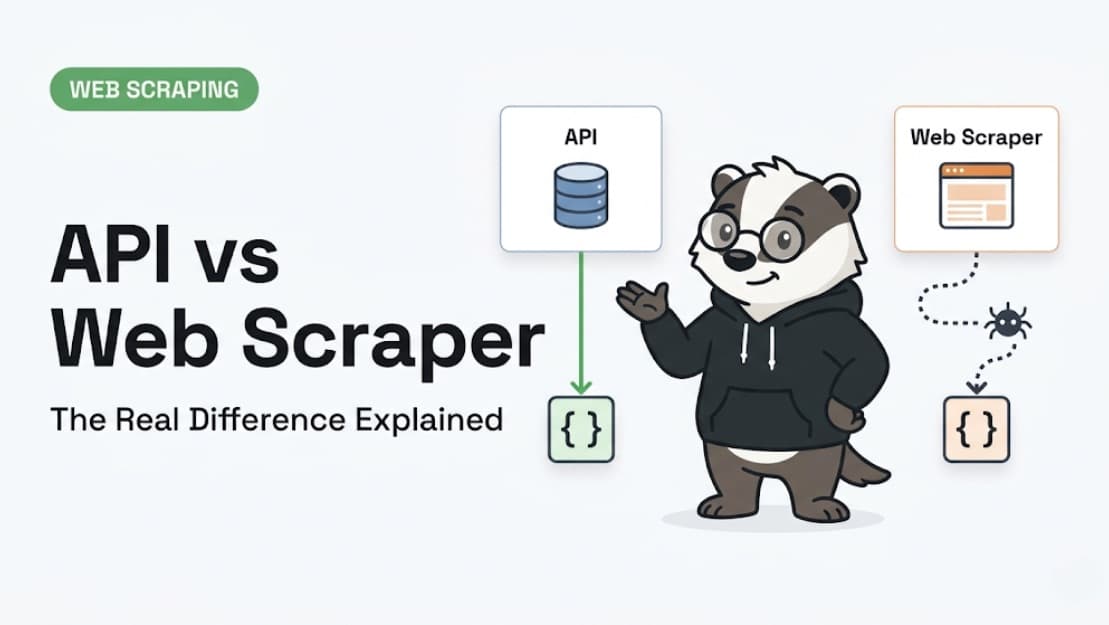
Are APIs technically just web scrapers? It is a question that sounds like a beginner's misunderstanding, but it is actually much more interesting than it seems. On the surface, both APIs and web scrapers do the exact same job: they pull data off the internet and hand it to you in a structured format. So what actually separates them? And when someone sells you a "web scraping API," is that a scraper or an API?
The honest answer is that it depends entirely on which side of the request you are standing on — and the line between them is blurrier than most tutorials admit.
We have built infrastructure that sits at the exact intersection of these two worlds. Here is how we think about the difference between APIs and web scrapers, and why understanding that distinction matters for choosing the right tool for your data project.
If you are new to scraping entirely, start with our Web Scraping for Beginners guide before reading on.
⚡ Short answer: No — APIs and web scrapers are fundamentally different in architecture and intent, but they are not always opposites. A web scraping API is a third category that wraps a scraper in an API interface. Understanding the distinction matters for choosing the right tool for your data project.
What Actually Is an API? (The Part Most Explanations Skip)
Most "API vs scraping" articles spend exactly one paragraph defining an API before moving on. To understand the real difference, we need to go deeper into what an API actually is in plain language.
The Technical Definition (Translated)
API stands for Application Programming Interface. The key word here is interface — it is a contract between two pieces of software defining exactly how they communicate. An API does not fetch data from a website. It fetches data from a database or backend service, delivered through a designed, documented endpoint.
When you call the Twitter API, Twitter's servers look up the requested data in their own database and return it to you in clean JSON. No HTML was parsed. No webpage was rendered. The website itself is entirely irrelevant — you bypassed it completely.
The Critical Distinction — Where the Data Comes From
With a real API, data flows directly from the source database to you via an official, authenticated channel. The data owner chose to expose it. They control what you get, how much you get, how fast you get it, and on what terms.
The API Data Flow:
YOUR CODE → API ENDPOINT → SOURCE DATABASE → JSON BACK TO YOU
(Notice that no web page is involved at any point in this process.)
APIs Are About Consent, Not Just Access
This is the philosophical point that unlocks the whole comparison: APIs exist because the data owner wanted to share that data, in a controlled way. A Stripe API exists because Stripe chose to let you process payments programmatically. A Google Maps API exists because Google chose to let you embed maps in your application. The API is a deliberate, sanctioned act of data sharing.
What Actually Is Web Scraping?
If an API is a sanctioned data channel, what is web scraping?
The Technical Reality
Web scraping is the automated extraction of data from a web page — the exact same HTML document your browser renders for a human reader. A scraper sends an HTTP request to a URL, receives the HTML response, and parses it to extract the specific data it needs.
The key difference is that the data lives inside a document designed for human consumption. It is buried in headers, div tags, CSS classes, and JavaScript-rendered content. The scraper has to reverse-engineer where the data is located and extract it without breaking.
The Web Scraping Data Flow:
YOUR CODE → HTTP REQUEST TO URL → HTML PAGE → PARSER EXTRACTS DATA → OUTPUT
(The web page was designed for browsers, not for your code.)
Why Web Scraping Is Different by Nature
The fundamental difference from an API is that nobody invited you. The website owner built their page for human visitors. Your scraper is an uninvited guest who has figured out how to read the menu even though they were not handed one.
That is not inherently wrong — the information is public — but it means you are working with data the owner never explicitly designed for programmatic consumption.
What Makes It Hard
Because the data was not meant for machines, scraping comes with significant technical hurdles:
Pages change constantly: A simple CSS class rename by the site's developers breaks your parser overnight.
JavaScript rendering: Modern sites render content after the initial HTML loads, meaning your scraper has to execute JavaScript like a real browser.
Anti-bot systems: Security layers like Imperva, Cloudflare, and PerimeterX actively try to detect and block non-human requests.
Infrastructure limits: Rate limiting, IP blocks, and CAPTCHAs exist because the web was not built to be machine-read at scale.
For a detailed breakdown of the tools available to handle these challenges, see our guide on the must-have web scraping tools to use in 2026.
So Are They the Same Thing? The Real Answer
Are APIs and web scrapers the same thing? The answer requires looking at both the architecture and the practical reality.
In Architecture — No, They're Fundamentally Different
From an architectural standpoint, they are completely different mechanisms.
Feature | API | Web Scraper |
Data source | Backend database | HTML web page |
Data owner's role | Active — they designed the endpoint | Passive — they built a page for humans |
Format returned | Structured JSON/XML by design | Unstructured HTML that must be parsed |
Authentication | Key-based, rate-limited by owner | None required (for public pages) |
Stability | Versioned, announced changes | Breaks when the page layout changes |
Legal standing | Explicitly sanctioned | Depends on ToS and jurisdiction |
In Practice — The Line Gets Blurry
Here is where it gets interesting. Consider these three real-world cases:
Case 1: Redfin's internal API. Redfin's website communicates with its own backend via a REST API at /stingray/api/gis. This endpoint was built for Redfin's frontend — not for you. But it is publicly accessible if you know the URL. Is scraping it "using an API" or "web scraping"? Technically, it is both. You are calling an API endpoint, but one that was never intended for public use.
Case 2: Google Search. Google has an official Search API — but it returns limited, paid results. Scraping Google's HTML search results returns more, different data. It is the same destination, but a completely different technical and legal journey.
Case 3: A scraping API service like ScrapeBadger. You call our API endpoint. We do the scraping on your behalf. From your perspective, you made an API call and got JSON back. From a technical standpoint, under the hood, we are fetching HTML, parsing it, handling anti-bot systems, and packaging the result. Is this an API or a scraper? It is both — and that is the point. We explore this trade-off in depth in our Build vs Buy: Should You Build Your Own Twitter Scraper? article.
The Three-Category Framework (The Clearest Way to Think About It)
To clear up the confusion, it is best to think in three distinct categories:
1.Official data APIs: (e.g., Stripe, Twitter, Google Maps). You are accessing the owner's database with their explicit permission. This is not scraping.
2.Web scrapers: You fetch and parse HTML from pages designed for browsers. The owner did not create this access channel for you.
3.Web scraping APIs: A service that performs scraping on your behalf and returns data through an API interface. The interface is API-like; the mechanism is scraping. ScrapeBadger lives here.
The 7 Real Differences Between APIs and Web Scrapers
When evaluating which approach to use, you need to understand the seven practical differences between official APIs and web scrapers.
1. Where the Data Lives
APIs retrieve data directly from the source's own database or backend service. Web scrapers retrieve data from HTML documents designed for browsers. This single distinction determines almost everything else — stability, format, legal standing, and maintenance overhead.
2. Who Designed the Access Channel
An API is a deliberate interface — the data owner built it specifically for programmatic consumption. A web scraper is a workaround — you are extracting data from a document the owner built for humans. This isn't necessarily problematic (the data is public), but it means the extraction method was never officially sanctioned or designed by the host.
3. Data Format on Arrival
API responses arrive in structured formats — usually JSON or XML — already clean and ready to use in your application. Web scraping starts with raw HTML, which must be parsed, cleaned, and structured. Modern scraping APIs bridge this gap by doing the parsing for you and returning JSON, but the underlying process still involves HTML interpretation.
4. Stability and Maintenance
APIs version their endpoints and give advance notice of breaking changes. Your API integration from 2022 will probably still work perfectly in 2025. Web scrapers break when websites update their layout — a CSS class rename, a new JavaScript framework, or a restructured page element can silently corrupt your data overnight. This massive maintenance burden is one of the primary reasons scraping APIs exist. For a full cost breakdown, read our ScrapeBadger vs DIY Scraping Infrastructure comparison.
5. Legal and Ethical Standing
APIs come with terms of service you explicitly agree to when generating a key. Web scraping occupies a complex legal landscape — it is generally lawful for public data (affirmed in the landmark hiQ v. LinkedIn ruling), but it is subject to ToS violations and jurisdiction-specific rules around personal data. The legality hierarchy is clear: official APIs (safest) → compliant third-party scraping services → custom scrapers (most legal exposure).
6. What You Can Access
APIs only expose what the owner chose to expose. If the official Zillow API doesn't include Zestimate history, you cannot get it via that API. Web scraping can access anything visible on a public webpage — price histories, engagement metrics, promotional banners, and data fields that APIs quietly omit. This is the single biggest practical argument for scraping over official APIs for competitive intelligence use cases. For a real-world example, see our guide on how to scrape Zillow, Redfin & Rightmove without getting blocked.
7. Speed and Reliability
APIs return pre-structured data directly from databases — response times are fast and predictable, often backed by service-level agreements (SLAs). Web scraping response times depend on the target server, JavaScript rendering time, and proxy routing. Modern scraping APIs narrow this gap significantly, but an official API will always have an edge on raw latency and uptime guarantees.
When to Use an API vs When to Scrape
When deciding between an API and web scraping, frame it as a practical decision guide based on your specific data needs.
Always Use an Official API When One Exists
If the data you need is available via an official, public API that covers your requirements — use it. It is more stable, legally cleaner, and significantly less work to maintain. Stripe for payments. Google Maps for location data. Spotify for music metadata. These APIs exist because the owners want you to use them.
Scrape When No API Exists (Most of the Time)
The vast majority of websites do not have public APIs. Competitor pricing pages, product listings, job postings, real estate data, news content, and social media profiles — this data only exists in HTML. If you need it at scale, scraping is the only option.
Scrape When the Official API Is Incomplete
Many companies offer APIs that cover their most popular data but deliberately omit the most commercially sensitive fields. Zillow's official API does not expose everything visible on a listing page. Redfin's official API is limited. In these cases, scraping the page gets you more than the API would — including data the company chose not to officially expose.
Use a Scraping API When You Want the Best of Both
A web scraping API like ScrapeBadger gives you the interface simplicity of an API call — you send a URL, you get clean JSON back — while handling all the complexity of the underlying scraping: proxies, anti-bot bypass, JavaScript rendering, and session management. You write no scraping code. You maintain no infrastructure. The result is API-convenient, scraping-powered.
Quick Decision Table:
Situation | Use |
Official API covers your data needs | Official API |
No official API exists | Web scraping or scraping API |
Official API exists but is incomplete | Scraping to supplement |
Need structured JSON, no infrastructure | Scraping API (ScrapeBadger) |
Building production data pipeline | Scraping API or custom scraper |
One-off data grab, technical user | Custom scraper or no-code tool |
What Is a "Web Scraping API"? (The Third Category Explained)
This brings us to the third category, which is where the confusion often lies. What exactly is a web scraping API?
The Concept
A web scraping API is a service that performs web scraping on your behalf and exposes the results through an API interface. From your code's perspective, you make an API call. Under the hood, the service:
•Sends HTTP requests to the target URL with appropriate headers and browser fingerprints.
•Manages a pool of residential proxies to avoid IP blocks.
•Renders JavaScript if the page requires it.
•Bypasses anti-bot systems (Cloudflare, Imperva, PerimeterX).
•Parses the HTML and extracts structured data.
•Returns clean JSON to your application.
What It Solves
Building all of that infrastructure yourself takes weeks. Maintaining it as websites update their anti-bot rules takes ongoing engineering effort. A scraping API trades a per-request cost for eliminated maintenance overhead — the exact same trade-off that made cloud hosting replace on-premise servers.
ScrapeBadger as an Example
ScrapeBadger's API takes a URL, handles all the extraction complexity, and returns structured JSON. Read our documentation here.
Here is a minimal code snippet showing the simplicity:
import requests

response = requests.get(

    "https://api.scrapebadger.com/v1/scrape",

    params={"url": "https://example.com"},

    headers={"X-API-Key": "YOUR_KEY"}

 )

print(response.json())
From the developer's side: one API call.
From ScrapeBadger's side: proxy rotation, browser fingerprinting, anti-bot bypass, HTML parsing, and structured data delivery.
Common Misconceptions Cleared Up
There are several common misconceptions about APIs and web scraping that need to be addressed directly.
"Using an API is always legal; scraping is always risky"
Not quite. API legality depends on what data you access and how you use it — many APIs have strict ToS around commercial use, redistribution, and data storage. Scraping publicly visible data is generally lawful under the hiQ v. LinkedIn precedent. The legal question is about the data, not the method.
"Web scraping APIs are just proxies"
No. Proxies route your requests through different IP addresses. A web scraping API also handles JavaScript rendering, browser fingerprinting, CAPTCHA solving, session management, HTML parsing, and structured data output. A proxy is one component of a scraping API, not a synonym for it.
"If a website has an API, you shouldn't scrape it"
Not always true. If the official API doesn't expose the data you need, scraping the public-facing page is generally lawful for publicly visible information. Many teams use both: the official API for core data, and scraping to supplement fields the API omits.
"Building your own scraper is cheaper than using a scraping API"
Only if your time is free. A scraping API at a monthly cost versus weeks of engineering time to build proxy management, anti-bot bypass, and browser fingerprinting from scratch — the math almost always favors the API for production use cases. We ran the full numbers in our real cost comparison of ScrapeBadger vs DIY scraping infrastructure.
Frequently Asked Questions
Q: Are APIs technically web scrapers?
A: No. APIs fetch structured data directly from a backend database via a designed interface. Web scrapers extract unstructured data from HTML pages designed for human browsers.
Q: What is the difference between an API and web scraping?
A: An API is an official, sanctioned channel for data access provided by the data owner. Web scraping is an automated method of extracting public data from a website without using an official channel.
Q: Is using an API considered web scraping?
A: No, using an official API is not web scraping. However, using a "web scraping API" service means you are making an API call to a service that performs web scraping on your behalf.
Q: What is a web scraping API?
A: A web scraping API is a third-party service that handles the complex infrastructure of scraping (proxies, anti-bot bypass, JavaScript rendering) and returns the extracted data to you via a simple API call.
Q: When should I use an API instead of scraping?
A: Always use an official API if one exists and it provides all the data you need. It is more stable, legally secure, and easier to maintain than a web scraper.
Q: Is web scraping legal if there's no official API?
A: Generally, yes. Scraping publicly visible data is lawful in most jurisdictions (like the US and EU), provided you do not extract personal data protected by privacy laws or violate specific Terms of Service.
Q: Why do websites block scrapers but not API calls?
A: Websites block scrapers because automated requests can overload their servers and extract data they prefer to keep on their platform. API calls are expected, rate-limited, and authenticated by the site owner.
Q: What does a web scraping API do that a regular API doesn't?
A: A regular API queries a database. A web scraping API manages residential proxies, solves CAPTCHAs, bypasses anti-bot systems, renders JavaScript, and parses HTML to extract data from websites that do not have regular APIs.
Conclusion
So, are APIs technically just web scrapers? No, they are not — but the gap between them is smaller and more interesting than most explanations acknowledge.
The key distinctions can be summarized simply:
•Official APIs = data owners sharing their database through a designed, consented interface.
•Web scrapers = automated tools reading HTML pages designed for humans.
•Web scraping APIs = the practical middle ground — API interface, scraping power.
The decision framework is straightforward: use an official API when one exists and covers your needs; scrape (or use a scraping API) for everything the web exposes publicly that APIs do not.
ScrapeBadger gives you API simplicity with full scraping power — clean JSON from any public webpage, with no infrastructure to manage. Start free today.

Written by
Thomas Shultz
Thomas Shultz is the Head of Data at ScrapeBadger, working on public web data, scraping infrastructure, and data reliability. He writes about real-world scraping, data pipelines, and turning unstructured web data into usable signals. ScrapeBadger is a web scraping API platform specialising in Twitter/X, Reddit and Google data, with dedicated scrapers also covering TikTok, YouTube, LinkedIn, Amazon, eBay, Zillow and 40+ more: with built-in anti-bot bypass and an MCP server for AI agents.
Ready to get started?
Join thousands of developers using ScrapeBadger for their data needs.