Build an Amazon Product Research Agent With ScrapeBadger + Claude
 Thomas Shultz
AI Summary: This tutorial builds a production Amazon product research agent using ScrapeBadger's MCP server to expose search, product detail, offers, reviews, bestsellers, and deals as tool calls, letting Claude traverse the Amazon data model and synthesize category research in about ninety seconds.
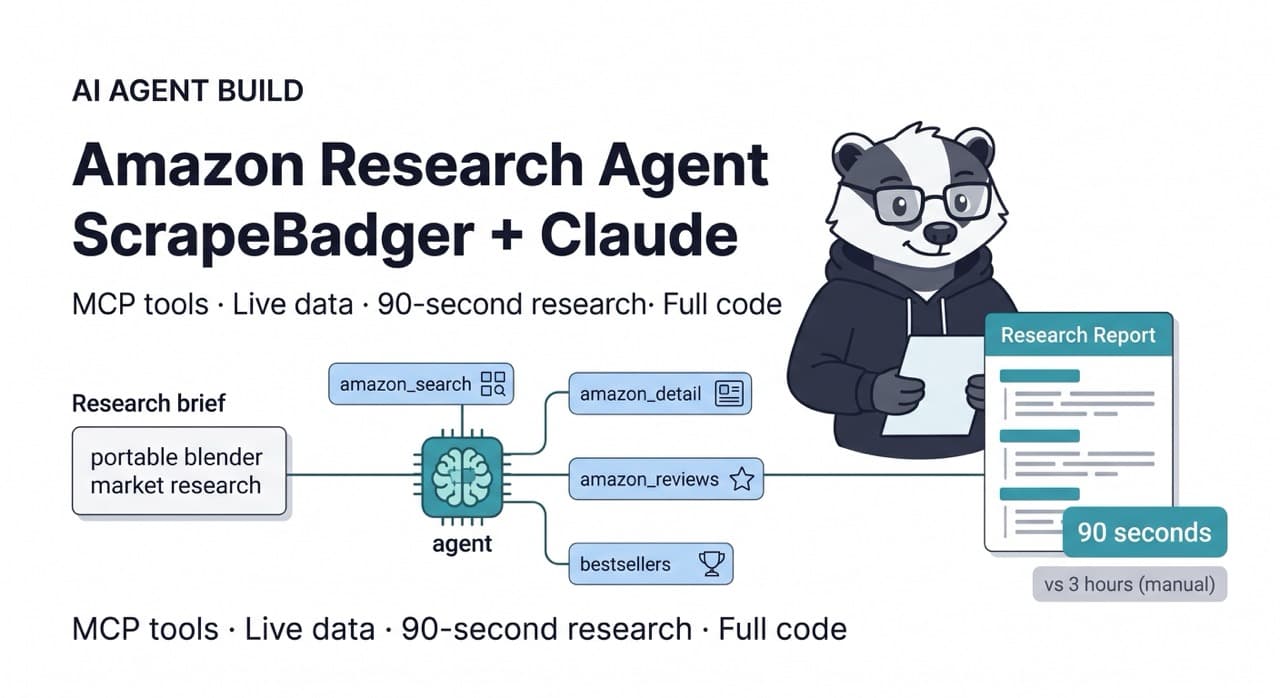
A human researcher doing Amazon product research for a new category entry follows a predictable path: search for the category, scan the top 20 results, open several products individually, check the reviews, look at competitor pricing, assess the BSR rankings, check who holds the Buy Box, cross-reference with a few Google Trends queries, and write up a summary. A thorough research session on one category takes two to three hours.
An agent with live Amazon data access does the same work in 90 seconds.
This is not a future capability. ScrapeBadger's MCP server exposes Amazon search, product detail, offers, reviews, bestsellers, and deals endpoints as native tool calls to any MCP-compatible agent. Claude, given access to these tools and a clear research brief, can traverse the Amazon data model — searching, drilling into products, collecting reviews, checking competitors, and synthesising findings — as a natural reasoning workflow.
This guide builds a production Amazon product research agent: the MCP tool setup, the agent prompt architecture, and the structured output format that makes the agent's findings actionable for product and sourcing teams.
Architecture
User: "Research the portable blender market for a potential private label launch"
         ↓
Claude (reasoning + planning)
         ↓
[ScrapeBadger MCP Tools]
  amazon_search("portable blender")
  amazon_bestsellers(category="kitchen")
  amazon_products_detail(asin="B0...")   × 3-5 products
  amazon_products_offers(asin="B0...")   × top products
  amazon_products_reviews(asin="B0...")  × 1-2 products
         ↓
Claude (synthesis)
         ↓
Structured market analysis report
MCP Setup
ScrapeBadger's MCP server exposes Amazon endpoints as native tools to any MCP-compatible client. Configuration is covered in the ScrapeBadger MCP documentation. For Claude Desktop, add to your claude_desktop_config.json:
json
{
  "mcpServers": {
    "scrapebadger": {
      "command": "npx",
      "args": ["-y", "scrapebadger-mcp"],
      "env": {
        "SCRAPEBADGER_API_KEY": "your_api_key_here"
      }
    }
  }
}
For programmatic agent use (running agents in code), ScrapeBadger's MCP server is also accessible via the API's mcp_servers parameter in the Anthropic messages endpoint.
Building the Agent
The agent prompt is the key engineering decision. A vague prompt produces a vague research report. A structured prompt that specifies exactly what data to collect, in what order, and what format to report it in produces consistent, actionable output.
python
# amazon_research_agent.py
import httpx
import json
import os
from datetime import datetime

ANTHROPIC_API_KEY = os.environ["ANTHROPIC_API_KEY"]
SCRAPEBADGER_API_KEY = os.environ["SCRAPEBADGER_API_KEY"]


RESEARCH_SYSTEM_PROMPT = """You are an Amazon market research analyst with access to live Amazon data.

When given a product category or market research brief, you will:

1. SEARCH the category to understand the competitive landscape
2. IDENTIFY the top 5 products by BSR rank and sales velocity signals
3. ANALYSE each top product for: price, rating, review count, Buy Box ownership, fulfillment method
4. EXAMINE reviews on 1-2 key products for customer sentiment and common complaints
5. CHECK bestsellers list for the relevant category
6. SYNTHESISE findings into a structured report

Your output must follow this exact structure:

## Market Overview
- Category size and competitive intensity (qualitative)
- Price range: low / mid / high (with specific price points)
- Rating baseline: average star rating across top products
- Review velocity: approximate reviews per month for top performers

## Top Products Analysis
For each of 3-5 products, provide:
- ASIN and title
- Current price and Buy Box status
- Rating and total review count
- BSR rank and category
- Key differentiators

## Competitive Gaps
- Price range with thin competition
- Feature gaps visible in negative reviews
- Rating weakness areas in incumbent products

## Private Label Opportunity Score
Rate 1-10 on each dimension:
- Market size (based on BSR and review count signals)
- Competition intensity (fewer competitors = higher score)
- Price headroom (room to compete without margin compression)
- Review quality of incumbents (weak reviews = opportunity)

## Recommendation
2-3 sentences on whether this category warrants further investigation.

Use only data from your tool calls. Do not estimate or guess values.
"""


RESEARCH_USER_PROMPT_TEMPLATE = """
Research the Amazon market for: {research_query}

Marketplace: {marketplace}

Steps to follow:
1. Search Amazon for "{research_query}" using the search tool
2. Get bestsellers for the most relevant category
3. Fetch full product detail for the top 3-5 products by sales rank
4. Check offers on the top 1-2 products to understand competitive dynamics
5. Pull reviews for the highest-reviewed product to extract customer sentiment
6. Synthesise into the structured report format

Be thorough but efficient. Use the data tools available to you.
"""


async def run_research_agent(
    research_query: str,
    marketplace: str = "com",
) -> dict:
    """
    Run an Amazon product research agent using Claude + ScrapeBadger MCP.
    Returns the full research report and tool call log.
    """

    messages = [
        {
            "role": "user",
            "content": RESEARCH_USER_PROMPT_TEMPLATE.format(
                research_query=research_query,
                marketplace=marketplace,
            )
        }
    ]

    # Call Anthropic API with ScrapeBadger MCP server
    async with httpx.AsyncClient() as client:
        response = await client.post(
            "https://api.anthropic.com/v1/messages",
            headers={
                "x-api-key": ANTHROPIC_API_KEY,
                "anthropic-version": "2023-06-01",
                "content-type": "application/json",
            },
            json={
                "model": "claude-sonnet-4-20250514",
                "max_tokens": 4096,
                "system": RESEARCH_SYSTEM_PROMPT,
                "messages": messages,
                "mcp_servers": [
                    {
                        "type": "url",
                        "url": "https://mcp.scrapebadger.com/sse",
                        "name": "scrapebadger",
                    }
                ],
            },
            timeout=180.0,  # Agent needs time to make multiple tool calls
        )
        response.raise_for_status()
        data = response.json()

    # Extract the research report from response
    report_text = ""
    tool_calls = []

    for block in data.get("content", []):
        if block.get("type") == "text":
            report_text += block.get("text", "")
        elif block.get("type") == "tool_use":
            tool_calls.append({
                "tool": block.get("name"),
                "input": block.get("input", {}),
            })
        elif block.get("type") == "mcp_tool_use":
            tool_calls.append({
                "tool": block.get("name"),
                "input": block.get("input", {}),
            })

    return {
        "query": research_query,
        "marketplace": marketplace,
        "report": report_text,
        "tool_calls_made": len(tool_calls),
        "tools_used": [tc["tool"] for tc in tool_calls],
        "generated_at": datetime.utcnow().isoformat(),
    }
Running Multiple Research Queries
For teams evaluating multiple categories simultaneously, the agent can run in parallel:
python
async def batch_research(
    queries: list[str],
    marketplace: str = "com",
    max_concurrent: int = 3,
) -> list[dict]:
    """
    Run product research across multiple categories concurrently.
    max_concurrent=3 to avoid rate limiting while keeping throughput.
    """
    import asyncio

    semaphore = asyncio.Semaphore(max_concurrent)

    async def bounded_research(query: str) -> dict:
        async with semaphore:
            print(f"Researching: {query}")
            result = await run_research_agent(query, marketplace)
            print(f"Complete: {query} ({result['tool_calls_made']} tool calls)")
            return result

    results = await asyncio.gather(
        *[bounded_research(q) for q in queries]
    )
    return list(results)


# Evaluate five categories in parallel
async def main():
    categories = [
        "portable blender",
        "standing desk mat",
        "travel organizer bags",
        "LED desk lamp",
        "kitchen compost bin",
    ]

    print(f"Running agent research on {len(categories)} categories...\n")
    results = await batch_research(categories, marketplace="com")

    # Save all reports
    import json
    with open("product_research_batch.json", "w") as f:
        json.dump(results, f, indent=2)

    # Print executive summaries
    for result in results:
        print(f"\n{'='*60}")
        print(f"QUERY: {result['query']}")
        print(f"Tools used: {', '.join(result['tools_used'])}")
        print(f"\n{result['report'][:1000]}...")

    print(f"\nFull reports saved to product_research_batch.json")


if __name__ == "__main__":
    import asyncio
    asyncio.run(main())
What the Agent Produces
The agent's output for a "portable blender" research query — using live Amazon data — follows the structured format and covers everything a product team needs for an initial category assessment:
The market overview section quantifies the competitive landscape using BSR signals and review counts rather than vague descriptions. "The portable blender category shows significant volume — top products hold BSR ranks of 250-800 in Kitchen & Dining with review counts ranging from 8,000 to 45,000, indicating a mature but active category" tells a product team something concrete about market size and competition.
The top products analysis section gives five specific ASINs with prices, ratings, and Buy Box status derived from live data, not training data. The agent checks the actual current prices using the product detail endpoint before reporting them — the analysis reflects today's market, not what was true six months ago when the model was trained.
The competitive gaps section synthesises negative review patterns across the top products. Common themes in one-star reviews — battery life, blade quality, leakage — represent the product improvement opportunities that a private label entrant should address to differentiate from incumbents.
The Agent vs. The Analyst
The case for agent-based product research is not that it replaces product expertise. A human analyst brings strategic judgment, supplier network knowledge, and category intuition that an agent cannot replicate.
What the agent replaces is the data collection and initial synthesis work — the two-to-three hours of clicking through Amazon pages, copying product data into spreadsheets, and writing a first-pass summary. That work is now 90 seconds. The human analyst's time is spent on the strategic layer: evaluating the opportunity against company capabilities, assessing supplier options, making the launch decision.
At a portfolio of 10 categories under evaluation simultaneously, that efficiency gain is a weeks-long compression of the research timeline.
The ScrapeBadger MCP documentation covers setup for Claude Desktop and API-based agent use. The Amazon Scraper product page documents all 14 endpoints the agent has access to. Free trial at scrapebadger.com/amazon-scraper — 1,000 credits, no credit card.

Written by
Thomas Shultz
Thomas Shultz is the Head of Data at ScrapeBadger, working on public web data, scraping infrastructure, and data reliability. He writes about real-world scraping, data pipelines, and turning unstructured web data into usable signals. ScrapeBadger is a web scraping API platform specialising in Twitter/X, Reddit and Google data, with dedicated scrapers also covering TikTok, YouTube, LinkedIn, Amazon, eBay, Zillow and 40+ more: with built-in anti-bot bypass and an MCP server for AI agents.
Ready to get started?
Join thousands of developers using ScrapeBadger for their data needs.