How to Mine People Also Ask Data at Scale With ScrapeBadger
 Thomas Shultz
AI Summary: Using ScrapeBadger's Google SERP API, this guide shows how to recursively expand People Also Ask boxes across hundreds of seed keywords, turning a manual thirty-minute lookup into an automated pipeline that surfaces 50 to 200 intent-rich questions per topic to drive content strategy.
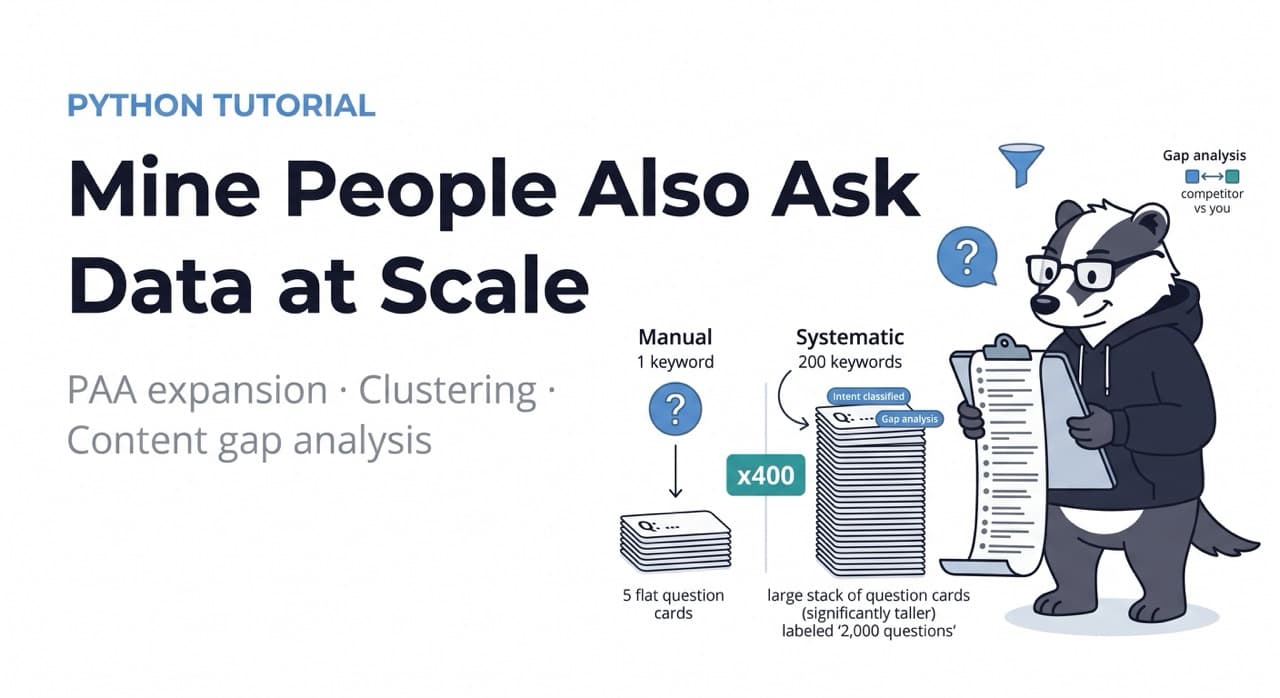
Most content teams use People Also Ask the same way: they Google a keyword, expand a few PAA boxes, screenshot the questions, and use them to plan a blog post. One keyword. Maybe five questions. Thirty minutes of work.
That is useful. It is also leaving 95% of the value on the table.
PAA boxes are dynamic — they expand recursively. Click one question, and three more appear below it. Those expand to reveal three more each. A single seed keyword can generate 50 to 200 distinct questions through recursive expansion, each one a window into a specific user intent that your content strategy should be addressing. Doing this manually at scale — across a keyword set of 500 topics — is humanly impossible. Doing it programmatically with ScrapeBadger's Google SERP API takes a pipeline and an afternoon to build.
The difference between a content team running manual PAA lookups and one running systematic PAA mining is the difference between answering the questions you thought to ask and answering the questions your audience is actually asking.
What PAA Data Contains
Each People Also Ask item returns three fields that matter for content strategy: the question text, a snippet answer extracted from the top-ranking page, and the source URL for that answer. These three fields together tell you not just what people are asking but who is currently answering it and how thoroughly.
The question text is the content opportunity. The snippet answer is the current best-ranking answer. The gap between the question's implied depth and the snippet's actual answer depth is the ranking opportunity — Google is showing a shallow answer to a question that deserves a thorough one.
The source URL tells you who owns the featured snippet. A competitor URL appearing across dozens of PAA answers in your category is a significant organic visibility signal — they are winning structured visibility on questions you have not answered at all.
Setup
bash
pip install httpx asyncio sqlalchemy aiofiles python-dotenvenv
SCRAPEBADGER_API_KEY=your_key_hereStep 1: Fetching PAA Data for a Single Keyword
ScrapeBadger's SERP endpoint returns the full SERP including the PAA block. Each PAA item includes the question text, the snippet content, and the source URL.
python
# paa_collector.py
import httpx
import asyncio
import os
from typing import Optional

API_KEY = os.environ["SCRAPEBADGER_API_KEY"]
BASE_URL = "https://api.scrapebadger.com/v1"
HEADERS = {"X-API-Key": API_KEY}


async def fetch_paa(
    client: httpx.AsyncClient,
    keyword: str,
    gl: str = "us",
    hl: str = "en",
) -> list[dict]:
    """
    Fetch People Also Ask questions for a keyword.
    Returns list of {question, snippet, source_url, seed_keyword}.
    """
    try:
        response = await client.get(
            f"{BASE_URL}/google/search",
            params={
                "q": keyword,
                "gl": gl,
                "hl": hl,
                "num": 10,
            },
            timeout=25.0,
        )
        response.raise_for_status()
        data = response.json()

        paa_items = []
        for item in data.get("related_questions", []):
            question = item.get("question", "").strip()
            if not question:
                continue

            paa_items.append({
                "question": question,
                "snippet": item.get("snippet", "").strip(),
                "source_url": item.get("link", ""),
                "source_title": item.get("title", ""),
                "seed_keyword": keyword,
            })

        return paa_items

    except httpx.HTTPStatusError as e:
        print(f"HTTP error for '{keyword}': {e.response.status_code}")
        return []
    except Exception as e:
        print(f"Error fetching PAA for '{keyword}': {e}")
        return []
Step 2: Bulk PAA Mining Across a Keyword Set
The value multiplies with scale. A single keyword returns 4–8 PAA questions. A keyword set of 200 returns 800–1,600 questions, many of which you would never have thought to ask manually. The async pattern keeps this fast even at large scale.
python
async def mine_paa_bulk(
    keywords: list[str],
    gl: str = "us",
    hl: str = "en",
    max_concurrent: int = 10,
    delay_between: float = 0.5,
) -> list[dict]:
    """
    Mine PAA data across a large keyword set.
    Deduplicates questions that appear across multiple seed keywords.
    """
    semaphore = asyncio.Semaphore(max_concurrent)
    all_questions = []
    seen_questions = set()
    import random

    async with httpx.AsyncClient(headers=HEADERS) as client:

        async def bounded_fetch(keyword: str) -> list[dict]:
            async with semaphore:
                await asyncio.sleep(random.uniform(delay_between, delay_between * 2))
                return await fetch_paa(client, keyword, gl, hl)

        results = await asyncio.gather(
            *[bounded_fetch(kw) for kw in keywords]
        )

    for questions in results:
        for q in questions:
            # Deduplicate by normalised question text
            key = q["question"].lower().strip("?")
            if key not in seen_questions:
                seen_questions.add(key)
                all_questions.append(q)

    print(f"Mined {len(all_questions)} unique PAA questions "
          f"from {len(keywords)} keywords")
    return all_questions
Step 3: PAA Expansion — Following the Question Tree
Google PAA boxes expand recursively. Click a question, and related questions appear below it. Each of those expansions reveals further questions. Extracting the second and third levels of a PAA tree for a high-priority keyword dramatically increases coverage for that topic area.
python
async def expand_paa_tree(
    seed_keyword: str,
    depth: int = 2,
    max_branches_per_level: int = 4,
) -> list[dict]:
    """
    Recursively expand PAA questions to a specified depth.
    depth=1: just the initial questions
    depth=2: initial questions + questions generated by clicking each
    depth=3: goes one level deeper (use sparingly — expensive)

    At depth=2 with 4 initial questions, returns ~16-20 total questions.
    """
    all_questions = []

    async with httpx.AsyncClient(headers=HEADERS) as client:
        # Level 1: seed keyword
        level_1 = await fetch_paa(client, seed_keyword)
        all_questions.extend(level_1)

        if depth < 2:
            return all_questions

        # Level 2: use each level-1 question as a new keyword
        # (approximates the recursive expansion Google shows)
        level_1_seeds = [
            q["question"] for q in level_1[:max_branches_per_level]
        ]

        for question_seed in level_1_seeds:
            await asyncio.sleep(0.8)
            level_2 = await fetch_paa(client, question_seed)
            # Tag as level 2 with parent question
            for q in level_2:
                q["parent_question"] = question_seed
                q["depth"] = 2
            all_questions.extend(level_2)

        if depth < 3:
            return all_questions

        # Level 3 (use sparingly — high credit cost)
        level_2_seeds = [
            q["question"] for q in all_questions
            if q.get("depth") == 2
        ][:max_branches_per_level]

        for question_seed in level_2_seeds:
            await asyncio.sleep(0.8)
            level_3 = await fetch_paa(client, question_seed)
            for q in level_3:
                q["parent_question"] = question_seed
                q["depth"] = 3
            all_questions.extend(level_3)

    # Deduplicate
    seen = set()
    unique = []
    for q in all_questions:
        key = q["question"].lower().strip("?")
        if key not in seen:
            seen.add(key)
            unique.append(q)

    print(f"PAA tree expansion for '{seed_keyword}': "
          f"{len(unique)} unique questions at depth {depth}")
    return unique
Step 4: Clustering and Intent Classification
Raw PAA questions need organisation before they are useful for content planning. Clustering by semantic similarity groups related questions, and intent classification assigns each question to a content type.
python
# clustering.py
from collections import defaultdict
import re


INTENT_PATTERNS = {
    "how_to": [
        r"^how (to|do|can|should)",
        r"^what('s| is) the (best way|process|steps)",
        r"^step[s]? (to|for)",
    ],
    "definition": [
        r"^what (is|are|does)",
        r"^define ",
        r"^meaning of",
    ],
    "comparison": [
        r"\bvs\.?\b",
        r"\bversus\b",
        r"\bor\b.*(better|worse|faster|cheaper)",
        r"difference between",
        r"compared to",
    ],
    "troubleshooting": [
        r"^why (is|does|won't|can't|doesn't)",
        r"(not working|broken|error|problem|issue|fail)",
        r"^how to fix",
    ],
    "cost": [
        r"(price|cost|expensive|cheap|fee|pricing)",
        r"how much",
    ],
    "alternatives": [
        r"(alternative|replacement|substitute|instead of)",
        r"similar to",
        r"like .+ but",
    ],
}


def classify_intent(question: str) -> str:
    """Classify a PAA question by content intent."""
    q_lower = question.lower()
    for intent, patterns in INTENT_PATTERNS.items():
        for pattern in patterns:
            if re.search(pattern, q_lower):
                return intent
    return "informational"


def extract_topic_cluster(question: str) -> str:
    """
    Extract the primary topic from a question for clustering.
    Simplified version — production use case would use embeddings.
    """
    # Remove question words
    cleaned = re.sub(
        r"^(what|why|how|when|where|who|is|are|can|does|do|should)\s+",
        "",
        question.lower().strip("?")
    )
    # Take first 3-4 meaningful words as cluster key
    words = [w for w in cleaned.split() if len(w) > 3][:3]
    return " ".join(words)


def cluster_questions(questions: list[dict]) -> dict[str, list[dict]]:
    """Group questions by topic cluster and intent."""
    clusters = defaultdict(list)

    for q in questions:
        intent = classify_intent(q["question"])
        topic = extract_topic_cluster(q["question"])
        q["intent"] = intent
        q["topic_cluster"] = topic
        clusters[topic].append(q)

    # Sort clusters by size (most questions first)
    return dict(sorted(
        clusters.items(),
        key=lambda x: len(x[1]),
        reverse=True,
    ))
Step 5: Content Gap Analysis — Finding Where You Are Not Answering
The highest-value output from PAA mining is not a list of questions — it is a list of questions your site is not answering that competitors are.
python
# gap_analysis.py
from urllib.parse import urlparse


def analyse_source_coverage(
    questions: list[dict],
    your_domain: str,
    top_n_competitors: int = 5,
) -> dict:
    """
    Analyse which domains are winning PAA snippets in your topic area.
    Identifies:
    - Questions you are winning
    - Questions competitors are winning
    - Questions with no authoritative answer (opportunity)
    """
    from collections import Counter

    domain_counts = Counter()
    your_wins = []
    competitor_wins = []
    no_clear_winner = []

    for q in questions:
        source_url = q.get("source_url", "")
        if not source_url:
            no_clear_winner.append(q)
            continue

        try:
            domain = urlparse(source_url).netloc.replace("www.", "")
        except Exception:
            domain = ""

        domain_counts[domain] += 1
        q["winning_domain"] = domain

        if your_domain in domain:
            your_wins.append(q)
        else:
            competitor_wins.append(q)

    top_competitors = domain_counts.most_common(top_n_competitors)

    return {
        "total_questions": len(questions),
        "your_wins": len(your_wins),
        "competitor_wins": len(competitor_wins),
        "no_winner": len(no_clear_winner),
        "top_competitor_domains": top_competitors,
        "your_winning_questions": your_wins,
        "opportunities": competitor_wins + no_clear_winner,
    }
Step 6: Export for Content Teams
The final output — a structured content brief factory that takes PAA mining results and produces actionable content planning documents.
python
# exporter.py
import csv
import json
from datetime import datetime


def export_content_brief(
    questions: list[dict],
    clusters: dict,
    gap_analysis: dict,
    output_prefix: str = "paa_analysis",
) -> None:
    """Export PAA analysis in formats useful for content teams."""

    timestamp = datetime.utcnow().strftime("%Y%m%d_%H%M")

    # 1. Full question list as CSV for content team
    csv_path = f"{output_prefix}_questions_{timestamp}.csv"
    with open(csv_path, "w", newline="", encoding="utf-8") as f:
        fieldnames = [
            "question", "intent", "topic_cluster",
            "snippet", "winning_domain", "seed_keyword"
        ]
        writer = csv.DictWriter(f, fieldnames=fieldnames)
        writer.writeheader()
        for q in questions:
            writer.writerow({
                "question": q.get("question", ""),
                "intent": q.get("intent", ""),
                "topic_cluster": q.get("topic_cluster", ""),
                "snippet": q.get("snippet", "")[:200],
                "winning_domain": q.get("winning_domain", ""),
                "seed_keyword": q.get("seed_keyword", ""),
            })

    # 2. Opportunities summary (questions to target)
    opps = gap_analysis.get("opportunities", [])
    opp_path = f"{output_prefix}_opportunities_{timestamp}.csv"
    with open(opp_path, "w", newline="", encoding="utf-8") as f:
        fieldnames = ["question", "intent", "winning_domain",
                      "snippet", "topic_cluster"]
        writer = csv.DictWriter(f, fieldnames=fieldnames)
        writer.writeheader()
        for q in opps:
            writer.writerow({
                k: q.get(k, "") for k in fieldnames
            })

    # 3. Cluster summary for editorial planning
    summary_path = f"{output_prefix}_cluster_summary_{timestamp}.json"
    cluster_summary = {
        cluster: {
            "question_count": len(qs),
            "intents": {
                intent: sum(1 for q in qs if q.get("intent") == intent)
                for intent in set(q.get("intent", "") for q in qs)
            },
            "top_questions": [q["question"] for q in qs[:5]],
        }
        for cluster, qs in list(clusters.items())[:20]
    }

    with open(summary_path, "w") as f:
        json.dump({
            "generated_at": datetime.utcnow().isoformat(),
            "total_questions": gap_analysis["total_questions"],
            "your_wins": gap_analysis["your_wins"],
            "opportunities": gap_analysis["no_winner"] + gap_analysis["competitor_wins"],
            "top_competitor_domains": gap_analysis["top_competitor_domains"],
            "clusters": cluster_summary,
        }, f, indent=2)

    print(f"\nExported:")
    print(f"  {csv_path} — all {len(questions)} questions")
    print(f"  {opp_path} — {len(opps)} content opportunities")
    print(f"  {summary_path} — cluster summary for editorial planning")
Step 7: The Full Pipeline
python
# main_paa.py
import asyncio
from paa_collector import mine_paa_bulk
from clustering import classify_intent, extract_topic_cluster, cluster_questions
from gap_analysis import analyse_source_coverage
from exporter import export_content_brief


# Your target keyword set
SEED_KEYWORDS = [
    "web scraping api",
    "scrape google search results",
    "amazon product data api",
    "how to scrape websites python",
    "cloudflare bypass scraping",
    "reddit data api",
    "google maps scraper",
    "competitor price monitoring",
    "ecommerce data extraction",
    "real estate scraping tools",
]


async def run_paa_pipeline():
    print(f"Mining PAA for {len(SEED_KEYWORDS)} keywords...\n")

    # Step 1: Mine PAA at scale
    questions = await mine_paa_bulk(
        SEED_KEYWORDS,
        gl="us",
        max_concurrent=5,
    )

    # Step 2: Add intent and topic classification
    for q in questions:
        q["intent"] = classify_intent(q["question"])
        q["topic_cluster"] = extract_topic_cluster(q["question"])

    # Step 3: Cluster
    clusters = cluster_questions(questions)

    # Step 4: Gap analysis
    gap_analysis = analyse_source_coverage(
        questions,
        your_domain="scrapebadger.com",
    )

    # Print summary
    print(f"\n=== PAA ANALYSIS SUMMARY ===")
    print(f"Total unique questions: {gap_analysis['total_questions']}")
    print(f"Questions you are winning: {gap_analysis['your_wins']}")
    print(f"Opportunities (competitors + no answer): "
          f"{gap_analysis['competitor_wins'] + gap_analysis['no_winner']}")
    print(f"\nTop competitor domains:")
    for domain, count in gap_analysis["top_competitor_domains"]:
        print(f"  {domain}: {count} PAA snippets")

    print(f"\nTop topic clusters:")
    for cluster, qs in list(clusters.items())[:8]:
        print(f"  '{cluster}': {len(qs)} questions")

    # Export
    export_content_brief(questions, clusters, gap_analysis, "paa_analysis")


if __name__ == "__main__":
    asyncio.run(run_paa_pipeline())
What the Output Enables
A PAA mining run across 200 seed keywords produces 800–2,000 unique questions, clustered by topic and labelled by intent. The gap analysis immediately shows which questions competitors are answering that you are not — the content opportunities with the clearest ROI because Google is already surfacing the question and already surfacing competitor content in response.
The intent classification breaks the opportunity list into actionable content types: how-to questions need tutorial content, comparison questions need feature comparison pages, troubleshooting questions need FAQ or support content, definition questions need glossary entries. A content team with this output can allocate writing resources to the highest-priority gaps without needing to generate topic ideas from scratch.
This is the systematic approach covered in the ScrapeBadger SERP intelligence guide. Full documentation at docs.scrapebadger.com. Free trial at scrapebadger.com — 1,000 credits, no credit card.

Written by
Thomas Shultz
Thomas Shultz is the Head of Data at ScrapeBadger, working on public web data, scraping infrastructure, and data reliability. He writes about real-world scraping, data pipelines, and turning unstructured web data into usable signals. ScrapeBadger is a web scraping API platform specialising in Twitter/X, Reddit and Google data, with dedicated scrapers also covering TikTok, YouTube, LinkedIn, Amazon, eBay, Zillow and 40+ more: with built-in anti-bot bypass and an MCP server for AI agents.
Ready to get started?
Join thousands of developers using ScrapeBadger for their data needs.