TikTok Scraping APIs in 2026: The Complete Deep Guide
 Thomas Shultz
AI Summary: This deep guide explains why TikTok data is the hardest major platform to extract programmatically and among the most commercially valuable, covering trending sounds, creator metrics, transcripts, and ad-library records, and how ScrapeBadger delivers it despite TikTok's restrictive official Research API.
TikTok is no longer just a short-form video platform. In 2026, 49% of US consumers use it as a search engine. 61% of marketers run influencer campaigns on it. TikTok Shop has surpassed $2 billion in US GMV. The platform has 200+ million US users — more than any other social app — and 31% of brands name it as their primary influencer investment channel, the highest of any platform.
The data inside TikTok — trending sounds, creator performance metrics, hashtag momentum, comment sentiment, video transcripts, EU ad library records — is among the most commercially valuable social media intelligence available. Brands, agencies, AI developers, and market researchers all need it.
Getting it programmatically is harder than on any other major platform.
TikTok's official Research API is restricted to qualifying academic institutions, takes roughly four weeks to approve, caps at 1,000 requests per day, and explicitly prohibits commercial use. There is no free commercial access through official channels — a situation that has only hardened between 2025 and 2026. For any developer, agency, or data team building a product on TikTok data, the official path is effectively closed.
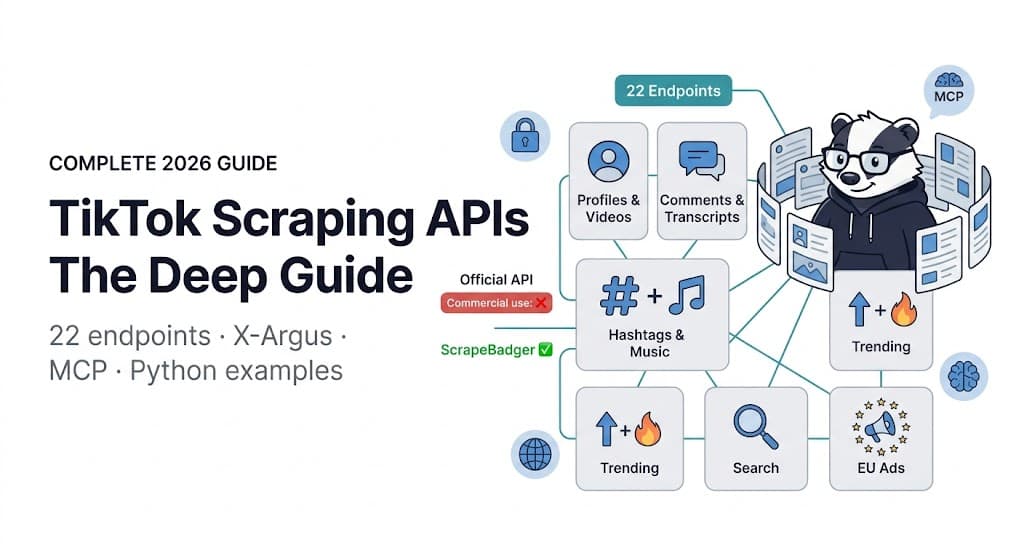
This guide covers the complete TikTok data access landscape in 2026: why official APIs do not work for most use cases, what makes TikTok technically difficult to scrape directly, every endpoint in ScrapeBadger's TikTok Scraper API with working code examples in Python and cURL, real-world use cases with implementation patterns, and the MCP integration that connects TikTok data to AI agents.
Why TikTok's Official APIs Don't Work for Most Use Cases
Understanding the official API landscape before reaching for a scraping solution is necessary — not because the official API is the right answer, but because understanding why it is not changes how you approach the alternative.
The Research API: Academic Only, Heavily Restricted
TikTok's Research API is the only official path to read-access of public TikTok data at meaningful scale. The eligibility requirements make it functionally inaccessible for commercial use:
Eligibility is limited to qualifying academic institutions in the US, EEA, UK, and Switzerland, EU-registered non-profits, and Brazilian academic or non-profit researchers studying youth safety. Commercial users, creators, and advertisers are explicitly ineligible. Approval typically takes about four weeks.
Even for qualifying researchers, the Research API imposes a 1,000-request-per-day rate limit and prohibits any commercial application of the data. A brand agency wanting to run TikTok competitor analysis cannot qualify. A SaaS building a TikTok analytics dashboard cannot qualify. A data team building a trend detection system for a consumer goods company cannot qualify. The API that exists for public TikTok data access was not built for these use cases.
The Display API and Content Posting API: Write Access, Not Read
TikTok's Display API is built for displaying TikTok videos in third-party applications — a distribution use case, not a data access use case. The Content Posting API allows apps to post videos to TikTok on behalf of authenticated users. Neither provides the read access to public trending data, competitor profiles, hashtag intelligence, or comment sentiment that commercial applications need.
The Marketing API: Ads Data Only
TikTok for Business API (business-api.tiktok.com) is free at the endpoint level and provides access to ad performance data for campaigns running through TikTok Ads. It requires a TikTok for Business account and an approved developer app. It covers ad reporting — spend, impressions, clicks, conversions — not the public content data that brand monitoring, influencer research, and trend analysis use cases require.
What Changed in 2026
Two events in 2026 further complicated the TikTok data access landscape.
TikTok USDS Joint Venture (January 22, 2026): TikTok's US operations completed divestiture into the TikTok USDS joint venture managed by Oracle. This resolved the legal uncertainty that surrounded TikTok's US operations following the 2025 ban period — the platform itself is stable. But the USDS structure introduced new compliance requirements for data handling, particularly around US user data. The USDS framework protects US user data and prohibits sending it to servers outside the US that lack compliance standards.
The UMG Dispute (2026): Following a dispute with Universal Music Group, access to music metadata became more restricted. Many audio fields — original track name, artist attribution — now return empty values or limited data. The TikTok music ecosystem had been a key discovery mechanism for trend research. The ScrapeBadger TikTok Scraper returns whatever metadata TikTok makes publicly available; where UMG-related audio fields have been restricted by TikTok, these appear blank in the response rather than erroring.
The European Commission DSA Finding (October 2025): The European Commission's preliminary finding that TikTok was in breach of Digital Services Act Article 40 researcher data-access obligations added regulatory pressure on TikTok's data access policies. The new delegated act on data access for vetted researchers came into force October 29, 2025. For EU commercial operations, this creates a compliance consideration for any TikTok data collection that involves EU user data.
What Makes TikTok Hard to Scrape Directly
TikTok's anti-bot infrastructure is unlike most web properties. Understanding why reveals why a purpose-built scraping API that handles these layers is the only practical approach at production scale.
The Request Signing System
Every TikTok API request — both mobile and web — requires four specific cryptographic headers to be present and correctly computed:
X-Argus — The device trust signature. Encodes device fingerprint information including hardware identifiers, device model, and behavioral parameters. TikTok's server validates X-Argus against a known device registry. Requests with missing or malformed X-Argus are rejected before any content is served.
X-Gorgon — The request integrity signature. A hash-based signature applied to the full request body, URL parameters, and a timestamp. Any modification to the request after X-Gorgon is computed invalidates it. This prevents replay attacks and request tampering. The X-Gorgon implementation uses TikTok's internal SM3 hash algorithm combined with a custom encryption layer.
X-Ladon — The session binding signature. Associates the request with a registered device session. Computed using a combination of the X-Khronos timestamp, a locale code, and the app ID, then encrypted with a base64-encoded output. Without a valid X-Ladon, the session cannot be authenticated even if X-Argus and X-Gorgon are present.
X-Khronos — The Unix timestamp header. All signatures are time-bound. A request with a timestamp more than a few minutes old is rejected regardless of signature validity. This prevents token replay attacks and means signatures cannot be generated ahead of time for batch use.
For web requests, a parallel set of signatures applies: MSToken (session cookie), _signature, and X-Bogus are required instead of the mobile signing headers. The web and mobile paths use different signing algorithms but both require cryptographic computation that changes with every request and every TikTok version update.
TikTok scraping tools that worked in 2025 are failing in 2026 due to advanced ML-based detection systems. The platform currently implements ML-based detection capabilities, which scan canvas fingerprinting, WebGL signatures, and action timing patterns.
Beyond the signing system, TikTok layers:
Device trust scoring — New device registrations start with a low trust score. Requests from unregistered or low-trust device identities receive rate limiting or empty responses even when signatures are valid. Established device identities with long activity histories receive higher trust and better data completeness.
IP reputation and per-IP rate limiting — TikTok rate-limits aggressively at the IP level. Shared proxy pools accumulate per-IP request debt quickly. The rate limit is not a hard block — it degrades data quality subtly, returning truncated comment lists, missing video statistics, or empty search results before outright blocking.
Regional content delivery — TikTok content is region-aware. A request routed through a US proxy returns US-specific trending content, US-visible videos, and US price metadata in TikTok Shop listings. The same request routed through a UK proxy returns different content for the same endpoints. Regional proxy routing is required for accurate, locale-specific data.
ScrapeBadger's TikTok Scraper handles all of this — request signing across the full X-Argus/X-Gorgon/X-Ladon/X-Khronos stack, device trust management, per-region proxy routing, and session health maintenance — automatically. You call an endpoint with your API key and region parameter. ScrapeBadger handles everything between your request and TikTok's servers.
The Complete ScrapeBadger TikTok Endpoint Reference
ScrapeBadger's TikTok Scraper provides 22 endpoints across six data categories. All endpoints are available in the Python SDK, Node.js SDK, and via cURL. Credit costs range from 2 (oEmbed, the fastest metadata call) to 10 (transcripts, which involve the heaviest processing). Failed requests cost 0 credits.
Setup
bash
pip install scrapebadger
# or
npm install scrapebadger
python
from scrapebadger import ScrapeBadger

client = ScrapeBadger(api_key="YOUR_API_KEY")
javascript
import ScrapeBadger from "scrapebadger";
const client = new ScrapeBadger({ apiKey: "YOUR_API_KEY" });
Category 1: User Profiles and Videos
GET /v1/tiktok/users/{username} — Full User Profile (5 credits)
The foundational endpoint. Returns everything publicly visible on a creator's profile page: follower count, following count, total likes, total video count, bio text, verification status, avatar URL, and profile-level metadata.
python
# Python SDK
profile = client.tiktok.get_user(
    username="khaby.lame",
    region="US",
)

user = profile.user
print(f"@{user.unique_id}: {user.stats.follower_count:,} followers")
print(f"Nickname: {user.nickname}")
print(f"Bio: {user.signature}")
print(f"Verified: {user.verified}")
print(f"Total likes: {user.stats.heart_count:,}")
print(f"Total videos: {user.stats.video_count}")
print(f"Avatar: {user.avatar_larger}")
bash
# cURL
curl "https://scrapebadger.com/v1/tiktok/users/khaby.lame?region=US" \
  -H "x-api-key: YOUR_API_KEY"
The region parameter routes the request through a country-matched proxy. Use US for US-visible data, GB for UK, DE for Germany. Use /v1/tiktok/regions (free) to get the full list.
Response structure (key fields):
json
{
  "user": {
    "uid": "6569595380498993158",
    "unique_id": "khaby.lame",
    "nickname": "Khaby Lame",
    "signature": "I make things simple",
    "verified": true,
    "avatar_larger": "https://...",
    "stats": {
      "follower_count": 162400000,
      "following_count": 78,
      "heart_count": 2400000000,
      "video_count": 1078,
      "digg_count": 450
    }
  }
}
GET /v1/tiktok/users/{username}/videos — User's Posted Videos (8 credits)
Paginated timeline of a creator's posted videos. Returns up to the cursor limit per call, with a cursor token for the next page. Each video record includes view count, like count, comment count, share count, play count, caption text, hashtags used, duration, and creation timestamp.
python
# Collect first 100 videos from a creator's timeline
all_videos = []
cursor = None

while len(all_videos) < 100:
    response = client.tiktok.get_user_videos(
        username="mrbeast",
        region="US",
        cursor=cursor,
        count=30,  # Max per page
    )

    videos = response.videos
    all_videos.extend(videos)

    if not response.has_more or not response.cursor:
        break
    cursor = response.cursor

print(f"Collected {len(all_videos)} videos")

# Analyse engagement rates
for video in all_videos[:5]:
    views = video.stats.play_count
    likes = video.stats.digg_count
    comments = video.stats.comment_count
    shares = video.stats.share_count

    if views > 0:
        engagement = (likes + comments + shares) / views * 100
        print(f"\n{video.desc[:60]}")
        print(f"  Views: {views:,} | Engagement rate: {engagement:.2f}%")
        print(f"  Duration: {video.duration}s | Tags: {[t.title for t in video.challenges[:3]]}")
bash
# cURL with pagination
curl "https://scrapebadger.com/v1/tiktok/users/mrbeast/videos?region=US&count=30" \
  -H "x-api-key: YOUR_API_KEY"

# Next page using cursor from previous response
curl "https://scrapebadger.com/v1/tiktok/users/mrbeast/videos?region=US&count=30&cursor=CURSOR_TOKEN" \
  -H "x-api-key: YOUR_API_KEY"
GET /v1/tiktok/users/{username}/reposts — User's Reposted Videos (8 credits)
Videos a creator has reposted to their audience. Useful for understanding creator endorsement patterns — what content are they amplifying beyond their own output? For brand intelligence, this reveals which third-party content a tracked creator is actively promoting.
Category 2: Video Intelligence
GET /v1/tiktok/videos/{video_id} — Full Video Metadata (5 credits)
Complete metadata for a single video identified by its numeric ID. Returns all engagement statistics, the full caption with hashtags, the audio track information, video duration, download URL (if public), and author profile information.
python
# Get a specific video's full metadata
video_id = "7234567890123456789"

video = client.tiktok.get_video(
    video_id=video_id,
    region="US",
)

v = video.video
print(f"Caption: {v.desc}")
print(f"Views: {v.stats.play_count:,}")
print(f"Likes: {v.stats.digg_count:,}")
print(f"Comments: {v.stats.comment_count:,}")
print(f"Shares: {v.stats.share_count:,}")
print(f"Duration: {v.duration} seconds")
print(f"Created: {v.create_time}")

# Audio information (note: some fields may be empty due to UMG restrictions)
if v.music:
    print(f"Sound: {v.music.title}")
    print(f"Artist: {v.music.author_name}")
    print(f"Duration: {v.music.duration}s")
GET /v1/tiktok/videos/{video_id}/comments — Video Comments (8 credits)
Top-level comments on a video, paginated via cursor. Each comment includes the text content, like count, reply count, author profile, creation timestamp, and whether the comment is from the original creator (useful for identifying creator-engaged comments).
python
import asyncio
import httpx
import os
from collections import Counter

# Direct HTTP for async batch comment collection
async def collect_video_comments(
    video_ids: list[str],
    region: str = "US",
    comments_per_video: int = 50,
) -> dict[str, list]:
    """Collect top comments across multiple videos."""
    API_KEY = os.environ["SCRAPEBADGER_API_KEY"]
    BASE_URL = "https://scrapebadger.com/v1"

    results = {}

    async with httpx.AsyncClient(headers={"x-api-key": API_KEY}) as client:
        for video_id in video_ids:
            try:
                response = await client.get(
                    f"{BASE_URL}/tiktok/videos/{video_id}/comments",
                    params={"region": region, "count": comments_per_video},
                    timeout=30.0,
                )
                response.raise_for_status()
                data = response.json()
                results[video_id] = data.get("comments", [])
                await asyncio.sleep(0.5)
            except Exception as e:
                print(f"Error fetching comments for {video_id}: {e}")
                results[video_id] = []

    return results


# Sentiment analysis on comments
def analyse_comment_sentiment(comments: list[dict]) -> dict:
    """
    Simple sentiment breakdown on comments.
    Classifies by emoji presence and keyword patterns.
    """
    positive_signals = {"❤️", "🔥", "😂", "😍", "🙌", "💯", "amazing",
                       "love", "great", "awesome", "perfect", "best", "incredible"}
    negative_signals = {"💀", "😡", "🤮", "worst", "terrible", "bad",
                       "horrible", "awful", "disgusting", "hate", "scam"}

    positive, negative, neutral = 0, 0, 0
    top_comments = sorted(
        comments, key=lambda c: c.get("digg_count", 0), reverse=True
    )[:10]

    for comment in comments:
        text = comment.get("text", "").lower()
        if any(signal in text for signal in positive_signals):
            positive += 1
        elif any(signal in text for signal in negative_signals):
            negative += 1
        else:
            neutral += 1

    total = len(comments)
    return {
        "total": total,
        "positive": positive,
        "negative": negative,
        "neutral": neutral,
        "positive_pct": round(positive / total * 100, 1) if total > 0 else 0,
        "top_comments": [
            {"text": c.get("text", "")[:100], "likes": c.get("digg_count", 0)}
            for c in top_comments
        ],
    }
GET /v1/tiktok/comments/{comment_id}/replies — Comment Replies (8 credits)
Replies to a specific comment. Use this when the top-level comment has significant reply engagement — a comment with 500 replies on a viral video often contains the most nuanced community discussion.
GET /v1/tiktok/videos/{video_id}/related — Related Videos (8 credits)
The videos TikTok's algorithm would recommend after a user watches a given video. This is the For You Page (FYP) recommendation signal — revealing which content TikTok considers topically related, which creators are in the same content cluster, and which videos are being promoted in proximity to the target content.
For influencer research, this surfaces competitor creators in the same niche. For trend analysis, it shows which other content categories TikTok associates with a trending topic.
GET /v1/tiktok/videos/{video_id}/transcript — Video Transcript (10 credits)
The highest-credit endpoint — and arguably the highest-value for AI applications. Returns the full ASR (Automatic Speech Recognition) voice-to-text transcript of a video, segmented by timestamp, in all available subtitle track languages.
python
# Get video transcript for content analysis or training data
transcript = client.tiktok.get_transcript(
    video_id="7234567890123456789",
    region="US",
)

# Subtitle tracks — multiple languages where available
for track in transcript.subtitle_infos:
    print(f"Language: {track.language_code}")
    print(f"Format: {track.format}")
    print(f"URL: {track.url_expire}")  # ASR subtitle file URL

# Full text reconstruction from segments
if transcript.words:
    full_text = " ".join(
        segment.word for segment in transcript.words
    )
    print(f"\nFull transcript ({len(transcript.words)} segments):")
    print(full_text[:500])
Why transcripts matter in 2026:
TikTok is increasingly a search engine — 49% of US consumers use it to search. This means video transcript content functions as SEO content. Transcripts from high-performing competitor videos reveal the exact language, phrases, and talking points that TikTok's search algorithm rewards for specific queries. A brand researching what hooks, phrases, and calls to action drive performance in their category needs the transcript content, not just the view count.
For AI training data, TikTok transcripts provide short-form, conversational, topic-specific speech-to-text pairs. Combined with engagement data as a quality signal, transcript collection at scale produces a valuable conversational corpus.
GET /v1/tiktok/oembed — Lightweight Metadata (2 credits)
The cheapest endpoint — 2 credits versus 5 for full video detail. Returns basic oEmbed metadata for a TikTok URL: title, author name, thumbnail URL, embed HTML. Use this when you only need the metadata preview for a list of URLs and do not need engagement statistics.
python
# Cheapest way to validate a TikTok URL and get basic metadata
oembed = client.tiktok.get_oembed(
    url="https://www.tiktok.com/@username/video/7234567890123456789",
)
print(f"Title: {oembed.title}")
print(f"Author: {oembed.author_name}")
print(f"Thumbnail: {oembed.thumbnail_url}")
Category 3: Hashtag and Music Intelligence
GET /v1/tiktok/hashtags/{name} — Hashtag Detail (5 credits)
Complete hashtag profile: view count (total accumulated), video count, challenge metadata, and cover video if set. The view count is the primary signal for hashtag audience size.
python
# Research a hashtag for content strategy
hashtag = client.tiktok.get_hashtag(
    name="gymtok",
    region="US",
)

h = hashtag.challenge
print(f"#{h.title}: {h.stats.view_count:,} views | {h.stats.video_count:,} videos")
print(f"Description: {h.desc}")
GET /v1/tiktok/hashtags/{name}/videos — Videos Tagged With a Hashtag (8 credits)
The video feed for a specific hashtag, paginated by cursor. Returns the videos most prominently associated with the hashtag, with full engagement metrics per video.
python
# Collect top videos for competitive hashtag analysis
async def analyse_hashtag_competition(
    hashtag_name: str,
    max_videos: int = 50,
    region: str = "US",
) -> dict:
    API_KEY = os.environ["SCRAPEBADGER_API_KEY"]

    all_videos = []
    cursor = None

    async with httpx.AsyncClient(headers={"x-api-key": API_KEY}) as client:
        while len(all_videos) < max_videos:
            params = {"region": region, "count": 20}
            if cursor:
                params["cursor"] = cursor

            response = await client.get(
                f"https://scrapebadger.com/v1/tiktok/hashtags/{hashtag_name}/videos",
                params=params,
                timeout=30.0,
            )
            data = response.json()
            videos = data.get("videos", [])
            if not videos:
                break

            all_videos.extend(videos)
            cursor = data.get("cursor")
            if not cursor or not data.get("has_more"):
                break

    # Competitive analysis
    view_counts = [v.get("stats", {}).get("play_count", 0) for v in all_videos]
    creator_counts = {}
    for v in all_videos:
        author = v.get("author", {}).get("unique_id", "unknown")
        creator_counts[author] = creator_counts.get(author, 0) + 1

    top_creators = sorted(creator_counts.items(), key=lambda x: x[1], reverse=True)[:10]

    return {
        "hashtag": hashtag_name,
        "videos_analysed": len(all_videos),
        "avg_views": int(sum(view_counts) / len(view_counts)) if view_counts else 0,
        "max_views": max(view_counts) if view_counts else 0,
        "top_creators_by_frequency": top_creators,
    }
GET /v1/tiktok/music/{music_id} and /v1/tiktok/music/{music_id}/videos
Sound/music detail (5 credits) and all videos using that sound (8 credits). The music intelligence endpoints are particularly powerful for trend detection because viral sounds on TikTok are a leading indicator of content trends.
Important 2026 note: Following the UMG dispute, many audio metadata fields — particularly original artist attribution for UMG-catalogue tracks — may return empty or limited data. ScrapeBadger returns whatever TikTok makes publicly available; the restriction is at TikTok's data layer, not ScrapeBadger's.
python
# Find all videos using a trending sound
music_videos = client.tiktok.get_music_videos(
    music_id="6828085954705620997",  # Numeric music ID from any video's music field
    region="US",
    count=30,
)

print(f"Videos using this sound: {len(music_videos.videos)}")
for video in music_videos.videos[:5]:
    print(f"  @{video.author.unique_id}: {video.stats.play_count:,} views")
Category 4: Search
GET /v1/tiktok/search — General Top-Feed Search (5 credits)
TikTok's main search result for any keyword — the mixed-content feed that a user sees when they type into TikTok's search bar. Returns a combination of videos, users, and hashtags ranked by TikTok's relevance algorithm.
GET /v1/tiktok/search/videos — Search Videos (5 credits)
Video-filtered search. Returns only video results for a keyword query, sorted by TikTok's relevance ranking for that term.
python
# Search for videos about a specific topic for competitive research
import asyncio

async def competitive_content_search(
    keyword: str,
    region: str = "US",
    max_pages: int = 5,
) -> list[dict]:
    API_KEY = os.environ["SCRAPEBADGER_API_KEY"]
    videos = []
    cursor = None

    async with httpx.AsyncClient(headers={"x-api-key": API_KEY}) as client:
        for page in range(max_pages):
            params = {"keyword": keyword, "region": region, "count": 20}
            if cursor:
                params["cursor"] = cursor

            response = await client.get(
                "https://scrapebadger.com/v1/tiktok/search/videos",
                params=params,
                timeout=25.0,
            )
            data = response.json()
            page_videos = data.get("videos", [])
            videos.extend(page_videos)

            cursor = data.get("cursor")
            if not cursor or not data.get("has_more"):
                break
            await asyncio.sleep(0.3)

    return videos


# Who's winning in this keyword?
videos = asyncio.run(competitive_content_search("skincare routine 2026"))
by_creator = {}
for v in videos:
    creator = v.get("author", {}).get("unique_id", "")
    views = v.get("stats", {}).get("play_count", 0)
    if creator:
        by_creator[creator] = by_creator.get(creator, 0) + views

top_creators = sorted(by_creator.items(), key=lambda x: x[1], reverse=True)[:10]
print(f"Top creators for 'skincare routine 2026':")
for creator, total_views in top_creators:
    print(f"  @{creator}: {total_views:,} total views in results")
GET /v1/tiktok/search/users — Search Users (5 credits)
User-filtered search. Returns creator profiles matching a keyword or name query. Use this for influencer discovery — find all creators discussing a specific topic or working in a specific niche.
GET /v1/tiktok/search/hashtags — Search Hashtags (5 credits)
Hashtag-filtered search. Returns hashtags matching a keyword, with view counts and video counts. Essential for hashtag research before content creation or campaign planning.
Category 5: Trending Data
The trending endpoints are where TikTok's real-time cultural pulse is most directly accessible.
GET /v1/tiktok/trending/videos — Trending Explore Feed Videos (5 credits)
The Explore tab's current trending video feed — the videos TikTok is actively promoting to new audiences right now. Updated continuously as TikTok's algorithm shifts what it promotes.
python
# Real-time trending feed collection
trending = client.tiktok.get_trending_videos(region="US")

print(f"Trending now ({trending.region}):")
for video in trending.videos[:10]:
    print(f"\n#{trending.videos.index(video)+1}")
    print(f"  @{video.author.unique_id}: {video.desc[:80]}")
    print(f"  Views: {video.stats.play_count:,} | Likes: {video.stats.digg_count:,}")
    if video.challenges:
        tags = " ".join(f"#{c.title}" for c in video.challenges[:3])
        print(f"  Tags: {tags}")
GET /v1/tiktok/trending/hashtags — Trending Hashtags (5 credits)
Ranked list of trending hashtags by current usage — view counts and distinct creator counts, with rank change deltas showing which hashtags are rising versus falling.
Technical note from ScrapeBadger docs: Trending hashtags and trending songs are served via an on-device signer path. They are ranked by real usage (view counts, distinct-creator counts) rather than the deprecated Creative Center trend lists. This is live algorithmic data, not a curated editorial list.
python
# Monitor hashtag momentum for content timing
trending_tags = client.tiktok.get_trending_hashtags(region="GB")

print("UK Trending Hashtags:")
for tag in trending_tags.hashtags[:15]:
    rank_change = tag.rank_change if hasattr(tag, 'rank_change') else 0
    direction = "↑" if rank_change > 0 else "↓" if rank_change < 0 else "="
    print(f"  #{tag.name}: {tag.video_count:,} videos | {tag.view_count:,} views {direction}")
GET /v1/tiktok/trending/songs — Trending Songs (5 credits)
Trending audio tracks ranked by usage count and distinct creator count. This is the leading signal for content trend prediction — viral sounds on TikTok typically drive a wave of videos using that sound within 24–72 hours of the sound starting to trend.
python
# Track song momentum — rising sounds before the wave
trending_songs = client.tiktok.get_trending_songs(region="US")

print("Trending sounds (US):")
for song in trending_songs.songs[:10]:
    print(f"  '{song.title}' by {song.author}")
    print(f"    {song.use_count:,} videos using this sound")
Category 6: EU Ad Transparency Library
GET /v1/tiktok/ads/search — EU Ad Library Search (5 credits)
TikTok's Commercial Content Library is a regulatory requirement under the EU Digital Services Act — a public database of all ads running on TikTok to EU audiences. The ad search endpoint enables programmatic access to competitor advertising activity in the EU.
python
# Search competitor ads in the EU library
ads = client.tiktok.search_ads(
    keyword="sustainable fashion",
    region="GB",
)

print(f"Found {len(ads.ads)} ads for 'sustainable fashion':")
for ad in ads.ads[:5]:
    print(f"\n  Advertiser: {ad.advertiser_name}")
    print(f"  Ad text: {ad.ad_text[:100] if hasattr(ad, 'ad_text') else 'N/A'}")
    print(f"  Start date: {ad.first_shown if hasattr(ad, 'first_shown') else 'N/A'}")
This endpoint has no equivalent in any other TikTok data source. The EU Commercial Content Library is only accessible through the official TikTok ads transparency portal (publicly browsable) and ScrapeBadger's programmatic endpoint. For competitive intelligence in EU markets, this is uniquely valuable: you can see exactly what your competitors are promoting on TikTok, when they started promoting it, and what creative approach they are running.
Category 7: Regions
GET /v1/tiktok/regions — List Supported Regions (0 credits — free)
Returns the full list of supported regions with their locale codes and country codes. Free to call — use this to discover which regions are supported and build multi-market collection pipelines.
python
# Free — discover all supported regions
regions = client.tiktok.list_regions()
print("Supported regions:")
for region in regions.regions:
    print(f"  {region.country_code} ({region.locale})")
The MCP Integration for AI Agent Workflows
The ScrapeBadger MCP server exposes all TikTok endpoints as native tool calls to Claude, Cursor, Windsurf, and any other MCP-compatible AI agent. This enables a new category of TikTok intelligence workflow — not a scheduled pipeline, but an agent that reasons about what data to collect and synthesises findings without requiring human orchestration of each step.
MCP setup (from docs.scrapebadger.com/mcp/overview):
json
{
  "mcpServers": {
    "scrapebadger": {
      "command": "npx",
      "args": ["-y", "scrapebadger-mcp"],
      "env": {
        "SCRAPEBADGER_API_KEY": "your_api_key_here"
      }
    }
  }
}
Once connected, Claude has access to all ScrapeBadger TikTok tools natively. Example agent workflows:
Influencer qualification agent: "Research @[creator_handle] for a fitness brand partnership. Pull their profile, last 30 videos, and recent comments. Calculate engagement rate, identify their most common content themes, and flag any brand mentions." The agent calls get_user, get_user_videos, get_comments across multiple videos, and synthesises the findings into a qualification report.
Trend brief agent: "What's trending on TikTok in the UK right now that's relevant to our skincare brand?" The agent calls get_trending_videos with region=GB, get_trending_hashtags, and get_trending_songs, then searches for skincare-relevant content in the results and writes a trend brief.
Competitive ad intelligence agent: "What is our main competitor running in the EU ad library?" The agent calls search_ads with the competitor's brand name, collects the ad library results, and produces a summary of their active campaign themes and timing.
Content strategy research agent: "Find the top-performing [keyword] content on TikTok, collect transcripts from the best-performing 5 videos, and identify the hook phrases and CTAs that appear most frequently." The agent chains search_videos, get_video_detail, and get_transcript calls, then synthesises the transcript content into content strategy recommendations.
The MCP approach eliminates the engineering overhead of building multi-step TikTok research pipelines manually. An agent that has access to the MCP tools handles query planning, tool sequencing, and result synthesis automatically.
Real-World Implementation Patterns
Influencer Vetting Pipeline
python
import asyncio
import httpx
import os
from dataclasses import dataclass
from typing import Optional

@dataclass
class InfluencerScore:
    handle: str
    followers: int
    engagement_rate: float
    avg_views: int
    posting_frequency: float  # Videos per week
    niche_fit: bool
    follower_ratio: float
    overall_score: float


async def vet_influencer(
    handle: str,
    niche_keywords: list[str],
    region: str = "US",
    sample_videos: int = 20,
) -> InfluencerScore:
    """
    Score an influencer for brand partnership suitability.
    Pulls profile + recent videos and calculates key metrics.
    """
    API_KEY = os.environ["SCRAPEBADGER_API_KEY"]
    BASE = "https://scrapebadger.com/v1"

    async with httpx.AsyncClient(headers={"x-api-key": API_KEY}) as client:
        # 1. Fetch profile (5 credits)
        profile_resp = await client.get(
            f"{BASE}/tiktok/users/{handle}",
            params={"region": region},
            timeout=25.0,
        )
        profile_resp.raise_for_status()
        profile = profile_resp.json().get("user", {})
        stats = profile.get("stats", {})

        followers = stats.get("follower_count", 0)
        following = stats.get("following_count", 1)

        # 2. Fetch recent videos (8 credits)
        videos_resp = await client.get(
            f"{BASE}/tiktok/users/{handle}/videos",
            params={"region": region, "count": sample_videos},
            timeout=30.0,
        )
        videos_resp.raise_for_status()
        videos = videos_resp.json().get("videos", [])

    if not videos:
        return None

    # Calculate metrics
    view_counts = [v.get("stats", {}).get("play_count", 0) for v in videos]
    like_counts = [v.get("stats", {}).get("digg_count", 0) for v in videos]
    comment_counts = [v.get("stats", {}).get("comment_count", 0) for v in videos]

    avg_views = int(sum(view_counts) / len(view_counts)) if view_counts else 0
    avg_likes = sum(like_counts) / len(like_counts) if like_counts else 0
    avg_comments = sum(comment_counts) / len(comment_counts) if comment_counts else 0

    # Engagement rate: (avg_likes + avg_comments) / followers * 100
    engagement_rate = ((avg_likes + avg_comments) / max(followers, 1)) * 100

    # Posting frequency estimate (videos per week)
    if len(videos) >= 2:
        from datetime import datetime
        timestamps = sorted([v.get("create_time", 0) for v in videos if v.get("create_time")], reverse=True)
        if len(timestamps) >= 2:
            day_span = (timestamps[0] - timestamps[-1]) / 86400  # seconds to days
            posting_freq = (len(timestamps) / max(day_span, 1)) * 7
        else:
            posting_freq = 0
    else:
        posting_freq = 0

    # Niche fit: do their recent captions mention niche keywords?
    all_captions = " ".join(v.get("desc", "").lower() for v in videos)
    all_tags = " ".join(
        t.get("title", "").lower()
        for v in videos
        for t in v.get("challenges", [])
    )
    combined_content = all_captions + " " + all_tags
    niche_fit = any(kw.lower() in combined_content for kw in niche_keywords)

    # Follower ratio (organic growth signal)
    follower_ratio = followers / max(following, 1)

    # Overall score (0-100)
    score = 0
    # Engagement (40 points max)
    score += min(40, engagement_rate * 4)
    # Average views relative to followers (30 points)
    view_rate = avg_views / max(followers, 1) * 100
    score += min(30, view_rate * 10)
    # Posting frequency (15 points)
    score += min(15, posting_freq * 3)
    # Follower ratio (10 points)
    score += min(10, follower_ratio / 5)
    # Niche fit (5 points)
    if niche_fit:
        score += 5

    return InfluencerScore(
        handle=handle,
        followers=followers,
        engagement_rate=round(engagement_rate, 2),
        avg_views=avg_views,
        posting_frequency=round(posting_freq, 1),
        niche_fit=niche_fit,
        follower_ratio=round(follower_ratio, 1),
        overall_score=round(score, 1),
    )


async def vet_influencer_batch(
    handles: list[str],
    niche_keywords: list[str],
    region: str = "US",
    max_concurrent: int = 3,
) -> list[InfluencerScore]:
    """Vet multiple influencers concurrently and return ranked results."""
    semaphore = asyncio.Semaphore(max_concurrent)

    async def bounded_vet(handle: str) -> Optional[InfluencerScore]:
        async with semaphore:
            print(f"Vetting @{handle}...")
            return await vet_influencer(handle, niche_keywords, region)

    results = await asyncio.gather(*[bounded_vet(h) for h in handles])
    scored = [r for r in results if r is not None]
    scored.sort(key=lambda x: x.overall_score, reverse=True)

    print(f"\n{'='*55}")
    print(f"INFLUENCER VETTING RESULTS — {region}")
    print(f"{'='*55}")
    for r in scored:
        fit_str = "✓ niche match" if r.niche_fit else "✗ niche mismatch"
        print(f"\n@{r.handle}: {r.overall_score:.0f}/100")
        print(f"  Followers: {r.followers:,} | Engagement: {r.engagement_rate:.2f}%")
        print(f"  Avg views: {r.avg_views:,} | {r.posting_frequency:.1f} videos/week")
        print(f"  Ratio: {r.follower_ratio:.0f}x | {fit_str}")

    return scored
Trend Detection Pipeline
python
async def daily_trend_brief(regions: list[str] = None) -> dict:
    """
    Collect trending data across multiple regions for a morning trend brief.
    Cost: 5 credits × 3 endpoints × len(regions)
    """
    if regions is None:
        regions = ["US", "GB", "DE", "AU"]

    API_KEY = os.environ["SCRAPEBADGER_API_KEY"]
    BASE = "https://scrapebadger.com/v1"
    brief = {}

    async with httpx.AsyncClient(headers={"x-api-key": API_KEY}) as client:
        for region in regions:
            region_data = {}

            # Trending videos
            vids_resp = await client.get(
                f"{BASE}/tiktok/trending/videos",
                params={"region": region},
                timeout=25.0,
            )
            vids = vids_resp.json().get("videos", [])[:10]
            region_data["trending_videos"] = [
                {
                    "creator": v.get("author", {}).get("unique_id", ""),
                    "caption": v.get("desc", "")[:80],
                    "views": v.get("stats", {}).get("play_count", 0),
                    "hashtags": [c.get("title", "") for c in v.get("challenges", [])[:3]],
                }
                for v in vids
            ]

            await asyncio.sleep(0.3)

            # Trending hashtags
            tags_resp = await client.get(
                f"{BASE}/tiktok/trending/hashtags",
                params={"region": region},
                timeout=25.0,
            )
            tags = tags_resp.json().get("hashtags", [])[:15]
            region_data["trending_hashtags"] = [
                {"name": t.get("name", ""), "views": t.get("view_count", 0)}
                for t in tags
            ]

            await asyncio.sleep(0.3)

            # Trending songs
            songs_resp = await client.get(
                f"{BASE}/tiktok/trending/songs",
                params={"region": region},
                timeout=25.0,
            )
            songs = songs_resp.json().get("songs", [])[:10]
            region_data["trending_songs"] = [
                {"title": s.get("title", ""), "artist": s.get("author", ""), "uses": s.get("use_count", 0)}
                for s in songs
            ]

            brief[region] = region_data
            await asyncio.sleep(0.5)

    return brief
Legal and Ethical Context in 2026
TikTok's Terms of Service explicitly prohibit automated access and scraping. The 2024 Meta v. Bright Data ruling sided with scrapers on public data while leaving contract-based claims in play in some contexts. The current legal framework for TikTok scraping in 2026:
The ToS prohibition is a contractual matter, not a criminal one. Scraping publicly visible TikTok data falls in the same legal gray zone as scraping publicly visible data from any major platform — the hiQ v. LinkedIn precedent establishing that scraping public data does not violate the CFAA remains in effect, though TikTok's specific terms have not been tested in court to the same degree.
The USDS data framework introduces specific US data handling requirements for US user data. For commercial applications collecting data on US TikTok users, the USDS compliance requirements apply to data storage and processing. Consult legal counsel on specific compliance obligations for your jurisdiction.
EU DSA researcher access — the Commission's delegated act provides a legitimate EU regulatory framework for academic researchers. Commercial operators in the EU should be aware of the DSA requirements for platforms like TikTok and how they affect data collection obligations.
The practical approach: collect publicly visible data that any user can see without logging in, do not access private or protected content, and apply appropriate data minimisation — store only what your specific use case requires.
What's Deprecated and What's Not
From the ScrapeBadger TikTok docs, three endpoints are explicitly deprecated and will return HTTP 410 Gone:
GET /v1/tiktok/users/{username}/followers— Requires authenticated sessionGET /v1/tiktok/users/{username}/following— Requires authenticated sessionGET /v1/tiktok/users/{username}/liked— Requires authenticated session
These endpoints require an authenticated TikTok account session — a design choice ScrapeBadger intentionally does not support, as it would require credential handling and account risk. Importantly, these endpoints are not charged even when called — they return 410 Gone with a deprecation notice, no credits consumed.
All other endpoints — profiles, videos, comments, transcripts, hashtags, music, search, trending, ad library, and regions — are fully supported.
Pricing Summary and Cost Planning
Endpoint category | Cost | When to use |
|---|---|---|
oEmbed | 2 credits | Quick URL validation, thumbnail fetching |
Regions | 0 credits | Always free — call as needed |
Profile, video detail, hashtag detail, music detail, all search, all trending, ad search | 5 credits | Standard intelligence collection |
User videos, reposts, comments, replies, related, hashtag videos, music videos | 8 credits | Deep content and pagination |
Transcript | 10 credits | AI training data, content analysis |
Failed requests | 0 credits | Always — no charge on failure |
For cost planning: a daily trend brief across 4 regions (trending videos + hashtags + songs) costs 60 credits. Vetting 10 influencers (profile + 20 videos each) costs 130 credits. Monitoring 50 competitor videos for comments costs 400 credits. All credits never expire.
Full API documentation including request parameters, response schemas, and SDK reference at docs.scrapebadger.com/tiktok/overview. Free trial at scrapebadger.com — 1,000 credits, no credit card.

Written by
Thomas Shultz
Thomas Shultz is the Head of Data at ScrapeBadger, working on public web data, scraping infrastructure, and data reliability. He writes about real-world scraping, data pipelines, and turning unstructured web data into usable signals. ScrapeBadger is a web scraping API platform specialising in Twitter/X, Reddit and Google data, with dedicated scrapers also covering TikTok, YouTube, LinkedIn, Amazon, eBay, Zillow and 40+ more: with built-in anti-bot bypass and an MCP server for AI agents.
Ready to get started?
Join thousands of developers using ScrapeBadger for their data needs.