Best Depop Scraper APIs in 2026: Compared and Ranked
 Domas Sakavickas
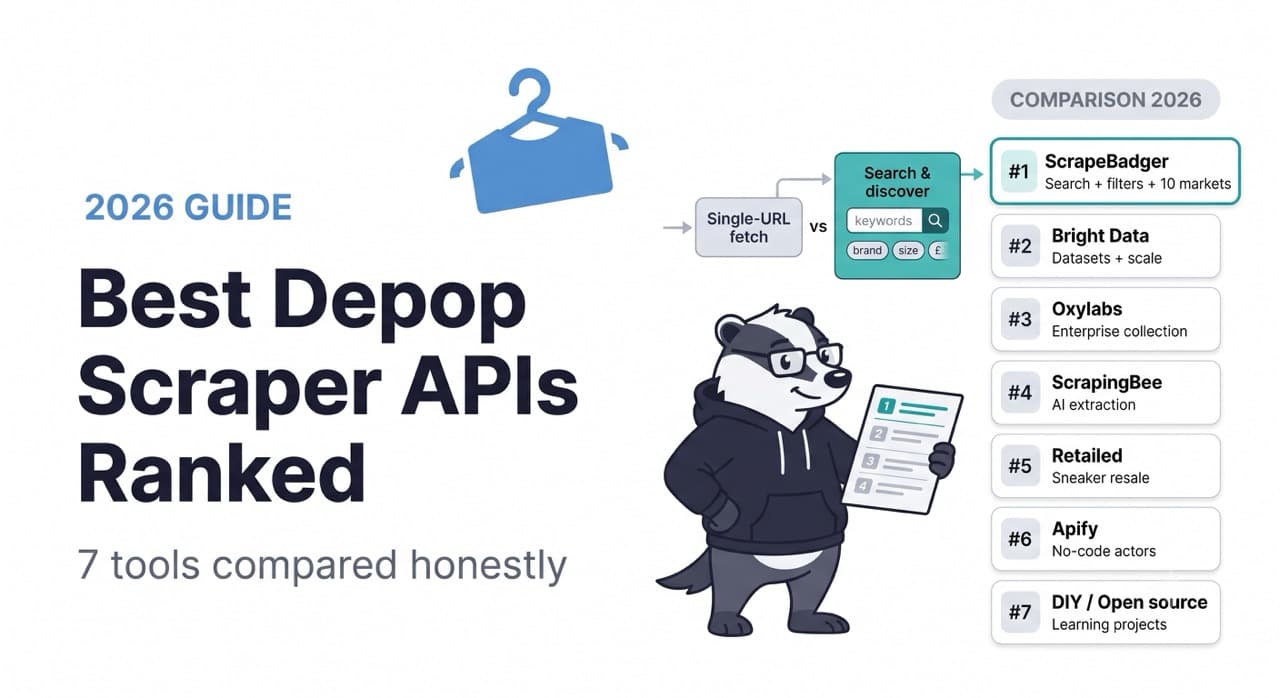
AI Summary: This guide compares the seven best ways to get Depop marketplace data in 2026, ranking tools by what they return and how they are priced, and stressing the key split between single-URL fetchers and tools like ScrapeBadger that can actually search and discover listings.
Depop is not eBay. It is not Vinted. It is a Gen Z fashion resale platform where trends surface before they hit the mainstream, where curation and aesthetic matter as much as price, and where the "sold" signal is one of the earliest indicators of what young shoppers actually want. For fashion brands, trend forecasters, resellers, and market researchers, that makes Depop data genuinely valuable — and genuinely hard to get.
Depop has no public data API. Its official Selling API is partner-gated and built for sellers to manage their own listings — it is not a route to marketplace-wide data, and most teams cannot access it at all. So if you want to analyze Depop listings, track resale prices, monitor sellers, or research trends at scale, you are scraping.
This guide compares the seven best ways to get Depop data in 2026, ranked honestly on what they actually return, how they are priced, and which use cases each one fits. There is a real split in this market between tools that only fetch a single product page you already have the URL for, and tools that can actually search and discover Depop data — and that distinction matters more than anything else.
The One Distinction That Decides Everything
Before the rankings, understand the split that separates these tools into two categories.
Single-URL fetchers. You already have a Depop product URL. You send it to the API, and it returns that product's structured data — price, condition, images, seller. Useful if you have a list of URLs. Useless if what you actually need is to find the listings in the first place.
Search-and-discover APIs. You send a query — "carhartt jacket," or a set of filters like brand, size, condition, price range — and the API returns matching listings you did not already know about. This is what you need for trend research, competitive analysis, price benchmarking, or building any dataset from scratch.
Most Depop scrapers on the market are single-URL fetchers. The ones that can search and filter natively are far more useful for real research work, and there are only a couple of them. Keep this distinction in mind as you read — it is the difference between a tool that answers "what is this listing worth" and one that answers "what is happening on Depop right now."
The Seven Providers
1. ScrapeBadger — Best for Search, Filtering, and Multi-Market Coverage
ScrapeBadger's Depop Scraper is one of the few in this comparison built around search and discovery rather than single-URL fetching. It exposes five endpoints that cover the full workflow: search products (with filters), get product detail, get user profile, get a user's listings, and list markets.
The search endpoint is the differentiator. You can query Depop by keyword and filter by brand, colour, condition, gender, size, and price range, then sort the results — all returned as clean structured JSON. That means you can ask questions like "show me all men's Carhartt jackets in good condition under $80, sorted by newest" and get a structured answer, rather than needing a pre-existing list of URLs. For trend research, price benchmarking, and inventory sourcing, this is the capability that actually matters.
It covers 10 Depop markets — US, UK, Australia, Ireland, Italy, France, Germany, Spain, Netherlands, and New Zealand — so you can compare how the same brand or item performs across Depop's key regions. The user and user-products endpoints let you profile specific sellers: their rating, their shop description, and their full active inventory, which is useful for reseller research and competitive monitoring.
The endpoints, precisely:
Search products — keyword + filters (brands, colours, conditions, gender, sizes, price min/max, sort), paginated
Get product — full detail by slug (price, condition, images, seller)
Get user — shop profile (rating, description)
Get user products — a seller's full listings, paginated
List markets — the 10 supported regions
The broader platform advantages carry over from the rest of ScrapeBadger's product line. The same API key covers Vinted (26 markets), eBay (18 markets), Amazon, and general web scraping — so a resale-intelligence pipeline spanning multiple platforms is one integration, not five. Credits never expire, failed requests cost nothing, and the MCP server exposes Depop search as a native tool to Claude and other AI agents, so an agent can research Depop trends and cross-reference against other marketplaces in one reasoning loop.
Where ScrapeBadger does not win: It does not sell pre-collected Depop datasets — for a one-time bulk purchase of historical data without running a pipeline, Bright Data is the better route. It has no no-code visual interface; this is an API-first tool.
Best for: Trend research, price benchmarking, reseller intelligence, and any workflow that needs to search and discover Depop listings rather than fetch known URLs; teams combining Depop with Vinted, eBay, or other resale data.
Pricing: Pay-as-you-go from $10, plans from $49/month. Credits never expire. 1,000 free credits, no card.
2. Bright Data — Best for Pre-Collected Datasets and Enterprise Scale
Bright Data's Depop scraper follows its standard enterprise model: high-volume batch collection with structured JSON, NDJSON, or CSV delivery, plus the option to buy pre-collected Depop datasets rather than run a pipeline yourself. It includes a free tier of 5,000 page loads per month, which is generous for evaluation.
If your need is a large historical Depop dataset delivered on a schedule — say, months of listing data across categories for a market-research model — Bright Data's dataset products skip the collection work entirely. The compliance posture (GDPR, CCPA, SOC 2, ISO 27001) is the most complete in this comparison, which matters for enterprise procurement.
Where Bright Data does not win: The trigger-and-poll batch model is heavier than a synchronous search API for interactive research. Native keyword search with fashion-specific filters (size, condition, brand) is not the core interface — it is built around URL-based collection and datasets. Enterprise pricing and billing complexity. No MCP integration.
Best for: Enterprise teams needing large pre-collected Depop datasets or very high-volume scheduled collection with formal compliance.
3. Oxylabs — Best Enterprise Infrastructure for URL-Based Collection
Oxylabs offers a dedicated Depop Scraper API within its E-Commerce Scraper API family, returning structured product data with the reliability and success rates that put Oxylabs among the top enterprise providers. It is backed by one of the strongest proxy networks in the market and self-healing parsers that adapt when Depop changes its structure.
The model is primarily URL-based collection with enterprise-grade reliability and support — Oxylabs' account management is consistently rated the best in the enterprise tier. Pricing starts at $49/month but production workloads typically land higher, and the bandwidth-based model is less predictable than per-request for variable usage.
Where Oxylabs does not win: Native fashion-filtered search is not the core strength — it is oriented to structured collection of known targets. No pre-collected Depop datasets at Bright Data's scale. No MCP integration. Enterprise pricing for what many teams need at smaller scale.
Best for: Enterprise teams that value reliability and support, collecting Depop product data at scale, especially if already on Oxylabs for other targets.
4. ScrapingBee — Best General Scraper With AI Extraction
ScrapingBee approaches Depop as a general web scraping problem rather than a dedicated data product. You send a Depop URL, ScrapingBee renders the JavaScript, and returns prices, ratings, inventory, and metadata as structured JSON via its extract_rules or ai_extract_rules features. The AI extraction is the appeal — you describe the fields you want in plain language and ScrapingBee pulls them without you writing selectors.
It is well-documented, has SDKs across Python, Node, Go, PHP, Ruby, and Java, and integrates with automation tools like n8n for no-code resale-monitoring workflows. The teams that use it value the flexibility of a general scraper that handles Depop alongside any other site.
The pricing model is credit-based and depends on the options you enable: 5 credits for JavaScript rendering, 25 for premium proxy with JS, 75 for stealth proxy. On a JavaScript-heavy, protected target like Depop, real per-request costs land at the higher end of that range, which is worth modelling before committing.
Where ScrapingBee does not win: No native Depop search with fashion filters — you supply the URLs, and you build the discovery layer yourself. No dedicated user/seller endpoints. Credit costs escalate on protected targets. No MCP integration.
Best for: Teams that already use ScrapingBee as their general scraper and want to add Depop URL collection with AI-assisted extraction, and who handle URL discovery themselves.
5. Retailed — Best for Sneaker and Streetwear Resale Specialists
Retailed is a resale-and-reselling specialist, and that focus is both its strength and its limitation for Depop specifically. Its core product is deep sneaker, streetwear, and watch data across StockX, GOAT, Chrono24, and dozens of retail sources — with genuinely useful features like lowest-ask pricing, variant-level data, and an inventory management dashboard built for resellers.
Its Depop endpoint, however, is a single-product lookup: you pass a productId and get back that item's name, description, price, currency, stock, seller, and ratings. It is a URL/ID fetcher, not a search-and-discover interface, and Depop is a bolt-on to a product line that is really built around sneaker resale. If your work centers on sneakers and streetwear across multiple resale platforms and Depop is one piece, Retailed's specialization is valuable. If Depop is your primary target and you need search, it is not the right fit.
Where Retailed does not win: Depop coverage is single-ID lookup only, no native search or filtering. The platform's depth is in sneakers/streetwear/watches, not Depop's broader vintage-and-fashion catalog. No MCP integration.
Best for: Sneaker and streetwear resellers who work across StockX, GOAT, and Chrono24 and want Depop as one additional source in a resale-focused stack.
6. Apify — Best for No-Code and Specific Community Actors
Apify hosts multiple community-built Depop Actors — including a product-details scraper and a listings scraper from different developers — configurable through a visual interface and exportable to CSV, JSON, or XML. For non-technical teams, this is the most accessible way to pull Depop data without writing code, and specific Actors cover both product detail and listing collection.
The trade-offs are the standard Apify ones. Actors are community-maintained, so quality and update cadence vary by Actor and by maintainer — when Depop changes its structure, the fix depends on whoever built the Actor you rely on. Pricing is compute-unit based, which makes cost hard to predict before you have run a specific Actor at your volume. Different Actors have different interfaces and output schemas, so standardizing across them is your job.
Where Apify does not win: Community-maintenance risk on your critical Actor. Unpredictable compute-based billing. Inconsistent schemas across Actors. No unified, guaranteed-maintained Depop API.
Best for: Non-technical teams that want Depop data through a visual interface, or teams that need a specific niche Actor and can tolerate community-maintenance variability.
7. DIY Open-Source Scrapers — Honest Mention
There are open-source Depop scrapers on GitHub, and community threads (r/learnpython and others) where developers share approaches to hitting Depop's internal endpoints directly. For a learning project, a one-off analysis, or a developer who enjoys maintaining their own infrastructure, this is a legitimate zero-cost path.
The honest framing: Depop renders listings with JavaScript and runs anti-bot protection, so a naive requests.get() will fail or get blocked quickly. A DIY scraper means you own the proxy rotation, the anti-bot handling, the JavaScript rendering, and — most painfully — the ongoing maintenance every time Depop changes its structure. For a production pipeline where reliability matters, that maintenance burden is the real cost, and it is why managed APIs exist. As a starting point for learning, it is fine. As a foundation for a business, it is a liability.
Best for: Learning projects, one-off analyses, and developers who want full control and zero API cost, accepting the maintenance burden.
The Comparison Table
ScrapeBadger | Bright Data | Oxylabs | ScrapingBee | Retailed | Apify | DIY | |
|---|---|---|---|---|---|---|---|
Native keyword search | ✅ | Partial | Partial | ❌ | ❌ | Partial | Build it |
Fashion filters (brand/size/condition) | ✅ | ❌ | ❌ | ❌ | ❌ | Varies | Build it |
Product detail | ✅ | ✅ | ✅ | ✅ | ✅ | ✅ | Build it |
Seller/shop data | ✅ | ✅ | Partial | Manual | ✅ | Varies | Build it |
Multi-market (10 regions) | ✅ | ✅ | ✅ | Manual | ❌ | Varies | Build it |
Structured JSON | ✅ | ✅ | ✅ | ✅ (AI extract) | ✅ | ✅ | Build it |
Pre-collected datasets | ❌ | ✅ | ❌ | ❌ | ✅ (sneakers) | ❌ | ❌ |
MCP integration | ✅ | ❌ | ❌ | ❌ | ❌ | ✅ (Actors) | ❌ |
No-code UI | ❌ | ✅ | ❌ | ❌ | ✅ dashboard | ✅ | ❌ |
Multi-platform (Vinted, eBay...) | ✅ | ✅ | ✅ | ✅ | Resale only | ✅ | ❌ |
Credits never expire | ✅ | ❌ | ❌ | ❌ | ❌ | ❌ | n/a |
Entry pricing | $10 PAYG | 5K free/mo | $49/mo | $49/mo | Free trial | $29/mo | Free |
Best for | Search + research | Datasets | Enterprise collection | AI extract | Sneaker resale | No-code | Learning |
Which One Fits Your Use Case
"I'm researching Depop trends or benchmarking resale prices" → ScrapeBadger. You need to search and filter listings you do not already have URLs for. Native keyword search with brand, size, condition, and price filters is exactly this job. Single-URL fetchers cannot do it.
"I need a large historical Depop dataset without building a pipeline" → Bright Data. Their pre-collected datasets and high-volume batch model fit bulk historical data. Accept enterprise pricing.
"I'm a sneaker/streetwear reseller working across StockX, GOAT, and Depop" → Retailed. Depop is a bolt-on, but their sneaker-resale depth and inventory dashboard are purpose-built for this exact workflow.
"My team doesn't write code" → Apify for visual Actor configuration, or Retailed's dashboard if your focus is sneaker resale. Accept community-maintenance variability with Apify.
"I already use a general scraper and want to add Depop" → ScrapingBee, if you handle URL discovery yourself and want AI-assisted field extraction.
"I'm building a multi-platform resale intelligence tool" → ScrapeBadger. Depop + Vinted + eBay under one key, with MCP for AI-driven analysis across all of them.
"It's a learning project and budget is zero" → A DIY open-source scraper, accepting the maintenance burden.
FAQ
Does Depop have an official API?
Depop has a partner-gated Selling API built for sellers to manage their own listings programmatically — it is not a route to marketplace-wide public data, and access is restricted. There is no public data API for searching or analyzing Depop listings at scale. Teams that need marketplace data use scraping APIs, which is why this comparison exists.
What is the difference between a Depop search API and a product scraper?
A product scraper fetches data for a Depop listing whose URL you already have. A search API lets you query Depop by keyword and filters (brand, size, condition, price) to discover listings you did not already know about. For trend research, price benchmarking, or building any dataset from scratch, you need search — most Depop tools only offer single-URL fetching, which is a meaningful limitation. ScrapeBadger's Depop search endpoint is one of the few that supports native keyword-plus-filter discovery.
Is scraping Depop legal?
Scraping publicly available data is broadly permitted in the US under the hiQ Labs v. LinkedIn precedent, but Depop's Terms of Service restrict automated access as a contractual matter, and data protection law (GDPR for EU/UK users) applies to any personal data you collect. Collect only public data, avoid personal data where you lack a lawful basis, use the data for analysis rather than republication, and consult legal counsel for your specific use case.
Can I compare the same item across Depop's different country markets?
Yes, with a provider that supports multiple markets. ScrapeBadger covers 10 Depop regions (US, UK, AU, IE, IT, FR, DE, ES, NL, NZ), so you can run the same search across markets and compare how a brand, item, or price point performs regionally — useful for brands assessing international resale demand.
What data can I actually get from a Depop listing?
The core fields available from public Depop listings are price, condition, description, images, brand, size, and seller information (username, shop rating). Aggregate engagement signals such as like counts can indicate item and creator popularity for trend research. Seller-level data includes shop rating and full active inventory. Exact fields depend on the provider — ScrapeBadger returns structured product detail plus seller profile and a seller's full listings.

Written by
Domas Sakavickas
Dom Sakavickas is Co-founder of ScrapeBadger, building web scraping infrastructure for developers and data teams. He writes about the web data market, tool comparisons, and business use cases for scraping. ScrapeBadger is a web scraping API platform specialising in Twitter/X, Reddit and Google data, with dedicated scrapers also covering TikTok, YouTube, LinkedIn, Amazon, eBay, Zillow and 40+ more: with built-in anti-bot bypass and an MCP server for AI agents.
Ready to get started?
Join thousands of developers using ScrapeBadger for their data needs.