Google Custom Search API Alternative: Every Parameter, Mapped and Tested Before the 2027 Shutdown
 Domas Sakavickas
AI Summary: Google’s Custom Search JSON API stops working on January 1, 2027, and ScrapeBadger’s Google Light Search API is a self-serve alternative that returns live Google results for the whole web, with no search engine ID: change the URL, move the key to an x-api-key header, drop cx, and subtract 1 from start.
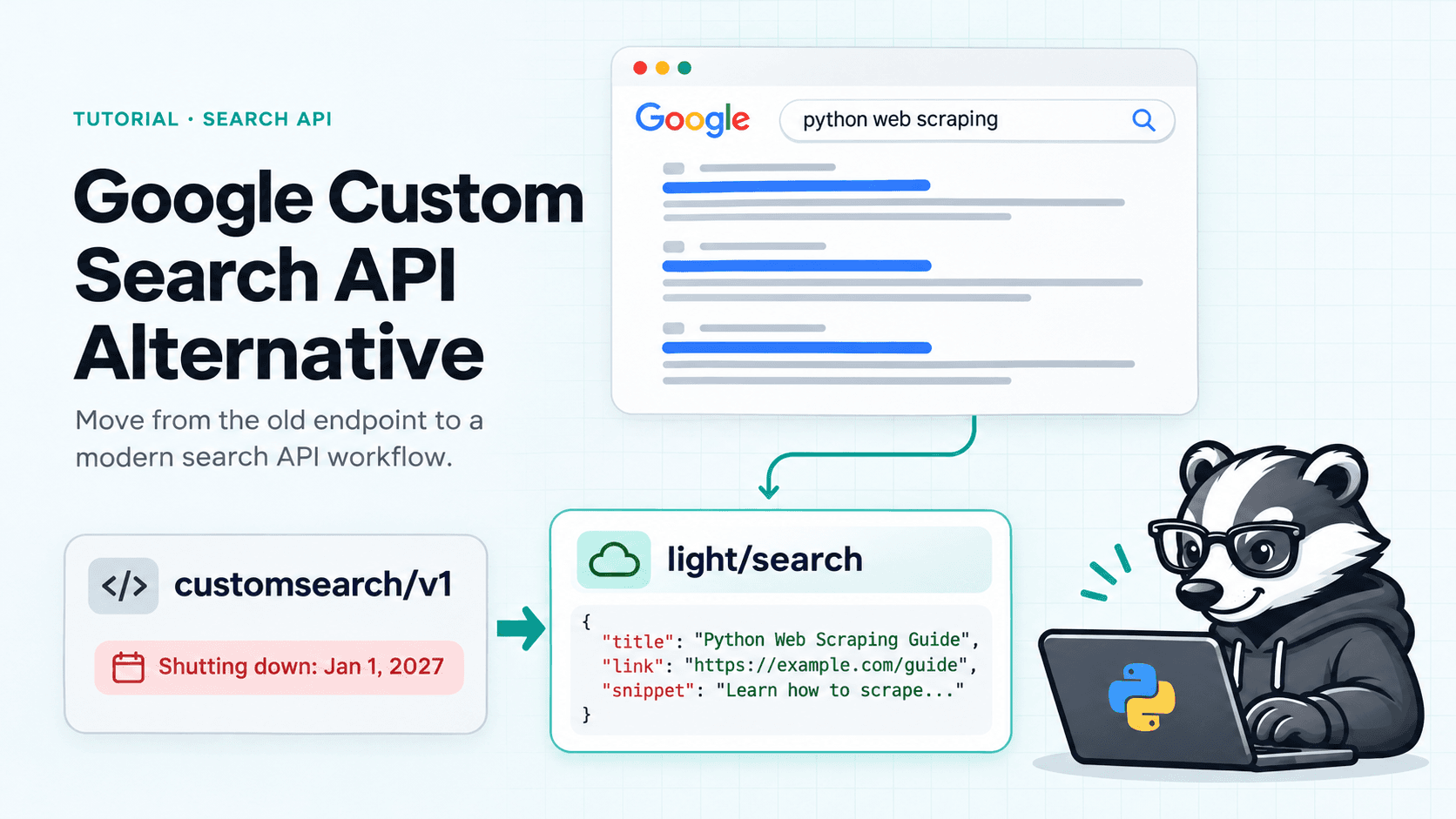
This request stops working on January 1, 2027:
curl "https://www.googleapis.com/customsearch/v1?key=GOOGLE_API_KEY&cx=ENGINE_ID&q=coffee+grinder"
Google announced it on January 20, 2026. Most guides list a dozen alternatives and leave the migration to you. This one picks one Google Custom Search API alternative and tests it parameter by parameter, so you know what breaks before you switch.
We took Google's own parameter reference for the Custom Search JSON API, went down the list, and ran each parameter against our Google search API. About 30 live calls, run on November 16, 2026. This post is the log: what maps one to one, what needs a small change, and seven things that did not behave the way Custom Search did.
Short on time? Read Your Options and the diff after it. For most code, the diff is the whole job.
What Google Is Turning Off
Two things, on the same date.
Google's notice says the Custom Search JSON API is closed to new customers, and existing customers have until January 1, 2027 to move. The announcement adds that Programmable Search Engine setups using "Search the entire web", or more than 50 domains, end the same day.
Google names two replacements:
Vertex AI Search, for up to 50 domains. That is site search, not web search.
A "full web search solution" behind a contact form. No public docs and no public price.
So if your product searches the open web, Google has no self-serve option left. Here is what you are losing:
Custom Search JSON API | |
|---|---|
Free tier | 100 queries a day |
Paid | $5 per 1,000 queries |
Daily cap | 10,000 queries |
Results per call | 10 max |
Depth per query | 100 results max |
Setup | Google Cloud project, API key and a search engine ID (cx) |
Your Options After Custom Search
Every Google Custom Search API alternative falls into one of four groups. Which one fits depends on what you search and whether you need Google’s own results.
Option | What it searches | How you get access | Pick it if |
Vertex AI Search | Up to 50 domains | Self-serve, in Google Cloud | You only search your own sites |
Google Web Search Service API | The whole web | Partner agreement, no public price | You need a contract with Google |
A search API with its own index | Its own index, not Google’s | Self-serve | Speed matters more than matching Google |
A Google SERP API, such as ScrapeBadger | Live Google results, the whole web | Self-serve, one API key | You want Custom Search results without Custom Search |
The Whole Migration in One Diff
Same query, page two of the results.
Before:
curl "https://www.googleapis.com/customsearch/v1?key=GOOGLE_API_KEY&cx=ENGINE_ID&q=coffee+grinder&gl=us&hl=en&start=11"
After:
curl "https://scrapebadger.com/v1/google/light/search?q=coffee+grinder&gl=us&hl=en&start=10" \
  -H "x-api-key: YOUR_API_KEY"
Three things changed:
The key moved from the URL to an x-api-key header.
cx is gone. There is no search engine to set up. Every search covers the whole web.
start counts from 0, not 1. Page two is start=10, not start=11.
The Google Scraper API has two search endpoints to pick from. Light Search returns what Custom Search returned: web results with a title, a link and a snippet. Full Search returns the whole results page, with ads, People Also Ask, the knowledge panel, local results and AI Overviews. Light costs half as much. Everything below uses Light unless it says otherwise.
A new account comes with 1,000 free credits and no card. That is 100 Light searches, enough to rerun every test in this post.
The Parameter List, Top to Bottom
This follows the order of Google's reference. The last column is what happened when we ran it.
Custom Search | Use this | What we saw |
|---|---|---|
key | x-api-key header | Works. api_key as a query parameter also works. |
cx | Remove it | Not needed. |
q | q | Same. Google's search operators work inside it. |
num | Remove it | Ignored. You get 8 to 10 results a page. |
start | start, minus 1 | start=10 returned page two. |
gl, hl | gl, hl | Same codes. Use gb for the United Kingdom, not uk. |
lr | lr | lr=lang_de was passed through to Google. |
cr | cr | cr=countryDE was passed through. |
safe | safe | active or off. Passed through. |
filter | filter | filter=0 accepted. |
dateRestrict | tbs=qdr: | w1 becomes tbs=qdr:w. d3 becomes tbs=qdr:d3. Every dated result was inside the range. |
sort=date | tbs=sbd:1 | Results came back newest first. |
siteSearch, filter i | site:example.com in q | 10 of 10 results from the site. |
siteSearch, filter e | -site:example.com in q | 0 of 10 results from the site. |
exactTerms | "your phrase" in q | Returned a full page. |
excludeTerms | -word in q | Standard Google operator. |
orTerms | word OR word in q | Standard Google operator. Tested with two sites. |
hq | Add the words to q | Same as typing a longer query. |
fileType | filetype:pdf in q | Returned PDF links. |
lowRange, highRange | 10..50 in q | Accepted, full page of results. |
linkSite | as_lq | Accepted, full page of results. |
googlehost | domain | Google already deprecated this one. gl does the job. |
relatedSite, c2coff, rights | No match | |
searchType=image and the img parameters | A separate endpoint | See the images section below. |
If your search engine was set up to search a fixed list of sites, put them in q: site:a.com OR site:b.com. We tried it with two sites and all 10 results came from those two.
You also get two controls Custom Search never had. location gives city-level results, for example location=New York,New York,United States. device switches between desktop, mobile, iphone, android and tablet.
Seven Things That Behaved Differently
None of these stopped the migration. All of them would have cost us an afternoon if we had found them in production.
1. num Does Nothing
Google no longer lets a caller widen the page. Whatever you pass, a call returns 8 to 10 web results. If you asked Custom Search for num=5, slice the list yourself. For more, page with start.
2. start Is Off by One
Custom Search counts from 1, so page two was start=11. Here it is an offset from 0, so page two is start=10. Subtract 1 from whatever you send today.
3. Site Limits Belong in the Query
Custom Search had siteSearch, plus the site list saved on the engine itself. Here you write it into q. asyncio site:docs.python.org returned 10 results, all from that site.
There is also an as_sitesearch parameter. It limited the results in one test and did nothing in another. Use site:.
4. Short Date Windows Return Fewer Results
dateRestrict=w1 becomes tbs=qdr:w, and the last week returned a full page in our tests. Shorter windows are different. tbs=qdr:d3 (the last three days) often came back with only a few results, on Light Search and full Search alike. For a quiet topic there may simply be few pages from those days.
So do not assume 10 results when you filter by date. If you need a fixed window instead of a rolling one, send exact dates: tbs=cdr:1,cd_min:11/13/2026,cd_max:11/16/2026.
5. A Link Can Come Back as a Google Redirect
Google now wraps many result links in google.com/goto redirects. The API resolves them to the real URL before it answers. In our test calls, 1 link in about 120 came back unresolved.
An unresolved link still leads to the same page, and the result keeps its place in the list. If you store the domain of each result, check for google.com before you save it.
6. The Result Count Is Usually Empty
searchInformation.totalResults becomes search_information.total_results. It was null in most of our calls, because it is only filled when Google prints a count on the page. If your UI says "About 1,200,000 results", plan to drop that line.
7. It Is Slower, and Sometimes It Says Try Again
Custom Search read from an index. This fetches a live Google results page. Over the last 30 days the median Light Search took 1.5 seconds, and 1 call in 20 took 10 seconds or more.
Now and then a search cannot finish inside its time budget. You get a 503 with a Retry-After header, and you are not charged. Set a 30 second timeout and retry. The wrapper further down does both.
Reading the Response
Your results move from items to organic_results. Title, link and snippet keep their names, which is most of what Custom Search code reads.
Custom Search | ScrapeBadger | Note |
|---|---|---|
items[] | organic_results[] | |
items[].title | title | |
items[].link | link | |
items[].snippet | snippet | |
items[].displayLink | source | The site's domain, such as runrepeat.com. |
items[].formattedUrl | displayed_link | Google's breadcrumb. |
items[].htmlTitle, htmlSnippet | No match | highlighted_keywords lists the words Google put in bold. |
items[].pagemap | No match | Full Search has rich_snippet, with ratings and prices when Google shows them. |
items[].cacheId | No match | |
searchInformation.searchTime | search_information.time_taken | |
queries.nextPage[0].startIndex | Add 10 to start | pagination.next holds Google's own next-page URL. |
spelling.correctedQuery | search_information.organic_results_state | Reads Results for spelling correction when Google fixed the query. |
One real result from a Light Search call, trimmed:
{
"position": 1,
"title": "7 Best Running Shoes in 2026 - RunRepeat",
"link": "https://runrepeat.com/guides/best-running-shoes",
"displayed_link": "runrepeat.com › guides › best-running-shoes",
"source": "runrepeat.com",
"snippet": "Sep 12, 2026 · The New Balance 1080 v15 stands out in the all-rounder game ...",
"date": "Sep 12, 2026"
}
position, date and sitelinks are new. So is a related_searches list at the top level, next to organic_results.
A Wrapper So the Rest of Your Code Stays Put
If Custom Search calls are spread across your codebase, do not touch them all. Put one function in between. This one takes the arguments you already pass and returns the items shape your code already reads. It also retries when the API says try again.
import time
import requests
API_KEY = "YOUR_SCRAPEBADGER_KEY"
URL = "https://scrapebadger.com/v1/google/light/search"
def custom_search(q, start=1, params):
"""Stand-in for customsearch/v1. Same arguments in, same items[] out."""
for old in ("key", "cx", "num"): # not needed any more
params.pop(old, None)
query = {"q": q, "start": start - 1, params}
for attempt in range(3):
r = requests.get(URL, headers={"x-api-key": API_KEY}, params=query, timeout=30)
if r.status_code in (502, 503): # not billed, safe to retry
time.sleep(int(r.headers.get("Retry-After", 5)))
continue
break
r.raise_for_status()
return {
"items": [
{
"title": o["title"],
"link": o["link"],
"displayLink": o["source"],
"formattedUrl": o["displayed_link"],
"snippet": o["snippet"],
}
for o in r.json()["organic_results"]
]
}
Your old call keeps working as written:
page_two = custom_search("coffee grinder", start=11, gl="us", hl="en")
for item in page_two["items"]:
print(item["title"], item["link"])
The same request in Node.js, without the wrapper:
const params = new URLSearchParams({ q: "coffee grinder", gl: "us", hl: "en" });
const res = await fetchhttps://scrapebadger.com/v1/google/light/search?${params}, {
headers: { "x-api-key": process.env.SCRAPEBADGER_API_KEY },
});
const { organic_results } = await res.json();
for (const item of organic_results) {
console.log(item.title, item.link, item.snippet);
}
If You Use LangChain
GoogleSearchAPIWrapper calls the Custom Search JSON API, so it stops on the same date. A thread on r/LangChain flagged it in September. Swap it for a tool built on the function above:
from langchain_core.tools import tool
@tool
def google_search(query: str) -> str:
"""Search Google and return the top results."""
items = custom_search(query)["items"]
return "\n".join(f"{i['title']} | {i['link']} | {i['snippet']}" for i in items)
If your agent talks to tools over MCP, skip the code and connect the ScrapeBadger MCP server. Google search shows up as a tool.
Images Are a Separate Endpoint
Custom Search turned image search on with searchType=image. Here it is its own endpoint, GET /v1/google/images/search (the Google Images API). It returns up to 100 images a call, where Custom Search stopped at 10, and costs 20 credits.
Custom Search | Images endpoint | Values |
|---|---|---|
imgSize | imgsz | l, m, i, xxl |
imgType | imgtype | face, photo, clipart, lineart, animated |
imgColorType | imgcolor | color, gray, transparent |
imgDominantColor | imgcolor | A color name, such as red or orange |
num | results | A number |
The response fields move like this:
Custom Search | Images endpoint | Note |
|---|---|---|
items[].link | results[].original | The full-size image. |
items[].image.contextLink | link | The page the image sits on. |
items[].image.thumbnailLink | thumbnail | |
items[].image.width, height | original_width, original_height | |
items[].displayLink | source |
What It Costs
Custom Search charged $5 per 1,000 queries. Here you pay in credits: 10 for a Light Search, 20 for a full Search. Pay as you go is $0.15 per 1,000 credits, and those credits never expire.
Custom Search JSON API | Light Search | Full Search | |
|---|---|---|---|
Per 1,000 searches, pay as you go | $5.00 | $1.50 | $3.00 |
Free | 100 queries a day | 100 searches, once | 50 searches, once |
Daily cap | 10,000 queries | None | None |
On a monthly plan the price per search drops:
Plan | Price a month | Light searches included | Per 1,000 Light | Full searches included | Per 1,000 full |
|---|---|---|---|---|---|
Starter | $49 | 60,000 | $0.82 | 30,000 | $1.63 |
Growth | $129 | 180,000 | $0.72 | 90,000 | $1.43 |
Pro | $299 | 500,000 | $0.60 | 250,000 | $1.20 |
Scale | $699 | 1,300,000 | $0.54 | 650,000 | $1.08 |
A worked example. Running Custom Search flat out, at 10,000 queries a day, cost about $1,485 a month. The same 300,000 searches on Light Search use 3 million credits, which fits in the Pro plan at $299.
There is no daily cap. The limit is per minute: 60 requests on pay as you go, 300 on Starter and Growth, 1,000 on Pro and Scale. Failed requests are never charged. Current prices are on the pricing page.
When You Should Not Switch to This
This is not the right move for everyone leaving Custom Search.
You only search your own site. Google's Programmable Search Element still does that for free, for up to 50 domains. Stay there.
You need a contract with Google. Vertex AI Search, or the contact form for Google's full web search product, is the official route.
You need every answer in under a second. A live results page takes about 1.5 seconds, sometimes much longer. That is fine for agents, monitoring and batch jobs. It is not fine for search-as-you-type.
You do not need Google's results. A search API with its own index answers faster because it has no page to fetch. The results will differ from Google's. If that does not matter to you, it is the simpler choice.
One more thing to know: ScrapeBadger is not an official Google API. It reads Google's public results page and returns it as JSON.
Questions From the Reddit Threads
People have been asking about this shutdown since January. These are three of the questions, in their own words, with our answers.
"Is Google's Custom Search API being discontinued?"
Asked on r/googlecloud in January, with 73 comments. Yes. Google's docs now say it in plain words: closed to new customers, and existing customers out by January 1, 2027.
"Need affordable Open Web Search alternative for 60k req/month"
Also from r/googlecloud. The poster screens the whole open web, so Vertex AI Search does not fit, and wants to stay near $5 per 1,000 queries. On Light Search, 60,000 searches a month is what the $49 Starter plan covers. That is $0.82 per 1,000.
"What are you actually calling under the hood, and what's the fallback when your current source changes terms or prices?"
From r/digital_marketing, about agents that search the web. Our answer is the wrapper above. Keep search behind one function that returns one shape. When a provider changes its price or its terms, you change one file.
And the Short Ones
Do I still need a search engine ID? No. Remove cx. Every search covers the whole web.
Does it work in n8n? Yes. Use the HTTP Request node: a GET to the Light Search URL, an x-api-key header and your query parameters.
Is there a free tier like the 100 queries a day? Not a daily one. You get 1,000 free credits when you sign up, with no card. That is 100 Light searches.
Can I get more than 10 results? Each call returns up to 10. Raise start by 10 for each next page.
Am I charged when a search fails? No.
Do the Test Run Now
The swap is one URL, one header and two parameters. The part that takes time is checking that your own queries come back the way you expect.
So take the ten queries your product runs most, send them through both APIs this week, and put the results side by side. If they match, you are done. If they do not, you find out with weeks to spare, not on the morning of January 1.
ScrapeBadger is an independent tool and is not affiliated with, endorsed by, or sponsored by Google. Google and its product names are trademarks of Google LLC, used here only to describe what this API works with.

Written by
Domas Sakavickas
Dom Sakavickas is Co-founder of ScrapeBadger, building web scraping infrastructure for developers and data teams. He writes about the web data market, tool comparisons, and business use cases for scraping. ScrapeBadger is a web scraping API platform specialising in Twitter/X, Reddit and Google data, with dedicated scrapers also covering TikTok, YouTube, LinkedIn, Amazon, eBay, Zillow and 40+ more: with built-in anti-bot bypass and an MCP server for AI agents.
Ready to get started?
Join thousands of developers using ScrapeBadger for their data needs.