How to Monitor Google Maps Reviews for Multi-Location Brands
 Thomas Shultz
AI Summary: Using ScrapeBadger's Google Maps API, this guide shows multi-location brands how to pull per-store ratings and review text rather than trusting a blended average, so an outlier location bleeding one-star reviews gets caught and fixed before it damages the brand.
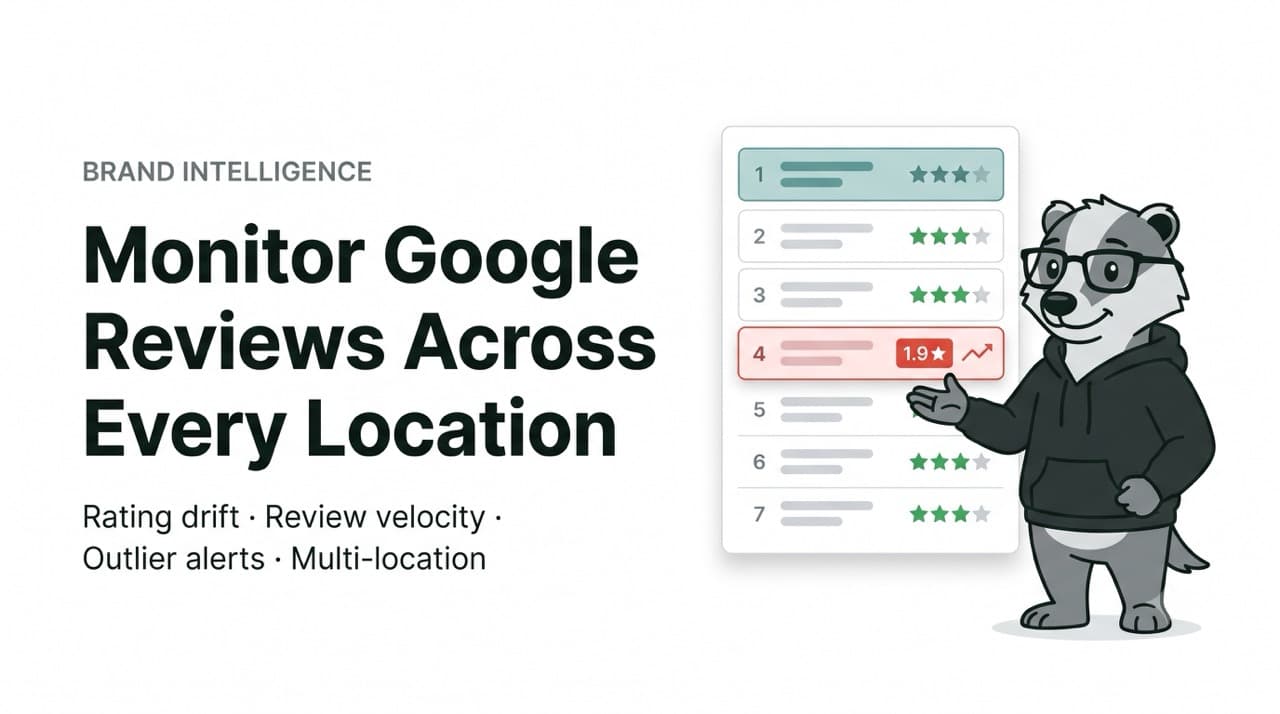
I pulled every Sweetgreen location in Manhattan through our Google Maps API while writing this. Twenty listings came back. The ratings ranged from 1.9 stars to 4.2 stars — a 2.3-star spread across the same brand, the same menu, the same city, in some cases six blocks apart.
The borough-wide average was about 3.6. If you were the brand and you looked at a single number, 3.6 would tell you things are fine. But 3.6 is a lie. One location was sitting at 1.9 stars while another two blocks over was at 4.1. The average smoothed a reputational fire into a lukewarm "meh," and the fire kept burning because nobody was looking at it on its own.
That gap — between the number leadership sees and the number a customer sees when they search "salad near me" and land on your worst store — is the entire problem multi-location review monitoring exists to solve. This is a playbook for closing it: what to actually watch, how to build the pipeline, and how to turn a pile of scraped reviews into something an operations team acts on before the ratings slide.
If you want the pure engineering version — full Python, pagination, the review object field-by-field — that lives in our complete guide to scraping Google Maps reviews. This article is the layer above it: the operator's version.
Why one location and fifty locations are completely different problems
Monitoring reviews for a single business is a solved problem. You check your Google Business Profile, you read the new reviews, you reply. A person can do it over coffee.
Multi-location changes the shape of the problem in three ways, and none of them are "the same thing but more."
The first is visibility. Each location is its own listing with its own Place ID, its own rating, its own review stream. There is no native Google dashboard that shows you all of them ranked worst-to-best with week-over-week movement. Corporate sees a spreadsheet somebody updates manually once a month, if that. By the time a bad location shows up in a quarterly report, it has been bad for a quarter.
The second is that reviews are a ranking input, not just a reputation input. Review count, average rating, and review velocity all feed how a location places in the Google local pack — the map results that show up for "coffee near me." A store whose rating quietly drops and whose review flow dries up doesn't just look worse; it gets shown less. Fewer impressions, fewer visits, fewer reviews, lower rank. The loop compounds, and it compounds per location, silently.
The third is that reviews are an operational sensor. When one location suddenly collects four reviews mentioning slow service in a single week, that is not a reputation event — that is a staffing or throughput event that has become publicly visible. Read across enough locations, the review stream tells you where a manager left, where a remodel went sideways, where a new POS system is jamming up the line. Aggregated, it's early-warning telemetry for the whole estate.
So the job isn't "read the reviews." The job is to build an observation layer that watches every location on a schedule and surfaces the handful of things that changed and matter.
What "monitoring" actually means here
Before any code, it's worth being precise about what you're watching, because "monitor our reviews" usually collapses into five distinct signals once you pull it apart.
Rating level is the obvious one — the current star average per location, and critically, its distribution around the mean. A 3.6 estate with everything between 3.4 and 3.8 is healthy. A 3.6 estate with a 1.9 and a 4.4 is two very different businesses wearing one logo.
Rating movement is the one that actually predicts trouble: how each location's average has shifted week over week or month over month. A location dropping from 4.3 to 3.9 over six weeks is a louder signal than a location that has sat at 3.5 forever. The trajectory matters more than the level.
Review velocity is how many new reviews a location collects per week. A sudden spike often means something went wrong (people are motivated to complain) or a promotion landed. A sudden drop-off can mean a location fell out of the local pack and is getting less foot traffic. Velocity is your leading indicator; rating is the lagging one.
Emerging themes are the recurring words and complaints across recent reviews. Five mentions of "wait" or "cold" or "rude" at one location in two weeks is a theme. This is where reviews stop being a score and start being a diagnosis.
Response coverage is the boring one everybody forgets: what percentage of reviews — especially negative ones — got an owner response, and how fast. For multi-location brands this is often the single biggest controllable lever, and it's completely invisible without systematic tracking.
Every one of those five is a field or a computation on data you can pull from the Maps reviews endpoint. The rest of this article is how you get it and what you do with it.
Why the official Google API won't do this
Teams new to this always ask the same reasonable question: doesn't Google give you an API for this? It does, and it doesn't fit.
The Places API caps reviews at five per location and returns the ones Google considers "most relevant," not the most recent. For monitoring, most-recent is the entire point — you need the reviews that landed this week, not a frozen greatest-hits selection. Five relevance-sorted reviews per store tells you almost nothing about what changed.
It's also priced per request in a way that gets expensive across a large estate polled on a schedule, and it doesn't expose the full field depth you can see in the Maps interface itself. For a fuller breakdown of how the providers compare on field depth, speed, and cost, we tested and ranked them in this Maps scraper comparison. The short version: for systematic multi-location monitoring, you want a scraping API that returns the full review stream, sorted newest-first, with real timestamps.
That last part — timestamps — is what makes monitoring possible at all. ScrapeBadger's reviews endpoint returns the full review text, star rating, reviewer profile, any owner response, and an iso_date field for every review. The ISO timestamp is what lets you say "these eleven reviews arrived after the manager changed on the 3rd" instead of guessing. Without a real date on each review, before-and-after analysis is impossible, and before-and-after is most of the value.
The data you get per location
When you call the reviews endpoint for a location, each review comes back as a structured object. The shape is roughly this:
json
{
  "rating": 2,
  "snippet": "Line was out the door and they were out of half the menu...",
  "iso_date": "2026-07-09T14:22:00Z",
  "user": {
    "name": "A. Rivera",
    "reviews": 14,
    "local_guide": true
  },
  "response": {
    "snippet": "We're sorry about the wait — we're hiring...",
    "iso_date": "2026-07-11T09:05:00Z"
  }
}
That single object already answers most of what monitoring needs: how bad (rating), what about (snippet), when (iso_date), from whom (user, and whether they're a Local Guide, whose reviews carry more weight), and whether anyone replied (response, and how long it took). Multiply that across every location on a schedule and you have a live feed of your entire ground-level reputation.
The identifier you'll build everything around is the Place ID (the ChIJ… string) or the data_id (the 0x…:0x… form). Either works for the reviews endpoint. It's the stable key for each location — more reliable than a business name, which can be edited, and more precise than an address, which several businesses can share. Your first job is building the registry that maps every physical location to its ID.
Building the monitoring workflow
Here's the pipeline in four stages. It's deliberately simple — monitoring systems fail when they're over-built, not when they're under-built.
Step 1 — Build your location registry
You need one canonical list: every location, its Place ID, and whatever internal metadata you'll want to slice by later (region, manager, store format, open date). You build it once with the Maps search endpoint, then maintain it as locations open and close.
A single search query returns every matching location with its ID and current rating already attached. Searching one brand in one city is often enough to seed a whole metro:
python
from scrapebadger import ScrapeBadger

client = ScrapeBadger(api_key="sb_live_xxx")

# Seed the registry: one query, every location in the area
places = client.google.maps.search(q="sweetgreen Manhattan New York", gl="us")

registry = [
    {
        "name": p["title"],
        "address": p["address"],
        "data_id": p["data_id"],
        "rating": p["rating"],
        "reviews_count": p["reviews_count"],
    }
    for p in places["results"]
]
That call alone gives you the estate-wide snapshot I opened with — the twenty Manhattan Sweetgreen listings, ratings from 1.9 to 4.2. Store it, and the ratings and review counts become your baseline for detecting movement later.
Step 2 — Pull reviews on a schedule
For each location in the registry, call the reviews endpoint sorted newest-first, and only keep reviews newer than your last run. You are not re-scraping the entire history every time — you're pulling the delta.
python
def fetch_new_reviews(data_id, since_iso):
    reviews = client.google.maps.reviews(
        data_id=data_id,
        sort_by="newestFirst",
        results=20,
    )
    return [r for r in reviews["reviews"] if r["iso_date"] > since_iso]
Cadence is a budget decision, and you should treat it like one. Flagship and problem locations can be checked daily; stable mid-tier locations weekly; long-tail locations monthly. Every unnecessary poll burns credits and adds noise. The same discipline we laid out for automated change monitoring applies here: match check frequency to how much the answer actually matters.
Step 3 — Detect what changed
This is the layer that turns data into signal. On each run, compare the new pull against the stored baseline and raise a flag when one of these crosses a threshold you set:
A location's rolling average drops by more than, say, 0.3 stars versus last month.
Review velocity at a location spikes or collapses versus its own trailing average.
A keyword ("wait", "cold", "closed", "rude", "dirty") appears in three or more recent reviews at the same location.
A negative review (≤2 stars) has sat with no
responsefor longer than your SLA — 48 hours, say.
None of this needs machine learning to start. It's counting, differencing, and string-matching against a baseline you already stored. You can layer sentiment models on later, but the counting version catches most of what matters on day one.
Step 4 — Route the alert to a human
A signal nobody sees is wasted compute. Where you send each flag depends on urgency and who owns the fix. Operational alerts — a location cratering, an unanswered one-star — belong in a Slack channel the regional manager actually reads. Slower signals — monthly rating drift, response-rate reports — fit better as a scheduled email or a row in a dashboard. Anything you want to trigger downstream automation on (open a ticket, update a CRM) goes out by webhook.
The rule of thumb: real-time channels for things that need action today, digests for things that need attention this month. Route everything to "urgent" and people stop reading; route everything to a monthly report and you find out about the fire in the ashes.
What good looks like in practice
Three patterns make up almost all the value multi-location brands get out of this.
Franchise and estate quality monitoring is the core one: catch the location sliding before it drags the brand. In the Sweetgreen data, the 1.9-star store is exactly the case — it's not a brand problem, it's a single-site problem, and the only way corporate ever finds it early is a system that ranks locations worst-first every week instead of averaging them into comfort.
Competitive benchmarking runs the exact same pipeline pointed at someone else's Place IDs. You can't see a competitor's internal numbers, but their public reviews are right there. Track a rival chain's ratings and review velocity by location and you can see which of their stores are weak, which markets they're winning, and where a new location of theirs is stumbling out of the gate.
Response-rate SLAs are the most underrated. Most multi-location brands have no idea what percentage of their negative reviews get a reply, or how fast, broken down by location. Owner responses measurably influence both customer perception and future rating trajectory, and response coverage is almost entirely within your control — unlike the reviews themselves. Monitoring makes an invisible, high-leverage metric visible.
Cost and cadence
The economics are what make estate-wide monitoring viable rather than aspirational. With ScrapeBadger, failed requests are never charged, credits don't expire, and Google endpoints use flat per-endpoint pricing, so your monthly cost is just locations × checks × endpoints, and it's predictable in advance.
A worked example: 50 locations, each getting one reviews pull per week, is 200 calls a month. Add a weekly registry refresh and you're comfortably inside a small credit budget — the free tier's 1,000 credits is enough to run a real pilot across a metro before you commit a cent. The exact per-endpoint cost and a live estimator sit on the Google Maps scraper page, and the full parameter reference is in the docs.
The anti-bot side — Google's session challenges, JavaScript rendering, residential rotation — is handled on our infrastructure, so none of it lands in your pipeline. You call the endpoint with a Place ID and get clean JSON back. That's deliberately the boring part; monitoring should be about your logic, not about fighting CAPTCHAs.
Frequently asked questions
How often should I scrape reviews for each location? Match frequency to stakes. Flagship or currently-struggling locations warrant daily checks; stable locations weekly; low-traffic ones monthly. Reviews don't arrive fast enough at most single locations to justify more than daily, and over-polling mostly buys you noise and burned credits.
Can I monitor competitors' locations too? Yes. Reviews on Google Maps are public, and the pipeline is identical — you just point it at the competitor's Place IDs instead of your own. It's one of the most common uses, since it gives you location-level insight into rivals you'd otherwise have no visibility into.
Why not just use the official Google Places API? It caps reviews at five per place, returns them by relevance rather than recency, doesn't expose full field depth, and gets costly at scale. For monitoring you need the newest reviews with real per-review timestamps, which is what a dedicated scraping endpoint returns.
What data comes back for each review? Star rating, full review text, reviewer profile (including Local Guide status), any owner response, and an iso_date timestamp. The timestamp is the field that makes before-and-after analysis possible, so treat it as required, not optional.
Is scraping Google Maps reviews legal? You're collecting publicly visible data, but you remain responsible for complying with Google's terms and any applicable data-protection law (GDPR, CCPA) in your jurisdiction — particularly around storing reviewer names. Aggregate ratings and themes rather than building profiles of individuals, and when in doubt, consult counsel. This isn't legal advice.
Do I need to build all of this myself? The detection and routing logic is yours to own, but the hard infrastructure — rendering, proxies, anti-bot, clean structured output — is handled by the API. Most teams have a working pilot running in an afternoon. The full technical walkthrough has the complete pipeline code.
The takeaway
The reason the 1.9-star Sweetgreen kept sitting at 1.9 isn't that nobody at the company cared. It's that the number that would have made someone care was buried inside an average that looked fine. Multi-location review monitoring is, at its heart, the discipline of refusing to let the average hide the outlier — watching every location on its own, on a schedule, and surfacing the few that moved.
You don't need a data science team to start. You need a registry of Place IDs, a scheduled pull of newest-first reviews, a handful of threshold checks, and a Slack channel. The infrastructure to get clean review data across every location is a solved problem now; the edge is in actually looking.
You can seed your first registry and pull live reviews with 1,000 free credits — enough to monitor a full metro for a pilot — from the Google Maps scraper page. More build guides are on the ScrapeBadger blog.

Written by
Thomas Shultz
Thomas Shultz is the Head of Data at ScrapeBadger, working on public web data, scraping infrastructure, and data reliability. He writes about real-world scraping, data pipelines, and turning unstructured web data into usable signals. ScrapeBadger is a web scraping API platform specialising in Twitter/X, Reddit and Google data, with dedicated scrapers also covering TikTok, YouTube, LinkedIn, Amazon, eBay, Zillow and 40+ more: with built-in anti-bot bypass and an MCP server for AI agents.
Ready to get started?
Join thousands of developers using ScrapeBadger for their data needs.