How to Scrape Google Search Results with Python in 2026 (3 Methods)
 Domas Sakavickas
AI Summary: To scrape Google search results with Python in 2026, plain HTTP libraries like curl_cffi are blocked by Google's SearchGuard JavaScript challenge, the free nodriver stealth browser works only in a visible Chrome window at low volume, and the ScrapeBadger Google Search API returns organic results, AI Overviews, People Also Ask and ads as structured JSON from one request for 20 credits (about $3 per 1,000 searches on pay-as-you-go).
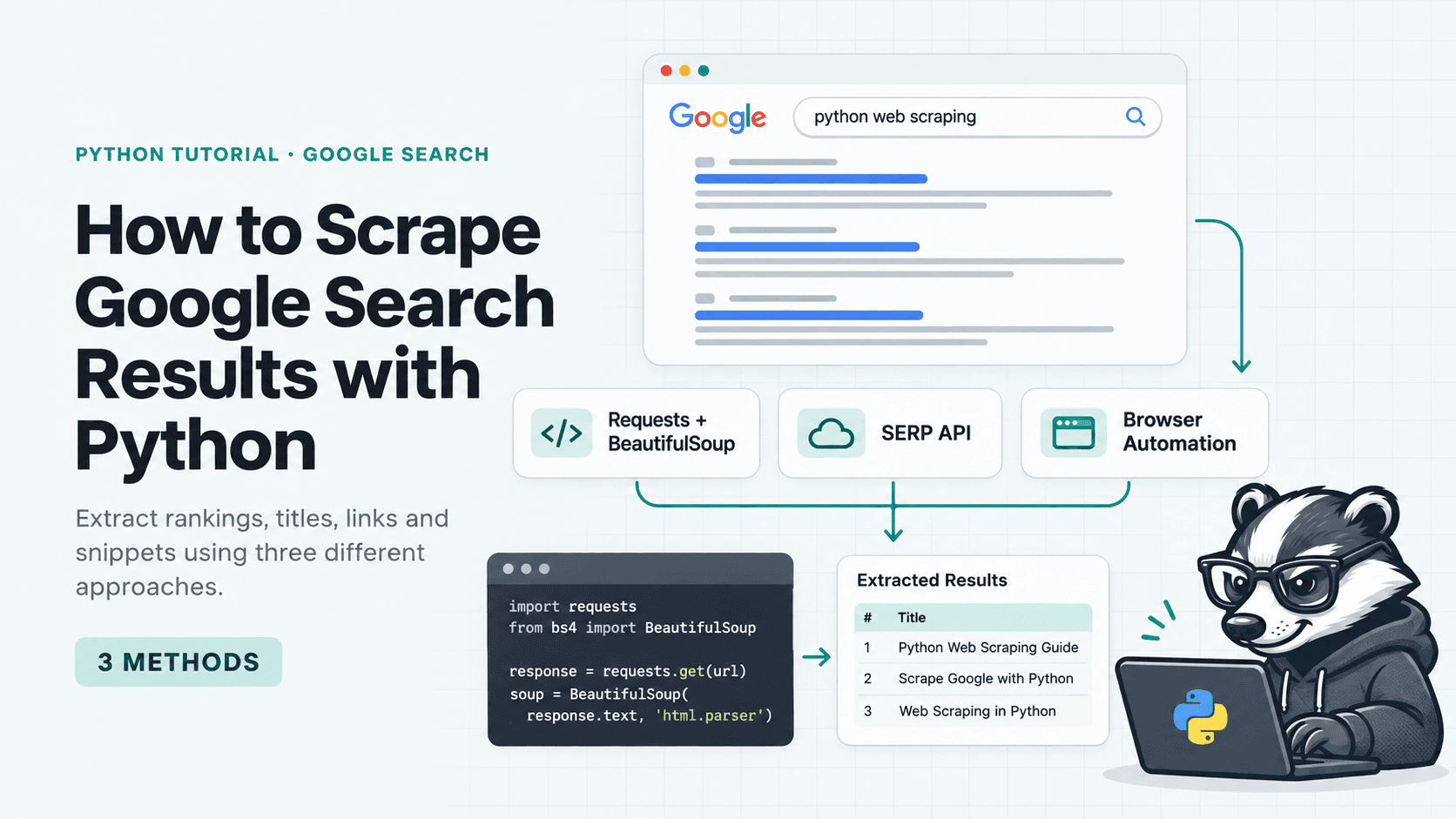
TL;DR: Plain HTTP requests (curl_cffi) get blocked by Google’s JavaScript challenge. A stealth browser (nodriver) gets through, but only in a visible Chrome window on your own machine. The ScrapeBadger Google Scraper API returns structured JSON from one request and scales without browsers or proxies.
Scraping Google with Python looks easy. You write a few lines of code, it works once, and the next day you get an empty list or a CAPTCHA.
The reason is SearchGuard, Google’s JavaScript challenge for automated traffic. Google began requiring JavaScript for Search in January 2025, and ScrapeBadger’s Google docs describe how SearchGuard blocks raw HTTP requests. It still blocks simple scrapers today (we tested again in October 2026), which is why most older tutorials no longer work.
In this guide we try the two free approaches first, so you can see exactly where they break, and then show the one that holds up in production:
Plain Python with
curl_cffiandBeautifulSoupA free stealth browser with
nodriverThe ScrapeBadger Google Search API (recommended)
Method 1: curl_cffi + BeautifulSoup
This is what everyone tries first: request the results page and parse the HTML. We use curl_cffi instead of requests because it copies Chrome’s real TLS and HTTP/2 fingerprint, which gives plain Python its best chance.
pip install curl_cffi beautifulsoup4Here’s the full script. It sends one request with Chrome’s fingerprint, checks whether Google blocked it, and pulls the titles and links out of the HTML:
"""Method 1: scrape Google search results with curl_cffi + BeautifulSoup."""
import json
import sys

from bs4 import BeautifulSoup
from curl_cffi import requests


def scrape_google(query: str) -> list[dict]:
    # impersonate="chrome" sends Chrome's real TLS/HTTP2 fingerprint and headers
    response = requests.get(
        "https://www.google.com/search",
        params={"q": query, "hl": "en", "gl": "us"},
        headers={"Accept-Language": "en-US,en;q=0.9"},
        impersonate="chrome",
        timeout=10,
    )
    # Google often answers a block with 200 and a JavaScript challenge, or 429 and a /sorry/ page
    if response.status_code == 429 or "/sorry/" in response.url or "enablejs" in response.text:
        raise RuntimeError("Blocked by Google (JavaScript challenge or CAPTCHA)")
    response.raise_for_status()

    soup = BeautifulSoup(response.text, "html.parser")
    results = []
    for position, h3 in enumerate(soup.select("a h3"), start=1):
        link = h3.find_parent("a")
        results.append({
            "position": position,
            "title": h3.get_text(strip=True),
            "link": link.get("href") if link else None,
        })
    return results


if __name__ == "__main__":
    query = " ".join(sys.argv[1:]) or "best python web scraping libraries"
    try:
        print(json.dumps(scrape_google(query), indent=2))
    except RuntimeError as e:
        sys.exit(f"Error:{e}")
Save it as method1_python.py and run it:
python method1_python.py "best python web scraping libraries"When we ran this, the script stopped with this error:
Error: Blocked by Google (JavaScript challenge or CAPTCHA)Google sent back a JavaScript challenge page instead of results. Without the block check in the script, you’d quietly save empty data.
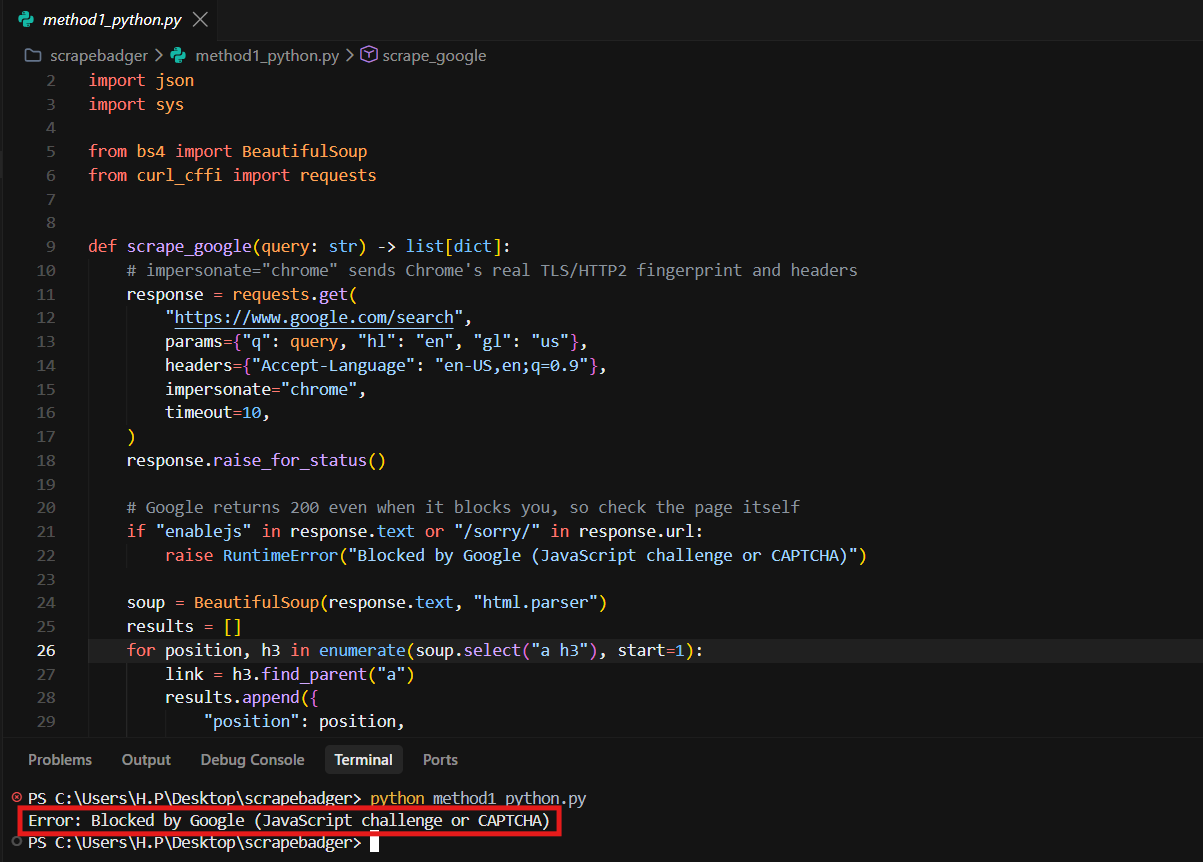
Even with Chrome impersonation, Google blocks the plain HTTP request.
That's the dead end for plain HTTP. SearchGuard wants proof that a real browser ran its JavaScript, and curl_cffi can't run JavaScript. Even if a request slipped through, you'd still face IP bans, selectors that break when Google changes its HTML, and hand-written parsing for ads, People Also Ask and AI Overviews.
So the next step is to use a real browser.
Method 2: nodriver (Free Stealth Browser)
nodriver is the free successor to undetected-chromedriver. It drives your installed Chrome without the automation flags that usually give bots away:
pip install nodriver curl_cffiThe script below opens a real Chrome window, runs the search and reads the results from the rendered page:
"""Method 2: scrape Google search results with nodriver (stealth Chrome automation).

Usage: python method2_nodriver.py "your query" [pages]
"""
import asyncio
import json
import os
import sys
from urllib.parse import parse_qs, quote_plus, urlparse

import nodriver as uc
from curl_cffi import requests

# Runs inside the page. Selectors like .VwiC3b, [data-hveid] and #botstuff are the part that breaks when Google changes its markup
EXTRACT_JS = r"""JSON.stringify((() => {
  const clean = el => el? el.innerText.trim().replace(/\s+/g, ' ') : null;
  const leaf = label =>[...document.querySelectorAll('body *')]
.find(e => e.childElementCount === 0 && e.innerText && e.innerText.trim() === label);
  const section =(label, minLen) => {
    let el = leaf(label);
    while(el && el.innerText.length < minLen) el = el.parentElement;
    return el;
  };

  const organic =[...document.querySelectorAll('a h3')].map(h3 => {
    const a = h3.closest('a');
    const block = a.closest('[data-hveid]')|| a.parentElement;
    return {
      title: clean(h3),
      link: a.href,
      displayed_link: clean(block.querySelector('cite')),
      snippet: clean(block.querySelector('[data-sncf],.VwiC3b')),
    };
  });

  const ai = section('AI Overview', 200);
  const paa = section('People also ask', 60);
  const related = document.querySelector('#botstuff');

  return {
    organic_results: organic,
    ai_overview: ai? clean(ai).replace(/^AI Overview\s*/, '') : null,
    related_questions: paa?[...paa.querySelectorAll('[role="button"][aria-expanded],[jsname] > span')]
.map(clean).filter(t => t && t.endsWith('?')).filter((t, i, all) => all.indexOf(t) === i) :[],
    related_searches: related ? [...related.querySelectorAll('a[href*="/search?"]')]
.map(clean).filter(t => t && !/^\d+$/.test(t) && t !== 'Next') :[],
  };
})())"""


def resolve(link: str) -> str:
    # Google sometimes wraps result links in /goto?url=... redirects
    if "/goto?url=" not in link:
        return link
    target = parse_qs(urlparse(link).query).get("url", [""])[0]
    if target.startswith("http"):
        return target
    # url= holds an opaque token, so read the redirect target without following it
    response = requests.get(link, impersonate="chrome", allow_redirects=False, timeout=10)
    return response.headers.get("location", link)


async def load_page(browser, query: str, start: int) -> dict:
    page = await browser.get(f"https://www.google.com/search?q={quote_plus(query)}&hl=en&gl=us&start={start}")
    for _ in range(15):
        await asyncio.sleep(1)
        if "/sorry/" in str(await page.evaluate("location.href")):
            raise RuntimeError("Google served a CAPTCHA")
        data = json.loads(await page.evaluate(EXTRACT_JS))
        if data["organic_results"]:
            await asyncio.sleep(2)  # give the AI Overview time to finish streaming in
            return json.loads(await page.evaluate(EXTRACT_JS))
    raise RuntimeError("No results found: blocked or the page layout changed")


async def scrape_google(query: str, pages: int = 1) -> dict:
    # Headless Chrome gets a CAPTCHA from Google, so run a visible window
    browser = await uc.start(
        headless=False,
        browser_executable_path=os.environ.get("CHROME_PATH"),  # optional, auto-detected if unset
    )
    try:
        serp = await load_page(browser, query, 0)
        for page_number in range(1, pages):
            await asyncio.sleep(3)  # pace requests to avoid CAPTCHAs
            more = await load_page(browser, query, page_number * 10)
            serp["organic_results"] += more["organic_results"]
    finally:
        browser.stop()

    for position, result in enumerate(serp["organic_results"], start=1):
        result["position"] = position
        result["link"] = resolve(result["link"])
    return serp


if __name__ == "__main__":
    query = sys.argv[1] if len(sys.argv) > 1 else "best python web scraping libraries"
    pages = int(sys.argv[2]) if len(sys.argv) > 2 else 1
    sys.stdout.reconfigure(encoding="utf-8")  # SERP text often has characters the Windows console can't encode
    try:
        print(json.dumps(uc.loop().run_until_complete(scrape_google(query, pages)), indent=2, ensure_ascii=False))
    except RuntimeError as e:
        sys.exit(f"Error:{e}")
Save it as method2_nodriver.py and run it (add a page count to scrape more pages):
python method2_nodriver.py "best python web scraping libraries" 2It returns organic results (title, real link, displayed link, snippet), the AI Overview text, People Also Ask questions and related searches. But it works with a catch: only in a visible Chrome window on a home connection. In headless mode, Google sent it straight to a CAPTCHA. (Free libraries that use plain HTTP, like googlesearch-python, do even worse: in our test it returned an empty list with no error.)
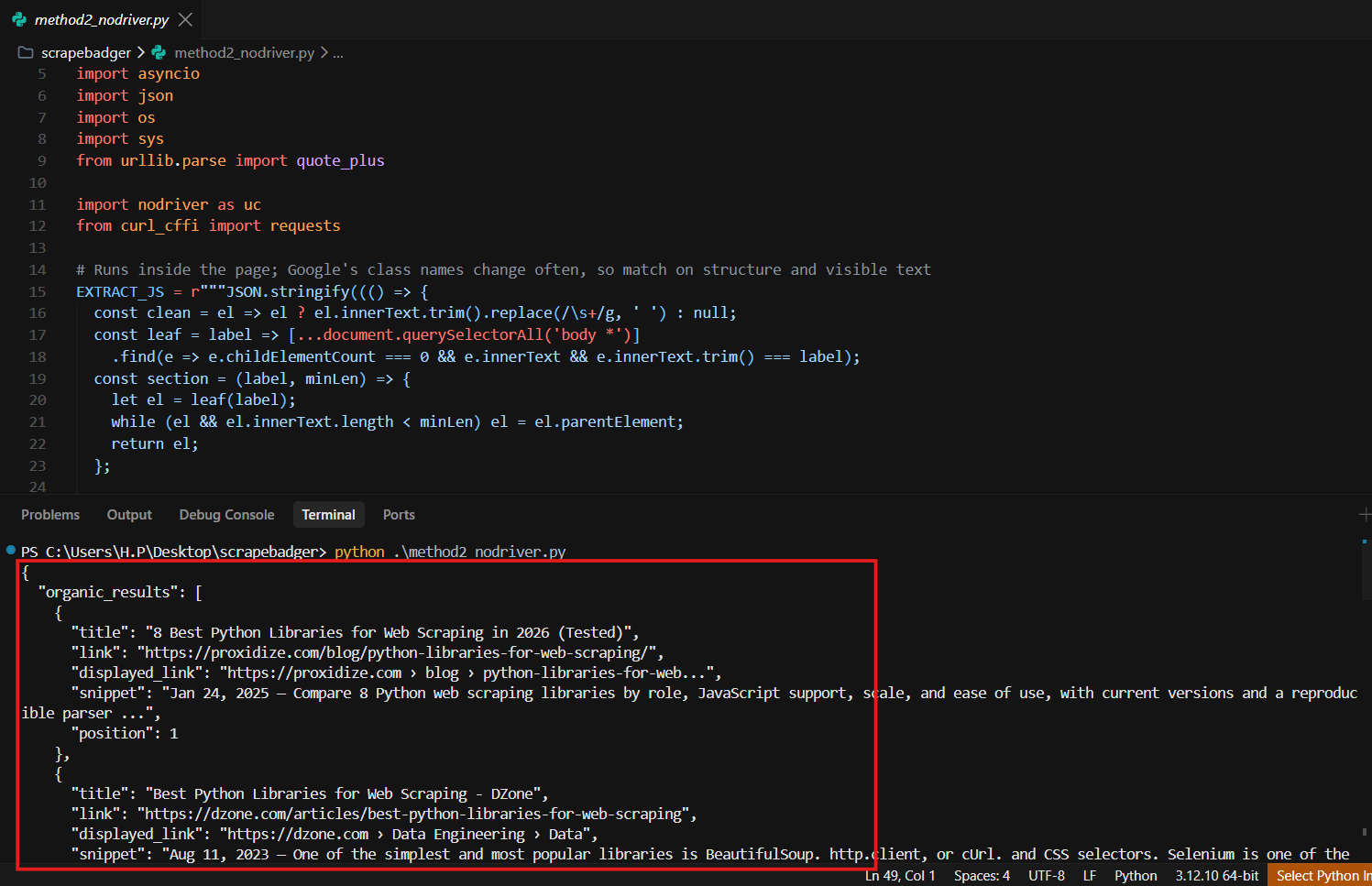
nodriver returns results, but only with a visible Chrome window open.
The bigger problem is scale. Every search opens Chrome and takes several seconds, so it won’t run on a server or at volume. Run searches back to back from one IP and the CAPTCHAs come back. Google doesn’t publish the limit, it varies by IP and pacing, and you have no proxies to rotate. In our tests, Google also wrapped result links in google.com/goto?url=... redirects that the script has to unwrap. And every field you extract depends on a page layout Google can change any day.
Method 1 can’t get past Google’s front door. Method 2 gets in but can’t keep going. What you actually need is the data, without running browsers, proxies and parsers yourself.
Method 3: ScrapeBadger Google Search API (Recommended)
ScrapeBadger's Google SERP Scraper API does exactly that. One API call returns Google results as clean, structured JSON. SearchGuard, CAPTCHAs, proxies and IP rotation are handled on its side, so there's no browser to run, no HTML to parse and nothing to maintain.
Step 1: Get your free API key
Sign up and you get 1,000 free credits, no credit card required. Your key is on the dashboard.
Save it as an environment variable so the script can read it without hard-coding it:
export SCRAPEBADGER_API_KEY="your_api_key"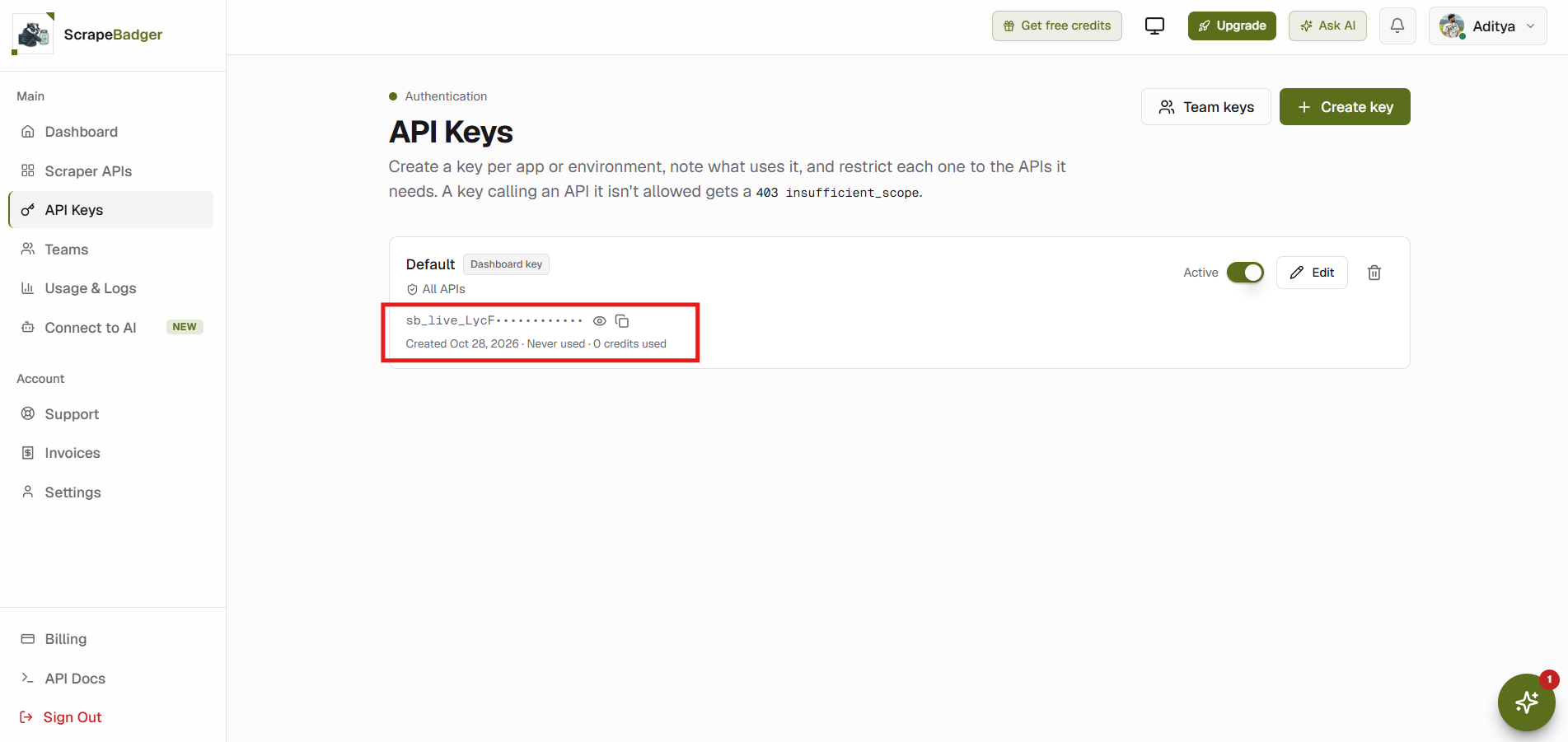
Copy your API key from the ScrapeBadger dashboard.
Step 2: Search Google
With the key set, the scraping itself is a single GET request to /v1/google/search. Here’s the full script, with retries and pagination built in:
"""Method 3: scrape Google search results with the ScrapeBadger Google Search API."""
import argparse
import json
import os
import sys
import time

import requests

API_URL = "https://scrapebadger.com/v1/google/search"


def clean(value):
    """Drop empty sections and inline base64 images so the output stays readable."""
    if isinstance(value, dict):
        return {
            k: clean(v)
            for k, v in value.items()
            if v not in (None, "", [], {}) and not (isinstance(v, str) and v.startswith("data:image"))
        }
    if isinstance(value, list):
        return [clean(v) for v in value]
    return value


def search_google(query: str, start: int = 0, **params) -> dict:
    api_key = os.environ.get("SCRAPEBADGER_API_KEY")
    if not api_key:
        raise RuntimeError("Set the SCRAPEBADGER_API_KEY environment variable")

    for attempt in range(3):
        response = requests.get(
            API_URL,
            headers={"x-api-key": api_key},
            # ai_overview=true also fetches AI Overviews that Google loads after the page
            params={"q": query, "gl": "us", "hl": "en", "start": start, "ai_overview": "true", **params},
            timeout=60,
        )
        if response.status_code != 429 or attempt == 2:
            break
        time.sleep(int(response.headers.get("Retry-After", 60)))

    if not response.ok:
        raise RuntimeError(f"{response.status_code}:{response.text}")
    return response.json()


def scrape_google(query: str, pages: int = 1, **params) -> dict:
    serp = search_google(query, **params)
    serp.setdefault("organic_results", [])
    for page in range(1, pages):
        more = search_google(query, start=page * 10, **params)
        serp["organic_results"] += more.get("organic_results", [])
    for position, result in enumerate(serp["organic_results"], start=1):
        result["position"] = position
    return clean(serp)


if __name__ == "__main__":
    sys.stdout.reconfigure(encoding="utf-8")
    parser = argparse.ArgumentParser()
    parser.add_argument("query", nargs="?", default="best python web scraping libraries")
    parser.add_argument("pages", nargs="?", type=int, default=1)
    args = parser.parse_args()
    try:
        serp = scrape_google(args.query, pages=args.pages)
    except RuntimeError as e:
        sys.exit(f"Error:{e}")
    print(json.dumps(serp, indent=2, ensure_ascii=False))
Save it as method3_scrapebadger_api.py and run it (add a page count to get more pages):
python method3_scrapebadger_api.py "best python web scraping libraries" 2The actual scraping is one GET request. The rest of the script just retries if you hit the rate limit, fetches extra pages and drops empty fields. No fingerprints, selectors or block checks. For “best python web scraping libraries”, we get 8 organic results and Google’s AI Overview with its source links, all as JSON. People Also Ask, related searches, ads and other blocks come back too whenever Google shows them.
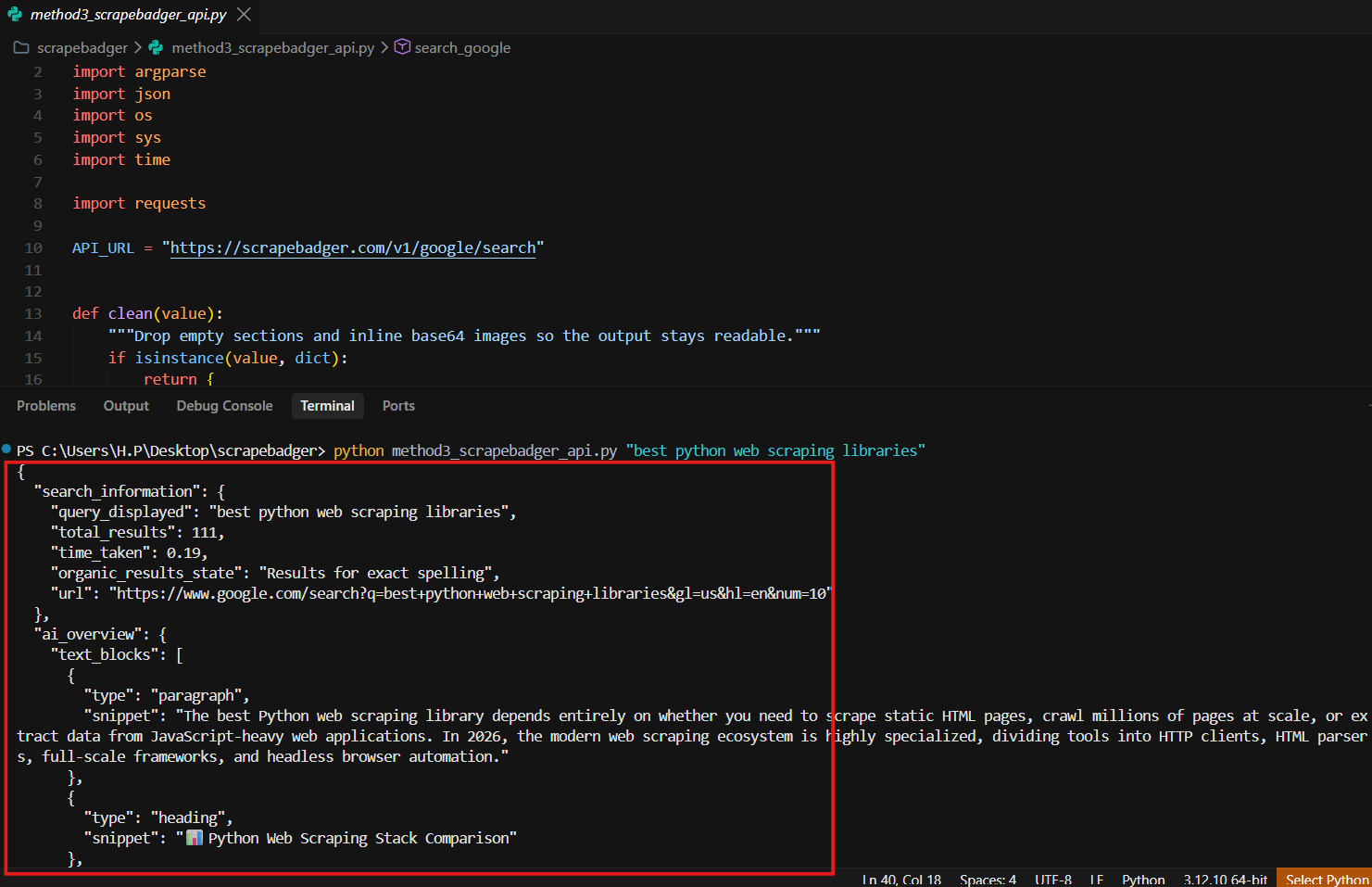
One API call returns clean, structured Google results.
Step 3: Use the structured data
Every SERP feature comes back in its own field. Here’s a trimmed response for “best python web scraping libraries”:
{
  "ai_overview": {
    "text_blocks": [
      {"type": "paragraph", "snippet": "There is no single\"best\" Python web scraping library, as the right tool depends entirely on whether you are fetching simple HTML, bypassing heavy anti-bot scripts, or managing massive data pipelines."}
    ],
    "references": [
      {"title": "What are the best Python web scraping libraries?, Video, watch on YouTube", "link": "https://www.youtube.com/watch?v=h2fVakn09EY", "source": "YouTube"}
    ]
  },
  "organic_results": [
    {"position": 1, "title": "Best Web Scraping Tools in 2026: Tested and Compared", "link": "https://www.blog.datahut.co/post/web-scraping-tools/", "snippet": "Aug 22, 2022 — Web scraping libraries for Python developers · 1. Requests · 2. BeautifulSoup · 3. lxml · ...", "source": "blog.datahut.co", "date": "Aug 22, 2022"},
    {"position": 2, "title": "What is the best Python library to scrape a website?", "link": "https://www.quora.com/What-is-the-best-Python-library-to-scrape-a-website", "source": "quora.com", "date": "7 years ago"}
  ]
}
Here’s what each main field holds:
Field | Contains |
|---|---|
| Position, title, link, snippet |
| Sponsored results |
| Google’s AI Overview and its sources (add |
| People Also Ask |
| Knowledge panel data |
| Local pack places |
| Related searches |
Because the fields are already structured, saving them takes a few lines. This writes the organic results to a CSV file and prints the AI Overview text:
import csv

from method3_scrapebadger_api import scrape_google

serp = scrape_google("best python web scraping libraries")

with open("organic_results.csv", "w", newline="", encoding="utf-8") as f:
    writer = csv.DictWriter(f, fieldnames=["position", "title", "link", "snippet"], extrasaction="ignore")
    writer.writeheader()
    writer.writerows(serp.get("organic_results", []))

for block in serp.get("ai_overview", {}).get("text_blocks", []):
    print(block["snippet"])
Save it next to method3_scrapebadger_api.py and run it with your API key set, the same way as before.
Need a specific market? Add location (for example "Chicago, USA"), gl and hl for country and language, device=mobile for mobile results, or domain for any of 185 Google domains. The number of organic results per page varies: in our test, page 1 had 8 (the AI Overview and other blocks take up space) and page 2 had 10. Pagination still uses start=10, 20 and so on, the same offsets Google’s own Next button uses, so no results are skipped. The script’s page count handles this for you.
Pricing
Full Search: 20 credits per request. Light Search (
/v1/google/light/search, organic results only): 10 credits.Failed requests cost nothing, and identical requests repeated within 5 minutes are free.
The 1,000 free credits cover 50 full searches.
On pay-as-you-go ($0.15 per 1,000 credits), that’s about $3 per 1,000 full searches, or $1.50 with Light Search. Subscriptions are cheaper per credit.
See the pricing page for current plans.
Why ScrapeBadger Wins
It just works. No blocks, CAPTCHAs or proxy juggling.
Every SERP feature as JSON. Organic results, ads, AI Overviews, People Also Ask and the Knowledge Graph, with no parsing.
Zero maintenance. When Google changes its layout, your code keeps working.
You only pay for results. Failed requests are free.
curl_cffi + BeautifulSoup | nodriver | ScrapeBadger | |
|---|---|---|---|
Gets past SearchGuard | No | Only with a visible browser | Yes |
CAPTCHA / IP handling | DIY | DIY | Automatic |
Output | Raw HTML | JSON scraped from the page layout | Structured JSON |
AI Overview, PAA, ads | Manual | Hand-written selectors, no ads | Included |
Maintenance | High | High | None |
Best for | Learning | Small tests | Production |
Conclusion
Free methods are useful for learning how Google works, but they fail exactly when you need them: at real volume, every day. ScrapeBadger gives you reliable, structured Google results from a single API call, with no browsers, proxies or parsers to maintain. Get your free API key and run the Method 3 code in a few minutes.
Go Beyond Web Search: More Google APIs
Your ScrapeBadger API key isn’t limited to Google Search results. The same key and the same credits work with every Google API, and each one returns structured JSON, so there’s nothing to parse.
If you want to… | Use | What you get |
Track rankings for less | Organic results and related searches at 10 credits per request | |
Check local rankings | Businesses ranking for local searches, plus place details, reviews and photos | |
See how AI search cites you | AI answers with their citations and sources | |
Find keyword ideas | Live autocomplete predictions, and demand over time and by region | |
Monitor prices | Product listings, seller offers and price data | |
Follow the news | Keyword search, topic feeds and trending stories | |
Watch competitors’ ads | Ad creatives and advertiser lookups | |
Pull travel data | Live fares and schedules, plus hotel rates and availability |
Need Jobs, Scholar, Patents, Lens or Images? See all Google APIs →
FAQ
Why does my Google scraper return empty results?
Google probably served a JavaScript challenge or a CAPTCHA, often with an HTTP 200 status, sometimes a 429. Look for a /sorry/ URL or a page with no result titles. A SERP API like ScrapeBadger handles this for you.
How many results does ScrapeBadger return per request?
Usually 8 to 10 organic results per page, depending on how many slots Google fills with AI Overviews, People Also Ask and other blocks. Paginate with start=10, 20 and so on. These are the same offsets Google’s Next button uses, so no results are skipped.
Can I scrape Google AI Overviews?
Yes. The full Search endpoint returns an ai_overview field whenever Google shows one, and ai_overview=true fetches overviews that load late. For Google's AI Mode answers, use /v1/google/ai-mode/search. For how the two differ, see AI Mode vs AI Overviews vs Gemini.

Written by
Domas Sakavickas
Dom Sakavickas is Co-founder of ScrapeBadger, building web scraping infrastructure for developers and data teams. He writes about the web data market, tool comparisons, and business use cases for scraping. ScrapeBadger is a web scraping API platform specialising in Twitter/X, Reddit and Google data, with dedicated scrapers also covering TikTok, YouTube, LinkedIn, Amazon, eBay, Zillow and 40+ more: with built-in anti-bot bypass and an MCP server for AI agents.
Ready to get started?
Join thousands of developers using ScrapeBadger for their data needs.